
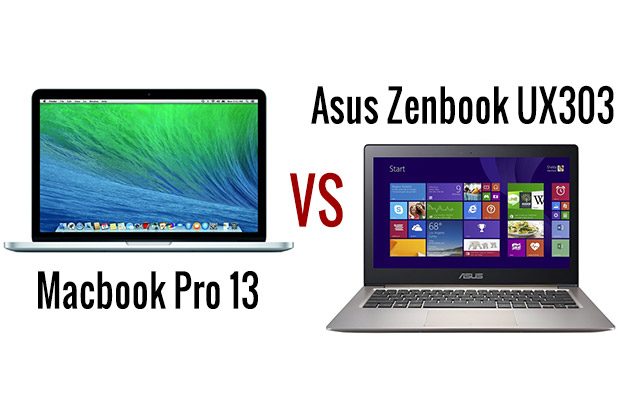
Some of you requested a head-to-head between the Asus Zenbook UX303LN and the MacBook Pro 13 with retina display and I finally managed to get them side by side this week. I don’t have any pictures though, I did not have my camera with me at that time, so you’ll have to settle for my written impressions.
Anyway, these are two of the most interesting 13 inch mini-laptops available right now in stores (well, sort of, since the UX303LN has been continuously delayed and its availability still very limited at the time of this post). They are also some of the premium options for 13 inchers, so you’ll need to put aside about $1200 – $1300 (or Euro) for them, and even more for some of the higher end configured Macs.
But which one is the better pick in the end? Well, there’s no “simple” answer, as both of them are solid options, but each are meant to satisfy different requirements and each have limitations. But if you’ll stick with me through this entire post, you’ll know what to expect from each side.
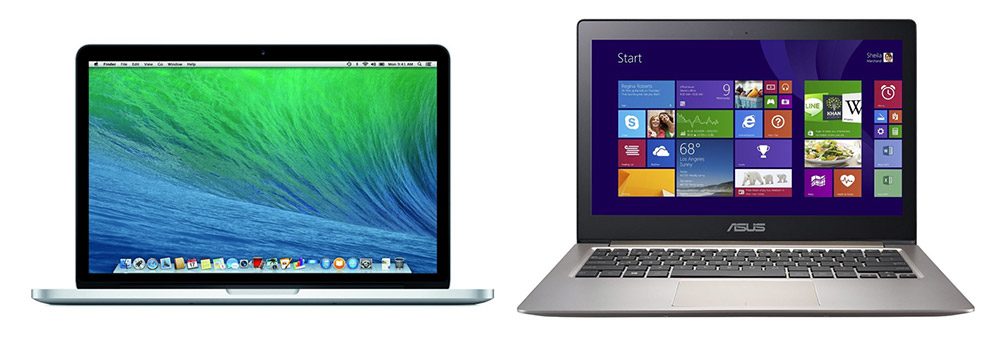
Two premium 13 inchers: the Apple MacBook Pro 13 (Left) and the Asus Zenbook UX303LN (Right)
The Specs
| MacBook Pro with Retina Display (Mid 2014) |
Asus Zenbook UX303LN | |
| Screen | 13.3 inch, IPS 2560 x 1600 px glossy non-touch | 13.3 inch, either IPS 1920 x 1080 px non-glare or IGZO IPS 3200 x 1800 PX touchscreen |
| Processor | Intel Core i5-4278U, Core i5-4308U, Core i7-4578U | Intel Core i5-4210U, Core i7-4510U |
| Video | Intel 5100 HD Iris | Intel 4400 HD + Nvidia GT 840M 2GB |
| Memory | up to 16 GB DDR3 | up to 12 GB DDR3 |
| Storage | up to 512 GB PCI-E SSD | 2.5 inch 7 mm bay – up to 256 GB SSD |
| Connectivity | Wireless AC, Bluetooth, LAN (adapter) | Wireless AC, Bluetooth, LAN (adapter) |
| Ports | 2xUSB 3.0, SD card reader, HDMI, 2 x Thunderbolt | 3xUSB 3.0, SD card reader, HDMI, miniDP, VGA and RJ45 (with adapters) |
| Battery | 71 Wh | 3 Cell 50 Wh |
| OS | OS X Mavericks | Windows 8.1 /Pro |
| Size | 314 x 219 x 18 mm (12.3 x 8.6 x 0.70 in) | 323 x 223 x 20 mm (12.7 x 8.8 x 0.78 in) |
| Weight | about 1.57 kg (3.46 pounds) | about 1.45 kg (3.3 pounds) |
Both devices are available in a few different configurations. But there are two things to keep in mind:
- The TOP Asus config (Core i7-4510U, Nvidia 840M, 12 GB RAM, 256 GB SSD, 3200 x 1800 px IGZO touchscreen) sells for $1300, while Apple asks just as much for the base-version of the Macbook Pro 13 (Core i5-4278U , 8 GB RAM, 128 GB SSD).
- While Asus did announce several configs for the UX303LN, only the top one is now available in SELECT countries, with no word on when the others will get in stores or if they will be available worldwide (I’d reckon they won’t; Asus tends to offer only several configurations on the bigger markets, and more in smaller countries).
Design and build quality
I can’t say one of these looks better or feels sturdier than the other, that’s mostly a matter of personal taste, but I can say this: both are some of the most well made laptops out there.
Apple’s Macbooks have been a reference for years when it comes to build quality, but Asus actually managed to come close with their latest Zenbook. The latter still sports a more complex design, with a ripple effect on the lid cover and different shares of metal used around the body, while the Macbook remains simpler, with its silver aluminum unibody, but gets the lit Apple logo on the hood.
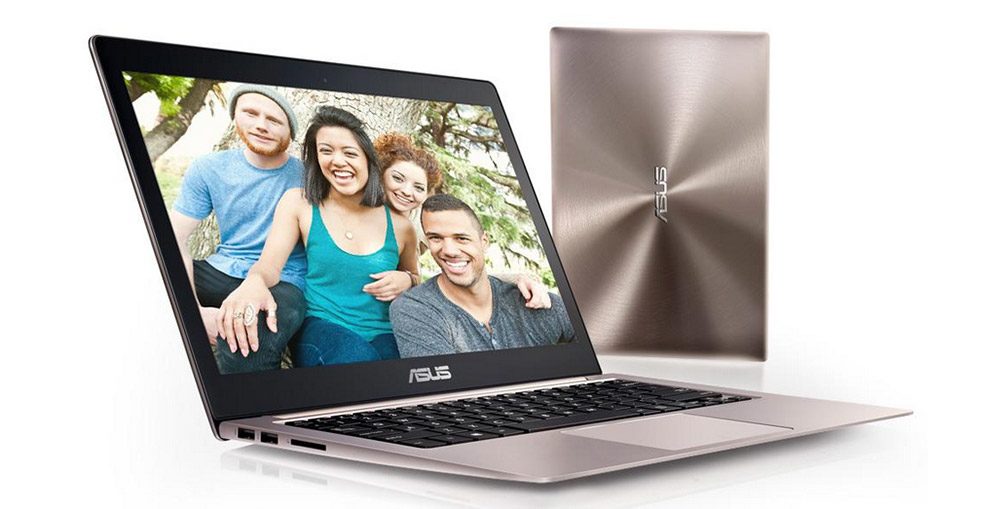
The Zenbook gets a more sophisticated design
The Macbook Pro is millimetrically more compact and thinner than the Zenbook, but at the same time somewhat heavier, but neither are visible in real life. You will notice the perfectly joined parts though, the nicely cut edges or the sturdy long hinges on both of these.
And the ports, where the two are again fairly similar. The UX303LN does offer one extra USB port, but the Macbook Pro gets two Thunderbolt 2 connectors, which allows for a larger option of connected peripherals, while Asus’s notebook gets only a mini-DP port for external monitors. It’s also worth noting that most ports are lined on the left side on the Zenbook and on the right on the Macbook, thus if you’re a righty like I am, you’ll probably prefer the former’s layout, which leads to a less cluttered right side, where I usually keep my mouse.
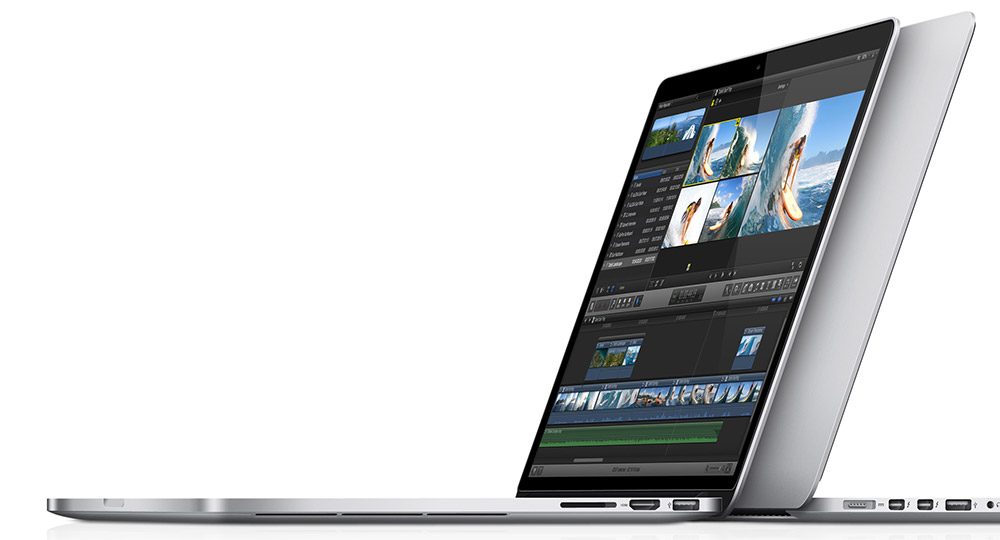
But the more compact Macbook Pro 13 is absolutely stunning as well
Taking a quick look at the bellies, you’ll find some cooling cuts on the UX303LN and none of the Retina Pro, which anticipates the more powerful hardware inside the first. Air is blown out through the hinge on both, partially towards the rear and partially upwards, into the screen and back to the user.
Screen
On paper, both sides look great, with sharp IPS displays. Asus’s option packs even more pixels, but you’ll hardly see the difference in everyday use. In fact, if we consider that plenty of older third party apps still don’t scale well on Windows 8.1, the higher resolution can be seen as a disadvantage, for now. But OS X is not perfect when it comes to scaling either.
At the same time, both panels are bright (above 350 nits) and have decent measured contrast (above 750:1 for the Mac, about 500:1 for the Asus) and both are glossy. That was expected for the UX303, which offers a touchscreen with protective glass on top, but Apple’s screen lacks touch, so perhaps they could have went with a better anti-glare finishing.
The Zenbook’s display however has serious problems when it comes to reproducing colors. As I’ve told you in my review, the Samsung made panel on the UX303 paints mustardy yellows and skews the other colors as well. That’s a known problem, the same panel is used by Lenovo on the Yoga 2 Pro and by Samsung on the ATIV Book 9 Plus and they partially corrected the issue with BIOS updates, but Asus did no such thing, at least for the time being. Hopefully they will, but even so, the Retina Display on the Macbook still remains capable of showing colors more accurately.
Keyboard and TouchPad
These two laptops feature what seems like nearly identical keyboards on a first look, with pretty much the same layout and color schemes (black keys on a silver background), both illuminated. However, Apple went for a smoother, softer plastic coating on top of their keys, while those on the Zenbook feel cheaper, plastickier . Besides these, the Mac’s keys are a bit firmer and all these combined lead to a slightly superior typing experience on the Macbook Pro, but the UX303 does not trail it far.
Both laptops also feature large glass-made touchpads with not dedicated buttons. They are both responsive and accurate, with support for gestures, but if you’re one of those persons that performs physical clicks on a touchpad, you should know that the Zenbook’s is rather stiff and noisy. So once again, while the UX303 does provide a good experience here, the Retina Macbook Pro is just nicer to use.
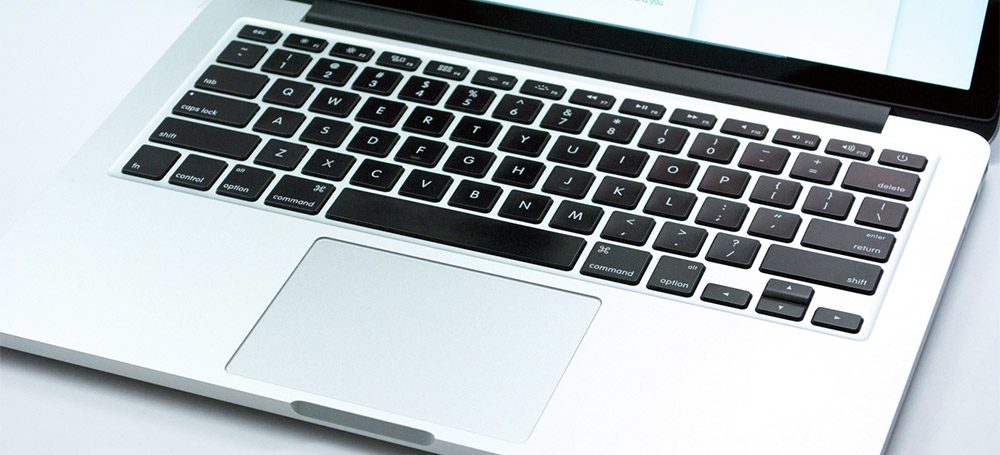
The Macbook Pro offers an overall more enjoyable keyboard and touchpad
Hardware and everyday experience
Here’s where these two are no longer close match-ups.
On one side we have the Macbook Pro which is powered by the higher-end line of Intel ULV Processors, hence the Core i5-4278U (2.6 GHz), Core i5-4308U(2.8 GHz) and Core i7-4578U (3.0 GHz) CPUs, all bundled with Intel HD 5100 Iris graphics. Such platforms are only available on the Asus UX301LA windows 13 inch laptop, and provide a 15-25% boost in raw performance from a standard ULV Haswell chip with Intel HD 4400 graphics, like the ones available inside the Zenbook UX303LN (the C0re i5-4210U – 1.7 GHz or the Core i7-4510U – 2.0 GHz).
The Zenbook is however paired with an Nvidia GT 840M graphics chip, a mid-level modern solution usually found on larger multimedia laptops. And as a result, the UX303LN demolishes the Macbook in games and most other apps that require intense graphics processing. Not that much in Premiere and Photoshop though, which rely more on RAW CPU power.
However, that’s not all. The Zenbook gets up to 12 GB of RAM, and 4 of them are soldered on the motherboad, while for the other up to 8 GB you can insert your own DIMM into the available memory slot. The Macbook Pro 13 gets up to 16 GB of RAM, but the entire amount is soldered on the motherboard, so you’ll end up with what you’re choosing in the beginning and there’s no way to add more later.
Last but not least, the two feature different storage solutions. The UX303 gets a standard SATA 3 7mm 2.5″ enclosure , plus a half-size mSATA port, while the Pro 13 gets a PCI-E slot. Thus, Apple’s solution allows for faster speeds, however, since this is not a standard M.2 slot, but a proprietary one, while it is theoretically possible to upgrade the storage on the Macbook Pro, you’ll have a really hard time finding something compatible.
The Asus on the other hand can get all sorts of storage drives, from HDDs to SSDs, into that standard-sized 2.5 inch bay, plus one of those mSATA half-size sticks (which are rather expensive and slow, though). However, there’s one thing to keep in mind: replacing the storage solution by yourself voids warranty for the Zenbook at least in the US, as it requires you to remove a certain sticker placed on one of the screws. You can still peal it carefully and reapply once you’re done, but do it on your own risk.
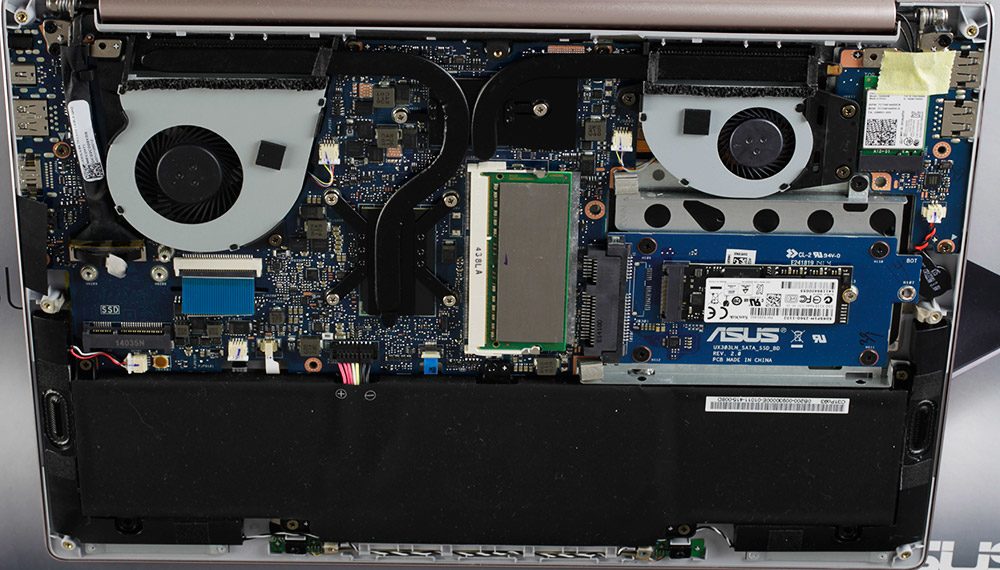
The Zenbook UX303LN gets you dedicated graphics and allows further upgrades
OK, so the wrap-this up, the MacBook Pro 13 leaves no room for upgrades (also see this post on iFixit for details). Even its battery is glued to the frame and very difficult to change, if needed. At the same time, it does offer fast configurations with up to 16 GB of RAM and up to 512 (or even 1 TB) SSDs, but you’ll have to buy them directly from Apple and the higher end configs are going to get really expensive. The Zenbook UX303LN settles for slower processors, only 12 GB of RAM and up to 256 GB SSDs, but you can upgrade the memory, storage and battery yourself fairly easily. Last but not least, the Zenbook benefits from a more attractive price/configuration ratio.
When it comes to the software, one side runs Windows 8.1, the other Mac OS X Maverick, with their own particularities. Most of you should be OK with either sides though (although the change will take a few days of accommodation if you haven’t used one of the sides before), just think about the software you’re going to run on these computers and whether it works better (or at all) on a particular environment. For instance, games, Microsoft’s Office Suite and certain programming software tend to work better on Windows, while on Mac OS you get an entire suite of proprietary apps, like Final Cut or iPhoto, plus functions like Power Nap.
Both computers run quietly in daily use and mostly cool, although both are fan-cooled. The Asus gets two smaller fans and the Macbook only one, thus the Zenbook will get noisier under load, but that was expected, given the dedicated graphics inside. The UX303’s case also reaches somewhat higher temperatures when playing games and running demanding software, again, due to the graphics, to the point that using it on your lap while performing such tasks is not comfortable at all.
Battery life
The 13 inch Macbook Pro 2014 gets a 71.8 Wh battery, while the Zenbook UX303LN only a 50 Wh one. There are higher TDP processors inside the Apple laptop (28 Wh vs 15 Wh), but even so, the Macbook tends to easily outlast the Zenbook in real life use.
I’ve got between 5-6 hours of life on the UX303LN while performing a mix of daily tasks, like browsing, watching some clips and Youtube, listening to some steamed music, editing texts, etc while the Pro 13 offers around 8-9 hours in similar conditions. Under heavy load though, expect both of them to die in about 2, maybe 2 and half hours.
Price
Asus lists the Zenbook UX303LN for between $850 and $1300. All the configs are listed in my review, but the TOP configuration is the one presented above, with the Core i7 processor, high-res screen, Nvidia 840M graphics, 12 GB of RAM and a 256 GB SSD. If you don’t need the dedicated graphics, Asus also offers the Zenbook UX303LA, which sells for less (here’s how the LA compared to the LN version).
The Macbook Pro on the other hand starts at $1300 for the Intel Core i5 , 8 GB RAM, 128 GB SSD combo, while higher end configurations sell for between $1500 to $1700. So you will have to pay significantly more for something specced closer to the Asus above.
Wrap-up
But is the Retina Macbook Pro 13 worth paying extra for? Well, it depends. Having these two side by side, the Macbook takes the point when it comes to ports, screen-quality, overall typing experience and battery life. Especially battery life. It’s also the overall faster device in daily use, thanks to its beefier processors and PCI-E storage. Thus judging by all these, The Macbook Pro 13 is overall the superior device here and there’s no important box that this one doesn’t tick.
On the other hand, the Zenbook offers dedicated graphics and the upgrade possibilities, which means that it’s a more capable gaming ultraportable (more options of gaming ultrabooks are available here) and you could actually buy a lower-end version of the laptop and add the RAM and the SSD yourself, thus end up with something even more affordable.
But the main reason to buy the UX303LN is its gaming potential. If you want to play games on a thin-and-light 13 incher, there’s nothing better right now. If you don’t, well, you can consider the Macbook Pro 13. But that’s not going to be your only option, unless you really want something more powerful than the norm and with a good high-resolution screen and really long battery life, which I’m sure we all want, but comes at a high price. Otherwise, there’s the lighter and cheaper Macbook Air, but also a handful of Windows laptops, like the Asus Zenbook UX303LA, the Lenovo Yoga 2 Pro, the HP Spectre 13T-3000 or the Dell XPS 13, plus some of the other premium 13 inch ultrabooks mentioned in here.
Regardless, the Zenbook UX303LN offers plenty for the money, more than any other similar computer. Its screen drags it down and it can’t last long on a charge, but these are not its biggest problems. Surprisingly, what will probably stop you from buying the UX303 right now is its unavailability. It was initially announced for the middle of July, now, two months later, it’s only available in a few countries (US and Canada) and in a limited number of configurations. Big markets like Germany and France haven’t got it yet and rumors say they won’t for at least a month or so, while countries like the UK might not get the LN version at all.
So no matter if the UX303LN is good enough for you, Asus’s inability to have it in stores is mind-bubbling. In the meantime, the Macbook Pro 13 is available all over the world in all sort of configurations.
Anyway, that’s about it for now. These are my opinions on the Macbook Pro 13 with Retina Display and the Asus Zenbook UX303LN. Let me know what you think. If you have any questions or anything to add here, the comments section is open and I’m around to reply.


Javad
September 6, 2014 at 6:12 pm
Thanks a million Andrei,
So It’s matter of gaming and money (besides availability).
As the Macbook’s battery has optimized for OS X I wonder whether it is good on Windows or not? If I buy it I will mostly use OS X but there are apps that need Windows.
By the way is Core i5-4278U Macbook faster than Zenbook with i7 ?
Bob
September 7, 2014 at 1:52 pm
How would you say the Macbook pro retina would be with windows 8.1 installed? Will the touchpad be significantly worse with windows drivers? I just got the UX303LN and I am not pleased with it. It is a powerful machine but the yellow/orange color issues are horrible and I find it inexcusable that Asus does not have a fix for this right now.
Andrei Girbea
September 7, 2014 at 6:36 pm
Unfortunately that’s wild territory for me, I haven’t seen Windows on Macs so really can’t comment on the matter. You can find lost of info online though from others.
I’m with you on those yellows problems, especially since the issue was known and Lenovo/Samsung at least offer a partial fix (Since the beginning of the year). Hopefully once this thing actually gets in stores worldwide they’ll release a fix. But I’m not holding my breath.
koblongata
November 6, 2014 at 1:23 pm
Just came across this,
Yes, it’s significantly worse, I have been using windows bootcamp on a MBA 11″ for some time, and the trackpad is not as good as it is in OSX… I think it must be the driver’s issue, bootcamp driver certainly and “understandability” not optimized for Windows..
However, then I switched to use Parallels instead inside OSX, the trackpad experience is significantly better. But the trade-back is battery life and applications not running at native speed (you can feel it when browsing).
And now, I have just ordered a UX303LN waiting for its arrival. Is its trackpad really so bad that it is unacceptable?
hopefully mine doesn’t have the same screen color issue too…
Andrei Girbea
November 6, 2014 at 2:58 pm
If you bought the 3200 x 1800 px screen you’ll end up with the murky yellows, but I’ve heard Asus are working for a fix that should be released this November.
The trackpad isn’t bad, by WIndows laptops’ standard, but won’t compare with the ones on the MBAs (running OSX, haven’t tried them with Windows)
koblongata
November 11, 2014 at 3:24 pm
Got my ux303ln, the one I got is a fullhd one and the screen is great, without the yellowish colored display.
The touchpad though, it has some slight delays, I can’t say how much exactly, but it’s there, probably 30ms. I experienced similar lagging touchpad on a acer r7 before, it was a Elan touchpad, I can’t tell if the ux303 has the same one. It’s quite annoying once you have noticed it. Can you identify this “characteristic”? I googled about it and found that on notebookcheck it also noted that it has a slight delay…
I doubt the delays were caused by palm rejection or gesture detection algorithms. The Macbook has its delay problem when two-finger-tap, but can be “fixed” by disabling another two-finger related gesture I forgot which one but it was not scrolling so it was not much big of a deal. But I had no luck on the ux303 touchpad, after turning everything off in the smartgeesture program, the delays still persists. It’s really a deal breaker for me, it’s like controlling the mouse pointer 10 meters away with wirelessly.
Hopefully the delays on the ux303 touchpad can be “fixed” as well by driver update of sorts. If you can identify the slight delaying issue too, please let the Asus know about it! I will write another support email to Asus, but I believe your words will be of more importance to them!
Andrew
September 27, 2014 at 5:48 pm
Hello Andrei, great review.
Actually just posted about this comparison in your ultrabook 2014 review and here it is!
Which laptop would you go with, or perhaps a better question in the same class as the rMBP 13′ which windows laptop would be your very first choice given the options (asus ux303LN, samsung, hp spectre etc. etc.)
Also, where do you recommend we get more information on the rMBP using windows 8.1 in both bootcamp and virtualized. Finally, how does the mac output graphics while using windows on external monitors, i’ve read about pixel and resolution issues.
Your help and advice is greatly appreciated!! Thanks.
Andrei Girbea
September 30, 2014 at 8:43 am
Hi Andrew. First of all, I have very limited experience with running Windows on Macs, so I’m afraid I can’t help you much with that.
Then, the 13 inch RMBP doesn’t have a very close competitor in the Windows camp. I’m not aware of any portable and long lasting computer with the same kind of CPUs (Apple uses the 28W Haswell low-voltage platform with Iris graphics). The only one that comes close is the Asus Zenbook UX301LA, so you should look into it as well if you need the power in a compact chassis. When it comes to battery life though, the Asus won’t be able to compete. But it is a slightly sleeker and lighter device.
Dan
October 3, 2014 at 9:48 pm
I believe that you are mistaken in stating that the high resolution screen for the ASUS is made by Samsung. I believe that the IGZO screen is supplied by Sharp Electronics and does not have the same issue with yellows as the Samsung screens. The problem with the ASUS and yellows is the related to settings from the factory. The yellow reproduction issue on Samsung screens is related to reducing power consumption but has been addressed.
mxpr
October 9, 2014 at 12:02 pm
Andrei, I think ASUS isn’t focusing on long-term research and development. The things you point out as innovations by ASUS are really just features for this generation of laptop. ASUS sacrificed some battery size to squeeze in a combination of a lower-powered CPU and a low-powered GPU isn’t revolutionary, it is just a design choice dictating engineering. I was referring to more fundamental types of research that reaps rewards over the longer term, such as Apple’s unibody, which is difficult to fabricate and tool for (Apple has managed to solve a lot of the aluminum waste issue by not only carving it with water). This has obviously paid off for them over several generation of machines now. Take the magnetic power jack and the large glass, multi-touch trackpad, two real innovations that others are still trying to mimic (notice Lenovo’s latch type square power jack ?). These are long term and more fundamental improvements to computing that I think are innovative. I’m not singling out ASUS, just that this happens to be a comparison article.
You are right tough, that in comparison with others in the field (Gigabyte, MSI, Lenovo, HP, Toshiba, etc), ASUS is doing a great job. I can’t wait for someone else to offer unibody machines other than Apple and Razer.
Andrei Girbea
October 9, 2014 at 2:02 pm
You’re right to a point, but just don’t forget about the price factor. Both Apple and Razer make expensive high-end devices. I believe a lot more people would be interested in buying a cheaper 13 inch like the UX303 despite its plastic frame, instead of a metal made one that would cost $200 extra.
And to be frank, Asus are also making unibody laptops. This one, for example: https://www.ultrabookreview.com/4761-asus-zenbook-nx500-review/ . Sony used magnesium on their frames (Z Series and others) and others as well. But again, all these are expensive laptops, just like the MBP/MBA or the Razer. So let’s be fair here, you shouldn’t expect full metallic bodies from a $1000 laptop (UX303LA, which is basically the same as the UX303LN, without the graphics) with up-to-date components (no, the MBA doesn’t qualify, its screen sucks).
Amanda Till
October 27, 2014 at 8:48 am
Hi Andrei, have you heard any news re: Asus fixing the colour issues on the UX303LN?
They seem to be taking an ostrich approach and sticking their head in the sand!
Kyle C
January 2, 2015 at 5:13 pm
I was just about to pay for the Asus 303 today but I thought I’d need some advice. I’m not particularly into gaming, in fact, I dont play any games. But I do need a lightweight notebook to travel with and I do a lot of photo editing with Photoshop.
So should I really go for Asus 303? or MAB will suits me better?
I thank you in advance.
Happy New Year
Michael L
September 23, 2015 at 6:53 pm
Hey Kyle C,
I am also considering this ultrabook for use with photoshop and illustrator.
Did you purchase it?
If so, what are your thoughts?
How is is performing with PS and Ai
Kyle C
September 24, 2015 at 11:20 am
Hi Michael,
I bought my ASUS 303 in January. WORST decision ever.
In April, after just 4 months since I bought my Zenbook, white spots started appearing on the screen. Sent it back to the store immediately and the staff told me to wait for 2 weeks. But it was a little longer than a month later that they told me they couldn’t get it fixed. They replaced it with UX305 because ASUS no longer produce 303.
Just when I thought things could never get any worse, my UX305 became faulty after using for less than an hour. I got disconnected from WiFi and could no longer re-connect. Brought it back to the store and again waited for a little more than a month before hearing back from the service centre telling me that it can’t be fixed! After checking several sites, I realized that there are a lot of other users face the same problem.
But of course, this is my own experience and some of my friends who are using ASUS never had any complaints about their purchase so I guess I’m just unlucky.
I’m still waiting for ASUS to refund me, and when they do, I think I’m going for MAC.
Hope this helps.
Kyle
tristan
January 6, 2015 at 6:24 pm
It seems there is a Bios Update v202 on Asus website.
I wonder if this update addresses the screen issues?
Chris
January 7, 2015 at 7:53 am
Hi Andrei,
I’m studying electrical engineering currently and I use Cad software a lot. I also code here and there and I like to play games occasionally but playing games is not all that important to me. 6 hours of battery life feels like it’s good enough for me, just to get through my classes and then having a little bit left for other stuff. I was wondering which laptop would be the best for me, mostly for autoCad, either the Ux303ln or RMBP, and please give your honest opinion.
Andrei Girbea
January 7, 2015 at 10:16 pm
Both are capable machines. I’m not familiar with CAD on Apple laptops, but if it works smoothly, the MBA might be the better option, due to the faster processors and extra amount of RAM. On the MBP 13
Greg
January 21, 2015 at 4:22 pm
Hi Andrei,
Which if any of these would you recommend as an ultra book for photo editing?
Andrei Girbea
January 21, 2015 at 5:33 pm
Well, what are you going to use for editing? Adobe software? If yes, both are alright, but the Macbook pro 13 might be the somewhat better pick, as Photoshop and similar software tends to be more reliable on Macs. Still, the Asus is cheaper, so it’s hard to say which one is the better pick. I’d get the Mac if you’re not on a limited budget and the Asus if you don’t want to spend more than needed.
Alistair
February 4, 2015 at 5:30 pm
Hi, thanks for the interesting article.
I will be getting an Asus UX303LN soon, it comes with a HDD only so I will upgrade it to an SSD straight away (and void the warranty), but I would like to know if it is possible to expand the storage to more than one drive?
In the photo of the inside of the Asus, there is what looks like a very short mSATA slot on the left hand side, with the letters SSD next to it. I would assume this is what Asus used to give certain cheaper models the SSD cache to complement the HDD.
Do you know if it is possible to add one of these drives and use it as a separate drive (rather than just a cache)? Thanks
Andrei Girbea
February 4, 2015 at 8:36 pm
I’m not sure that will work as an actual drive. I’ve seen some discussions on various forums about it, but I never followed them. so the truth it: i just don’t know. Sry :P
Joe
April 3, 2015 at 7:18 pm
Something I’ve noticed everyone leaves out is the longevity of a MacBook vs the longevity of a Windows based computer. I’ve always had Windows computers. Having made a desktop for myself and then a dell laptop and then an asus laptop. The Dell and Asus combined lasted me about 3 years. So then I bought a MacBook Pro Retina 13′. And it is by far the best computer I’ve ever used. Runs faster, cooler, quieter and overall better with everything I’ve done so far. And a MacBook is going to last a lot longer than any Windows based computer. (My brothers MacBook Pro is onto its 7th year now and still runs better than my Dell or Asus ever ran). So if you can afford to pay the extra money then buy a MacBook. It’ll save you money in the long run.
Krish
April 20, 2015 at 8:21 am
Hi Andrei, do you know if ASUS is going to release the ux303ln with i7 broadwell processor in the US market?
If not, do you know what would be the successor of the current i7 Haswell model and it’s ETA?
Thanks!
K
Felipe Massari
June 16, 2015 at 1:19 am
Hi,I already have a pc to heavy task and now I want a laptop to daily task, like word, power point and eventually heavy open some heavy softwares. I also use some softwares to code and drawing, like AUTOCAD, SOLIDWORKS and NETBEANS, besides Adobe Photoshop. If looking just the configuration, the ASUS is better than Macbook, since I’ve never used Apple OS, I don’t know if the OS of Macbook offsets the difference between hardware. I’ve looked for Macbook Air 13″ (4GB RAM, Core i5, 256 SSD) $1200 and ASUS LN303 (12GB RAM, Core i7, 256 SSD, GTX840M) $1200. What is the best choice? How can I decide it?
Thanks
Allan
June 23, 2015 at 3:43 pm
Hello Andrei, I considering a new laptop for photo processing primarily using Adobe Lightroom, Sony processing software and everyday general use. Not into gaming, no serious business or graphic use anticipated and after some research I’m considering the ASUS 303 series. Based on my projected uses are there any advantages of either the choosing the LA or LN or would the MacBook pro be a better choice…budget is somewhat a consideration
Philipp
July 9, 2015 at 2:09 am
Hey thanks for the article, im just wondering whether there is any difference in the long term battery life. I found that asus laptops loose battery quality over time, while macbooks seem to stay strong on that.
Hamid
September 24, 2015 at 1:04 am
Hello,
I am wondering software such as Abaqus and Ansys would run on which platform better, i.e. window or Macbook? In other words, Asus would function better or apple?
Thanks