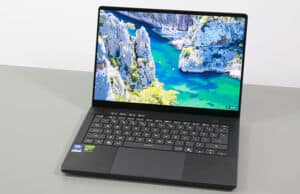
In this article, we’re discussing the 2026 generation of the Asus ROG Zephyrus G16, specifically its latest GU606 variant.
The ROG Zephyrus G16 2026 is an updated version of the previous G16 models we’ve already tested and talked about. It’s still a premium, lightweight 16-inch laptop that delivers some of the best performance possible in this niche.
This series is aimed at those looking at a sleek, high-end laptop with a stunning OLED screen and solid performance for pretty much anything — whether it’s work, creative stuff, or gaming. All packed into a compact, lightweight body, under 2 kilos. Of course, it comes with a premium price tag, especially today, given the realities of 2026.
All in all, the Zephyrus G16 2026 is going head-to-head with the Apple MacBook Pro 16, and other solid Windows options like the Dell XPS 16, Asus ProArt P16, Razer Blade 16, and Lenovo Yoga Pro 9.
Below, I’ve put together my honest, detailed thoughts on this year’s GU606 update — everything you should know before deciding if this notebook is right for you.
ASUS ROG Zephyrus G16 GU606 – specs sheet
ASUS ROG Zephyrus G16 GU606AW, 2026 generation
Display 16-inch, 16:10, non-touch, lucios, anti-glare,OLED QHD+ 2560 x 1600 px , 240 Hz VRR 0.2ms ,
Processor Intel Panther Lake H, Core Ultra Series 3,
Video Intel + Nvidia RTX 5080 16GB (up to 160W with Dyn Boost) on this GU606AW version RTX 5060 to 5090 variant available
Memory 64 GB LPDDR5-8533 (onboard), max 64 GB
Storage 1 TB SSD (Sandisk) , 2x M2 2280 slots, gen4
Connectivity WiFi 7 2×2 with Bluetooth 5.4 (Intel B211)
Ports left: DC-in, HDMI 2.1 FRL, 1x USB-C Thunderbolt 4.0 , 1x USB-A 3.2, audio jack
Battery 90 Wh, 250 W power adapter , USB-C charging up to 100W
Size 354 mm or 13.96” (w) x 246 mm or 9.68 (d) x from 14.9 or .59” (h)
Weight 1.95 kg (4.3 lbs) for this RTX 5080 version,from 1.85 kg for the 5060/5070 variants
Extras clamshell format with 130-degree hinge, updates hinge mechanism,
Design and ergonomics The 2026 Zephyrus G16 (GU606) and 2025 (GU605) models share the same premium unibody chassis, which is still one of the best-looking and nicest-feeling designs in the high-end Windows laptop space.
Aesthetically, Asus offers the Zephyrus G16 in two colors: a lighter gray (Platinum White) and a darker gray (Eclipse Gray). We have the lighter one here, but I personally prefer the darker version’s overall look and vibe. That one does show smudges easier, though, for what that’s worth.
The build quality is excellent on this CNC unibody aluminum chassis, with a sturdy main deck and little flex in the lid cover. Furthermore, the metal surfaces have a coarser feel to them; they’re not as smooth as on MacBooks, and offer improved grip. The coating could, however, chip over time on the Eclipse Gray color, something to perhaps consider in your decision.
Here are some photos of the Zephyrus G16 chassis in both color options.
And here are some extra shots of the 2026 GU606 model in the light gray (Platinum White).
Both versions feature the Slash Lighting LED bar on the lid. The 2026 model brings an updated version with more control zones — the same number of 35 LEDs, but now each one can be controlled individually, instead of just in groups. That said, I still wish they had ditched it entirely. The lid would look cleaner with a simpler design, like on the ProArt P16, which uses the same chassis but goes for a fully black minimalist look. You can turn the LEDs off, which leaves just the chrome diagonal line on the lid.
Another small upgrade for 2026 is the improved hinges. They now adjust torque throughout the opening motion — softer when you first lift the screen, then progressively tighter to keep it stable at different angles. I didn’t really have issues with the old hinges, so nothing to comment on this matter. However, I do wish there were a notch of some sort on the front lip to make it easier to grab the screen. Furthermore, the maximum opening angle is still limited to about 130 degrees. These things haven’t changed.
This is mostly because the overall chassis layout is the same as before, with the cooling system still placed entirely at the rear. The internal cooling module has been revised, though. More on this in a bit.
Worth noting: Much like in the past, Asus actually offers two slightly different chassis versions for this series. There’s a thinner and lighter one (around 1.85 kg) for the RTX 5060/5070 models, and a slightly heavier one (about 1.95 kg) with a vapor chamber cooling system for the higher-end RTX 5070 Ti / 5080 / 5090 versions. Our configuration is the 5080.
One result of the cooling design is how much space is left on the sides for ports. You’ll find everything you need on a modern laptop: USB-A and USB-C on both sides, HDMI, audio jack, and a fast SD card reader. There’s support for charging on both USB-C ports, so you can plug in a charger from either side. The charging port is still the newer square design that makes the cable annoyingly stick out to the side.
Keyboard and touchpad The keyboard and touchpad on this 2026 model are identical to the ones on the 2025 version.
That said, the Zephyrus series still delivers one of the best typing experiences in the premium all-rounder laptop segment. I’d even say it beats the MacBook and modern ThinkPads.
The layout is clean and minimalistic — no NumPad or extra keys, just the media controls in the top-left corner that you get on all ROG laptops. Personally, I like this simplified approach, but some of you may find the lack of NumPad a deal breaker.
As for the two color options, the Platinum model has a white keyboard, while the Eclipse version has a gray one that matches the chassis’s color. The darker gray keycaps offer better contrast with the RGB lighting, but it also shows fingerprints more easily.
The RGB lighting is single-zone only, so not per-key, but the LEDs are bright and even. You won’t find fancy features like those on some competitors from Razer, MSI, or Lenovo (such as highlighting the function keys when you press FN or showing secondary functions on Shift). There are no complex lighting effects either. It’s a simpler approach where you can only change the base color. Not great, not terrible.
The touchpad works well most of the time, but it’s just too big — it stretches from just a millimeter below the Space key all the way to a millimeter from the front edge of the chassis.
For normal desk use, the size isn’t really a problem, especially since palm rejection works well. But when using the laptop on your lap, the lack of a clear separation between the touchpad and the front edge can lead to accidental touches from your clothes. It’s pretty annoying on a portable machine that isn’t always going to live on a desk — along with the limited screen opening angle, these aspects interfere with the on-lap use experience.
On the biometrics side, you get an IR camera for face recognition, but there’s no fingerprint sensor in the power button.
16-inch OLED display The display on this Zephyrus G16 GU606 is one of the biggest positive upgrades compared to the previous models. We’re still getting a non-touch OLED that Asus calls a NEBULA HDR OLED, but a newer generation Samsung OLED panel that’s significantly brighter than before.
It’s a regular OLED, not a Tandem OLED like you get on the ProArt P16. Compared to previous-gen OLEDs, this one delivers higher sustained and peak brightness — hitting 500 nits in SDR and up to 1100 nits in HDR peak. That makes the laptop more usable in bright rooms (despite still being a glossy finish) and noticeably improves HDR quality in supported videos and games. The image shows a window reflecting in the screen, while the content remains well visible, unlike on older OLEDs. At the same time, the Tandem OLEDs implemented on a few other notebooks are still brighter.
Furthermore, since this is non-touch, the content looks clean and neat, and there’s no graininess on solid light backgrounds, like on the touch OLED implementations.
At the same time, this OLED generation keeps the same 2.5K resolution, 240Hz refresh rate, 0.2ms response time, VRR, and G-Sync support, so it’s still excellent for gaming.
Here are the technical specs of this OLED panel on the GU606 refresh:
Panel HardwareID: Samsung ATNA60HU06-0;
Coverage: 100% sRGB, 93.9% AdobeRGB, 99.9% DCI-P3,;
Measured gamma: 2.18;
Max SDR brightness in the middle of the screen: 506.41 cd/m2 on power;
Min brightness in the middle of the screen: <5 cd/m2 on power;
Contrast at max brightness: 1:1;
White point: 6500 K;
Black on max brightness: ~0 cd/m2;
PWM: Yes (to be updated).
And here are the technical specs of the previous-gen OLED panel from the GU605 series:
Panel HardwareID: Samsung SDC41A3 (ATNA60DL01-0);
Coverage: 100% sRGB, 94.3% AdobeRGB, 100% DCI-P3,;
Measured gamma: 2.2o;
Max SDR brightness in the middle of the screen: 408.62 cd/m2 on power;
Min brightness in the middle of the screen: <5 cd/m2 on power;
Contrast at max brightness: 1:1;
White point: 6500 K;
Black on max brightness: 0 cd/m2;
PWM: Yes.
The usual OLED trade-offs are still present, though — some flickering (though at a frequency that’s not annoying for the eyes – to be confirmed, we don’t have the right tools to properly test this) and potential burn-in if misused. But the technology has matured a lot, and that risk is no longer a major concern.
Hardware and performance -Core Ultra 9, GeForce RTX 5090 dGPU Our test model is a higher-specced configuration of the 2026 Asus ROG Zephyrus G16 refresh, code name GU606AW, with an Intel Core Ultra 9 386H processor, Nvidia GeForce RTX 5080 16GB dGPU, 64 GB of LPDDR5x-8533 memory, and a fast 1 TB gen4 SSDs.
Disclaimer: Our review unit was sent over by Asus. All the results were recorded using the software available in mid-May 2026 (BIOS 301, Armoury Crate 6.5.7.0, and GeForce Studio drivers 596.36).
In terms of specs, this Asus ROG Zephyrus G16 series is built on the latest Intel and Nvidia hardware currently available.
The Intel Core Ultra 9 386H is the top mobile processor in Intel’s Panther Lake Core Ultra Series 3 lineup . It’s a hybrid design with 4 high-performance cores, 8 efficiency cores, 4 low-power efficiency cores, and a total of 16 threads. The sustained CPU performance is a slight step up from the Meteor Lake platform used in previous G16 models, and it matches the AMD Ryzen AI 9 hardware found in the ProArt P16. However, Panther Lake’s real advantages come in power efficiency and the extra benefits that come with it — we’ll talk about those shortly.
On the GPU side, the 2026 Zephyrus G16 is available with a range of Nvidia Blackwell GeForce RTX 5000 chips: RTX 5090 24GB and 5080 16GB (160W), 5070 Ti 12GB (140W), or 5070 8GB and 5060 8GB (115W). It’s worth noting that the 5070/5060 models use the lighter chassis with heatpipe cooling, while the 5070 Ti and higher versions come with vapor chamber cooling.
Asus has managed to significantly increase the power limits in Turbo and Performance modes compared to previous generations, which translates into a decent performance boost. But that’s mostly visible on the GPU side.
This chassis still has a MUX switch, G-Sync support on the main display, and either regular Optimus or Advanced Optimus.
For memory and storage, the laptop features fast onboard LPDDR5x RAM and two M.2 2280 SSD slots. It ships with PCIe Gen4 SSDs from the factory, and from what I understand, both slots only support gen4 speeds, and not the faster gen5 format. Our review unit came with 64 GB of LPDDR5x-8533 memory and a 1 TB Sandisk Gen4 SSD, which is pretty fast.
On the software side, these laptops come with the standard Armoury Crate suite that you get on all ROG models. It gives you access to power profiles and various settings for the fans, keyboard, audio, OLED screen, and more.
Silent Performance Turbo Manual
CPU only, PL1/PL2 TDP
55/60W
60/70W
70/95W
75/95W
GPU only, max TGP
~55W
115W, 95+20
135W, 115+20
160W, 135+25
Crossload
~85W, 35 + 55W
~125W,
~150W,
~175W, 10-40 + 135-160W
Noise at head-level, tested
~35 dBA
~42-43 dBA
~46-48 dBA
~52 dBA
Quite aggressive profiles with high noise levels on Turbo and Manual – Asus mentions a noise target of 46 dBA f0r Turbo, but we measured closer to 47-48 dBA at head level with the laptop raised off the desk.
Performance is a better middle-grounder, and where I’d expect most will keep the laptop on, while the Silent profile is ideal for regular use and gets the ability to idle the fans.
Similar power settings are set for the 5090 variant, while the 5070Ti runs at up to 140W TGP, and the 5060/5070 configurations run at lower levels on both the CPU (up to 70W) and GPU (up to 115W). That means the 5070Ti will run slightly cooler and potentially quieter as well, and that’s also the case for 5060/5070 models, despite those implementing the more basic cooling.
Before we jump to the performance section, here’s how this laptop handles everyday use and multitasking on the Silent profile, unplugged from the wall.
Performance and benchmarks – Core Ultra 9 386H sustained use With that out of the way, let’s move on to the performance testing.
We’ll start with the Cinebench R15 CPU loop test.
The differences in power allocation and performance for the Intel Core Ultra 9 386H processor are minor between the power modes available on this Zephyrus. There’s only about a 10% difference between Silent mode (55W) and Turbo mode (75W). The CPU runs hot on all modes, though, at 90+ C, and there’s a difference in fan noise between profiles.
Beyond that, this Cinebench loop test shows just how closely the current mobile laptop platforms are in performance, both Intel and AMD. I didn’t include the Qualcomm options here because the Snapdragon X2 Elite processors aren’t fully compatible with Cinebench R15, and because the Qualcomm hardware is not implemented in similar devices. For what it’s worth, though, the X2 Elite and X2 Elite Extreme chips are faster in multi-threaded loads and lower power settings and lower temperatures, in devices such as the Zenbook A16. But that’s nowhere near this Zephyrus in GPU capabilities, and software compatibility is still an important criterion when shopping for an AMR-based Windows device.
It’s also worth noting that the performance gains over the latest Intel generations of the Zephyrus G16 2025/2024 are small. On the other hand, Intel’s Core HX hardware is significantly faster in these kinds of heavy loads, but that’s generally used in larger and heavier devices, perhaps except the Lenovo Legion 7 . But the Legion 7 is not a match on the GPU side, either, as it can only be specced to a 5070.
We then went ahead and further verified our findings with the more taxing Cinebench R23 loop test and Blender – Classroom, which resulted in similar findings to what we explained above. We measured ~75 W for Manual, ~70W for Turbo, 60W for Standard and 55W for Whisper.
We also ran the 3DMark CPU test on the Turbo and Silent profiles, to better showcase the minor gap in performance between these modes.
Finally, we ran our combined CPU+GPU stress tests on this notebook. 3DMark stress runs the same test for 20 times in a loop and looks for performance variation and degradation over time. This review unit passes the test both with the laptop flat on the desk and with it raised on a stand to improve airflow underneath the chassis. That’s a notable improvement compared to the previous generations that struggled when kept flat on the desk. We’ll explain why further down.
Next, we ran the entire suite of tests and benchmarks, on the Turbo profile with the GPU set to Standard mode (Advanced Optimus), and with the screen set at the native 2.5K+ resolution.
All these tests are running on Nvidia Studio drivers.
Here’s what we got:
3DMark 13 –CPU profile: max – 10479, 16 – 10466, 8 – 6628, 4 – 4252, 2 – 2290, 1– 1184;3DMark 13 – Fire Strike: 33588 (Graphics – 45661, Physics – 29989, Combined – 11983);3DMark 13 – Port Royal: 12461;3DMark 13 – Speed Way: 4852;3DMark 13 – Steel Nomad: 4603;3DMark 13 – Time Spy: 18672 (Graphics – 19325, CPU – 15672);3DMark 13 – DLSS: DLSS Off – 27.58 fps, DLSS On – 109.47 fps, 297% performance difference.
Uniengine Superposition – 1080p Extreme: 11449;Uniengine Superposition – 1080p Medium: 30402;
Aida64 Extreme, memory test – ;PCMark 10: 9435 (Essentials – 10342, Productivity – 16387, Digital Content Creation – 13449);GeekBench 6.6.0: Multi-core: 17080, Single-Core: 2907;GeekBench AI 1.7.0 (ONNX, CPU): Single: 4531, Half: 2014, Quantized: 8418;CineBench R15 (best run): CPU 3404 cb, CPU Single Core 321 cb;CineBench R23: CPU 21569 pts (best run), CPU 21125 pts (10 min loop test), CPU Single Core 2127 pts (best run);CineBench 2024: CPU 1283 (10 min run), CPU Single Core 127 pts;CineBench 2026: GPU – 83744 pts, CPU Multiple Threads – 4782, CPU Single Core – , CPU Single Thread – 521 pts.
And some work-related tests, on the same Turbo profile.
Blender 4.3.2 – BMW Car scene- CPU Compute: 1m 52s ;Blender 4.3.2 – BMW scene – GPU Compute: 11.25s (CUDA), 5.76 (Optix);Blender 4.3.2 – Classroom scene – CPU Compute: 4m 55s;Blender 4.3.2 – Classroom scene – GPU Compute: 21.49s (CUDA), 12.23s (Optix).Blender 5.1.2 – BMW Car scene- CPU Compute: 1m 45s ;Blender 5.1.2 – BMW scene – GPU Compute: 10.83s (CUDA), 5.65 (Optix);Blender 5.1.2 – Classroom scene – CPU Compute: 4m 09s;Blender 5.1.2 – BMW scene – GPU Compute: 22.16s (CUDA), 11.71 (Optix);
SPECviewperf 2020 – 3DSMax 07: 189.46;SPECviewperf 2020 – Catia 06: 97.53;SPECviewperf 2020 – Creo 03: 114.55;SPECviewperf 2020 – Energy: 62.98;SPECviewperf 2020 – Maya 06: 546.66;SPECviewperf 2020 – Medical 03: 56.36;SPECviewperf 2020 – SNX 04: 37.18;SPECviewperf 2020 – SW 07: 390.15.
SPECviewperf 15 – 3DSMax 08: 76.71;SPECviewperf 15 – Blender 01: 91.08;SPECviewperf 15 – Catia 07: 70.76;SPECviewperf 15 – Creo 04: 115.39;SPECviewperf 15 – Energy 04: 62.07;SPECviewperf 15 – Enscape 01: 64.05;SPECviewperf 15 – Maya 07: 203.02;SPECviewperf 15 – Medical 04: 55.93;SPECviewperf 15 – Solidworks 08: 32.92;SPECviewperf 15 – Unreal Engine 01: 83.12;V-Ray Benchmark: CPU – 14898, CUDA – 2717, RTX – 3892.
On the CPU side, this is a higher-power version of the Core Ultra 9 386H platform, and it delivers the best this processor has to offer. That translates into scores roughly 10% higher than the previous-generation Intel chips (Core Ultra 9 285H and 185H), and it’s about on par with the Ryzen 9 AI HX 370/470 from AMD implemented in the ProArt P16 and other devices. However, the AMD hardware still holds a small performance advantage in certain CPU-heavy workloads like Blender or Specviewperf Medical.
Additionally, Intel’s HX platform, used in some similarly-sized laptops like the Lenovo Legion 7i, is much stronger when it comes to serious processor-intensive tasks.
On the GPU side, the RTX 5080 in this machine runs at up to 135W in Turbo mode and performs really well at that power limit. For comparison, it goes toe-to-toe with the RTX 5090 at 130W in the ProArt P16 and beats the previous-gen Zephyrus G16’s RTX 5090 (120W) by 5-10%. At the same time, it falls ~5-10% behind the RTX 5090 at 155W in the Razer Blade 16 and lags 15-20% behind full-power 175W RTX 5080/5090 implementations, depending on the workload. We covered the ProArt P16, Zephyrus G16, and Blade 16 more indepth in this comparison article .
It’s worth mentioning that graphics performance can increase by up to 10% in Manual mode, which allows the GPU to go up to 160W TGP with Dynamic Boost. However, the fans get a lot louder and internal temperatures run higher.
All in all, this Zephyrus G16 GU606 is one of the fastest Windows laptops under 2 kg we’ve tested so far, with more noticeable gains on the GPU side compared to both the current competition and the previous-generation Zephyrus G16 GU605 models.
Manual mode – higher power, but 52 dBA noise levels This Zephyrus G16 laptop runs at around 46-48 dB on the Turbo profile, which is acceptably loud on this sort of computer. Manual mode allows for higher CPU and GPU power settings, but with higher fan noise and overall temperatures.
Still, if you want to squeeze the best performance out of this device and you’re okay with using headphones to cover up the fan noise, here are the benchmark results for this profile.
We maxed out the CPU/GPU settings and maxed out the fans for these tests.
3DMark 13 – CPU profile: max – 11158, 16 – 11124, 8 – 8065, 4 – 4815, 2 – 2458, 1 – 1239;3DMark 13 – Fire Strike: 30776 (Graphics – 35844, Physics – 33716, Combined – 14047);3DMark 13 – Port Royal (RTX): 8560;3DMark 13 – Time Spy: 19921 (Graphics – 21001, CPU – 15429);Uniengine Superposition – 1080p Extreme: 12510;CineBench R23 (10 min loop): CPU 21328 cb, CPU Single Core 2129 cb;Blender 4.3.2 – Classroom scene – CPU Compute: 4m 54s.SPECviewperf 2020 – 3DSMax: 190.86;SPECviewperf 2020 – Catia: 102.76;SPECviewperf 2020 – Maya: 565.22;SPECviewperf 2020 – SNX: 37.42;SPECviewperf 2020 – SW: 401.99.
The CPU performance doesn’t change significantly for this profile, while on the GPU side, we’re looking at 5-10% gains in some scores, due to the higher TGP possible here (up to 160W – more like 150W in reality, vs. up to 135W on Turbo). However, the gains are minor for mixed sustained loads, as showcased by the Blender and Specviewperf tests.
Overall, not a profile I’d consider, given the noise, thermals, and limited performance gains.
Performance mode – mid level, at ~42-43 dBA This Zephyrus G16 laptop runs at around 46-48 dB on the Turbo profile. Performance mode keeps fans quieter around 42-43 dBA, with still solid capabilities.
Here’s how this 2026 Zephyrus G16 GU606 scored on the Performance profile:
3DMark 13 – CPU profile: max – 10353, 16 – 10509, 8 – 6557, 4 – 4236, 2 – 2240, 1 – 1177;3DMark 13 – Fire Strike: 34506 (Graphics – 47606, Physics – 30204, Combined – 12107);3DMark 13 – Port Royal (RTX): 11431;3DMark 13 – Time Spy: 17138 (Graphics – 17468, CPU – 15483);Uniengine Superposition – 1080p Extreme: 9762;CineBench R23 (10 min loop): CPU 20425 cb, CPU Single Core 2126 cb;Blender 4.3.2 – Classroom scene – CPU Compute: 5m 14s.SPECviewperf 2020 – 3DSMax: 177.64;SPECviewperf 2020 – Catia: 93.42;SPECviewperf 2020 – Maya: 522.64;SPECviewperf 2020 – SNX: 36.45;SPECviewperf 2020 – SW: 364.66.
We’re looking at 90-95% of the CPU scores on Turbo, due to the small difference in TDP settings between profiles.
On the GPU side, this profile scores about 80-90% of Turbo mode.
A fair mid-level profile.
Silent Mode – still fast, and quieter at sub 35 dBA Silent mode is quieter at sub-35dBA. Here’s how the laptop scores on this profile.
3DMark 13 – CPU profile: max – 10065, 16 – 9996, 8 – 6056, 4 – 3885, 2 – 2115, 1 – 1116;3DMark 13 – Fire Strike: 27222 (Graphics – 33373, Physics – 29169, Combined – 10967);3DMark 13 – Port Royal (RTX): 7344;3DMark 13 – Time Spy: 10510 (Graphics – 10011, CPU – 14660);Uniengine Superposition – 1080p Extreme: 6624;CineBench R23 (10 min loop): CPU 19588 cb, CPU Single Core 2082 cb;Blender 4.3.2 – Classroom scene – CPU Compute: 5m 17s.SPECviewperf 2020 – 3DSMax: 155.07;SPECviewperf 2020 – Catia: 82.85;SPECviewperf 2020 – Maya: 469.57;SPECviewperf 2020 – SNX: 35.47;SPECviewperf 2020 – SW: 316.61.
The CPU performance is excellent, still at around 90% of Turbo mode.
The GPU, however, performs at about 55-60% of Turbo mode, due to the aggressive power limit. This is a fair profile for general use, but not ideal for GPU-intensive tasks.
Performance Mode on PD power PD power on this Zephyrus G16 isn’t meant for sustained loads, as the system can only pull 100W of power via USB-C. However, here’s what we got on Performance mode hooked up via a 100W USB-C PD charger:
3DMark 13 – CPU profile: max – 9385, 16 – 9313, 8 – 6372, 4 – 4255, 2 – 2276, 1 – 1180;3DMark 13 – Fire Strike: 25051 (Graphics – 29268, Physics – 26937, Combined – 11462);3DMark 13 – Port Royal (RTX): 5878;3DMark 13 – Time Spy: 10336 (Graphics – 9914, CPU – 13632);Uniengine Superposition – 1080p Extreme: 6172;CineBench R23 (10 min loop): CPU 18851 cb, CPU Single Core 2123 cb;Blender 4.3.2 – Classroom scene – CPU Compute: 5m 35s.SPECviewperf 2020 – 3DSMax: 121.45;SPECviewperf 2020 – Catia: 71.63;SPECviewperf 2020 – Maya: 412.29;SPECviewperf 2020 – SNX: 34.94;SPECviewperf 2020 – SW: 261.97.
The CPU performance is excellent, about on par with Silent mode plugged in and at about 90% of Turbo mode plugged in.
However, on the GPU side, the performance is about 50% of what Turbo mode plugged in. Still decent, all things considered.
Overall, this mode is adequate for general multitasking, and it can handle heavier tasks if needed, within reason. However, there’s no power passthrough for this mode, and the system pulls off the battery with heavier mixed loads.
Gaming performance – Panther Lake Core Ultra 9 + GeForce RTX 5080 With benchmarks out of the way, let’s see how this ROG Zephyrus G16 handles modern games.
We tested a couple of different games on the various available profiles at the native QHD+ (2560 x 1600 px) resolution, with the Nvidia GPU set on Ultimate dGPU mode.
For consistency with other reviews, the laptop is raised off the desk. I also kept the laptop on Studio drivers and haven’t changed to Game Ready drivers for the gaming tests – doing that might change the results in some games, but to a minor degree.
Here are the results:
Asus ROG Zephyrus G16, RTX 5080 Laptop 115-160W QHD+ Turbo, QHD+ Manual, QHD+ Performance, QHD+ Silent,
Black Myth: Wukong 52 fps (36 fps – 1% low)
–
–
–
Black Myth: Wukong 72 fps (32 fps – 1% low)
78 fps (32 fps – 1% low)
68 fps (26 fps – 1% low)
40 fps (18 fps – 1% low)
Black Myth: WukongMFG On 4x 134 fps (28 fps – 1% low)
144 fps (30 fps – 1% low)
125 fps (25 fps – 1% low)
74 fps (16 fps – 1% low)
Cyberpunk 2077 70 fps (48 fps – 1% low)
–
–
–
Cyberpunk 2077MFG On 2x , Ray Reconstruction On, 92 fps (37 fps – 1% low)
98 fps (40 fps – 1% low)
84 fps (35 fps – 1% low)
52 fps (22 fps – 1% low)
Cyberpunk 2077MFG On 4x , Ray Reconstruction On, 158 fps (35 fps – 1% low)
170 fps (38 fps – 1% low)
146 fps (34 fps – 1% low)
92 fps (22 fps – 1% low)
Horizon Forbidden West 105 fps (80 fps – 1% low)
112 fps (82 fps – 1% low)
98 fps (70 fps – 1% low)
70 fps (48 fps – 1% low)
Horizon Forbidden West 140 fps (94 fps – 1% low)
150 fps (98 fps – 1% low)
125 fps (86 fps – 1% low)
84 fps (58 fps – 1% low)
Red Dead Redemption 2 86 fps (38 fps – 1% low)
89 fps (40 fps – 1% low)
80 fps (38 fps – 1% low)
61 fps (32 fps – 1% low)
Shadow of Tomb Raider 138 fps (98 fps – 1% low)
146 fps (104 fps – 1% low)
130 fps (94 fps – 1% low)
78 fps (50 fps – 1% low)
Black Myth, Cyberpunk, Horizon FW – recorded with MSI Afterburner fps counter in campaign mode;
Far Cry 6, Red Dead Redemption 2, Tomb Raider – recorded with the included Benchmark utilities;
Red Dead Redemption 2 Optimized profile based on these settings .
All games run great on this machine, and even Silent mode is surprisingly competitive. DLSS helps a lot, especially in titles that support DLSS 4.0+ and MFG.
Just as a side note, the gaming performance you get here is still around 80% of what you’d get on a full-size, full-power laptop with Intel/Ryzen HX hardware and a 175W RTX 5080. But those machines are bulkier — think ROG Strix G16, Scar 16, or Legion Pro 7i.
At the same time, these results are seriously impressive for such a portable machine, even in Turbo mode. Somehow, in some cases, it even beats the RTX 5090 configurations we tested last year on the previous Zephyrus G16 and even in the Razer Blade 16.
Let’s go over some logs for the various profiles.
First, Turbo mode with the laptop flat on the desk. The laptop runs hot in this mode, with temperatures in the 88-95 °C on the GPU and 85-87 °C on the GPU, at the throttling limit. The performance, at least, is not impacted in significant ways.
Bumping the laptop off the desk to increase airflow underneath the chassis and into the fans allows these internal temperatures to drop by a few degrees. We measured 80-85°C on the CPU and 75-82 °C on the GPU between the tested titles. Still high, but acceptable for a device of this kind.
Then there’s Manual mode that allows you to max out the CPU/GPU and the fans’ speeds. That means the fan noise jumps from around 46-48 dBA to 52+ dBA for this mode. We measured ~80°C on the CPU and ~85 °C on the GPU with these settings, due to the extra power pushed into the hardware.
This Manual mode does translate into 5-10% higher framerates as well, but that’s hardly justified all other things considered.
Performance mode allows the laptop to run a little quieter (42-43 dBA) and cooler, while the framerates take an acceptable 10% hit compared to Turbo mode. We measured ~80°C on the CPU and ~80 °C on the GPU on this mode, with the laptop off the desk.
Finally, there’s Silent mode, which keeps the fan noise under 35 dBA and delivers about 60% of the gaming performance possible on Turbo. Which is still fine for most titles, especially once you enable DLSS.
We measured ~75°C on the CPU and sub-70 °C on the GPU in this mode.
Gaming on PD power is possible and offers framerates on par with Silent mode plugged in via the main charger. However, the system slowly pulls off the battery ontop of the PD power, and thus you can only expect about 2-3 hours of gameplay in this scenario.
That’s still better than the about 1 hour possible when running games straight on battery power.
Noise, Heat, Connectivity, speakers, and others As I mentioned earlier, Asus uses different cooling systems depending on the configuration. The one we’re testing here is the more advanced version meant for the RTX 5070 Ti / 5080 / 5090 models. It features two fans, two radiators, and a vapor chamber over the main components.
Even though it might not look similar to the previous-gen cooling module at first glance, the vapor chamber has increased in capacity, and the fans now move more air. These improvements allow the hardware to run at higher power limits.
Here’s the vapor-chamber cooling design on the previous GU605 series, for comparison.
Furthermore, the RTX 5060 / 5070 versions use a simpler cooling system with three fans, two radiators, and regular heat pipes (the image below shows the previous generation, but the 2026 implementation is similar).
Overall, the laptop still runs quite hot in the higher power modes, especially in Turbo and Manual. I recommend lifting it off the desk during long sessions to help with airflow underneath.
As for noise levels, I measured:
52 dBA in Manual mode
46-48 dBA in Turbo
42-43 dBA in Performance
Under 35 dBA in Silent
In everyday use, the laptop is quiet and comfortable to the touch. The fans stay off most of the time in Silent mode, but they run at low speeds in Performance and Turbo. So if you really want a silent experience, you’ll need to switch to Silent mode.
*Daily Use – streaming Netflix in EDGE for 30 minutes, Silent profile, fans at ~0 dBA
During heavy tasks and gaming, the internals get hot, but the areas you actually touch stay comfortable — usually around 33–37°C.
Performance mode gives similar chassis temperatures but a bit less noise, while Manual mode is louder than Turbo and runs hotter, but gives a relative extra boost in GPU performance.
*Gaming – Performance, raised off desk – playing Cyberpunk for 30 minutes, fans at ~42-43 dB *Gaming – Turbo, raised off desk – playing Cyberpunk for 30 minutes, fans at ~46-48 dB *Gaming – Manual, raised off desk – playing Cyberpunk for 30 minutes, fans at ~52 dB
Connectivity is handled by an Intel BE211 solution, offering Wi-Fi 7 and Bluetooth 5.3. It performs well in pretty much every scenario.
The audio system uses six speakers, and the sound quality on this series is excellent for a laptop. It’s loud, clear, and powerful — easily on the same level as the MacBook Pro 16. In the Windows world, the Zephyrus and ProArt series are still among the best when it comes to audio.
The webcam, placed above the screen, offers a decent FHD sensor in good lighting, but it struggles in low light. Asus really needs to upgrade the webcam modules — the competition is ahead in this area. It does include an IR sensor for facial recognition.
Battery life There’s a 90Wh battery inside this laptop, fair sized for its format and weight.
Here’s what we got on our review unit in terms of battery life, with the laptop on Standard GPU mode in Armoury Crate, Best Battery Efficiency in Windows power settings, and the screen set at a brightness of around 120 nits (~50% brightness).
8-11 W (~8-11 h of use) – text editing in Google Drive, Silent Mode, screen at 50%, WiFi ON;7-8 W (~11-13 h of use) – 4K fullscreen video on Youtube in Edge, Silent Mode, screen at 50%, WiFi ON;6-7 W (~12-15 h of use) – Netflix 4K HDR fullscreen in Edge, Silent Mode, screen at 50%, WiFi ON;9-13 W (~7-10 h of use) – browsing in Edge, Silent Mode, screen at 50%, WiFi ON.
The Panther Lake hardware platform brings a major efficiency boost compared to most other Windows laptop platforms right now — including current Ryzen chips and previous-generation Intel processors. The battery life you get in everyday use is genuinely impressive and gets close to what ARM platforms offer, including the Apple M5 Pro.
For comparison, here’s what I got on the 2025 Intel-based Zephyrus G16 configuration.
12 W (~7-8 h of use) – text editing in Google Drive, Silent Mode, screen at 50%, WiFi ON;12-15 W (~6-8 h of use) – 4K fullscreen video on Youtube in Edge, Silent Mode, screen at 50%, WiFi ON;12-15 W (~6-8 h of use) – Netflix 4K HDR fullscreen in Edge, Silent Mode, screen at 50%, WiFi ON;20-25 W (~4-5 h of use) – browsing in Edge, Silent Mode, screen at 50%, WiFi ON.
For comparison, here’s what I got on the 2025/2026 AMD-based ProArt P16 configuration.
10-15 W (6-9 h of use) – text editing in Google Drive, Whisper Mode, screen at 40%, WiFi ON;10-12 W (~7-9 h of use) – 4K fullscreen video on Youtube in Edge, Whisper Mode, screen at 40%, WiFi ON;10-12 W (~7-9 h of use) – Netflix 4K HDR fullscreen in Edge, Whisper Mode, screen at 40%, WiFi ON;12-20 W (~5-9 h of use) – browsing in Edge, Whisper Mode, screen at 40%, WiFi ON.
This configuration ships with a 250W charger, a dual-piece design with long cables, mid-sized by today’s standards. It comes with Asus’s square plug that sticks to the side.
There’s a smaller 200W charger on the 5060/5070 configurations.
USB-C charging is supported as well, up to 100W. PD is meant for everyday multitasking, but not for sustained loads. Here’s a comparison of the main 250W charger and a 100W ROG USB-C PD charger.
Price and availability- Asus ROG Zephyrus G16 The 2026 Asus ROG Zephyrus G16 is available across the world at the time of this article.
You can find it in a multitude of variants (I’ve listed the prices for US, Germany, and UK, where available), mostly for the 32 GB RAM, 1 TB SSD variants:
Zephyrus G16 GU606AX – Core Ultra 9 386H, RTX 5090 24GB – $5499, €5999 – with 64 GB RAM, 2 TB SSD;
Zephyrus G16 GU606AW – Core Ultra 9 386H, RTX 5080 16GB – from $3999, €4499, £ 3899 (higher with 64 GB RAM, 2 TB SSD);
Zephyrus G16 GU606AR – Core Ultra 9 386H, RTX 5070Ti 12GB – from $3499, €3499, £ 3299;
Zephyrus G16 GU606AP – Core Ultra 9 386H, RTX 5070 8GB ?? (or 12 GB ??) – from €3199;
Zephyrus G16 GU606AM – Core Ultra 9 386H, RTX 5060 8GB – not yet available.
Mind-boggling prices, but on par with similar-level 2026 versions of the Asus ProArt P16 or Razer Blade 16. The lower-tier specs, however, are not yet available, and they are for the Blade 16 or for the Lenovo Yoga Pro 9i. I’d reckon Asus should offer those in the near future as well.
In the meantime, last year’s Zephyrus G16 GU605 sells for about $700-$1500 less, if you can still find it in stores. BestBuy still offer a 5080 version for under 3K, a 5070Ti for around 2.5K, and a 5070 for 1.5K. You do get a better display, higher-power and more efficient hardware, and better cooling for the 2026 refresh, but the price gap between generations is still insane.
Follow this link for updated configurations and prices in your region at the time you’re reading this article. Buying from our affiliate links helps support our work.
Final thoughts- 2026 Asus ROG Zephyrus G16 GU606 series review The Zephyrus G16 GU606 2026 might seem like much of an update over the previous G16 GU605 models, at least at first glance. Once you dig a little deeper, though, a couple of aspects stand out:
the newer gen OLED is brighter than before, and that especially makes the laptop more usable in bright light environments; it also helps with HDR content, but for me, that’s only a secondary benefit;
the Panther Lake hardware allows this laptop to run very efficiently on battery power, offering way longer runtimes than before;
the same Panther Lake hardware offers a minor boost in sustained performance, and still performs excellently on the quieter Performance and Silent modes at lower noise levels;
the GPUs run at higher power on all modes, although the overall gains in performance are within 10% across the various profiles;
the cooling module has been revised to allow the higher power settings.
Now, the GU606 doesn’t generally run cooler than the previous Gu605 variants, given the power limits were increased, but that means there’s room for customization options in Manual mode or with GHelper, with potentially an excellently balanced custom profile at sub 40 dBA noise levels that still offers excellent performance in this format. That’s not offered by the default profiles, since Performance mode runs at 42-44 dBA, and Silent mode is sub 35dBA, but with limited capabilities. Here’s where I think this hardware and cooling combo would excel.
All else remains about equal between the two G16 generations. The 2026 Zephyrus G16 is still a solid premium 16-inch laptop, still weighs less than 2 kilos, still offers excellent inputs, IO, display, and audio. There are still some ergonomic details that could be improved, but they’re not real deal breakers.
At the same time, the pricing for 2026 laptops is insane. And not just for this Zephyrus, but for every Windows option in this space. However, with Asus mostly offering this 2026 G16 in 5070Ti-5090 variants for now, the price tags are even more staggering.
That being the case, if you don’t need a high-level GPU, the 5060/5070 options should be the target for most users. At that level, the competition includes the Lenovo Yoga Pro 9i, the Razer Blade 16, the Asus ProArt P16, and perhaps the Dell XPS 16 to a lesser extent, since that’s a lower-power GPU implementation. On top of these, the latest Apple MacBook Pro 16s with the M5 Pro/Max hardware are surely alternatives to consider in this space, especially since nowadays the Windows models no longer have a price advantage over the Macs. How things have changed over the years.
Anyway, that wraps up my time with the Asus ROG Zephyrus G16 GU606 series. A solid offer in the premium lightweight 16-inch segment, while selling for an arm and a leg. Looking for your thoughts and feedback down below in the comments section.
Disclaimer: Our content is reader-supported. If you buy through some of the links on our site, we may earn a commission.
Terms .
Navigation: Ultrabookreview.com » Asus
Review by: Andrei Girbea
Andrei Girbea is a Writer and Editor-in-Chief here at Ultrabookreview.com . I write about mobile technology, laptops and computers in general. I've been doing it for more than 15 years now. I'm a techie with a Bachelor's in Computer Engineering. I mostly write reviews and thorough guides here on the site, with some occasional columns and first-impression articles.



asdf
May 26, 2026 at 4:36 pm
are you sure the peak sdr brightness is 700 nits? that goes counter to everything i've read about this device having peak sdr brightness of 500 nits. you should have added the technical specs of the panel like you did with the 2025 zephyrus g16 review.
Andrei Girbea
May 26, 2026 at 8:18 pm
I've updated that screen section to better explain what I meant. You're right, SDR brightness is around 500 nits, with HDR sustained is around 700 nits and HDR peak in a small window in 1100 nits.
I haven't added the exact readings because the software that I'm using (which is older and hasn't been updated in years) doesn't seem to work with some OLEDs, including this one. Still trying to figure out why.
Rellosa
May 27, 2026 at 3:21 pm
When you run battery tests, do you keep the speakers on or mute them?
Andrei Girbea
May 28, 2026 at 9:30 am
yes, they're on for all tests. average volume
fdsa
May 29, 2026 at 3:04 pm
the 2025 zephyrus g16 had usb-c battery bypass whereas the 2025 zephyrus g14 did not.
can you confirm that the 2026 zephyrus g16 has usb-c battery bypass?
someone on reddit already confirmed that the 2026 zephyrus g14 DOES NOT have usb-c battery bypass which is unfortunate but hopefully the 2026 g16 has usb-c battery bypass just like last year's model.
Andrei Girbea
May 29, 2026 at 9:01 pm
there's a log in the article showing how the battery slowly discharges while running games on PD. As far as I know, there's no passthrough on any of the Zephyrus models, including this G16, the DUO or the G14 2026. What's your source for passthrough on the 2025 g16? As far as I remember, that's not true
fdsa
May 29, 2026 at 11:05 pm
there are many g16 owners on the r/zephyrusg14 subreddit confirming the 2025 g16 has usb-c battery bypass. here's the link to probably the most detailed one out of all of them:
https://www.reddit.com/r/ZephyrusG14/comments/1l2ntbt/what_ive_learned_usbc_charging_g14g16/?share_id=kGorz2HSMBZJU30kHeSiP&utm_medium=ios_app&utm_name=ioscss&utm_source=share&utm_term=1
in your usb-c PD log, is it possible the battery was slowly discharging because the laptop was consuming more than the max of 100W? although i see that your cpu+gpu combined average wattage was 71.749W from the hwinfo log so it's probably true that there really is no battery bypass in the 2026 g16 models.
Andrei Girbea
June 3, 2026 at 2:25 pm
Interesting about the older G16. On this unit, yes, the system draws more power than the charger can supply so it trickle discharges the battery. Hence, my conclusion that there's no power through. However, take it with a grain of salt. I Would have to look into this more thoroughly.
Nemesis
June 13, 2026 at 1:34 am
Hope we get the rog strix scar 18 2026 review soon
Andrei Girbea
June 15, 2026 at 8:57 pm
yeah, working on it. within a week or so.