
Table of Contents
This article briefly explains how a modern MacBook Air compares to the multiple Windows ultrabooks and portable laptops competing in the thin-and-light ultraportable space.
A while ago Intel decided to revolutionize the market and set some high standards for a new breed of laptops: ultrabooks. Only a few years later, we now have plenty of such ultrabooks on the market, some better than others (my favorite options are detailed in this post), but all of them built around pretty much the same ideas: stylish and sleek looking, portable, fast and long-lasting computers.
However, before these ultrabooks were even born, there were already several thin, light, and fast computers in stores. Among them, there was Apple’s Macbook Air.
Preceding ultrabooks by a couple of years, the Macbook Airs are even today the most popular premium ultra-portables and in some countries (like the US for instance) account for more sales than all ultrabooks taken together. There are plenty of reasons why people like these Apple ultraportables, and we’ll talk about them in this post.
This post compares the Macbook Air to the popular ultrabooks available these days in stores, so you’ll know exactly what to expect from each category and which will give you a better deal for the money. These posts where I’m comparing it to the Asus Zenbook family or Samsung ATIV Book 9 series might also come in handy.
Ultrabooks vs MacBook Air – design and build quality
The Macbook Air is a clamshell computer, or in other words, a classicly styled laptop with two joined parts: one that includes the hardware, battery, keyboard, ports on the bottom, and another one with the screen on top. Ultrabooks on the other hand are available in a much wider range of form-factors, both clamshells and all sorts of 2-in-1s. In fact, more and more 2-in-1s are being launched each year, as Intel and the OEMs are pushing it strongly. This post lists the best 2-in-1 convertibles available in stores these days, so you might want to check it out.
Design-wise, the MBA has remained pretty much unchanged since its launch, with its silver unibody aluminum case. It’s sturdy and looks good, but with ultrabooks you’ll get more approaches and aesthetic lines to choose from, more types of materials (carbon fiber, magnesium, shatterproof glass, plastic) and colors. That was expected, as manufacturers try to push their own products in front of the crowd and aesthetics do have a major impact in potential buyers.
That aside, you can choose between an 11 inch and a 13 inch version of the Macbook Air. The 13 inch model is about 0.7 inch thick and weighs close to 3 pounds, while the 11 inch MBA is slightly smaller and tips the scales at 2.4 pounds. These numbers were amazing a few yeas ago and they’re not that shabby today either, but there are plenty of more compact and lighter ultrabooks to choose from now. Apple have their own modern supermodel of course, the 12-inch Macbook, but that’s a low-power device meant for simple basic tasks, and not a powerful ultraportable like the Macbook Air.
Make sure you read reviews before settling on any specific model though, some of the lightest ultrabooks might not be strong enough to withstand the daily hassle. Older examples like the Sony Vaio Pro 13 or the Toshiba Portege Z930/Z935 come to mind here, but there are some newer units that are not as toughly built as the Macbooks.
Of course, there are some specifics that could be added here. For instance, the hinges on the MBA are smartly designed, strong and yet smooth enough to lift the screen with a single hand, while the lower-body remains bolted to the desk. On the other hand, the screen on the MBA only leans back to about 150 degrees, while with some ultrabooks you get screens that can go back perfectly flat, or more in case of some 2-in-1s. This is a one particular detail I find extremely useful when laying on the couch with the laptop on my knees.
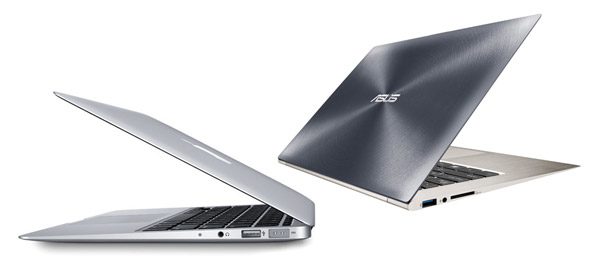
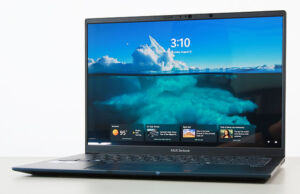
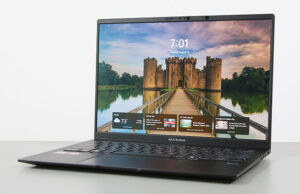
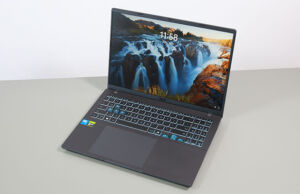
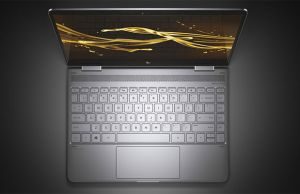
Some ultrabooks look a lot like the Macbook Air
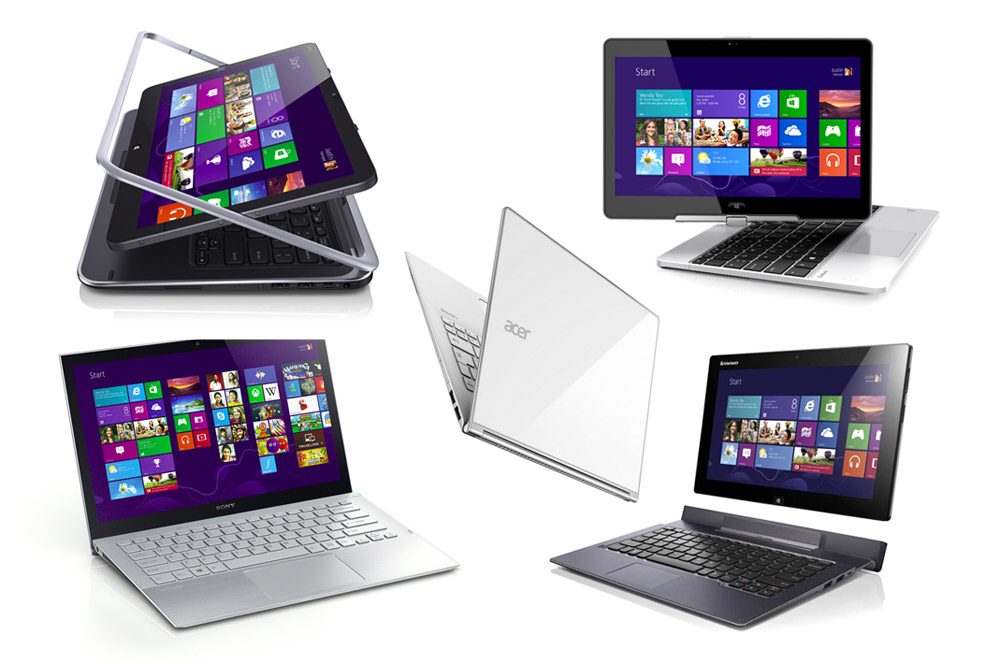
And others are completely different
Long story short, the MBA might not be as compact or as light as some of the ultrabooks out there, but is portable enough, and more importantly, is sturdy and solid built, which are traits you’d expect from a road-warrior, a computer you’re probably want to grab along to school, offices or wherever you might travel. Ultrabooks on the other hand are available in a much wider range of forms and sizes, and many can stand next to the MBA when it comes to looks and build quality.
So this chapter ends in a tie.
Keyboards and trackpads
I type for a living and a great keyboard is a must on my laptop.
The Macbook Airs feature a chiclet backlit keyboard with square, rubbery, black keys (they create a nice contrast with the silver body). They offer fairly good feedback for this class of computers (thin and light) and while their travel is somewhat shallow, you can definitely get used to the experience. Keep in mind that the layout is different than what you’re getting on Windows laptops, since Macs use a different set of functional keys.
The Macbook Airs also feature a large and accurate clickpad, one that smoothly reacts to swipes, taps and gestures. And truth is, while I’ve tested countless ultraportables in the last years, I’ve yet to find one that offers the same constant and consistent experience offered by these Apple clickpads. But we’ll talk about that in a bit.
Most ultrabooks feature chiclet keyboards as well, but with a multitude of layouts, colors and implementations. The typing experience has gotten better on the more recent launches and on some units it can rival what the MBA offers. And some, especially the business ultrabooks, might even be superior, having taller keys with longer strokes.
It’s not fair to generalize and say certain manufactures offer better keyboards than others, but from my personal experience, I’d look at Lenovos, Dells and HPs if I’d need a Windows ultraportable for typing. There are of course exceptions.
With trackpads, things are a bit different. Most ultrabooks feature spacious clickpads these days, but very few manage to offer a smooth and complete experience. A mix of hardware (stiff surface, poor finishing) and especially software (jumpy, inaccurate) factors are to blame for that, but as a buyer, I don’t really care about what’s causing these issues, I just want them gone, I just want a smooth and reliable trackpad, which I’m not getting with the vast majority of ultrabooks.
Even so, there are certain features you’re only going to find on Windows ultraportables, like mechanical click buttons or TrackPoints, which might not sound like much, but just give them a try and you’ll see…
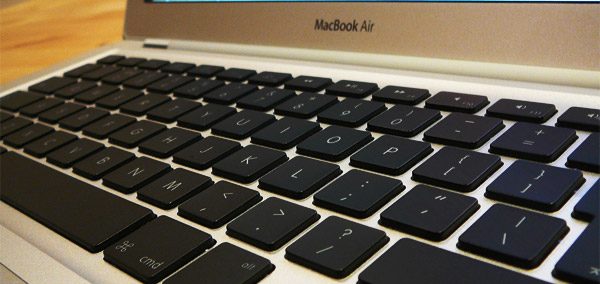
You’ll hardly find a better keyboard and trackpad than the ones on the MBA
The screens – where the MBA suffers
The latest version of the 13-inch MBA sports a reduced-glare display with a 1440 x 900 px TN panel, while on the 11 incher there’s a 1366 x 768 px TN panel. And these are pretty crappy by today’s standards.
Most ultrabooks offer high-density displays, IPS panels and even touchscreens and we’re only finding similar screens to the ones on the MBAs on the most affordable Windows ultra-portables of the moment.
Now, don’t get me wrong, the Air’s screen isn’t atrocious, but when compared to the modern panels on pretty much all premium ultrabooks available right now, it can’t compete. The viewing angles, contrast, sharpness or color accuracy are lackluster. Which is a pity and is in fact the single major quirk of this otherwise great line.
I was expecting Retina displays on this year’s MacBook Air, but Apple decided otherwise. You do get much better displays on the new Macbook and the Macbook Pros though.
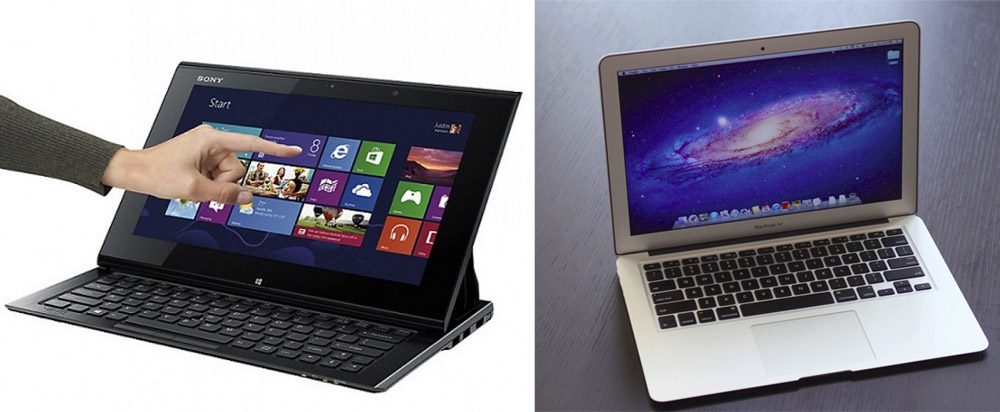
While ultrabooks offer high-density IPS panels and touchscreens, the Air relies on a dated TN panel
Hardware, software and performance
The latest Macbook Air and ultrabook generations are motorized by fairly similar Intel Broadwell hardware platforms, with options for Intel Core i5 and i7 processors for the MBA, and also some entry-level Core i3s on ultrabooks. The platforms can take up to 8-12 GB of RAM and various forms of storage, but SSDs are a given on both the Air and the premium ultrabooks.
It’s worth adding that the 2014 MacBook Airs do offer some higher frequency processors than most other ultrabooks (28W Broadwell U lines, as opposed to the 15W Broadwell U series on ultrabooks), bundled with Intel HD 6000 graphics, which are somewhat more capable than the Intel HD 5500 chip bundled with most Broadwell ULV lines.
The MBAs also step in front of the crowd with fast PCIe SSDs, but you’ll find snappy storage options on ultrabooks as well, including RAID solutions. What you’re not getting on the MacBook Air, but can be found on some ultrabooks is discrete graphics, which’s going to come in handy for video editing or gaming. Also, RAM is limited to only 8 GB on the Macbooks, while some similar sized ultrabooks can get 12 GB or even 16.
The Macbook Air is quite difficult to upgrade yourself, if that’s something you might want to do. Forst of all, the RAM is soldered and cannot be upgraded in any way, but the SSDs can. However, Apple do not use the standard M.2 PCIe slots on their units, but a proprietary form-factor, which makes compatible SSDs extremely expensive and quite difficult to find. You’ll still end up cheaper buying them yourselves than from Apple.
Now, to be fair, most of the premium ultrabooks aren’t prone to upgrades either, as they come with soldered RAM and onyl the SSDs acan be swapped, but at least the WIndows OEMs use standardized M.2 or mSATA slots in their machines. Some of the mid-range options allow to upgrade the RAM as well, while some of the business models leave room for other tweaks as well.
Of course, ultrabooks run Windows, while on the AIR you’re getting Mac OS. Each comes with its own ecosystem of apps and software, but at the end of the day, you should be fine with either of them, as long as you’re not planning on running specialized software (games for instance work better on Windows, while some apps work only on Mac OS X or only on Windows). So it’s wise to choose the right OS for you based on the programs you’re going to use.
The battery life
Here’s where the MBA outmatches most of the available ultrabooks, and there are two main reasons for that: a bigger battery and better software/hardware optimization than on the alternatives.
The 2015 MacBook Air 13 offers up to 13 hours of everyday real-life use, while the 11 inch model can go for about 9. Those aren’t just numbers taken from a book, not, that’s how long the laptops will last with daily activities (light browsing, 1080p looping, text editing, etc). If you’re going to multitask between many programs at once, those numbers will drop, but even so, the Macbook Airs will have little trouble in outmatching most ultrabooks.
With Broadwell ultrabooks you’re getting anywhere between 6 to 9 hours on a charge, which is not bad at all, but not quite up there next to the Airs. Yes, there are some models that announce 15+ hours of use on a charge, like the Dell XPS 13 2015, but in practice they can’t deliver more than 10.
There are some exceptions, like the Lenovo ThinkPad X250 for instance, but those Windows laptops that actually can outlast the Macbook Airs relly on very big batteries, which add up to the device’s weight and even protrude on their backs in some cases. On top of that, some 13 inch ultrabooks support extended slice batteries.
The other tiny details
There are some other aspects worth mentioning. Connectivity options, for instance. The latest Macbook Air supports Bluetooth and Wi-Fi 802.11ac wireless, offers USB 3.0 ports, a card-reader and ThunderBolt connectors and while these might require adapters, are enough for everything you might want to connect.
With ultrabooks, you could get a larger set of connectivity options and ports, but features tend to vary from model to model. Most of them offer Wireless and Bluetooth, but some bundle NFC and cellular modems as well. Besides that, on some ultrabooks you can get full-size VGA and HDMI video outputs and even an Ethernet port, which aren’t available on the Airs. the HDMI ports is nice to have, since most of us already have an HDMI cable connected to out TV or monitor anyway, but the ThunderBolt port is actually more capable. As for VGA and LAN, unless you’re in a tight business environment, I doubt you’ll ever use them much.
So overall the MacBook Air offers a good array of ports and connectivity options, but you can get more choices on some of the available ultrabooks, which the average user might not need though.
When it comes to speakers, the MBA isn’t spectacular, but it’s fairly loud and the sound coming out of it good enough for some movies and Youtube clips. The HD Facetime Webcam and the dual microphones however do a good job in video calls and occasional Hangouts. With ultrabooks, there’s variety once more. Some offer great speakers (like the Zenbooks or the XPSes), some not that much, and at the same time, some pack some mediocre cameras, while some of the hybrids pack even rear-facing main shooters.
The prices
All these lead to a very important aspect: how much do these laptops cost?
The latest 13.3 inch Macbook Air starts at $999, for a Broadwell Core i5 processor with Intel HD 6000 graphics, 4 GB of RAM and a 128 GB PCIe SSD. The 11 inch MacBook Air starts at $899 for a similar configuration, and once again some webstores actually list it cheaper.
Premium Haswell ultrabooks on the other hand start anywhere between $800 to $1400 these days, for similar configuration to the ones mentioned above (somewhat slower CPUs and graphics though are bundled on most base ultrabooks). In most cases, they include a better display or even a touchscreen. Some of the best such machines are detailed in this other post. As for the 11.6-inch ultrabooks, well, you can read all about them in this post.
Of course, you can find ultrabooks that sell for between $500 and $1000 in stores as well, but those are not exactly direct competitors for the MBA, or they are older generation versions, with Intel Ivy Bridge or Haswell hardware.
The bottom point, the Macbook Airs are price-wise pretty much on par with their rival high-end ultrabooks these days. Upgrades are expensive on the Airs though, so if you want a high-tier configuration you’ll probably find it cheaper on a Windows ultraportable, but the base model is definitely aggressively priced.
Still, I personally wouldn’t buy the base Macbook Air. Go for at least a RAM upgrade, as the amount of memory cannot be latter improved and if you buy a model with only 4 GB of RAM you’ll probably end up regretting it further down the road.
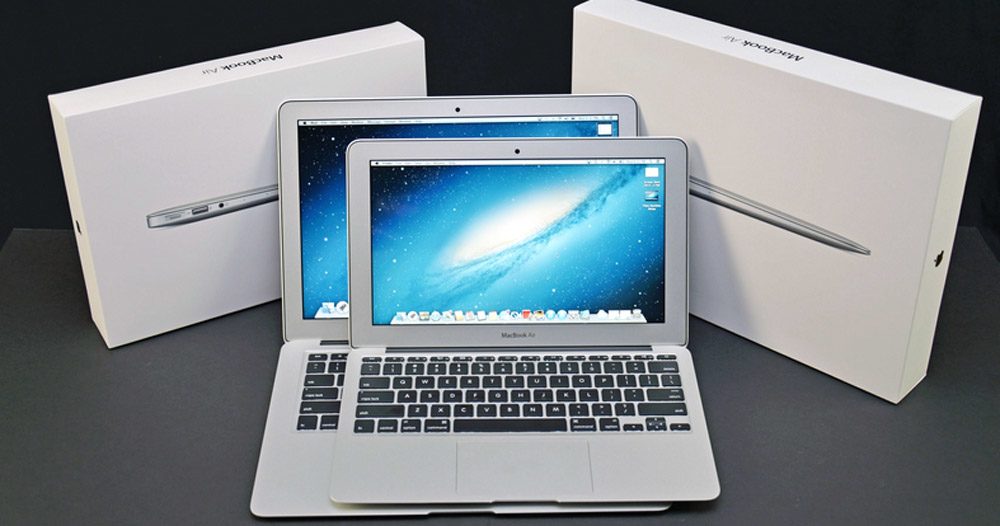
The Airs are actually cheaper than manypremium ultrabooks these days – pic via DetroitBorg
Wrap-up
OK, let’s draw the line. The Macbook Airs are still great buys in 2015.
If you’re after an 11-incher, you’ll hardly find anything similar, since most Windows OEMs are ignoring this segment. You’ll still struggle with the screen though, so if the budget allows, the 12-inch Macbook could be a good alternative. In fact, unless you aim for the base MBA 11, it’s only $100 more expensive.
The 13-inch MBA has plenty of competitors though. Many of them are smaller and lighter, many offer touchscreens and convertible form-factors or better IO. The Macbook Air has two Aces down its sleeve though: the powerful hardware and the long battery life. Both can be matched by a small number of ultrabooks, but those are either very expensive, or not as sleek and beautiful as the MBA. In other words, those might not be the right choices for you.
The screen though, the screen kills the MBA 13 and leaves a wide gap for Windows devices like the Dell XPS 13, the Asus Zenbook UX303LA/LN, the HP Spectre x360, or the Acer Aspire S7-393, to name just a few of the premium 13-inchers.
So at the end of the day, the latest MacBook Air is still an excellent device and for many, it might be the perfect ultra-portable, unless a good display, a touchscreen, dedicated graphics or Windows are a must in your book. If that’s the case, my list of the best ultrabooks of the moment is the place for your to start your search. Or some of the reviews and comparisons here on the site.
Either way, there’s no clear winner in this Apple Macbook Air vs Ultrabooks fight, it’s up to you to pick the device that fits best within your requirements, budget, and taste. Find the balance between these aspects and you’ll end up satisfied with your choice.

Freefrag
October 11, 2012 at 8:59 pm
I find it a bit staggering, a site called ultrabookreview which tries to sell the MBA as the best ‘ultrabook’. That’s quite cynical if you ask me (I was expecting some Intel/Ultrabook biased stuff), and also a bit too easily concluded, as there are enough downsides to the MBA and its OS, just as most other laptops have downsides.
I would be interested in seeing a non-biased comparison between the UX31A and MBA, as the UX31A has one of the best screens on the market as I’ve seen in other reviews (notebookcheck), great performance, keyboard, etc, notebookcheck actually lists it as the best subnotebook.
m@xym
October 4, 2013 at 7:13 am
I wouldn’t say ultrabookreview is trying to sell MBA, they are just pointing out the fact that MacBook Air is the most balanced ‘ultrabook’ in a sense that it gives most bang for a buck, and that all ultrabook related aspects (battery life, weight, size, ergonomics, speed of OS,…) are so good (although some of them are not as good as the competition, e.g. screen resolution) that no other ultrabook gives so much for this price, and without any major drawbacks.
Sure there are better speced ultrabooks than MBA (or MBP 13) but they cost considerably more, and almost always some of the important ultrabook aspects is sacrificed (often it’w weight, construction hardness or battery life) in a way that they couldn’t be considered as ideal ultrabook (which MBA was for a long time, an still is, but eventually some PC ultrabook will take the lead position).
Bruce Bathols
May 29, 2013 at 10:11 am
My student daughter has a MBA and is very pleased with its portability and ease of use.
I have run my own PC business for 20 years, but 2 years ago went to the so called “dark side” and bought a MB Pro when my trusty HP laptop died after 2 years.
The transition was quite steep, but I learned it all by myself and did not need assistance from the Apple gurus, even though it was available. I also run “Parallels” on the MBPro using Windows 7.
I must admit that am now an Apple convert, and have got the iPhone and ipad 2, and use iCloud a lot. I am now about to buy the latest MBA as a backup to the MB Pro, and have found the comments in forum excellent…..thanks.
Lyle Mariam
September 10, 2013 at 10:05 pm
Color me crazy but I have both a Asus Acer S7-391 Ultrabook and a MacBook Air. While a dyed in the wool PC person, I love the MacBook Air, I never get double key strikes and the track pad works perfectly. My i7 Ultrabook has certain letters that consistently give me two keys for one hit. And the scrolling on the touchpad is abysmal. I finally turned off all of the side touches as I would somehow touch them and end up in another program or what’s worse in the paragraph before.
As an aspiring writer, I always grab the Air, I just wish I had waited for the Haswell to come out.
Rebius
December 25, 2013 at 4:43 pm
Hi Mike and all others. I have a pavilion-dv6 and I use it for games as well for music SW. But doesn’t matter how hard I try, I can’t get the music SW working as I would like to (still has some hicks). I don’t want to buy a new HW if not necessary, but I also would like a HW, that works without many interactions and corrections. Although I’m a PC user I can’t say I like Windows (had my experiences :) ), but I’m not familiar with OSx. What would you recommend for overall performance but with focus on music SW? So for short pavilion dv6 or MAB? Or other Mac?
Thanks
KjokR
September 14, 2014 at 4:15 pm
It’s always strange, very strange to see laptops reviews where the basics of a computer are not understood. In particular, the relation between the resolution of the screen, ernergy consumption, battery-life and the price. There’s simply no miracle with MBA. The screen is outdated and of low-res, hence the consumption is much lower than with any other Ultrabook with a hi-res screen, hence the battery-life is much longer and the price is much lower. With Retina, the consumption would increase, the battery-life would decrease and the price would increase. Is it that difficult to understand ? There’s no doubt people would not even accept to buy a non-Apple Ultrabook with such a dull screen and reviewers would not event waste time to include then in their reviews. But what is not acceptable from other manufacturers is accepted from Apple…
Rob
February 27, 2015 at 8:59 am
I really don’t understand all the negative critics about MBA screen. I’m not a top-end-superstar of on-screen-fine arts nore a gamer but I work a lot on my MBA and can do everything, from writing long texts to image and video managing. Also, if one wants a top screen, he should consider something else than a 13, 14 or 15′ inch screens : they are far too small for true graphic editing. Regards
HQ
March 18, 2015 at 7:08 am
Umm, what’s a high-density screen? I’ve only heard of high-Definition ones :s
Either way, Windows-based ultrabooks offer a lot more that Mac Airs. Touchscreens, ultra HD displays and better software choices are all part of the Windows ecosystem.
When people complain about Windows being buggy, they are often wrong. The average Mac user could shift to any Windows-based PC and not find any bug at all. The only reason Macs are considered bug-free is that users aren’t allowed to tweak their systems (unlike in Windows).
Bruce Bathols
March 22, 2015 at 5:34 am
I just bought a MacBook Air, 11″ screen, why you might ask? Well I already have an iMac 21″, iPad2 and iPad Mini. My Ipad2 is one of the early models (Telco and WiFi, 64Gb), a great performer, but unfortunately I had a slight mishap with it, and it now has a damaged corner on the front of the screen. Luckily the screen is still intact, but to get it repaired costs almost the same as buying a new one. So I made a decision. I didnt want a big lumpy iPad and after checking out the MBA discovered the 11″ model was a fantastic compromise, slightly bigger than a new iPad, but more power with the i5 CPU. I had the memory upgraded to 8 Gb (from 4Gb), and my MBA only weighs about 1.3 Kg, about the same as the iPad2 it is replacing. It has a 250Gb SSD, which is far more than I will ever need, and paired with my iPhone 5, I have the best of both worlds when I am away from WiFi, by using the “hotspot” on the iPhone. So full marks to Apple for introducing a base model MBA.
Ryan
July 14, 2015 at 2:42 am
Could I update the battery and possibly hardware in a Macbook that is from 2007?
Or would it be cheaper to just buy a new laptop?
MAB Fangirl
August 11, 2015 at 4:15 am
From a 3rd-world country PoV, this is what I’d call nitpicking, haha sorry. :)
I went on this site hoping to help me find a reason From buying the MAB (cos too expensive) – 3rd world, right? ^_^
After 5 years — yes, 5! I’ve just graduated from a Toshiba netbook (with lots of frustration in between cos of poor performance).
And Thank You for helping me make the decision. You’re right, the best ultrabooks we currently have are even much more expensive than the MAB 13.3″ — and nearly not as gorgeous. Everytime I go into that store, I can’t help but fall in love all over again with the elegant simplicity of MAB. This machine is powerful enough to meet my computing needs (with no or little frustration). And that’s what counts.
David Sharpstone
December 15, 2015 at 10:48 pm
Hi Andrei,
Thank you for your reviews, I’ve found them an excellent resource to help me chose my last two Ultrabooks
Can you help me select my next Ultrabook. I need lightweight, 512gb ssd, powerful processor but quiet. I have had the dell XPS 15 9350 and 9550 and sent them both back to Dell because of noisy fans.
Is there a Laptop that is fanless and uses a powerful processor good enough to run Football Manager. I’m also looking for a windows machine.
Thanks for your help
David
Andrei Girbea
December 17, 2015 at 9:25 am
Not really. i’d aim for at least a core i5 skylake cpu with 8 GB of ram for the latest FM iterations.
You could try something with a Core m7 CPU, but The options are limited and really expensive. We reviewed the HP Spectre X2 12 and it proved to be fairly fast, but I don’t think it can handle that game smoothly. Could give it a try though
Hassan Jalil
March 31, 2016 at 8:52 pm
I was thinking of moving to a macbook air after using windows based computer for the past 15 years and windows based laptops for the past 5. What made me decide to change was basically my field, being a computer science student in High performance Computing, I need a bash shell for my assignment/projects and work. Lack of that in Windows has always been a problem. Hence i dual boot with Linux.
So linux serves perfectly well for my educational and professional needs, but for personal use i always found it not powerful enough to be used as my daily driver
Hence the plan to shift to Macbook AIR as OSX is unix based.
But yesterday Windows Announced that they are bringing Ubuntu and Bash Shell to Windows. So that solves my problem of dual booting, So I decided to check out Dell XPS 13 which has been hailed as the best Ultrabook out there,
I was surprised to see it being more expensive than Macbook Air (at least here in Netherlands)
The Final Price (Taxes and Shipment included) for Dell XPS 13 (i5 6th gen, 8gb Ram , 128 gb SSD) is 1462.89 euro
While Final Price for Macbook Air (i5, 8gb Ram , 128gb SSD) is 1145.87.
Thats 300 Euro cheaper, Yess Dell XPS 13 has a far better screen , but 300 Euro, thats a huge difference