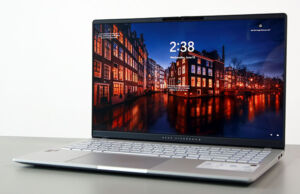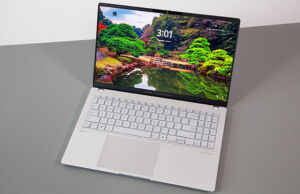

In this article, we’re discussing laptops built on Qualcomm Snapdragon 2nd-generation X2 hardware, going over the hardware’s particularities and specifics in the first part, as well as listing all the available Snapdragon X2 laptops in the second part.
Unlike existing Intel and AMD x86 platforms, the Qualcomm Snapdragon hardware is built on an ARM architecture, which, in very brief terms, is a simpler and more power-efficient architecture. In theory, this allows for ultracompact devices that run more efficiently than the standard Intel/AMD options out there, with an impact on thermals and battery life, among others. In real life, though, the results are far more nuanced.
ARM hardware has been mostly used in mobile devices (phones, tablets) over time, while x86 architectures are historically what we found on the majority of notebooks and PCs. And since most of these run Windows, the available software is primarily made for x86 platforms; thus, developers need to get involved to recreate their applications for the Windows on ARM environment. And this is the main culprit for Snapdragon-powered Windows notebooks.
Apple proved the efficiency and versatility of ARM-based platforms in a laptop/desktop environment with their MacBooks and Mac devices, but even for them the road to success has been bumpy. Furthermore, Apple controls both the hardware and software side on their devices, while over here on the Windows side, Microsoft controls the OS and the various OEMs control the hardware implementations. But even so, both Microsoft and Qualcomm put real effort and money into promoting the environment over the last few years, with notable results.
All in all, these days Snapdragon-based Windows devices are solid options for casual daily-use laptops, for browsing, video streaming, office use, and the like. Furthermore, compatibility with 3rd-party applications has improved, although that’s rather debatable: standard apps that most of us use work fine, but you’ll still run into older pieces of software that won’t work properly or even at all, or run into incompatibilities with older accessories such as printers, webcams, or USB-C drives and docks. But even most of these instances are less of an issue today than they were two years ago when the X1 Elite platform was launched.
And that leaves us with the elephant in the room: pricing. While some of the early Snapdragon X1 devices were highly competitive, most of the modern options running on the latest Snapdragon X2 platform are not. Sure, all tech has become expensive these days, but even so, the competitiveness of most of these available Snapdragon X2 devices is questionable, even if many of them are premium designs with solid performance capabilities.
Qualcomm Snapdragon X2 hardware and specs explained
The roster for Snapdragon X2 hardware includes a multitude of SKUs, starting with the X2 Elite Extreme options at the very top, and going through several X2 Elite variants and X2 Plus options. Standard X2 hardware has not been unveiled at the time of this article, as Qualcomm still supplies its previous-gen X1 platforms for entry-level configurations.
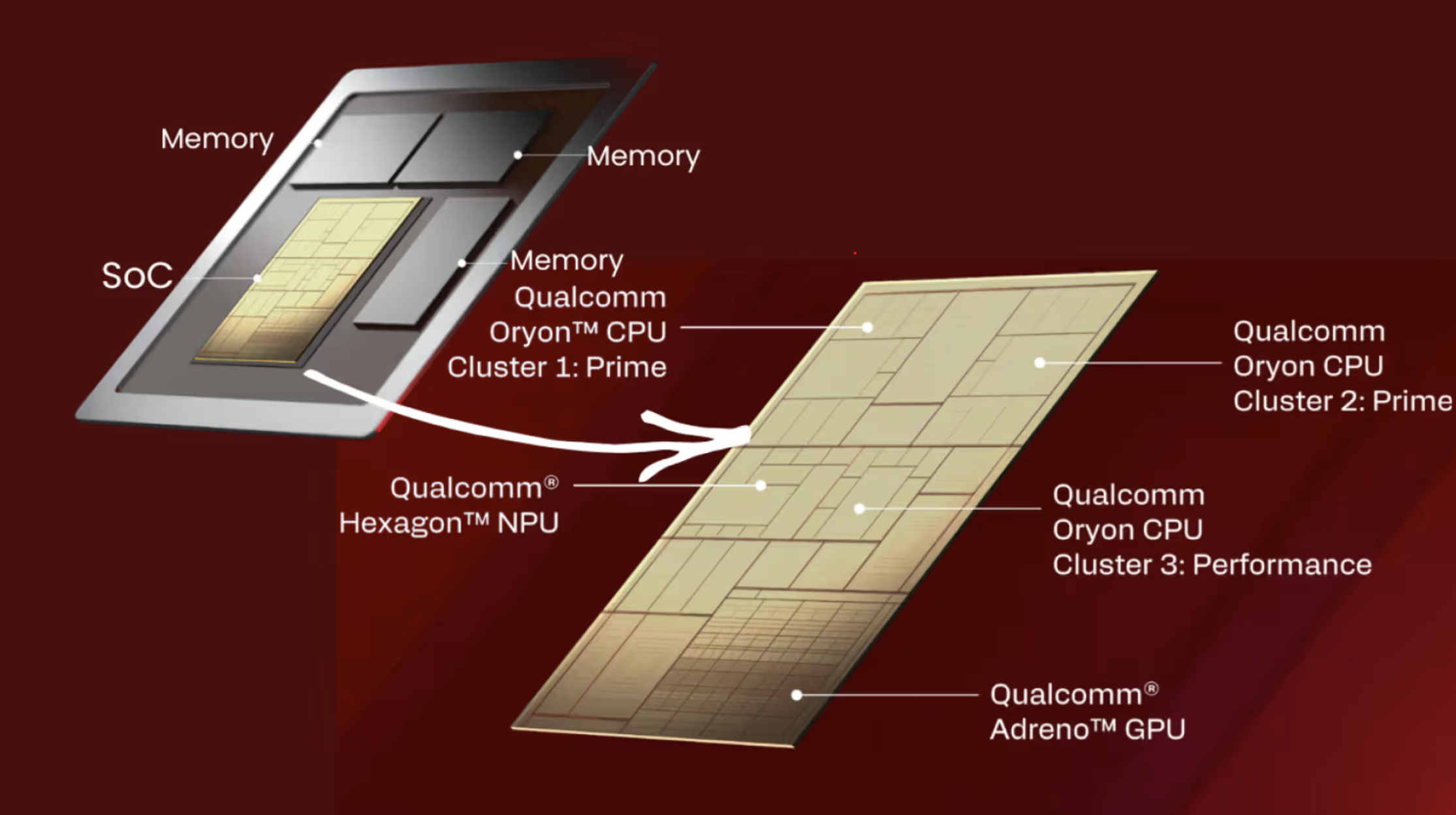
The X2 hardware is an SoC design, built on TSMC’s 3nm node, and combines a multitude of CPU Cores, various types of Adreno GPUs, a Hexagon NPU, and modern memory/PCIe pathways and I/O connectivity.
At the heart of the platform is a cluster of Qualcomm Oryon CPU cores grouped in stacks of 6x Cores, with a shared cache memory for each cluster. The various SKUs implement up to 2x clusters of high-performance cores (called Prime Cores, 6x cores per cluster) and a cluster of more efficient cores (called Performance Cores, for some odd reason). These cores run at different maximum speeds between the various SKUs, between 4.0 and 5.0 GHz.
Alongside, all X2 chips implement an 80 TOPS Hexagon NPU, and several types of Adreno X2 GPUs. As for memory, the hardware supports LPDDR5x RAM with 152 GB/s memory bandwidth for the standard chips, and 228 GB/s bandwidth for the Elite Extreme chips. Furthermore, PCIe Gen5 storage is supported, and 5G, Wi-Fi 7, and Bluetooth 5.4 connectivity is possible.
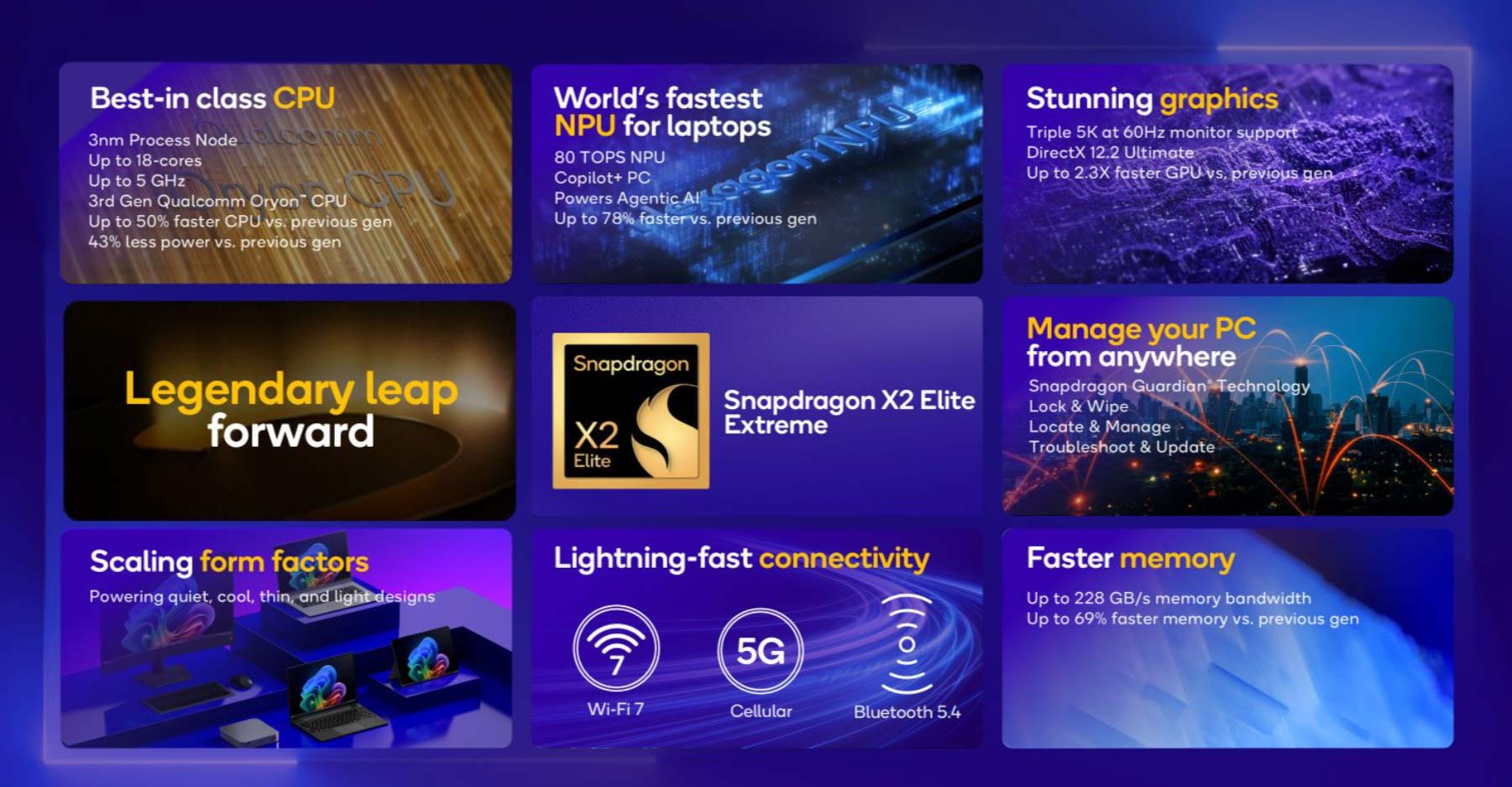
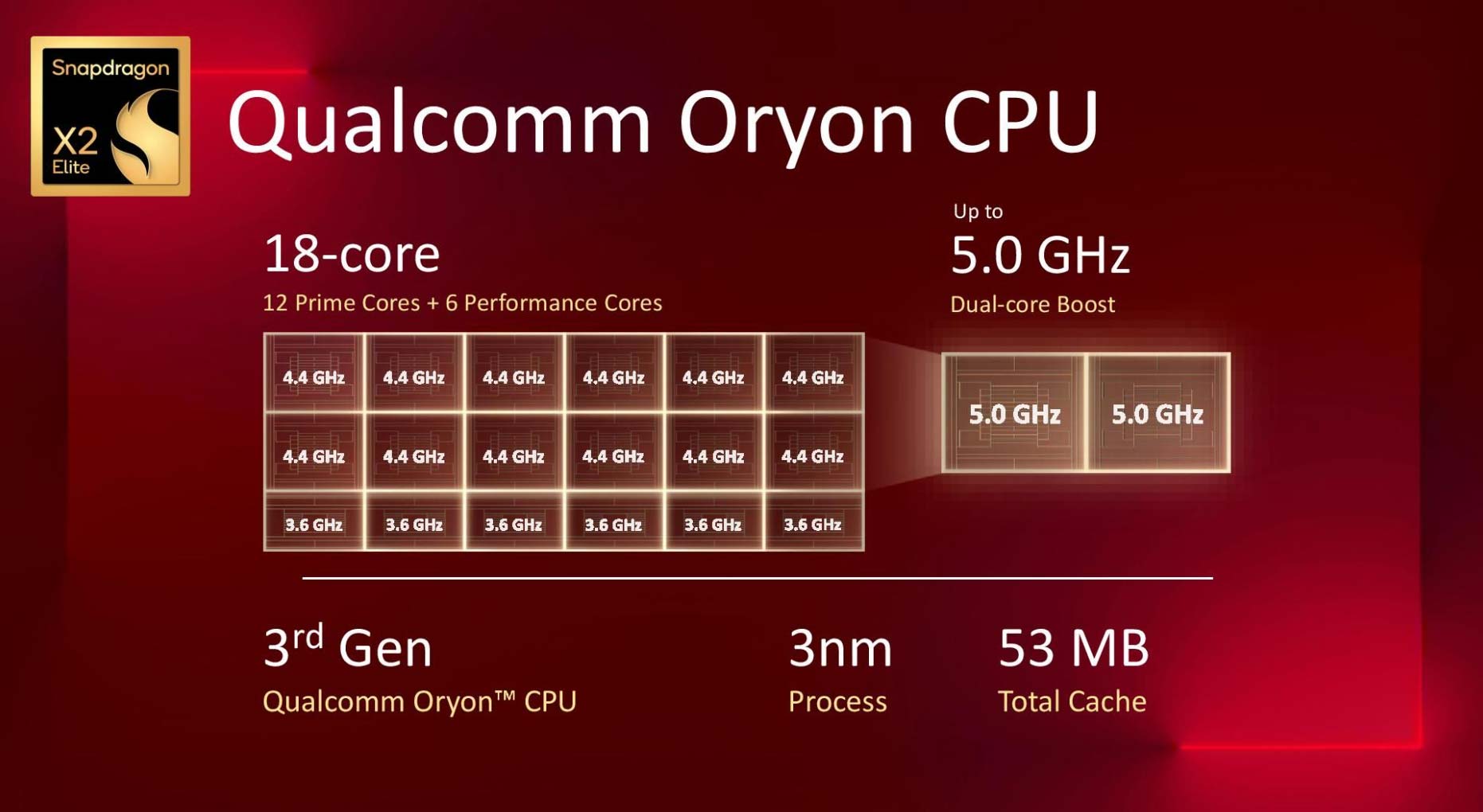
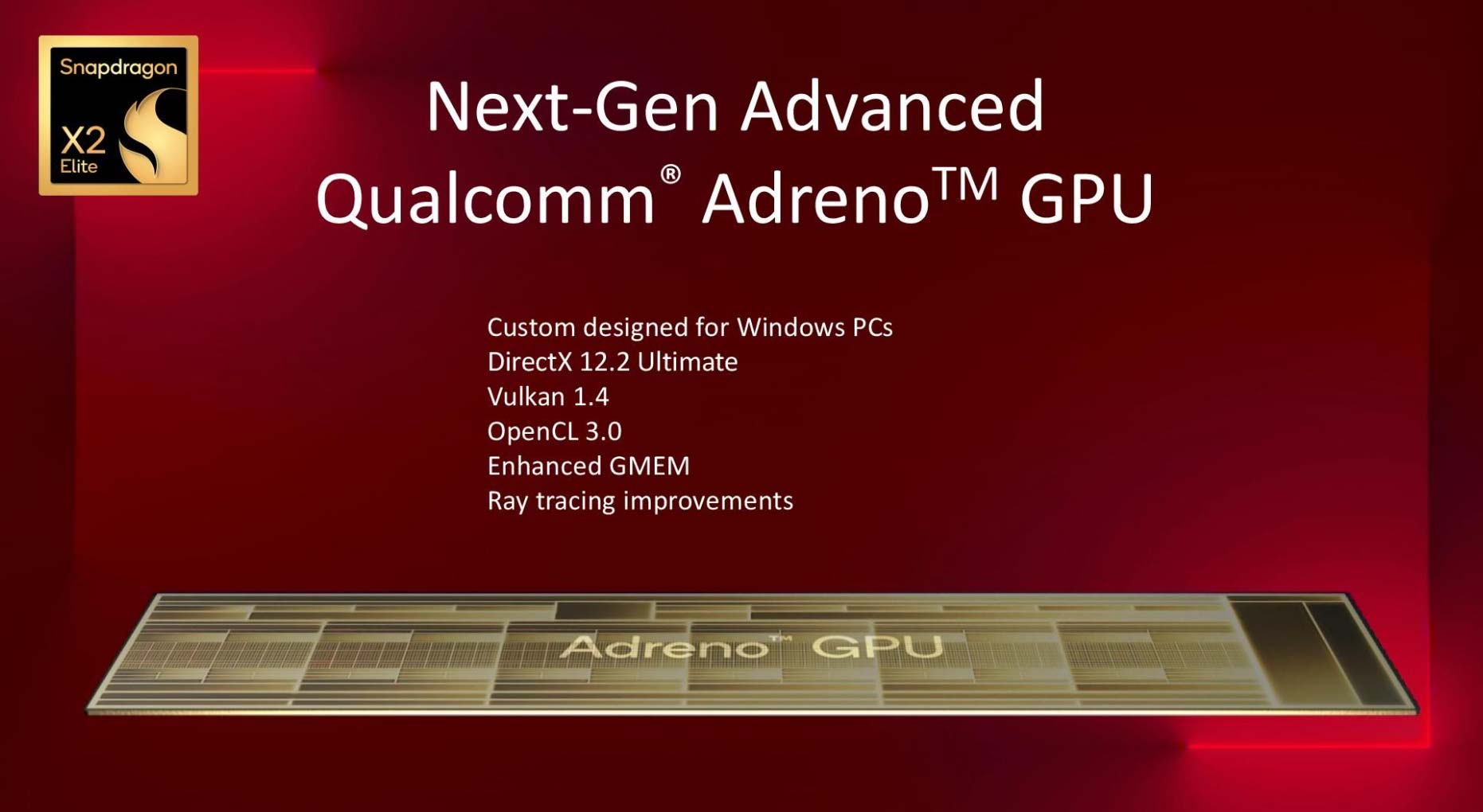
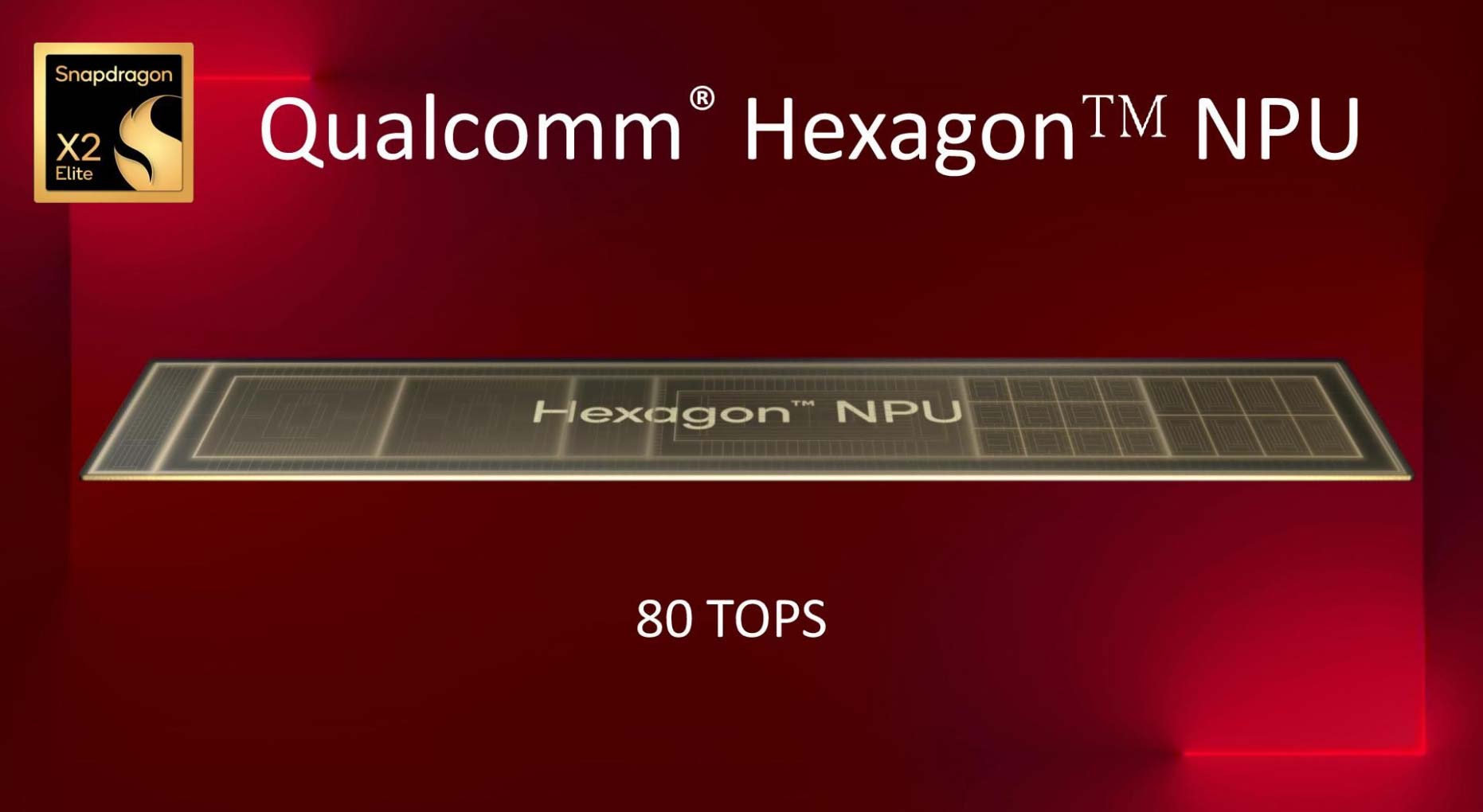
Here are the main X2 Elite and X2 Plus platforms available in actual products.
| X2E-94-100 | X2E-88-100 | X2E-78-100 | X1E-78-100 | X2P-64-100 | X2P-42-100 | |
| Platform | X2 Elite Extreme | X2 Elite | X2 Elite | X1 Elite | X2 Plus | X2 Plus |
| Cores/Threads | 18C, 12 Prime + 6 Performance |
12C, 6 Prime + 6 Performance |
12C, 8+4 |
10C, 6 Prime + 4 Performance |
6C, 6 Prime |
|
| CPU max freq | 4.7 GHz | 4.7 GHz | 4.0 GHz | 3.4 GHz | 4.0 GHz | 4.0 GHz |
| Graphics | X2-90, 1.85 GHz |
X2-85, 1.7 GHz |
X2-85, 1.35 GHz |
X1-85, 1.25 GHz |
X2-45, 1.7 GHz |
X2-45, 910 MHz |
| TDP | 15-45W | 15-45W | 10-45W | 10-30W | 10-22W | 10-22W |
| Memory support |
LPDDR5x-9523 up to 228 GB/s bandwidth for X2E-94 |
LPDDR5x-9523 | LPDDR5x-8848 | LPDDR5x-9523 | LPDDR5x-9523 | |
| AI Engine |
80 TOPS NPU | 80 TOPS NPU | 80 TOPS NPU | 45 TOPS NPU | 80 TOPS NPU | 80 TOPS NPU |
The differences are quite subtle between all these options, so make sure you understand the specifics of the one that you’re looking at, especially since they vary between the available laptops.
The higher-tier X2 Elite Extreme and X2 Elite SKUs include 18 CPU Cores (12x Prime, 6x Performance) and a higher-clocked Adreno X2 iGPU, as well as higher memory bandwidth support. At the same time, these chips are generally implemented in the more expensive and more powerful designs.
Mid-tier X2 Elite SKUs drop to 12 CPU Cores and a similar iGPU that runs at lower speeds, while the lower-tier X2 Plus chips drop to fewer CPU cores and an even lesser iGPU.
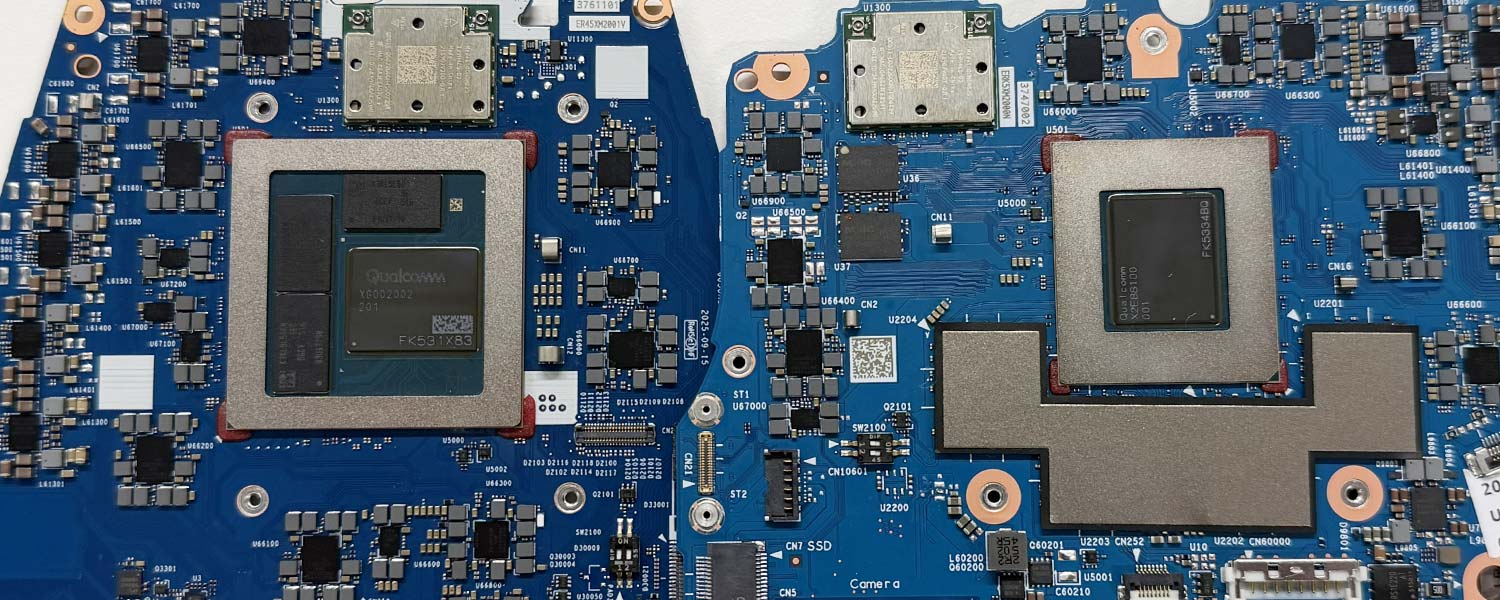
The X2 Elite and X2 Plus options are also physically smaller chips and generally run at lower power, so you’ll mostly find them in the more portable formats, including in tablets. Below I’ve included real-life images of the X2E-94-100 Elite Extreme chip, next to the X2E-88-100 Elite. While the specs suggest few differences between the two, they’re actually very different designs in reality, with different cooling requirements.
Qualcomm Snapdragon X2 Elite/X2 Plus benchmarks performance, vs. X1 Elite
With specs out of the way, here’s a brief analysis of the performance you should expect from the Snapdragon X2 Elite hardware we’ve tested. For comparison, I’ve also included the X1 Elite X1E-78-100 chip that still equips a handful of existing models today.
| Zenbook A16, X2 Elite Extreme X2E-94-100, 18C, X2-90 GPU, ~45W mode |
Zenbook A16, X2 Elite X2E-94-100, 18C, X2-90 GPU, ~30W mode |
Zenbook A14, X2 Elite X2E-88-100, 18C, X2-85 GPU, ~30W mode |
Lenovo Yoga Slim 7x, X2 Elite X2E-78-100, 12C, X2-85 GPU, ~25W mode |
Surface Laptop 13.8, X2 Plus X2P-64-100, 10C, X2-45 GPU, ~30W mode |
Zenbook A14, X1 Elite X1E-88-100, 12C, X1-85 GPU, ~25W mode |
|
| 3DMark – Fire Strike | 11111 (G – 11791, P – 26581, C – 4824) | 10774 (G – 11704, P – 24714, C – 4412) | 9632 (G – 10079, P – 25526, C – 4251) | ~7200 (G – 7600, P – 20000, C – ?) | ~6200 (G – 6600, P – 18000, C – ?) | 6206 (G – 6444, P – 19046, C – 2714) |
| 3DMark – Time Spy | 4534 (Graphics – 4067, CPU – 13014) | 4479 (Graphics – 4056, CPU – 10963) | 4077 (Graphics – 3650, CPU – 12152) | ~2900 (Graphics – 2600, CPU – 9700) | ~2500 (Graphics – 2250, CPU – 8200) | 1882 (Graphics – 1680, CPU – 5236) |
| Cinebench R24 (10 min) | 1677 cb – multi-core 150 cb – single-core |
1555 cb – multi-core 148 cb – single-core |
1428 cb – multi-core 151 cb – single-core |
1072 cb – multi-core 133 cb – single-core |
856 – multi-core 133 – single-core |
819 – multi-core 106 – single-core |
| Geekbench 6.6 | 22751 cb – multi-core 3759 cb – single-core |
21584 cb – multi-core 3611 cb – single-core |
20192 cb – multi-core 3660 cb – single-core |
14445 cb – multi-core 3268 cb – single-core |
13222 cb – multi-core 3244 cb – single core |
14633 cb – multi-core 2462 cb – single core |
| Blender 5.1 – Classroom scene – CPU Compute | 2m 57s | 12m 57s | 3m 33s | – tba | – tba | 5m 23s |
The X2 Elite Extreme chip is only available on the Asus Zenbook A16 for now, while the other options are available on several different devices.
The differences in CPU Cores translate into a decrease in CPU multi-core performance as we go down the roster, as well as a decrease in single-core scores. Even so, the mid-level X2E-78-100 is competitive against existing mobile Intel/AMD platforms, such as their top SKUs, the Core Ultra 9 386H or the AMD Ryzen 9 AI HX 470 (especially when comparing similar mid-power to low-power implementations).
On the GPU side, however, the Intel Arc B390 has a notable advantage over the Adreno X2 GPUs, but the mainstream Intel and Radeon iGPUs trail behind the X2 iGPUs in synthetic tests.
Furthermore, the jump between the X1 and X2 Elite platforms is significant, especially in single-core CPU IPC and in GPU capabilities. The lower-tier X2P-64 of this generation is rather close to last year’s top X1E-78.
X2 Elite vs Intel/AND hardware
| X2 Elite Extreme X2E-94-100, 18C, X2-90 GPU, ~45W mode |
X2 Elite X2E-78-100, 12C, X2-85 GPU, ~25W mode |
Core Ultra X7 358H, ~45W mode |
Core Ultra 9 386H, ~28W mode |
Ryzen AI 9 370, ~30W mode |
|
| 3DMark – Fire Strike | 11111 (G – 11791, P – 26581, C – 4824) | ~7200 (G – 7600, P – 20000, C – ?) | 13228 (G – 15941, P – 27065, C – 4457) | 6576 (G – 7195, P – 27882, C – 2354) | 7505 (G – 7946, P – 25618, C – 3031) |
| 3DMark – Time Spy | 4534 (Graphics – 4067, CPU – 13014) | ~2900 (Graphics – 2600, CPU – 9700) | 6988 (Graphics – 6475, CPU – 12556) | 3478 (Graphics – 3095, CPU – 11684) | 3598 (Graphics – 3241, CPU – 9599) |
| Cinebench R24 (10 min) | 1677 cb – multi-core 150 cb – single-core |
1072 cb – multi-core 133 cb – single-core |
1109 – multi-core 122 – single-core |
922 – multi-core 123 – single-core |
933 – multi-core 114 – single-core |
| Geekbench 6.6 | 22751 cb – multi-core 3759 cb – single core |
14445 cb – multi-core 3268 cb – single-core |
16506 cb – multi-core 2825 cb – single-core |
16506 cb – multi-core 2825 cb – single-core |
15389 cb – multi-core 2828 cb – single core |
| Blender 5.1 – Classroom scene – CPU Compute | 2m 57s | – tba | 5m 05s | 6m 05s | 5m 45s |
All in all, the Snapdragon X2 hardware is plenty competitive in terms of raw performance capabilities against most of the mainstream rival Intel/AMD platforms. Sure, there are exceptions, such as the Core Ultra X Panther Lake chips or the Ryzen AI Max+ hardware, but when it comes to mainstream specs, the Qualcomm hardware offers plenty of oomph.
That doesn’t change what we already discussed about the software particularities and compatibility that you need to take into account with these Snapdragon platforms, though, especially for those looking to run professional work apps or games on these devices.
List of all laptops built on Qualcomm Snapdragon X2 Plus and X2 Elite hardware
This section lists all the available notebooks built on Qualcomm’s latest-generation X2 hardware, including the higher-specced X2 Elite and X2 Elite Extreme options. It doesn’t include the previous-gen Snapdragon X configurations, although some of those might still be interesting options for budget casual-use daily drivers.
I’ve also included links to our reviews, where available. We’ve only tested a few of these so far, but we’ll most likely consider reviewing a few other options in the future.
| Model, Price | Format, Weight | Screen | Hardware, particularities | Battery |
| Acer Swift Spin 14 AI, from $1499 |
2-in-1 ultrabook, metal build, 1.34 kg / 2.95 lbs |
14″ IPS, touch 2K 120Hz, 300 nits, 75% DCI-P3 360-hinge stylus included |
Snapdragon X2 Elite X2E-78-100, 12-core, X2-85 GPU, 16 GB LPDDR5x RAM, 1x M.2 SSD, full IO, 5MP camera, 2x speakers |
65 Wh |
| Asus ProArt PZ14, from $1899 |
tablet + folio, metal build, .79 kg / 1.8 lbs |
14″ OLED, touch 2.8K 120Hz VRR, 500 nits, 100% DCI-P3 pen included |
Snapdragon X2 Elite X2E-88-100 18-core, X2-90 GPU, up to 32 GB LPDDR5x RAM, 1x M.2 SSD 2230, dual-fan cooling, 30W sustained TDP, minimalist IO, 8MP front and 12MP back camera, 2x speakers with detachable Bluetooth keyboard |
75 Wh |
| Asus Zenbook A14, from $1349 |
premium ultrabook, metal build, 1 kg / 2.2 lbs |
14″ OLED, anti-glare 2K 60Hz, 400 nits, 100% DCI-P3 150-hinge |
Snapdragon X2 Elite X2E-88-100 18-core, X2-90 GPU, up to 32 GB LPDDR5x RAM, 1x M.2 SSD, dual-fan cooling, 30W sustained TDP, full IO, 2MP camera, 2x speakers |
70 Wh |
| Asus Zenbook A16, from $1849 |
premium ultrabook, metal build, 1.2 kg / 2.65 lbs |
16″ OLED, optional touch 3K 120Hz, 500 nits, 100% DCI-P3 150-hinge |
Snapdragon X2 Elite Extreme X2E-94-100 18-core, X2-90 GPU, 48 GB LPDDR5x RAM, 1x M.2 SSD, dual-fan dual heatpipe cooling, 45W sustained TDP, full IO, 2MP camera, 2x speakers |
70 Wh |
| Asus Vivobook S16 | mainstream ultrabook, part-metal build, 1.7 kg / 3.75 lbs |
16″ OLED or IPS, anti-glare OLED – 2K 60Hz 400 nits, IPS – 2.5K 144Hz 150-hinge |
Snapdragon X2 Elite X2E-88-100 18-core, X2-90 GPU, up to 32 GB LPDDR5x-9500 RAM, 1x M.2 SSD, dual-fan cooling, 30W sustained TDP, full IO, 2MP camera, 2x speakers |
70 Wh |
| HP Omnibook Ultra 14, from $1249 |
ultrabook, metal build, from 1.3 kg / 2.85 lbs |
14″ OLED, touch 2K 60Hz 300 nits or 3K 120Hz 500 nits, both 100% DCI-P3 140-hinge |
starts at up to Snapdragon X2 Plus X2P-42-100 and up to Snapdragon X2 Elite X2E-90-100 up to 18 cores, X2-90 GPU, up to 32 GB LPDDR5x, 1x M.2 SSD, minimalist USB-C IO, 5MP camera, 2x speakers |
70 Wh |
| HP Omnibook X 16, from $1449 |
mainstream ultrabook, metal build, from 1.75 kg / 3.85 lbs |
16″ OLED, touch 2K 60Hz 300 nits or 3K 120Hz 500 nits, both 100% DCI-P3 140-hinge |
Snapdragon X2 Elite X2E-84-100 12-core, X2-85 GPU, 24 GB LPDDR5x, 1x M.2 SSD, minimalist USB-C IO, 5MP camera, 2x speakers |
59 Wh |
| HP EliteBook 6 14, from $1799 |
ultrabook, metal build, from 1.72 kg / 3.8 lbs |
14″ IPS, anti-glare IPS 2K 60Hz 300 63% sRGB, 180-hinge |
starts at Snapdragon X2 Plus X2P-42-100 and up to Snapdragon X2 Elite X2E-90-100 up to 18 cores, X2-90 GPU, up to 32 GB LPDDR5x, 1x M.2 SSD, full USB-C IO, 5MP camera, 2x speakers |
68 Wh |
| HP EliteBook X 14, from $1999 |
premium ultrabook, metal build, from 1.1 kg / 2.45 lbs |
14″ IPS or OLED, touch IPS 2K 60Hz 500 nits or OLED 3K 120Hz 700 nits, 180-hinge |
starts at Snapdragon X2 Plus X2P-42-100 and up to Snapdragon X2 Elite X2E-90-100 up to 18 Core, X2-90 GPU, up to 32 GB LPDDR5x, 1x M.2 SSD, full USB-C IO, 5MP camera, 2x speakers |
56 Wh |
| Lenovo Yoga Slim 7x, from $1599 |
premium ultrabook, metal build, from 1.18 kg / 2.5 lbs |
14″ OLED, touch 2K 60Hz 400 nits or 3K 120Hz 500 nits, 100% DCI-P3 |
starts at Snapdragon X2 Plus X2P-42-100 and up to Snapdragon X2 Elite X2E-88-100 up to 18 Core, X2-90 GPU, up to 32 GB LPDDR5x, 1x M.2 SSD, minimalist USB-C IO, 9MP camera, 4x speakers |
70 Wh |
| Lenovo IdeaPad Slim 5x, from $999 |
ultrabook, part metal build, from 1.4 kg / 3.1 lbs |
15.3″ IPS or OLED, touch IPS 2K 120Hz 400 nits OLED 2.5K 165Hz 500 nits |
Snapdragon X2 Plus X2P-42-100, 6 Core, X2-45 GPU, up to 32 GB LPDDR5x, 1x M.2 SSD, full IO, 2MP camera, 2x speakers |
70 Wh |
| Lenovo IdeaPad 5x 2-in-1, from $1499 |
2-in-1 laptop, part metal build, from 1.52 kg / 3.35 lbs 360-hinge |
14″ IPS, touch IPS 2K 60Hz 400 nits |
Snapdragon X2 Plus X2P-42-100, 6 Core, X2-45 GPU, up to 32 GB LPDDR5x, 1x M.2 SSD, full IO, 2MP camera, 2x speakers |
60 Wh |
| Lenovo ThinkPad T14s gen7, from $1999 |
business ultrabook, part metal build, from 1.2 kg / 2.65 lbs |
14″ IPS, anti-glare 2K 60Hz 500, 100% DCI-P3, 180 hinge |
starts at Snapdragon X2 Plus X2P-42-100 and up to Snapdragon X2 Elite X2E-80-100 up to 18Core, X2-85 GPU, up to 32 GB LPDDR5x, 1x M.2 SSD, full IO, 5MP camera, 2x speakers |
58 Wh |
| Microsoft Surface Pro 12, from $1149 |
tablet + folio, metal build, from .7 kg / 1.7 lbs |
12″ 3:2 IPS, touch 2K 90Hz 500 nits, 100% sRGB |
Snapdragon X2 Plus X2P-42-100 6Core, X2-45 GPU, up to 24 GB LPDDR5x, 1x M.2 SSD, fanless cooling, minimalist IO, 2MP front and 10 MP main camera, 2x speakers |
38 Wh |
| Microsoft Surface Pro 13, from $1349 |
tablet + folio, metal build, from .9 kg / 2 lbs |
13″ 3:2 IPS, touch 3K 120Hz 500 nits, 100% DCI-P3 |
Snapdragon X2 Plus X2P-64-100 10 Core or Snapdragon X2 Elite X2E-78-100 12 Core up to 64 GB LPDDR5x, 1x M.2 SSD, minimalist IO, 2MP front camera, 10MP back camera, 2x speakers |
53 Wh |
| Microsoft Surface Laptop 13, from $1199 |
ultrabook, metal build, from 1.22 kg / 2.7 lbs |
13″ 3:2 IPS, touch 2K 120Hz 500 nits, 100% sRGB |
Snapdragon X2 Plus X2P-42-100 6Core, X2-45 GPU, up to 24 GB LPDDR5x, 1x M.2 SSD, minimalist IO, 2MP camera, 2x speakers |
54 Wh |
| Microsoft Surface Laptop 13.8, from $1399 |
ultrabook, part metal build, from 1.34 kg / 2.96 lbs |
13.8″ 3:2 IPS, touch 2.5K 120Hz 600 nits, 100% DCI-P3 |
Snapdragon X2 Plus X2P-64-100 10 Core or Snapdragon X2 Elite X2E-78-100 12 Core up to 64 GB LPDDR5x, 1x M.2 SSD, minimalist IO, 2MP camera, 2x speakers |
54 Wh |
| Microsoft Surface Laptop 15, from $1499 |
ultrabook, metal build, from 1.66 kg / 3.67 lbs |
1″ 3:2 IPS, touch 3.2K 120Hz 550 nits, 100% sRGB |
Snapdragon X2 Plus X2P-64-100 10 Core or Snapdragon X2 Elite X2E-78-100 12 Core up to 64 GB LPDDR5x, 1x M.2 SSD, minimalist IO, 2MP camera, 2x speakers minimalist IO and SD card reader, 2MP camera, 2x speakers |
66 Wh |
| Samsung Galaxy Book6 Edge, from $2099 |
premium laptop, metal build, from 1.55 kg / 3.42 lbs |
16″ AMOLED, touch 2.8K 120Hz, 500 nits, 100% DCI-P3 |
Snapdragon X2 Elite X2E-88-100 18Core, X2-85 GPU, up to 64 GB LPDDR5x, 1x M.2 SSD, minimalist IO and SD card reader, 2MP camera, 2x speakers |
62 Wh |
That’s about it for now.
Looking for your feedback on these Qualcomm Snapdragon-powered laptops, and if you spot anything that should be in here but isn’t, let me know about it in the comments section.