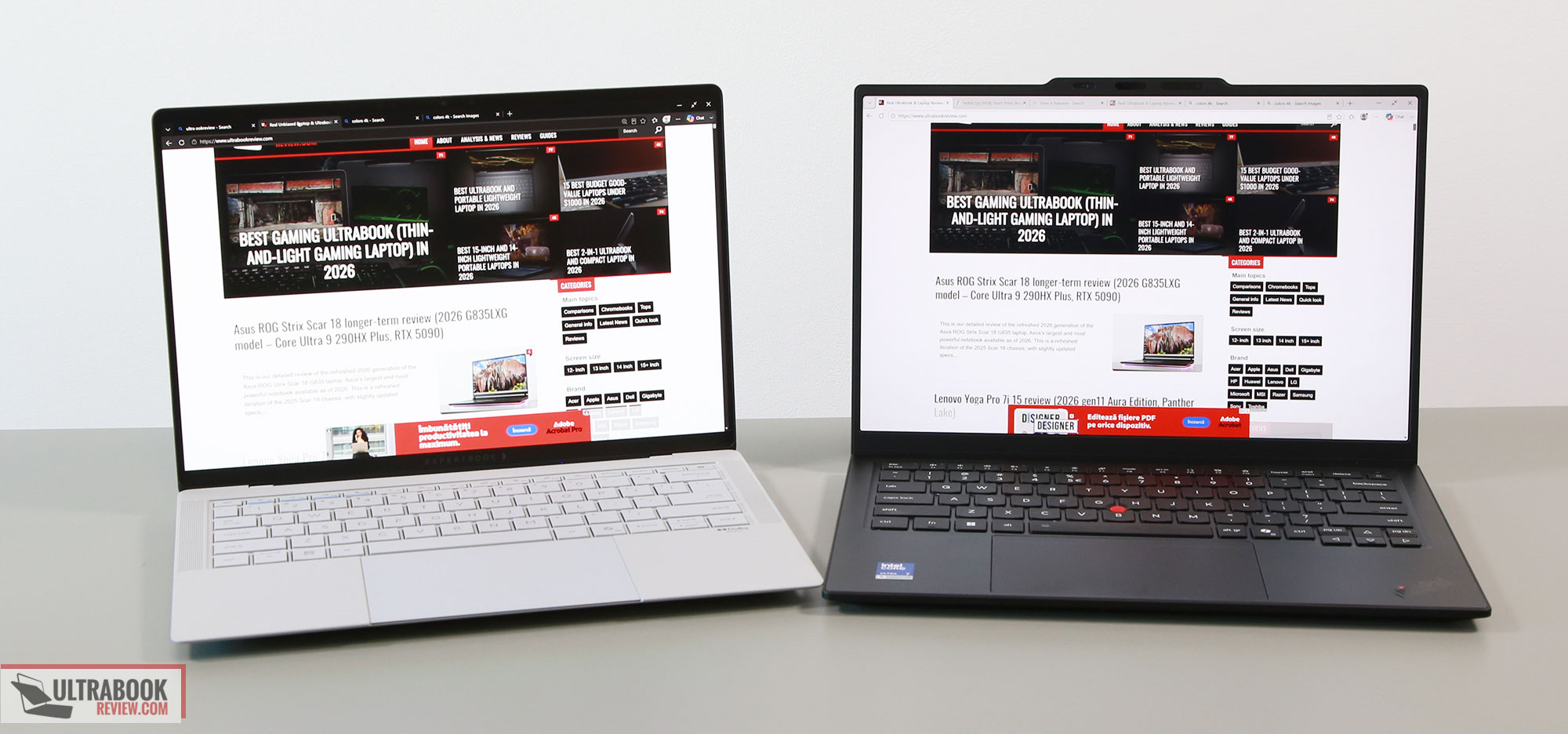

In this article, we’re discussing two of the best premium ultrabooks of the moment: the Lenovo ThinkPad X1 Carbon Gen 14 and the Asus ExpertBook Ultra B9406CAA.
Both are top-of-the-line offers in Asus’s/Lenovo’s lineups, targeted at professionals looking for a premium experience and longevity, paired with the latest specs and features available in a 14-inch portable format. Both are available with extended warranty options, and both are new chassis designs for their 2026 model years. At the same time, both are expensive options, among the priciest in the ultraportable space.
Of course, the X1 Carbon has been around for more than a decade, but this Gen14 variant is an updated design focused on serviceability, repairability, and performance, with higher-power specs and improved cooling compared to the previous generations. The ExpertBook Ultra, on the other hand, is the first of its kind, with even more advanced cooling, a larger battery, and a Tandem OLED matte display option.
We’ve used both laptops for at least a few weeks and covered them in previous detailed reviews:
This article is a more direct comparison of the two. We’ll also follow up with a few more comparison articles that pitch these against other interesting ultraportable options that we’ve tested, such as the Apple MacBook Air, Asus Zenbook S14, or the Lenovo Yoga 9i 2-in-1.
Specs sheet – Lenovo ThinkPad X1 Carbon gen14 vs. Asus ExpertBook Ultra
| Lenovo ThinkPad X1 Carbon Aura Edition, 14th gen | Lenovo ThinkPad X1 Carbon Aura Edition, 14th gen | |
| Screen | 14 inch, 16:10 aspect ratio, matte, touch or non-touch OLED 2.8K 2880 x 1800 px, VRR 30-120Hz, 500-nits SDR brightness, 1100-nits peak HDR, 100% DCI-P3 colors or IPS FHD 1920 x 1200 px, 60Hz, 500-nits SDR brightness, 100% sRGB colors |
14-inch, OLED, 16:10 aspect ratio, touch, matte (Gorilla Glass Matte), 3K 2880 x 1800 px, 30-120Hz VRR, 600-nits SDR brightness, 1400-nits HDR peak, 100% DCI-P3 colors variant with Polymer OLED display available as well |
| Processor | Intel Panther Lake Core Ultra Series 3, Core Ultra 7 356H, 16C0res – 4PC+8Ec+4LPEc/16Threads, up to 4.7 GHz multiple other options, including Ultra X7 358H and Ultra 7 355 |
Intel Panther Lake Core Ultra Series 3, Core Ultra 7 358H, 16 Cores (4x P, 8x E, 4x LPE)/16 Threads, up to 4.8 GHz Turbo |
| Video | Intel Graphics, 4 Xe Cores, up to 2.45 GHz Arc B390 with 12 Xe Cores on the X7 358H variant |
Intel Arc B390 iGPU, 2.5 GHz, 122 TOPS Intel AI Boost NPU 50 TOPS |
| Memory | 32 GB LPDDR5-8533 (soldered), up to 32 GB | 32 GB LPDDR5x-8533 (soldered), up to 64 GB |
| Storage | single M.2 2280 slot – Micron 2650 gen4 drive | single M.2 2280 slot – Samsung PM9E1 gen4 drive |
| Connectivity | Wireless 7 (Intel BE201) 2×2, Bluetooth 5.4 | Wireless 7 (Intel BE201) 2×2, Bluetooth 5.4 |
| Ports | left: 2x USB-C with Thunderbolt 4, HDMI 2.1 TMDS, mic/headphone, optional nano SIM slot right: Lock, 1x USB-A 3.2 gen1, 1x USB-C 3.2 with Thunderbolt 4 |
left: 1x USB-C TB4, 1x HDMI 2.1 TMDS, 1x USB-A 3.2 gen2, mic/headphone right: 1x USB-A 3.2 gen2, 1x USB-C Thunderbolt 4 |
| Battery | 58 Wh, 65W USB-C GaN compact charger, dual piece with long cables | 70 Wh, 90W USB-C charger, single-piece with long cables |
| Size | 313 mm or 12.30” (w) x 216 mm or 8.49” (d) x up to 16.85 mm or 0.66″ (h) | 310 mm or 12.24” (w) x 212 mm or 8.38” (d) x 10.9 – 16.4 mm or 0.43”-0.65″ (h) |
| Weight | 2.2 lbs (.99 kg) + .28 (.61 lbs) for the USB-C charger and cables, EU version IPS touchscreen version with 4G is the heaviest variant, at 1.14 kg (2.52 lbs) |
2.45 lbs (1.1 kg) + .35 (.77 lbs) for the USB-C charger, cables 1 kg for the variant with the Polymer OLED display |
| Extras | clamshell format with 180-degree hinge, white backlit keyboard, 1.5 mm travel, Trackpoint, glass haptic touchpad, dual speakers, dual microphones, 10 MPx camera with IR, TOF and physical shutter, fingerprint sensor in power button, dual-fan dual-heatsink single-heatpipe cooling, available in ThinkPad Black with ThinkPad design accents |
clamshell format with a 140-degree hinge, white backlit keyboard, 1.5 mm travel, .1 mm dish, glass haptic touchpad, 2MPx FHD webcam with IR, ALS, fingerprint sensor in the power button, 6x speakers, mic array, dual-fan dual-radiator triple-heatpipe cooling, Morn Gray or Jet Fog colors |
Design, build quality, ergonomics
Both are excellently built devices, made out of various advanced alloys. The ExpertBook Ultra has an aluminum unibody with a ceramic exterior coating, while the ThinkPad X1 Carbon has a carbon-fiber lid, a magnesium-alloy main chassis (for the OLED variants), and some plastic parts.
Functionally, both are rock solid and very well made. Both meet MIL-STD standards for reliability, etc, but that’s just standard these days on a premium ultraportable.
However, I rather preffer the overall feel of the ThinkPad, as the materials feel softer and friendlier to the touch. The finish on the ExpertBook is coarser, like fine sandpaper to the touch. I do expect this to age better, though, as the ceramic coating is more resistant to scratches; plus, it hides smudges and fingerprints way better than the black surface on the ThinkPad.
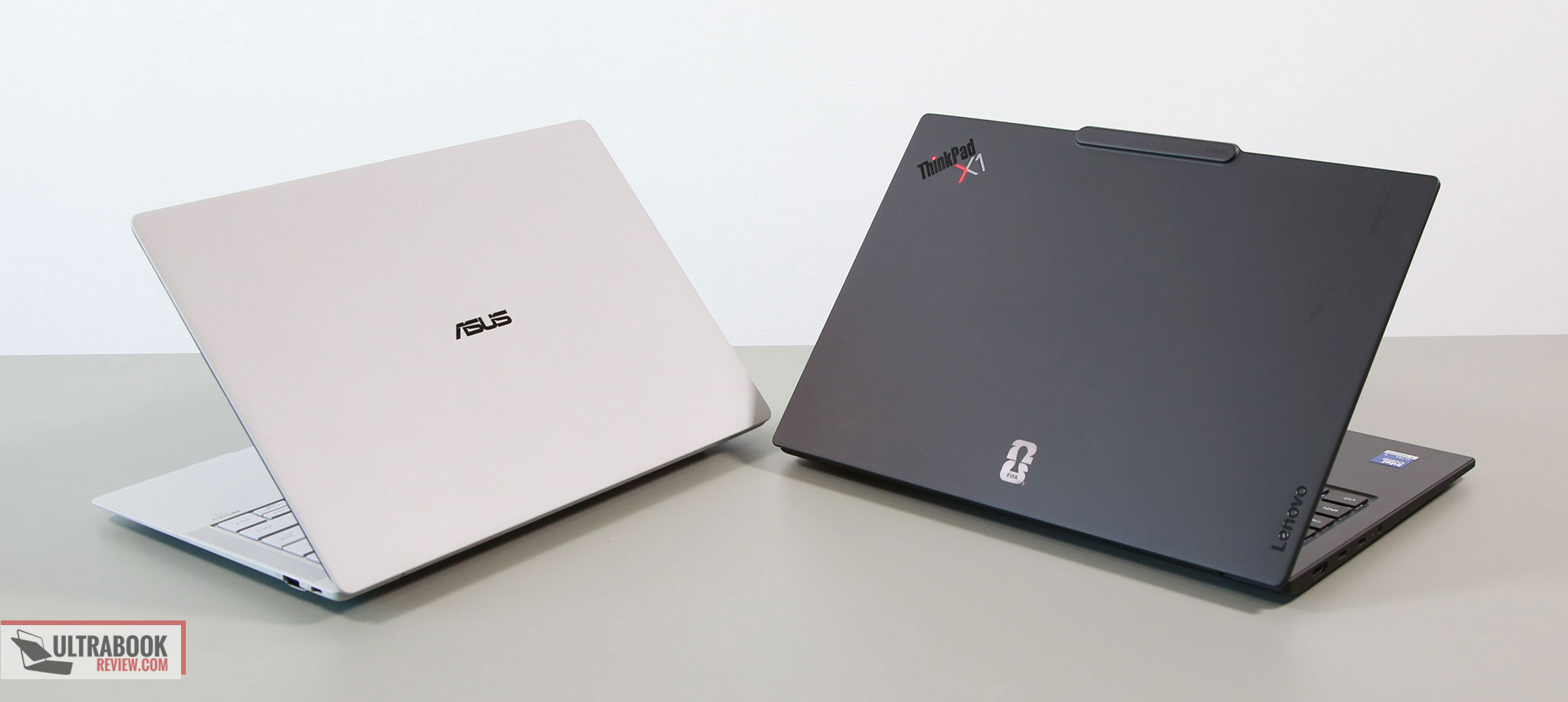
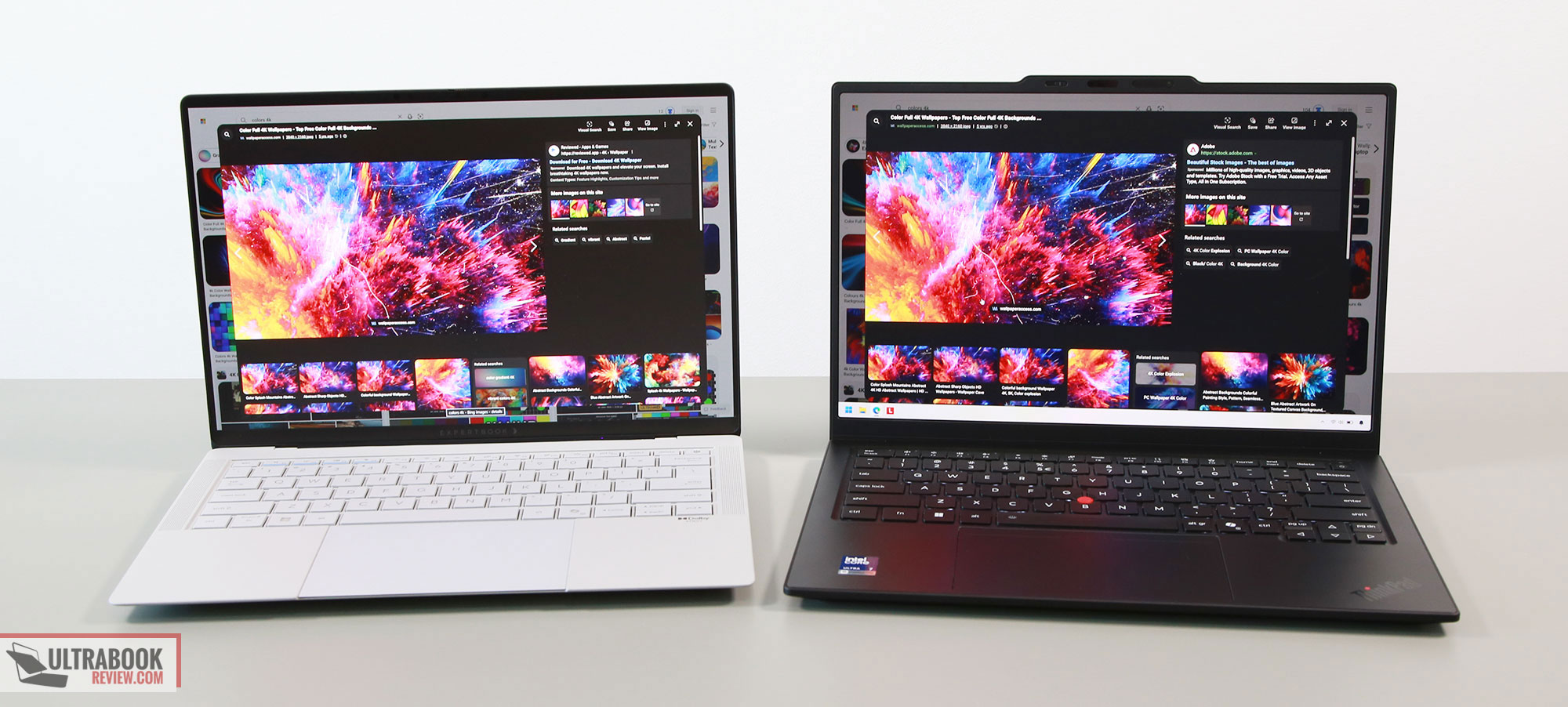
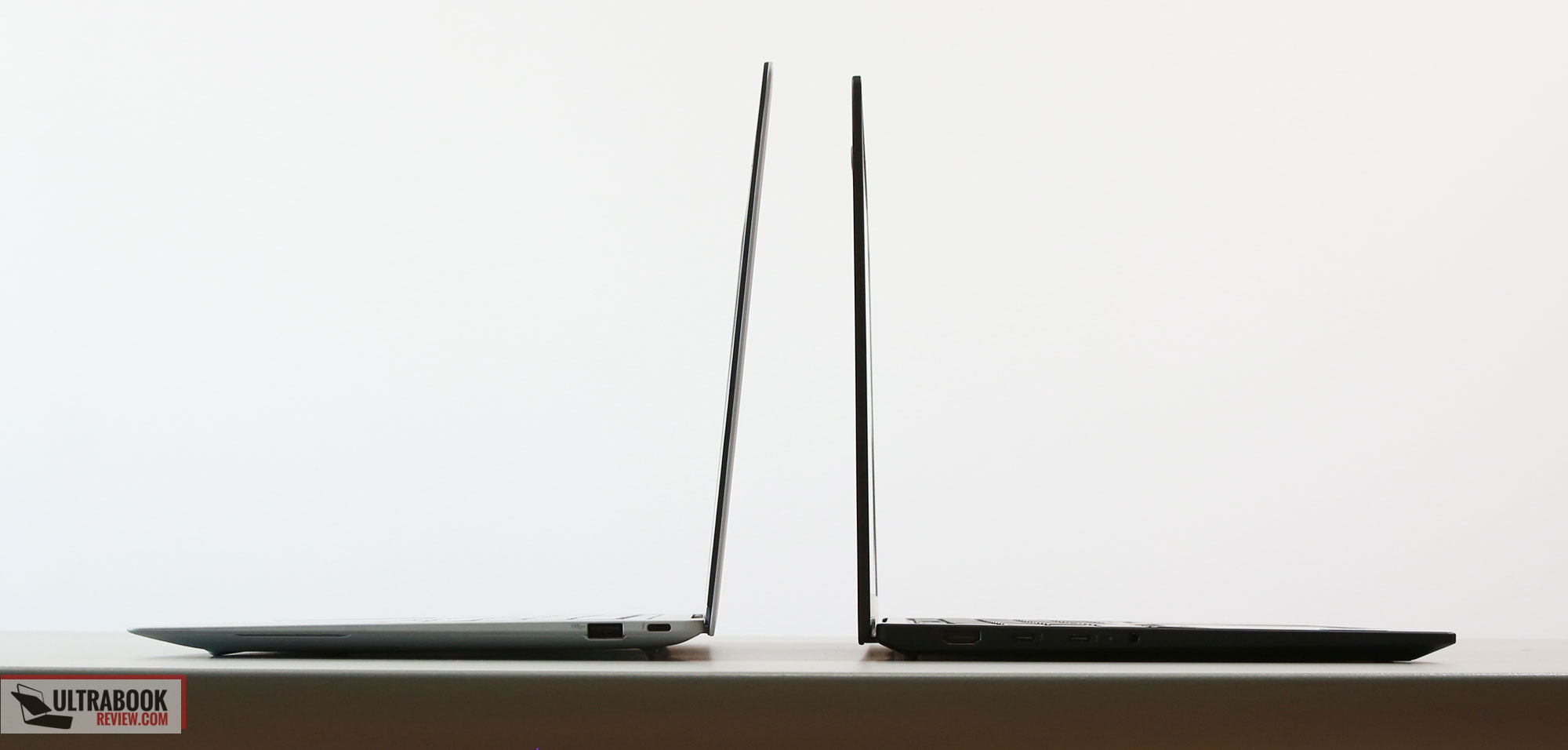
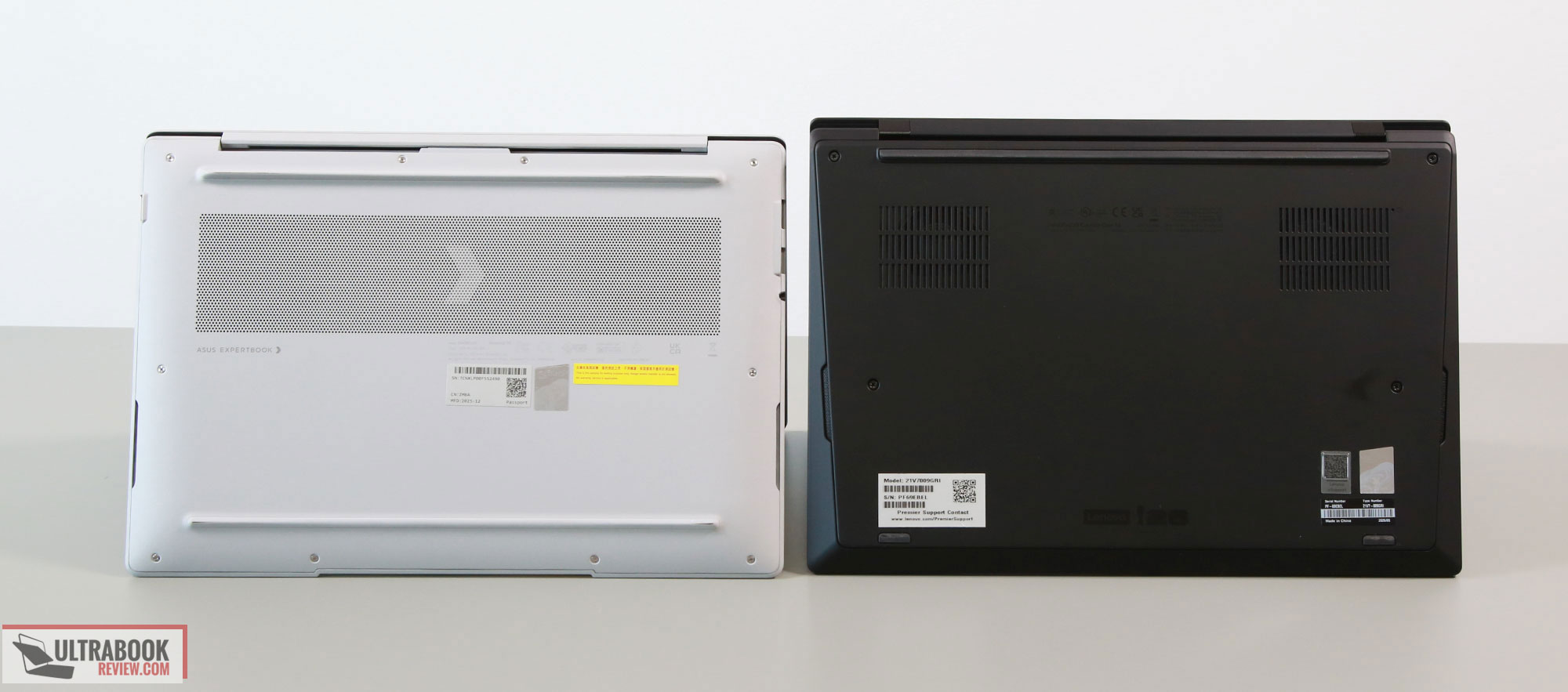
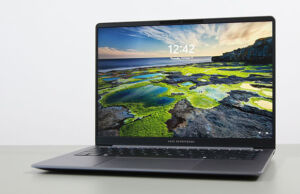
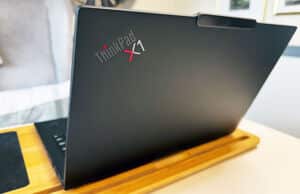
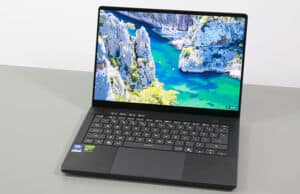
Aesthetically, the X1 Carbon looks just as expected, with the iconic ThinkPad branding elements spread around the lid and armrest. A bit heavy on the branding, but a familiar approach for long-term ThinkPad users. The ExpertBook is a cleaner design overall, but I feel that it is still searching for an identity, with the interior elements focused on the ExpertBook brand, while on the lid there’s an older-styled chromed Asus logo. Furthermore, Asus does offers the ExpertBook Ultra is two color options, dark gray or light gray, while the ThinkPad is just the standard black.
These aside, the ExpertBook is minimally more compact and thinner, and a little heavier. That’s because the X1 Carbon variant that we have here is the OLED non-touch option; the IPS touch gets to around 1.15 kg as well, as that is an aluminum main chassis, not a magnesium one as on the OLED models. Overall, though, we can easily tell the two are about similar in size and weight.
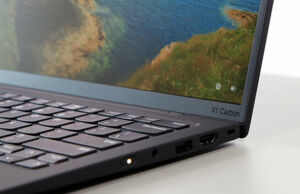
Functionally, the X1 Carbon comes out on top in some regards. The edges are more tapered and friendlier on the wrists, the IO includes USB-C ports on both sides, and the screen is easier to open up and goes all the way back to 180 degrees, while the screen on the ExpertBook only offers a limited opening angle of around 140 degrees. That, for me, is darn hard to accept on this sort of ultraportable device that won’t just live on a desk all day.
At the same time, the ExpertBook offers up-firing speakers, while the ThinkPad does not. The overall audio quality is a notch better on the ExpertBook.
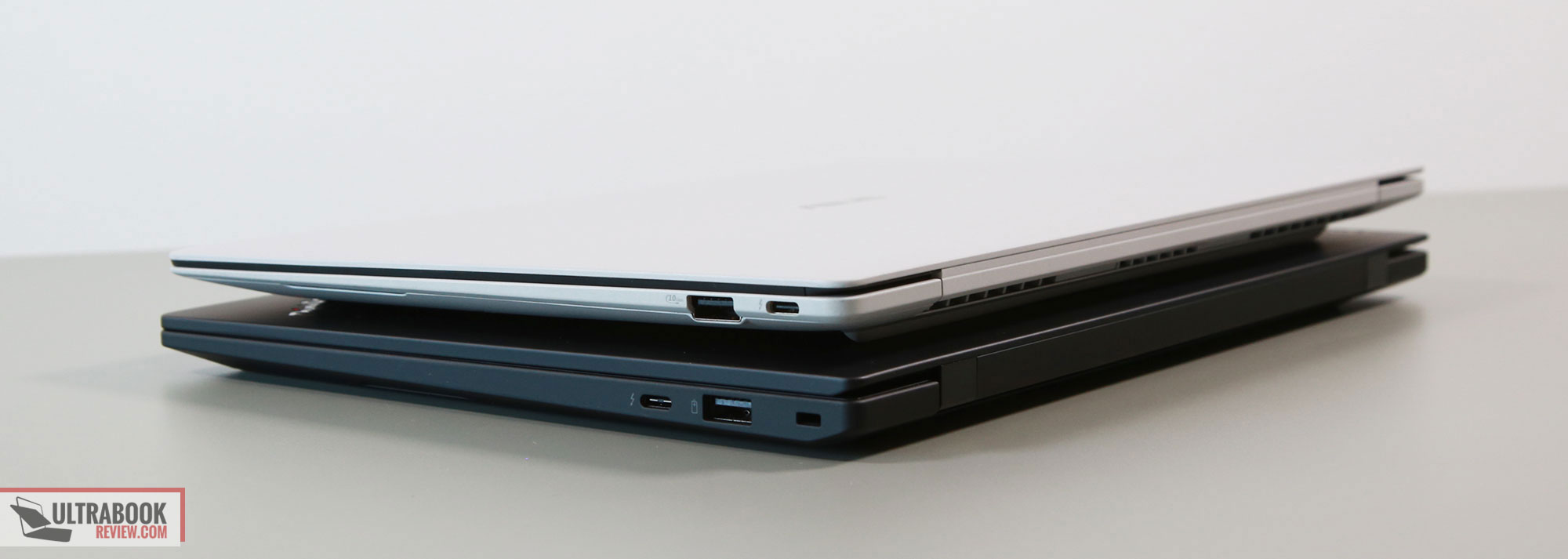
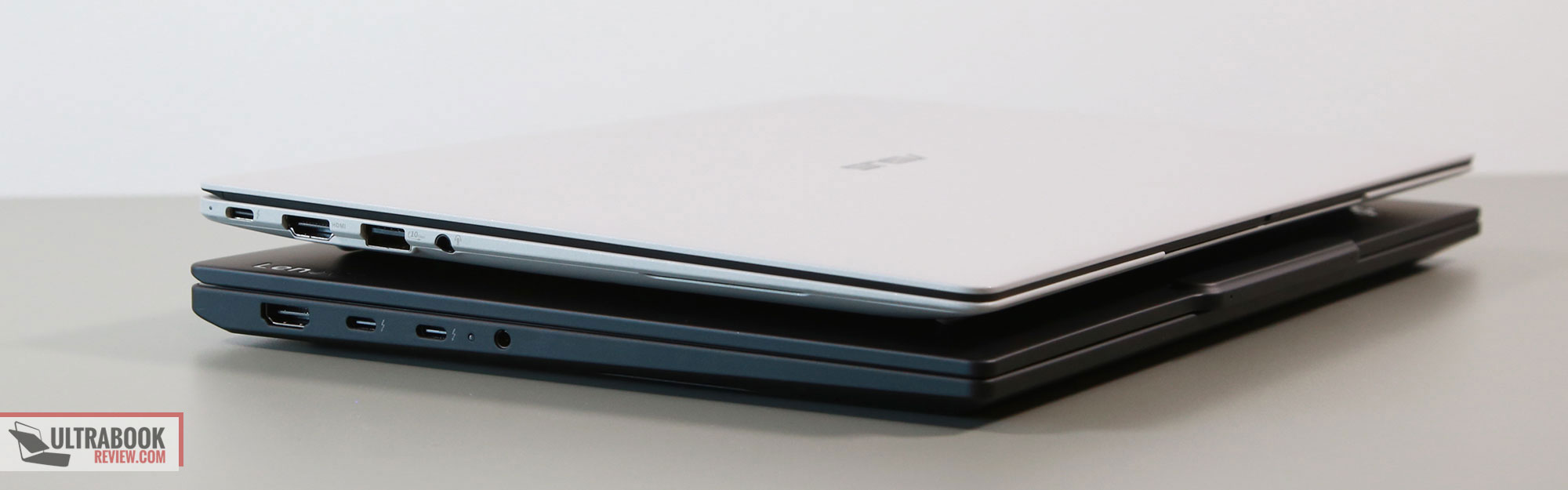
One final aspect that we must cover as we discuss the two chassis is the focus on repairability for this latest X1 Carbon generation, where the keyboard deck can be easily taken out and repaired, and everything inside is serviceable, including the USB-C ports. The ExpertBook Ultra is a brand new model, and for the time being, it’s unclear whether Asus can provide the same level of serviceability and support as Lenovo does for their ThinkPads. Sure, Asus throws in 3 years of default warranty for the model, extendable up to 5 years, and do offer fast on-site support in some regions, but whether their service can actually match Lenovo’s in real life remains to be seen, and will most likely vary between countries. Realistically, if this serviceability aspect is crucial for you, my money would be on the ThinkPad, with a better chance of finding parts long-term and potentially better support as well.
Keyboard, haptic touchpad
Both lineups offer excellent keyboards, with solid feedback and overall good typing experience. Both offer about 1.5 mm of key travel, and fairly similar stroke responses.
The layouts include a full set of main keys and smaller function keys at the top, but where the two differ is around the arrow keys, where the ThinkPad includes dedicated PgUp/PgDn keys. Both include power buttons as the top right key, with integrated finger sensors.
Both keyboards are backlit, with white LEDs. Contrast is rather poor on this lighter variant of the ExpertBook, but at the same time, these keys do hide finger oil easily and don’t need to be cleaned as often as the black keys on the Lenovo.
The keyboards are splash-resistant on both devices and offer an option for auto-lighting.
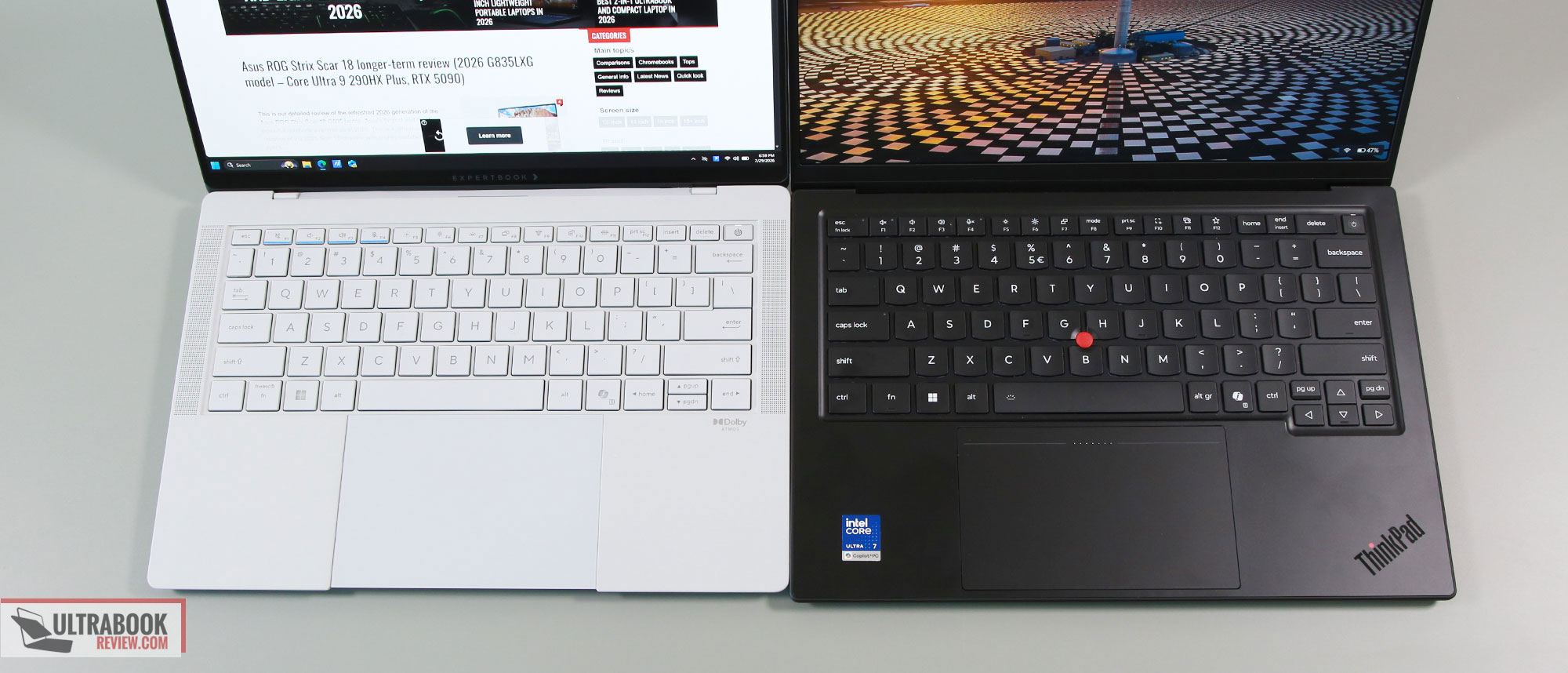
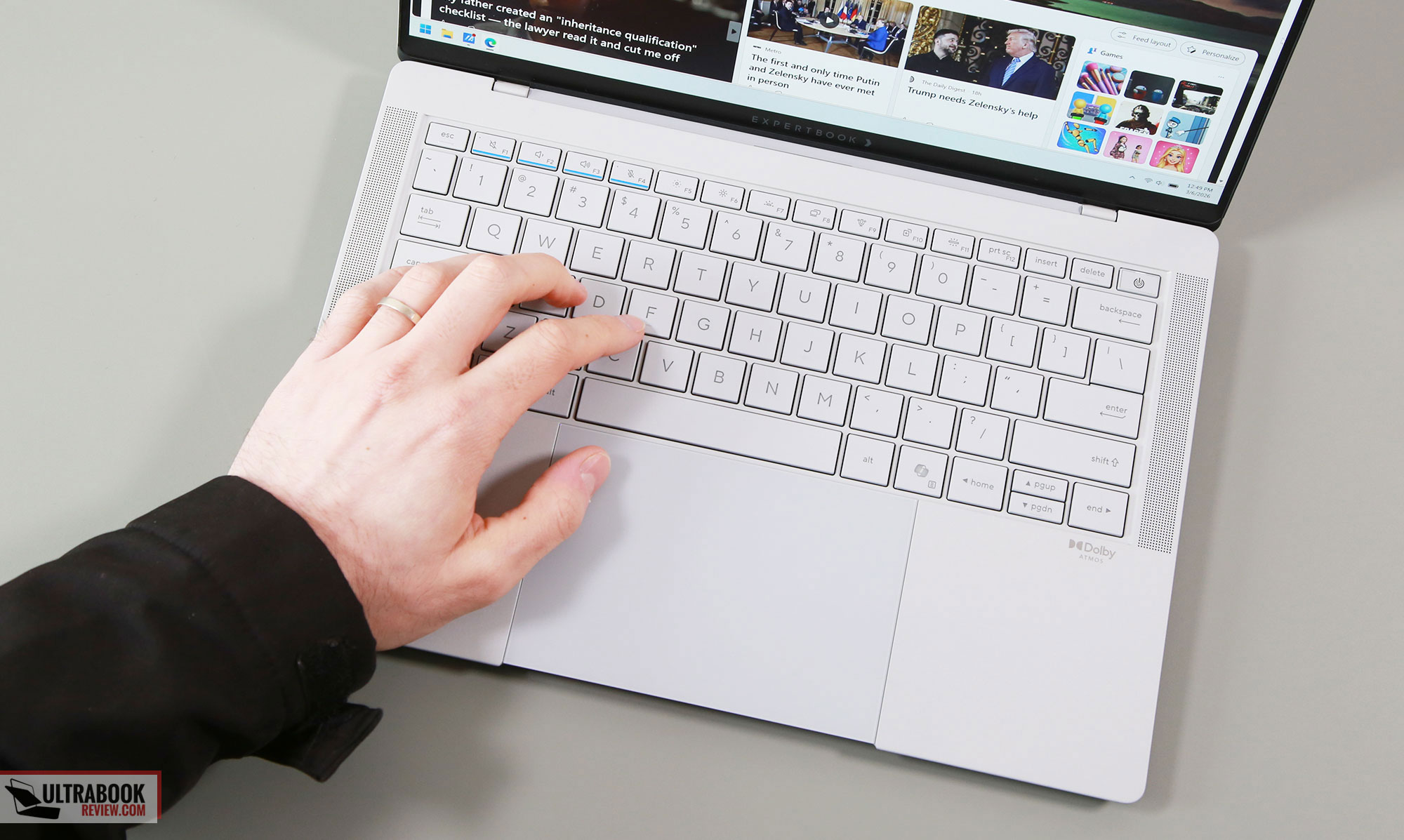
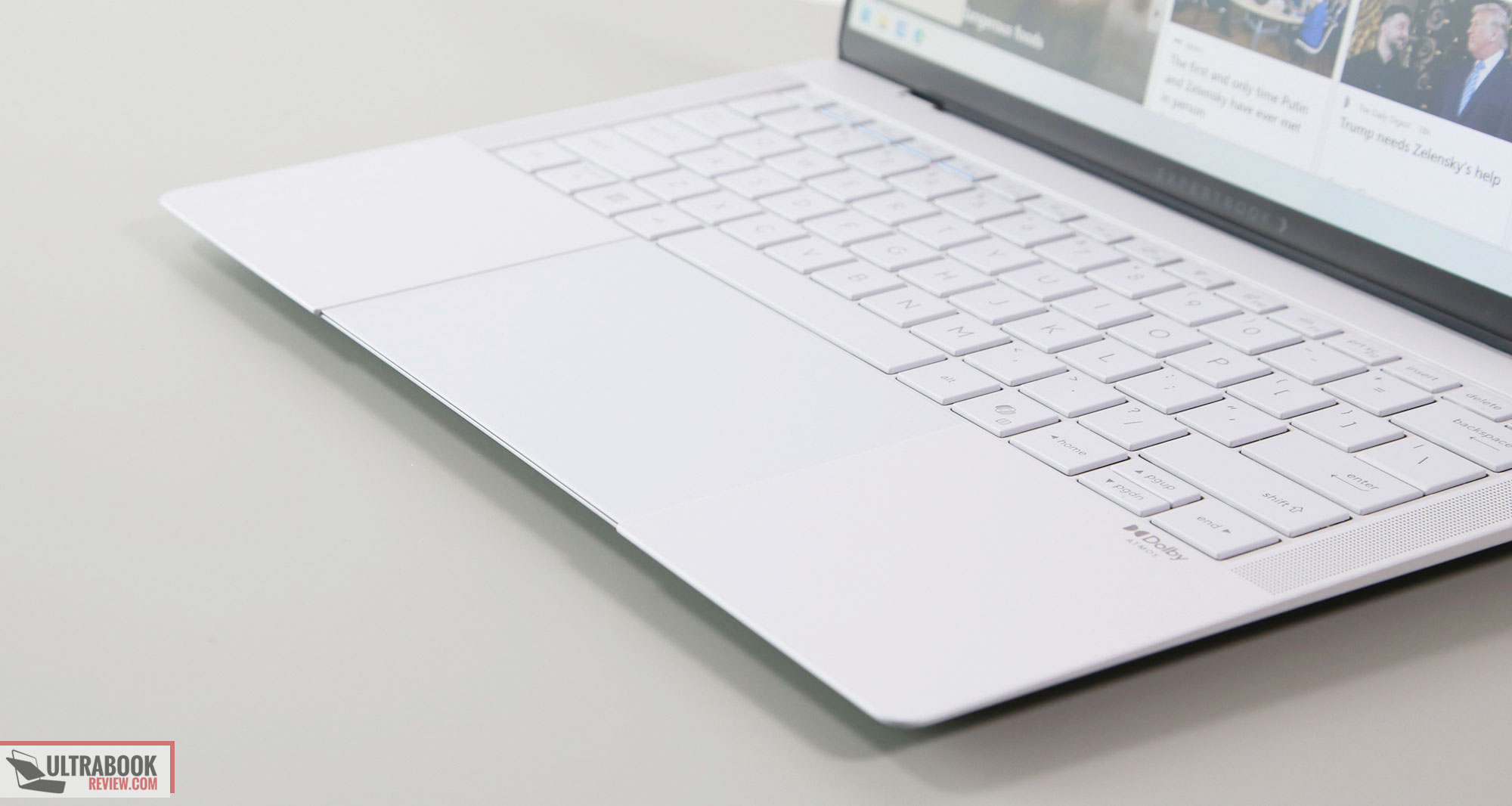
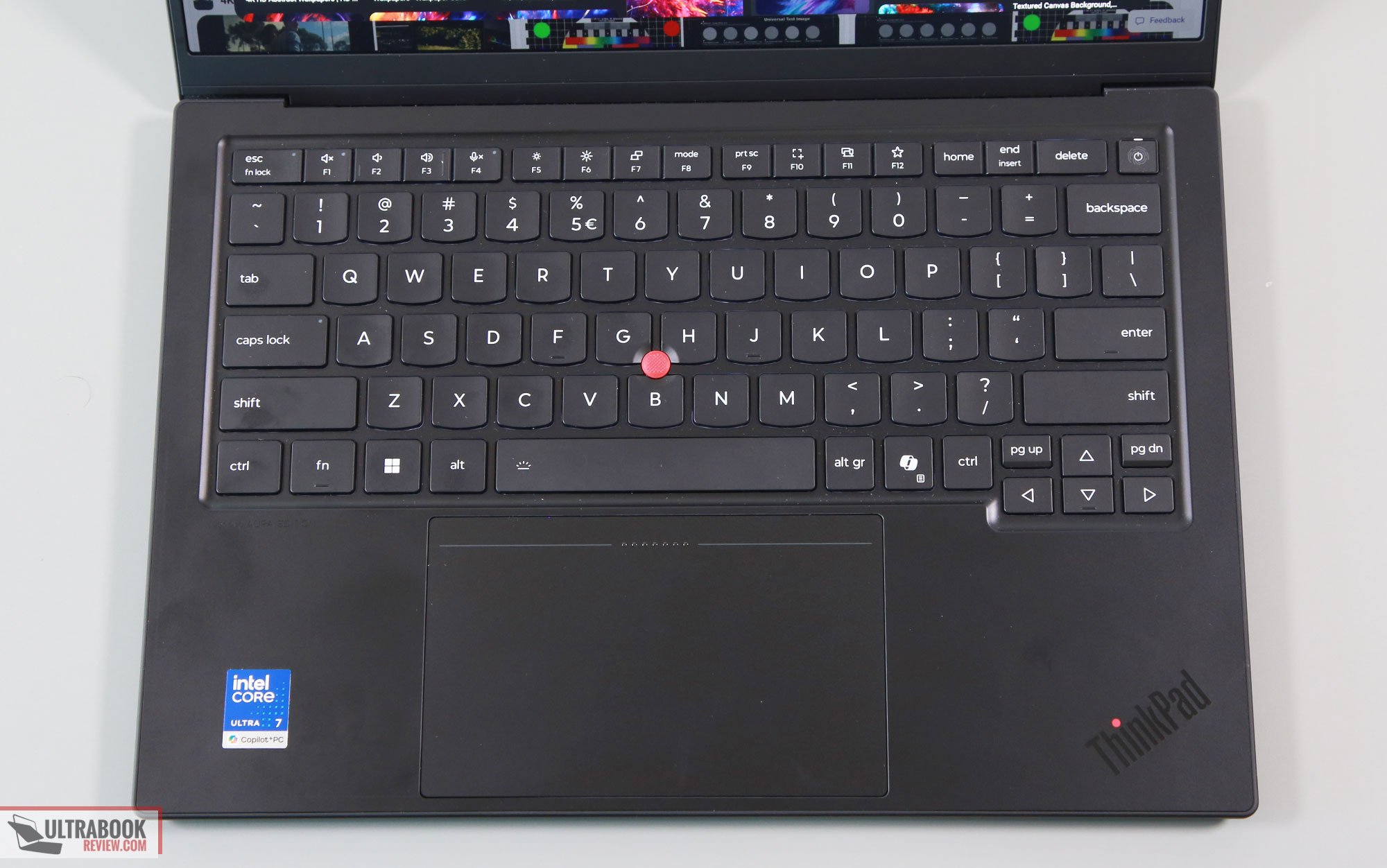
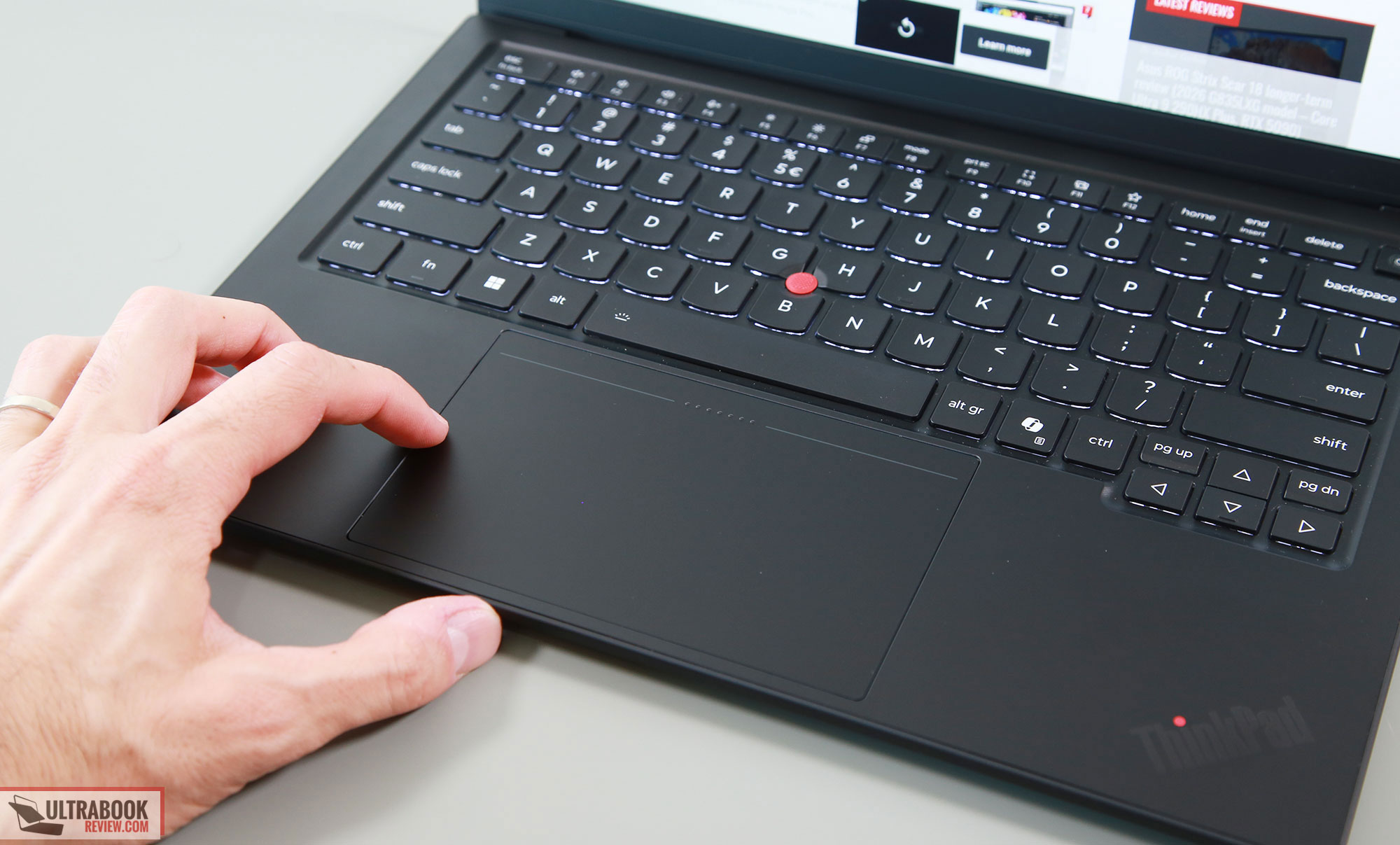
For the touchpads, Asus put a huge haptic glass surface on the ExpertBook, while on the ThinkPad you can opt for either a haptic glass unit as we have on this review model, or for a more traditional clickpad with physical buttons. However, the buttons are placed at the top on both, for TrackPoint use.
Overall, the haptic implementations work fine on both devices. However, Lenovo made the surface a little smaller, leaving a few mm of space at the front lip, while the touchpad on the ExpertBook goes all the way to the front. That causes ghost touches and clicks when using the device on your lap or in very tight spaces, where clothes get in contact with the surface, and overall this is a blunt example of form over function. A smaller touchpad with some bezels wouldn’t have looked perhaps as nicely in the pictures, but would have worked better.
Finally, as far as biometrics go, there are webcams with integrated IR and fingerprint sensors on both these devices.
Display – matte OLEDs on both
Both of these offer 14-inch 16:10 displays with either OLED or IPS panels.
However, the most widespread options are the anti-glare touch OLED on the ExpertBook Ultra and the anti-glare non-touch OLED on the X1 Carbon. There are differences between them, though.
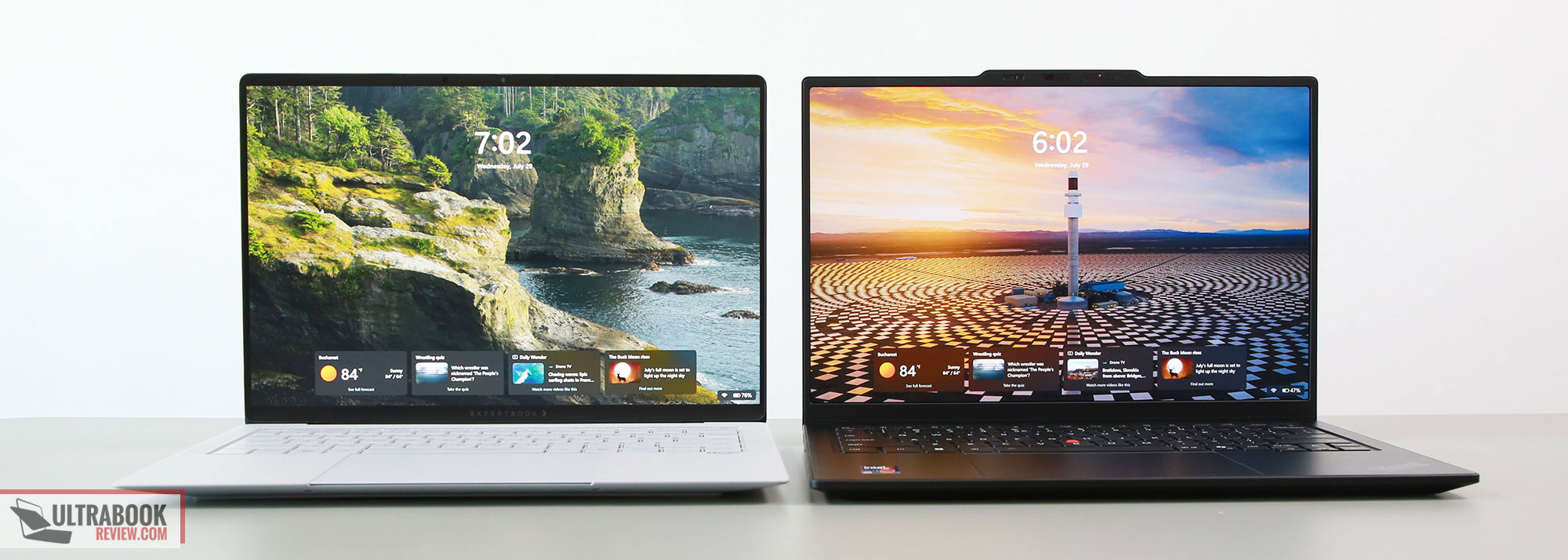
Asus puts a newer-generation Tandem OLED on the Ultra, with higher peak and sustained brightness (600 nits sustained, 1400 nits peak), and theoretically improved reliability and efficiency. They also cover the panel with a layer of Gorilla Glass matte, which is a pretty good anti-glare coating. You’re not quite getting the same matte finish as on matte IPS, but it’s an interesting transition from most other glossy OLEDs.
Lenovo implement an anti-glare OLED as well, which they call AGARAS (“anti-glare/anti-reflective/anti-smudge). It’s a standard WOLED, not quite as bright as the Tandem OLED on the ExpertBook. It’s still a 2026 OLED generation, though, so brighter than previous-gen OLEDs, at 500 nits sustained with 1000+ nits peak.
Furthermore, the OLED on the ThinkPad is non-touch, thus everything looks clean and sharp on it. The OLED on the ExpertBook is touch, and the digitizer layer does add a slight amount of grain, mostly visible on light backgrounds or when reading/editing texts. It’s not as visible as on older touch OLEDs, but it’s still there.
These aside, the two panels are the same 2.8K 2880 x 1800 px resolution and offer 30-120Hz VRR. At the same time, both panels use PWM, but the Asus offers a flicker-free option to adjust the brightness (it’s in the MyAsus app, and not through the standard Windows ways).
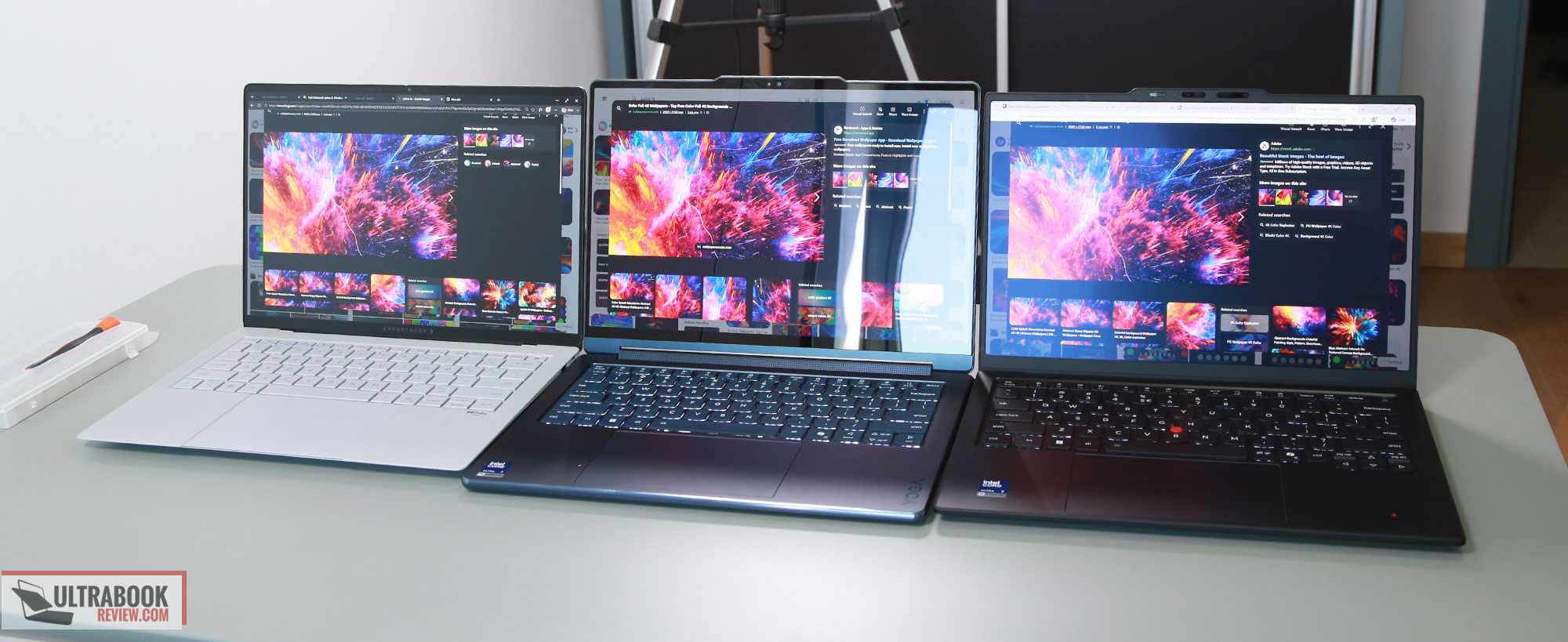
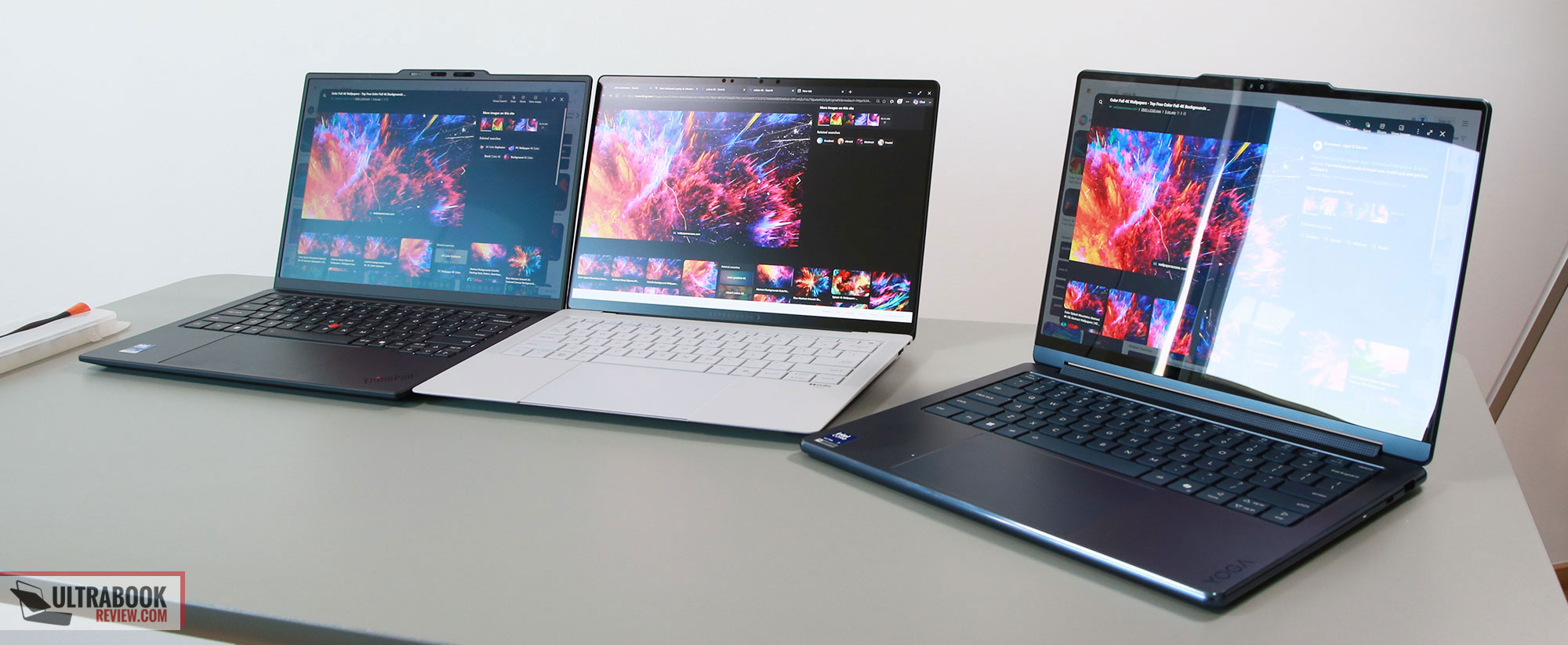
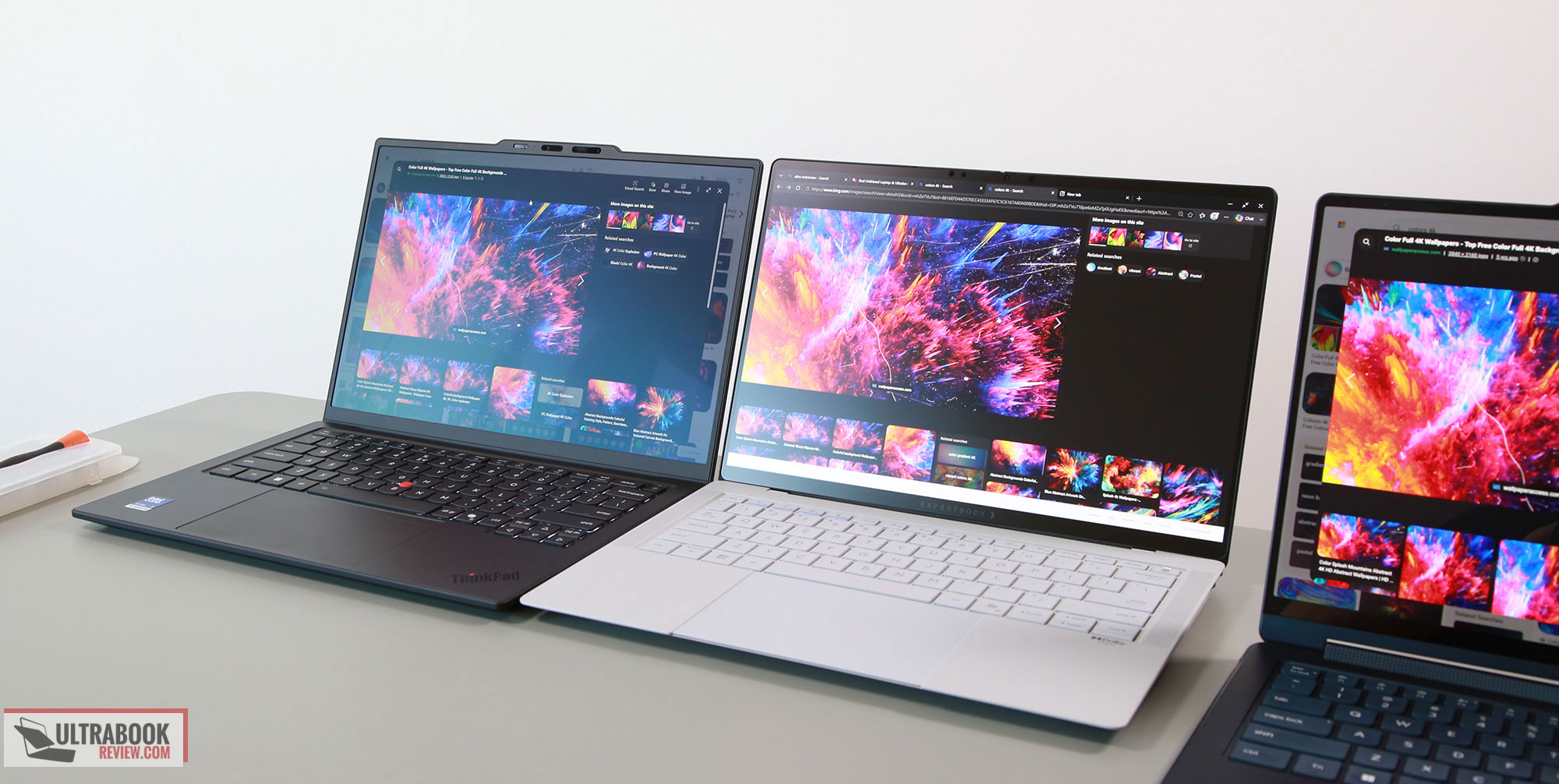
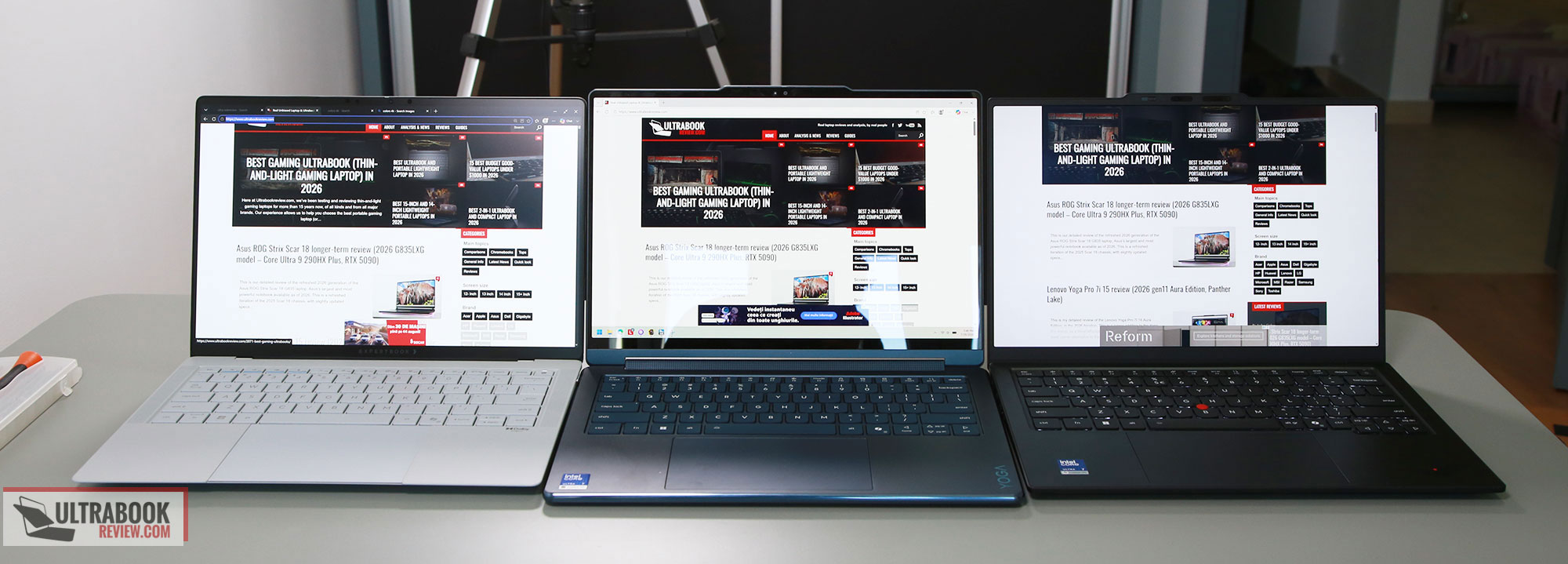
I’ve added below a few more images of the ThinkPad X1 (semi-gloss OLED, 500 nits), ExpertBook Ultra (semi-gloss OLED, 600 nits), and the Yoga 9i 2-in-1 (glossy OLED, 500 nits), with a window just behind the camera, to better showcase the differences in reflections and perceived content between these when used in stronger light environments.
Both of the semi-gloss finishes do a solid job cutting off reflections, but you’ll still want to look at these straight-on, as there’s a way the finish diffuses light that impacts the perceived contrast and colors. You can use these in stronger light, but the experience is still not without some inconveniences – I do preffer this over having glare and reflections, at least. I’ll also add that there’s a notable difference in whites and how colors look on the ExpertBook Ultra in these conditions; partially due to the Tandem OLED getting brighter on the ExpertBook, but perhaps due to the differences in the anti-glare layers as well. For strong light use, the OLED on the ExpertBook would be my first choice, but the one on the ThinkPad is mostly fine as well.
Hardware and performance
Here are our review models:
- ThinkPad X1 Carbon Aura Edition, with an Intel Core Ultra 7 356H processor and Intel graphics, 32 GB of LPDDR5-8533 memory, and a 1 TB gen4 SSD.
- ExpertBook Ultra with an Intel Core Ultra X7 358H processor and Intel Arc B390 integrated graphics, 32 GB of LPDDR5x-8533 memory, and a very fast 2TB gen5 SSD.
So we don’t quite have the same configurations on the two, but the X1 Carbon is available with a Core Ultra X7 as well in some markets. However, in others, it’s only offered with lower-tier Core Ultra 7 355 specs, so based on where you are, the performance potential of the X1 Carbon is going to differ. For the ExpertBook, however, things are perhaps simpler, as this mostly comes with the X7 specs, although it is also offered with a Core Ultra 7 356H in some markets as well.
Nonetheless, the two are both built on Intel Panther Lake hardware, with soldered RAM and an accessible M.2 2280 SSD. The ExpertBook can be configured with up to 64 GB of RAM in some areas, while the ThinkPad only goes up to 32 GB.
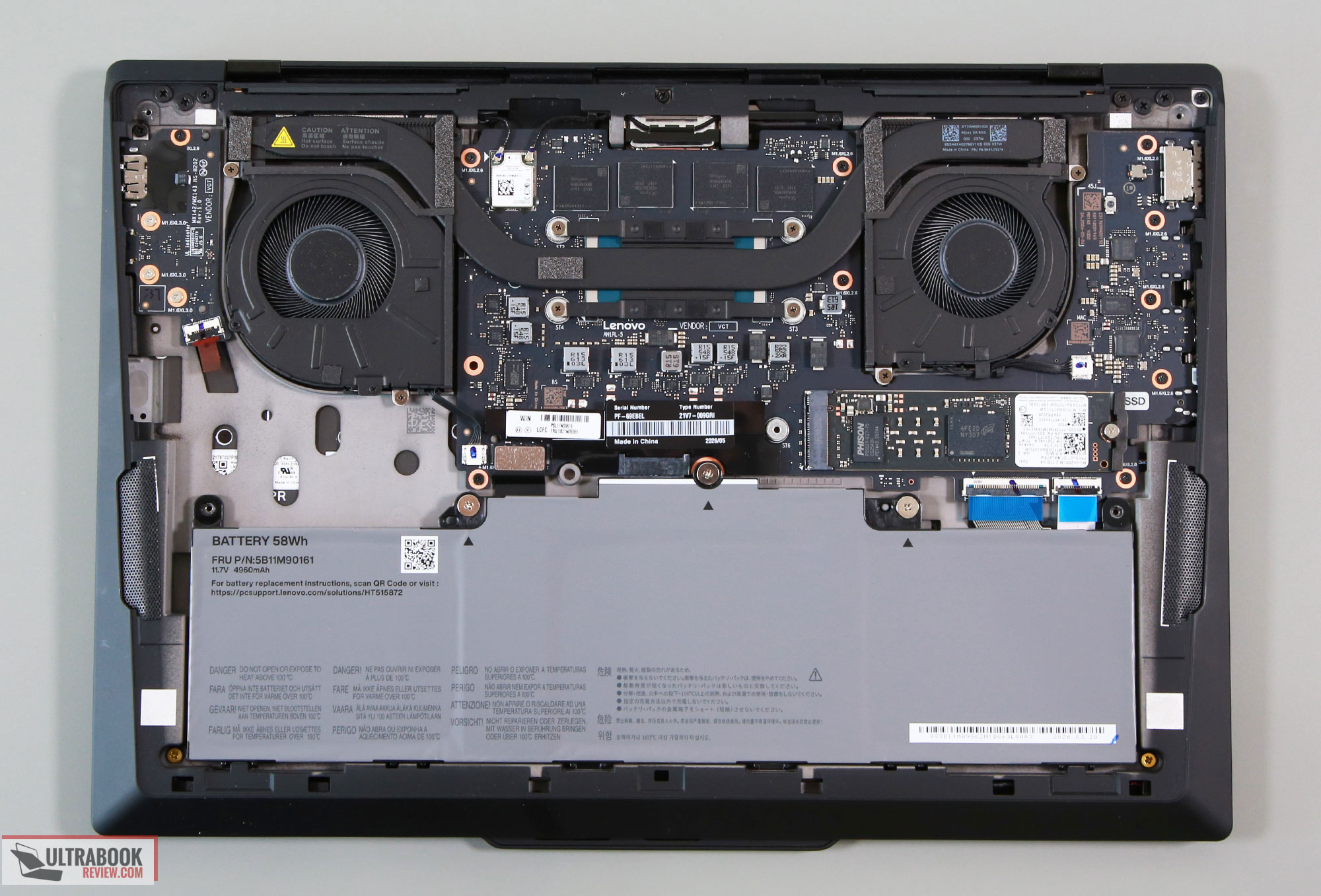
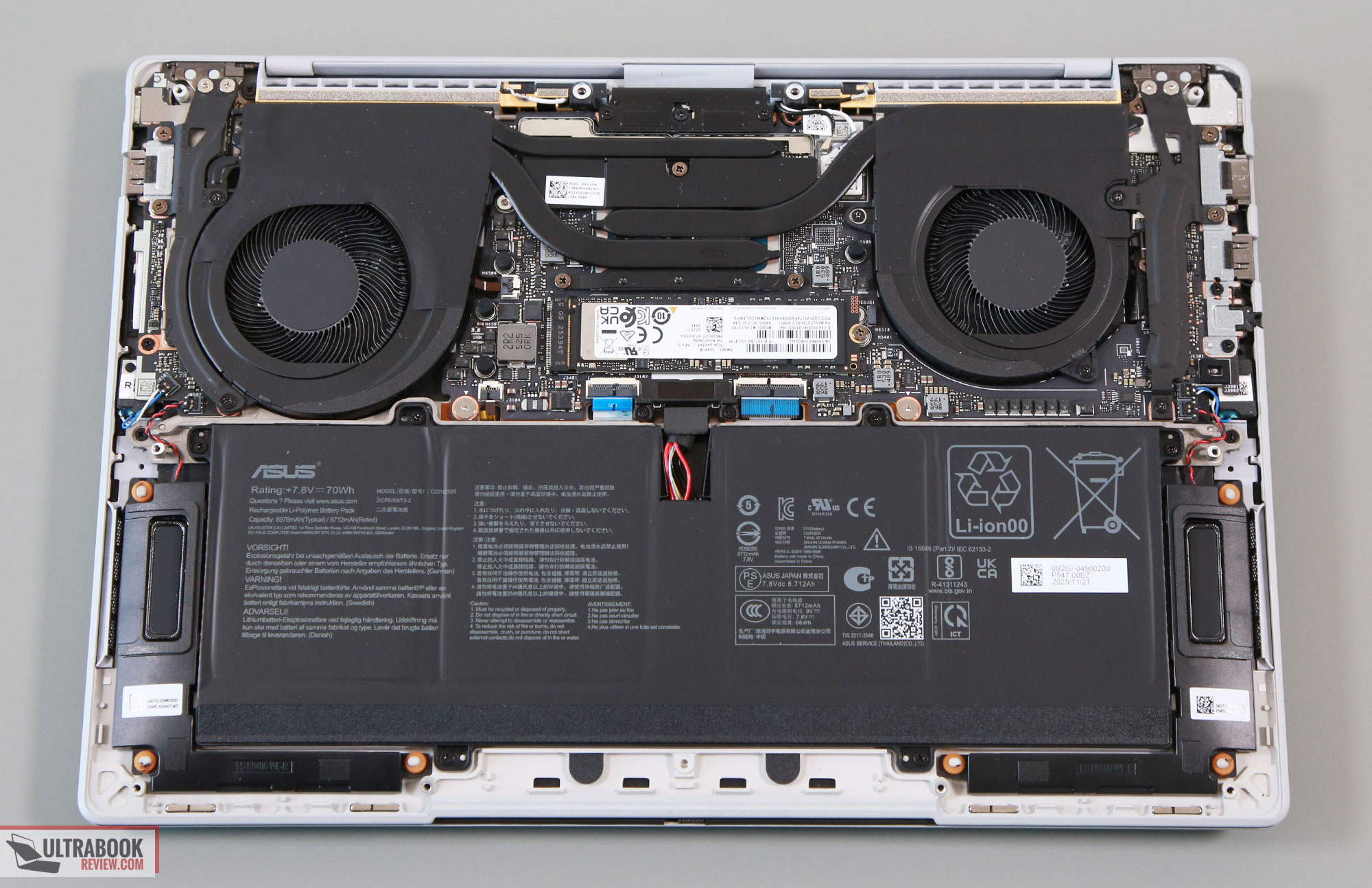
Here are the internals on both. There are beefier fans on the ExpertBook, a larger battery, and larger speakers. That space left unused on the ThinkPad is for the 5G cellular modem, which is optional.
As far as the software goes, Asus offer their MyAsus and Lenovo their Vantage, with various control options. There are a couple of extras offered in the Asus app.
The power profiles, however, are a little different on the two:
- top profile: 30-35W mixed sustained with ~33 dBA fans on the ThinkPad, 45W mixed sustained on the ExpertBook with 38-42 dBA fans;
- mid profile: 25W mixed sustained with ~30 dBA fans on the ThinkPad, 30W mixed sustained on the ExpertBook with 30-35 dBA fans;
- lower profile: 12W mixed sustained with <30 dBA fans on the ThinkPad, 15W mixed sustained on the ExpertBook with <30 dBA fans.
Overall, the ThinkPad is set to run quieter. Sure, the ExpertBook has a power advantage at the very top, which is going to make a difference for the Core Ultra X7 configurations, but hardly otherwise. I expect most ot keep these laptops on their mid-level profiles anyway, where the power and performance differences are small, but the X1 Carbon still runs noticeably quieter.
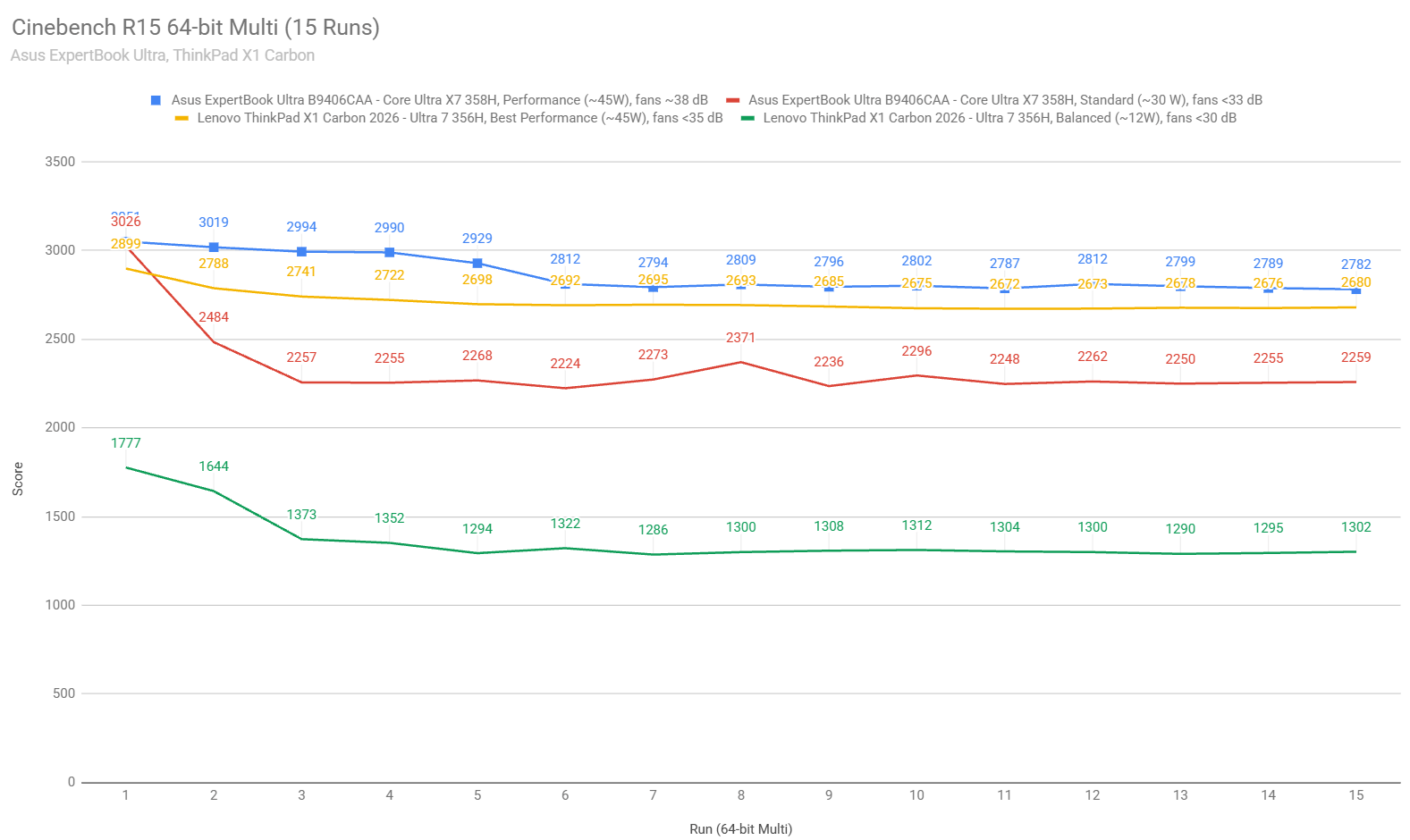
As far as the actual performance goes, here’s a quick look at the sustained CPU capabilities in the Cinebench loop test. –
The ExpertBook scores a little higher on the Performance profile than the X1 Carbon, despite the two running at similar 45W power levels in this CPU test. The CPU averages high-80s °C on the ExpertBook at this level, and high-90s °C on the ThinkPad.
For the mid profile, the X1 Carbon didn’t quite work as expected in this CPU test, greatly limiting the TDP. Thus, the ExpertBook scores much higher, but if both samples were to work as intended, their results would be much closer.
For the 3DMark stress tests, the two units pass the stress test both when kept flat on the desk and when placed on a stand. So thermals are never an issue with sustained loads on either of them.
Benchmark results and performance summary
For these tests, the ExpertBook Ultra is set on Performance mode (45W sustained CPU and mixed-use TDP), while the ThinkPad X1 Carbon is set on Best Performance 45W sustained CPU, 30 W sustained mixed use). Both are at their default resolutions of 2.8K.
| ThinkPad X1 Carbon 2026, Ultra 7 356H, Intel, 30-45W Performance mode |
ThinkPad X1 Carbon 2026, Ultra 7 356H, Intel, 25W Balanced mode |
ExpertBook Ultra B9406, Core Ultra X7 358H + B390, 45W Performance mode |
ExpertBook Ultra B9406, Core Ultra X7 358H + B390, 30W Standard mode |
|
| 3DMark – Fire Strike | 6590 (G – 7228, P – 27659, C – 2350) | 6214 (G – 7166, P – 19032, C – 2097) | 14237 (G – 16808, P – 28972, C – 4893) | 13342 (G – 16080, P – 26181, C – 4429) |
| 3DMark – Time Spy | 3426 (Graphics – 3033, CPU – 12967) | 3329 (Graphics – 2976, CPU – 10159) | 7474 (Graphics – 6878, CPU – 14693) | 6482 (Graphics – 6358, CPU – 12037) |
| Uniengine Superposition – 1080p Extreme | 1647 | 16161247 | 3747 | 3747 |
| CineBench R23 (best run) | 18151 cb – multi core, 2030 cb – single core |
– | 19809 cb – multi core, 2051 cb – single core |
15324 cb – multi core, 2055 cb – single core |
| CineBench 2026 (10 min) | 4141 cb – multiple threads, 497 cb – single thread |
– | 4533 cb – multiple threads, 504 cb – single thread |
4135 cb – multiple threads, 503 cb – single thread |
| Blender 5.1.2 – CPU, Classroom | 5m 23s | 7m 16s | 5m 06s | 6m 47s |
| SPECviewperf 2020 – 3DSMax: | 17.78 | – | 38.15 | 37.82 |
| SPECviewperf 2020 – Catia: | 15.06 | – | 30.14 | 30.18 |
| SPECviewperf 2020 – Maya: | 79.25 | – | 155.74 | 156.71 |
On the CPU side, the Core Ultra X7 358H and the Core Ultra 7 356H are very similar; thus, the slight performance advantages for the X7 are mostly due to the fact that it runs at higher power in the ExpertBook (on their Performance profiles).
On the GPU side, the Arc B390 with 12x GPU cores is a completely different beast than the Intel iGPU with only 4x GPU cores, thus, it scores more than 2x higher.
What’s more important is that both CPU platforms already perform within 90% of their capacity at around 30W, on the mid-level profiles. I haven’t run all the tests in the X1 Carbon Balance mode, due to this profile not functioning properly in some apps.
Gaming Performance
We ran a couple of games on the Performance profiles of the two configurations, at FHD+ resolution, with Low/Lowest graphics settings. Here are the results.
| Low settings | ThinkPad X1 Carbon 2026, Ultra 7 356H, Intel, Perf – 30W, FHD+ 1200p |
ExpertBook Ultra 2026, Ultra X7 358H, Arc B390, Perf – 45W, FHD+ 1200p |
| Cyberpunk 2077 (DX12, Low Preset) |
25 fps (16 fps – 1% low) | 54 fps (36 fps – 1% low) |
| Cyberpunk 2077 (DX12, Low Preset, XeSS, FG) |
58 fps (24 fps – 1% low) | 112 fps (40 fps – 1% low) |
| Far Cry 6 (DX11, Low Preset, TAA) |
46 fps (36 fps – 1% low) | 90 fps (70 fps – 1% low) |
| Horizon Forbidden West (DX12, Very Low Preset, TAA, Upscale Off) |
46 fps (36 fps – 1% low) | 72 fps (56 fps – 1% low) |
| Shadow of Tomb Raider (DX12, Lowest Preset, no AA) |
67 fps (54 fps – 1% low) | 103 fps (58 fps – 1% low) |
| The Witcher 3: Wild Hunt (DX 11/12, Low Preset, TUAA) |
80 fps (62 fps – 1% low) | 110 fps (75 fps – 1% low) |
Sure, the ExpertBook with the Ultra X7 and Arc B390 GPU delivers way higher frame rates in all the tested titles, but even the standard Panther Lake Intel iGPU is not that shabby. Furthermore, expect almost similar results for the X1 configuration of the X1 Carbon, as the 30W power envelope is almost enough for full iGPU capabilities on the B390 variant.
Internally, the hardware runs notably cooler inside the ExpertBook at similar power levels. However, that rarely happens, as the Asus laptop generally runs at higher TDP limits. Nonetheless, we measured temperatures in the high-70s to low-80s °C at 45W on the ExpertBook and low-90s °C on the X1 Carbon at 40W. Further down, around the 30W limit, the ExpertBook runs in the low-70s °C, and the X1 Carbon runs in the low-80s °C. At the same time, keep in mind that the X1 Carbon runs generally quieter than the ExpertBook.
Noise, Heat, Connectivity, speakers, and others
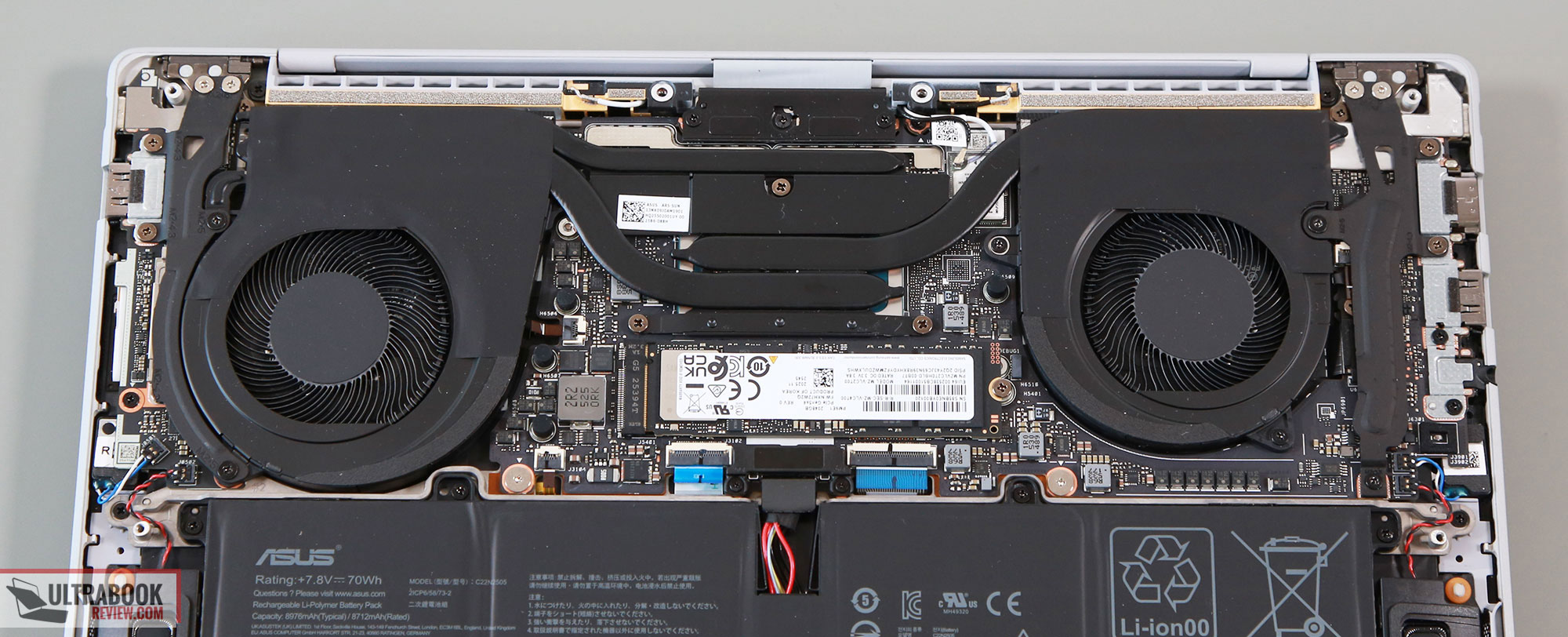
Here are the cooling modules on the two.
First, the ExpertBook Ultra.
And here’s the ThinkPad X1 Carbon.
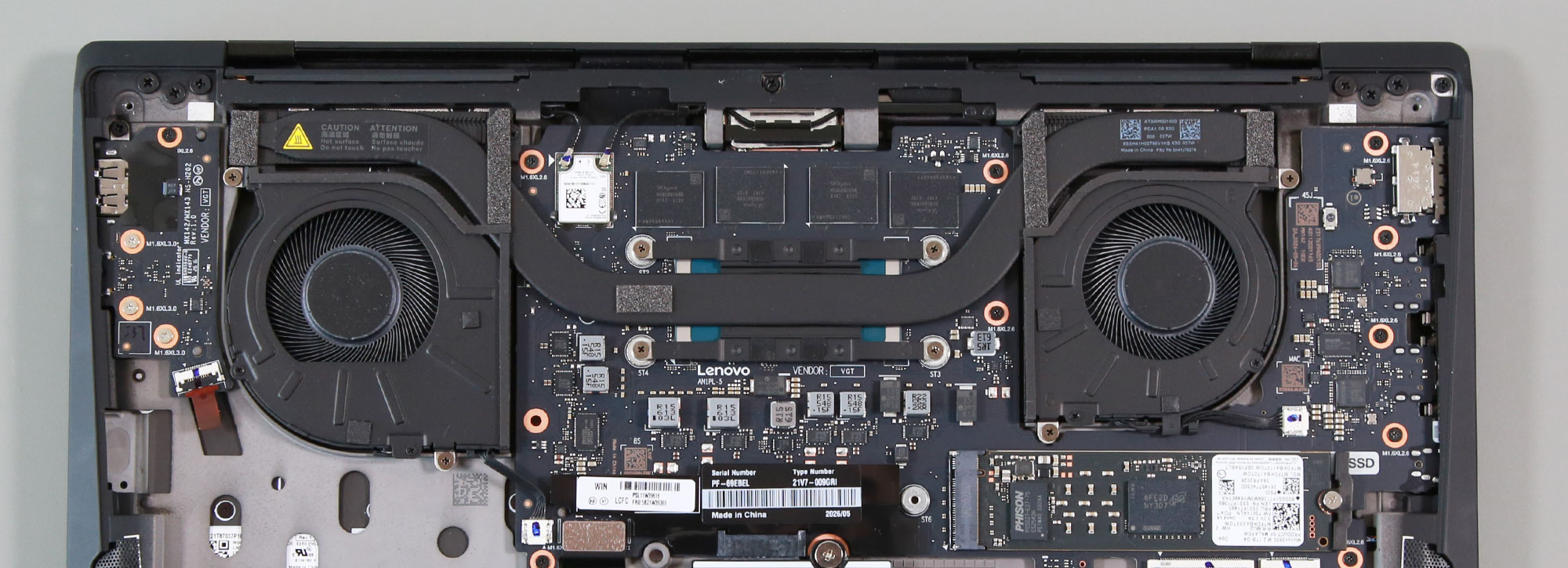
There are larger fans and radiators, as well as more heatpipes on the Asus notebook. Thus, no wonder it runs cooler internally.
As far as the noise levels go, on the ExpertBook we measured 40-42 dBA on Performance, 30-35 dBA on Standard, and sub-30 dBA on Whisper mode. In comparison, on the ThinkPad we measured up to ~33 dBA on Best Performance at head level, around 30 dBA on Balanced, and sub-30 dBA on Best Power Efficiency modes. Thus, the ThinkPad runs quieter.
And here are the chassis-level thermals.
With daily use, both laptops run cool to the touch and keep mostly quiet. The fans remain idle with light use, and I haven’t noticed any coil whine or electronic noises on either of them.
With sustained loads, here’s the ExpertBook on the Performance profile.
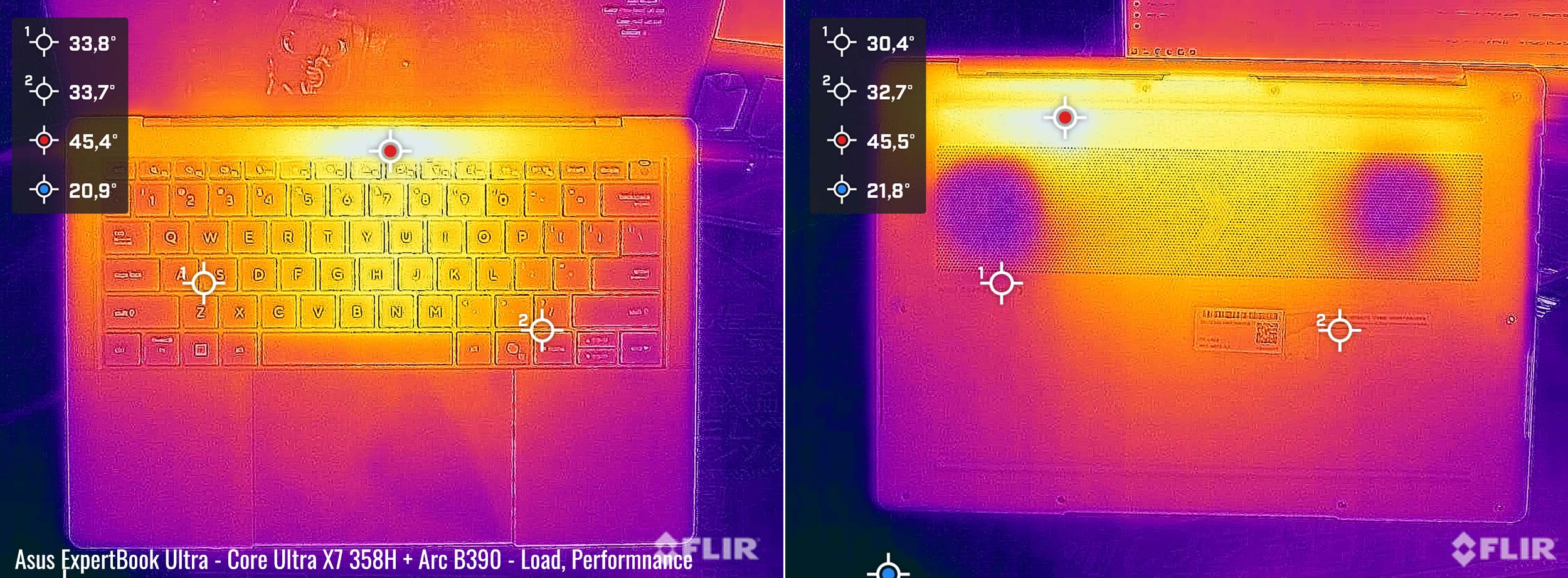
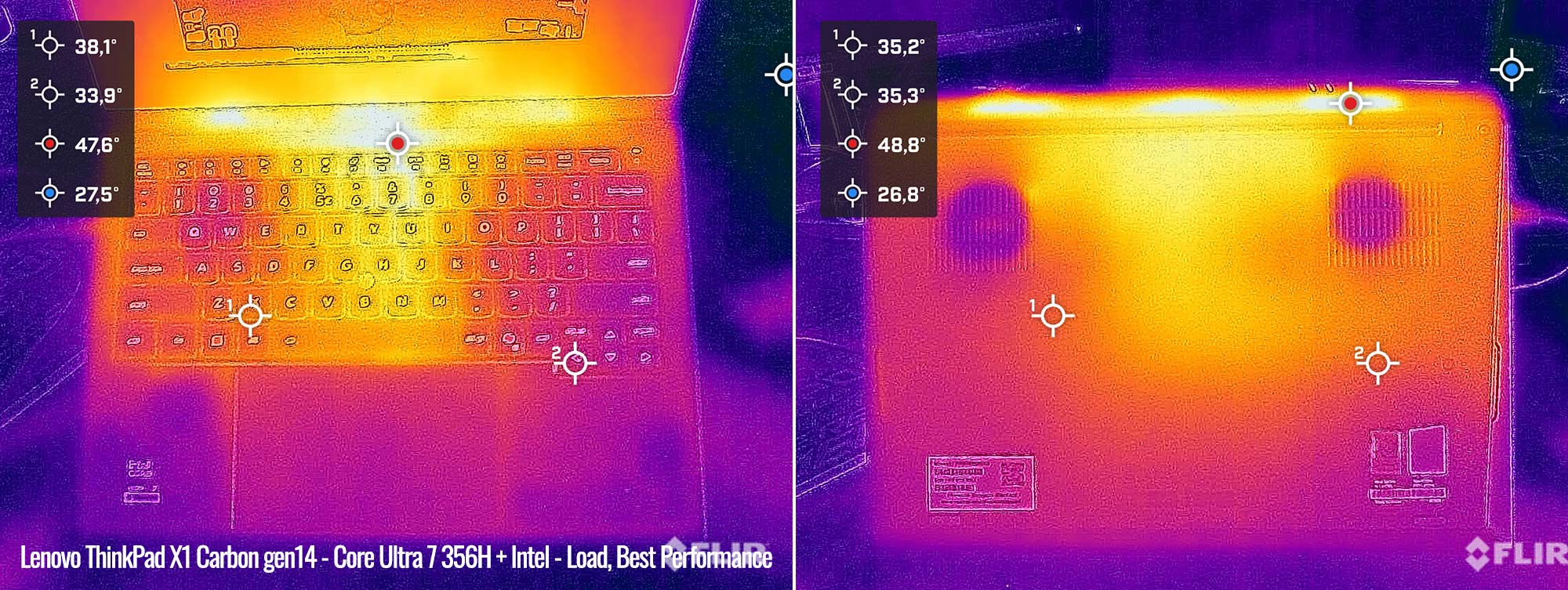
And here’s the ThinkPad on the same profile. It runs slightly warmer around the keyboard, and both develop a hotter spot in the mid to high 40s °C around the same place, above the keyboard.
For audio, Asus squeezed a set of 6x speakers on the Ultra, while the X1 Carbon only hosts a more basic set of dual speakers. As a result, the ExpertBook is one of the better-sounding Windows ultraportables, while the X1 Carbon delivers just average sound quality.
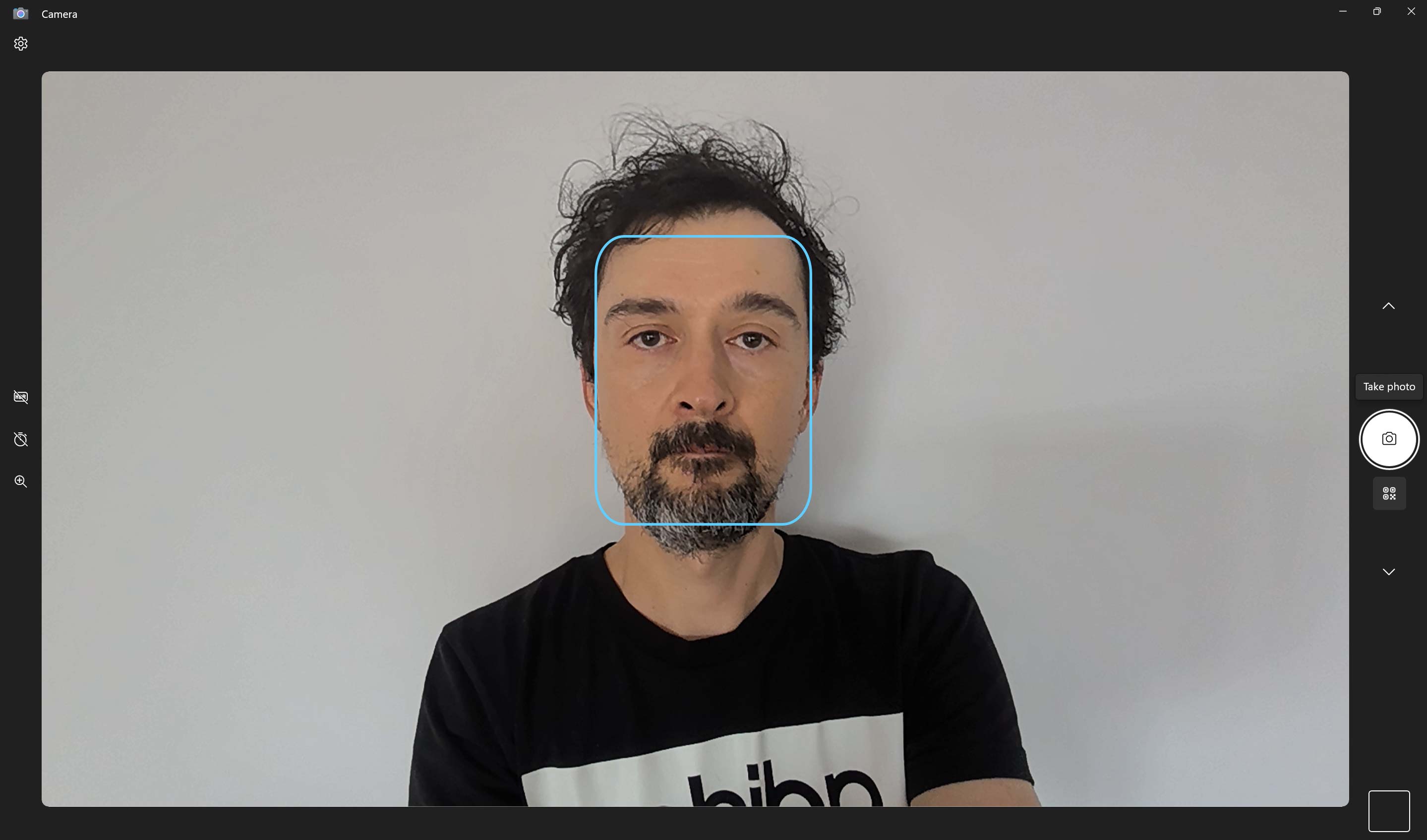
Finally, both implement cameras above the display, with IR functionality. The 5 MPx camera on the ThinkPad is quite decent (1st image), but the 2MPx camera on the ExpertBook looks bad.

Battery life
There’s a 70 Wh battery inside this Asus ExpertBook Ultra, and only a 58 Wh battery inside the Lenovo X1 Carbon.
Here’s what we got in our battery life tests on the ExpertBook, with the screen set at around 120 nits.
- <5 W (14 h of use) – idle, Whisper Mode, screen at 50%, Wi-Fi ON;
- 6-8 W (~8-11 h of use) – text editing in Google Drive, Whisper Mode, screen at 50%, Wi-Fi ON;
- 5 W (~13-14 h of use) – 1080p fullscreen video on Youtube in Edge, Whisper Mode, screen at 50%, Wi-Fi ON;
- 5.5 W (~12-13 h of use) – Netflix fullscreen in Edge, Whisper Mode, screen at 50%, Wi-Fi ON;
- 7-10 W (~7-10 h of use) – browsing in Edge, Standard Mode, screen at 50%, Wi-Fi ON.
And here’s the ThinkPad.
- <3 W (~20 h of use) – idle, Best Power Efficiency Mode, screen at 60%, Wi-Fi ON;
- 6-7 W (~8-9 h of use) – text editing in Google Drive, Best Power Efficiency Mode, screen at 60%, Wi-Fi ON;
- 4-5 W (~13 h of use) – 1080p fullscreen video on Youtube in Edge, Best Power Efficiency Mode, screen at 60%, Wi-Fi ON;
- 4 W (~15 h of use) – Netflix fullscreen in Edge, Best Power Efficiency Mode, screen at 60%, Wi-Fi ON;
- 8-10 W (~5-8 h of use) – browsing in Edge, Balanced Mode, screen at 60%, Wi-Fi ON.
Both run efficiently, but the ExpertBook is going to last longer on a charge due to its larger battery.
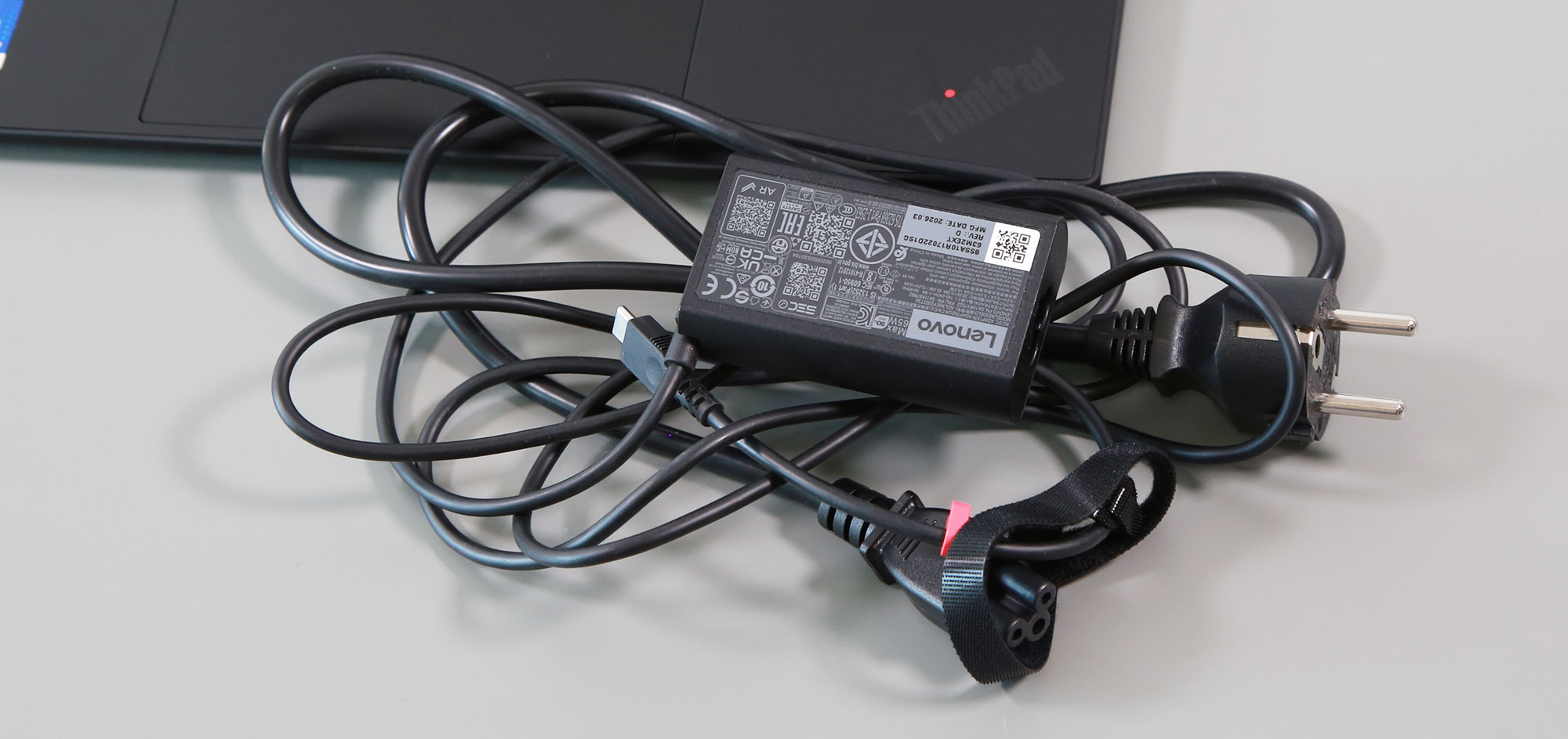
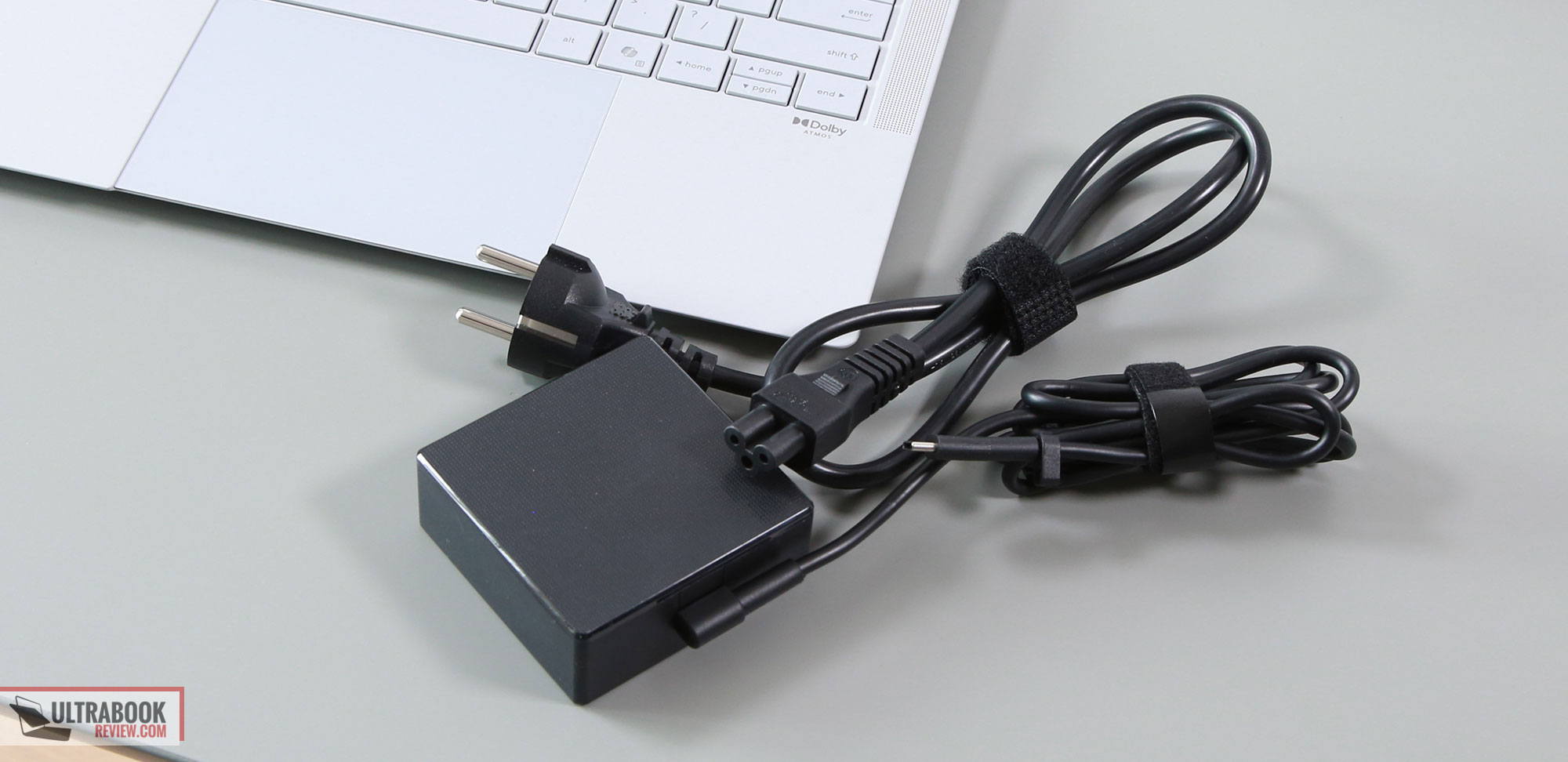
Both laptops ship with USB-C chargers. The Lenovo’s is a 65W dual-piece design with plenty of cables, while Asus’s is a single-piece design, but with a higher 90W capacity. I’d say both OEMs should do a better job of pairing these lineups with their more compact chargers offered on their other lineups, preferably single-cable designs with detachable USB-C.
Price and availability
Here’s where things get tricky.
The Asus ExpertBook Ultra is mostly available all around the world in the Core Ultra X7 configuration. However, US availability seems rather limited to Asus’s store and B&H Photo, with an MSRP price of $3599 for the 32 GB RAM, 1 TB SSD configuration.
Over here in Europe, the same goes for 3000 to 3200 EUR, while on the UK market, Asus offers a Core Ultra 7 356H variant for as low as 2000 GBP. The 356H configuration is also available in some other European countries, but not everywhere.
For the ThinkPad X1 Carbon, that’s only available with lower-model Core Ultra 5 325 and Core Ultra 7 355 specs on the US market, starting at around $2300. That’s way less than what Asus asks for the ExpertBook over there, but at the same time, with lower-tier specs across the board. Core 5/7 configurations of this sort are meant for casual use and some lighter multitasking, and it’s a pity Lenovo don’t offer beefier platforms for this series.
They do, however, offer Core Ultra H and Ultra X7 specs in Europe. The Core Ultra 7 356H variant goes for around 2600 EUR in Germany and 3K GBP in the UK, while the X7 368H configuration starts at around 2800 EUR in Germany.
Follow this link for updated prices and configurations on the Asus ExpertBook Ultra in your area.
And this one for more details on the ThinkPad X1 Carbon.
All in all, finding the two in similar variants on the same market seems to be tough and only possible here in Europe, at least for now. Overall, Lenovo offers the X1 Carbon at slightly lower prices between markets, but that’s also mostly because they don’t offer it with the X7 specs.
Final thoughts- ThinkPad X1 Carbon gen 14, Aura Edition vs. Asus ExpertBook Ultra
The ExpertBook Ultra is so close to being the best device in its class, a premium ultraportable with serious performance capabilities and the latest features and specs. It’s built really well, offers good inputs and IO, comes with arguably the best 14-inch panel available today and some of the better audio in the Windows ultrabook space, and delivers solid performance with balanced thermals and noise levels across the available profiles. It also lasts for a long time on a charge, thanks to the implemented 70 Wh battery.
However, ergonomically and functionally, some things were left unpolished. The screen doesn’t open flat, the ceramic finish feels harsh to the touch, and the IO isn’t as smartly positioned as on the ThinkPad. Furthermore, that giant touchpad that goes all the way to the front of the chassis can be quite annoying when using this device on the lap, due to ghost touches registered from your clothes. These might sound like nitpicks, but they do matter for a device of this caliber and price.
The ThinkPad, on the other hand, does all these better, and just generally feels friendlier and more familiar in real use. It’s also backed up by Lenovo’s service, parts, and warranty, which I’d reckon are important when buying a device of this sort that you’re most likely going to keep along for many years.
At the same time, sure, it’s not as fast as the ExpertBook, doesn’t run as cool, doesn’t sound as nice, and doesn’t last as long on battery use. But it still satisfactorily checks all these boxes, within reason.
So at the end of the day, I’m torn between these two. Personally, I don’t need an Ultra X7 platform on a device of this sort, and that’s why the ergonomics, serviceability, and generally more affordable pricing of the X1 Carbon draw me to its side. You, however, most likely have different needs and requirements, so I’d love to hear your thoughts on these two down below in the comments section.