This is my detailed review of the Asus Zenbook A16 series, the latest addition to the Zenbook lineup in 2026.
This builds up on the Zenbook A14 launched last year, as a larger 16-inch format with similar design cues and ergonomics, as well as similar Qualcomm Snapdragon hardware inside. We’re also covering the updated Zenbook A14 2026 model in a separate article.
That means the Zenbook A16 is an ultra-lightweight 16-inch laptop at only 1.2/1.3 kilos, with a premium-tier chassis, good inputs and ports, and a modern-generation OLED display. It competes against a few other interesting devices, such as a MacBook Air 15, Samsung Galaxy Book6, or perhaps a Dell XPS 16, all targeting the mid-performance niche of all-purpose daily notebooks in an ultraportable premium format.
However, the 2026 Zenbook A generations are now built on Qualcomm’s revised Snapdragon X2 Elite hardware, with a significant capability boost over the 2025 X1 Elite platform, as well as improved software support developed in the meantime. That’s still work in progress, though, and the main detail that you’ll have to understand and acknowledge when going for such a Windows laptop built on ARM hardware.
Furthermore, Asus only offers the Zenbook A16 with the flagship Snapdragon X2 Elite Extreme specs, and that puts it in a rather peculiar segment in terms of CPU/GPU prowess and pricing. We’ll discuss that throughout this review, as well as the other titbits that you should be aware of when considering one of these notebooks.
Follow this link for updated Zenbook A16 prices and configurations in your area , at the time you’re reading the article.
Specs Sheet – Asus Zenbook A16 UX3607
Asus Zenbook A16 OLED UX3607OA, 2026
Screen 16-inch, OLED, 16:10 aspect ratio, non-touch, glossy,
Processor Qualcomm Snapdragon X2 Elite Extreme X2E-94-100,X2E-96-100 variant also available
Video, NPU Qualcomm Adreno X2-90 GPU, 1.85 GHz
Memory 48 GB LPDDR5x-9523 (soldered), 228 GB/s bandwith
Storage 1 TB SSD (Samsung PM9C1b ), single M.2 2280 PCIe gen 4 slot
Connectivity WiFi 7 (Qualcomm FastConnect C7700), Bluetooth 5.4
Ports left: 2x USB-C connectors with USB 4, 1x HDMI 2.1, mic/headphone
Battery 70 Wh, 130W USB-C charger
Size 354 mm or 13.92” (w) x 242 mm or 9.54” (d) x from 13.8 mm or 0.54” (h)
Weight 2.65 lbs (1.2 kg) + .45 (.99 lbs) for the USB-C charger, cables2.9 lbs (1.3 kg) for the touchscreen variant
Extras clamshell format with a 150-degree hinge,
Design, build quality – lightweight chassis This Asus Zenbook A16 is a compact and lightweight 16-inch notebook.
At only 1.2 kilos for this tested model (with the non-touch display), it’s in fact one of the lightest 16-inch notebooks currently available , and lighter than most 14/15-inchers as well. For comparison, an XPS 16 starts at 1.65 kg, a Zenbook S16 at 1.5 kg, and a MacBook Air 15 at 1.5 kg, while lower-performance options that are about the same weight or lighter are the LG Gram 16 Pro and the Acer Swift Air 16. Regardless, this is incredibly lightweight for what it is.
Just keep in mind that this is the non-touchscreen variant, while the touchscreen option is a little heavier at 1.3 kg. A little thicker as well.
How is it that light, though? Well, it comes with a non-touch OLED display and is entirely built out of an aluminum alloy that Asus calls Ceraluminum. We’ve seen this implemented on past Zenbooks, and it’s an interesting material, tough and scratch resistant, but at the same time, a little weird feeling. Asus says it feels like touching a fine smooth piece of stone. At first, it did not feel to me quite as exquisite or nice to the touch as the metals on a MacBook, S16 or XPS, but having used the A16 and the A14 for a few weeks now, the finishing grew on me. It’s peculiar, it should age well, and it helps Asus keep the weight down, so I’m Ok with it.
Craftsmanship quality is top-notch here, with all the pieces joining smoothly together. Build quality is solid as well, although the lid part flexes quite noticeably when pressed in the middle, so I’d put this laptop in a sleeve as much as possible when having it in my backpack (a decent sleeve is bundled in).
Aesthetically, Asus offers this series in two colors: Zabriskie Beige is the one we have here, and a slightly darker Iceland Gray option. I’ve experienced both, and they’re both fine. Perhaps the Gray looks a bit more professional to me, but I could live with either one, and the beige variant actually does a better job of concealing smudges and finger oils.
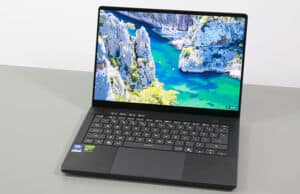
Here are some pictures of this beige Zenbook A16: clean, neat, with minimal branding and a closely (but not perfectly) color-matched keyboard.
And here’s how the gray model looks in comparison (these are the smaller 14-inch variants, but the 16-inchers are the exact same colors).
And here are some pictures of the 14 and 16 inch models side by side, for a better comparison of the two dimensions. There’s more screen and a larger touchpad/armrest on the A16, while mostly everything else is the same between them.
In fact, there’s an extra full-size SD card reader on the A16, which is not offered on the A14. But the other ports are the same, with two USB-Cs, a full HDMI, a full USB-A, and an audio jack.
The two USB-Cs are both grouped on the left edge, so you can only charge the laptop on that side.
My other complaint of the ergonomics of this series is the still limited screen angle, as the display only opens up to about 150 degrees and not entirely flat. For desk use, that’s fine, but for on-the-go on-the-lap use, I find it limiting sometimes.
At least the hinges are well-made, smooth enough to open up with a single hand without moving the laptop in any way, and at the same time strong enough to keep the display properly in place when grabbing the laptop and moving it around.
Mostly everything else is properly designed as well, including the rounded and comfortable edges all around the chassis, the friendly corners, the grippy rubber feet, and the fact that there are no status LEDs or lights of any kind around the main deck, to bother you when using the laptop at night. Few other laptops check all these boxes for me.
One aspect I will mention is that there are no up-firing speakers on this A16 notebook, as it shares the internals with the smaller A14 chassis, which means it still implements side and bottom speakers. The audio quality is fine, although not quite on par with a MacBook or what it could have been if that extra space inside the case had been filled with larger speakers.
Keyboard, touchpad The keyboard on this Zenbook A16 is a traditional Asus ultrabook layout, without any extra function keys of any kind. It’s the exact same keyboard implemented on the 14-inch series as well.
That means it’s a mid-depth stroke at 1.3 mm, so not quite as good as a typer as the larger-sized Zenbooks. But it beats the Zenbook S16 or the MacBook Air with only 1.1 mm of key travel. In other words, if you’re used to shallower low-travel keyboards implemented on most modern ultrabooks, this one will work fine for you.
The keys are backlit, with three brightness levels to choose from. The lowest setting is dim enough for proper use in dim environments at night, while the other two get quite bright. No complaints here.
Even the contrast on these lighter-colored keys is pretty good when using the laptop during the day with the lights off, as the keys are a slightly darker beige nuance. This is still better on the Gray variant, though.
I’m not entirely sold on the touchpad as it’s huge, oversized, and spreads from just under the Space key to the front of the laptop. That means occasional ghost swipes and fake touches from your palm and clothes can happen in certain situations. Personally, I prefer the practicality of slightly smaller touchpads.
What you do get on this touchpad are some smart gestures that allow various things, such as adjusting the screen’s brightness or audio volume. They work, but they’re redundant to existing keyboard functions.
As for biometrics, there’s IR support for the camera, and no finger sensor.
Display – modern non-touch OLED The screen on this Zenbook A16 is a modern-generation 3K 120 Hz OLED panel, brighter than past similar OLEDs. That’s both in terms of sustained brightness, making the laptop more usable in bright-light conditions, and especially in peak brightness for HDR content, where this goes up to 1100-nits.
This is also a no-touch OLED implementation, which means everything looks smooth and clear on it, without the screendoor grain effect noticeable on full backgrounds on touch OLEDs. However, keep in mind that non-touch OLEDs don’t get the extra layer of protective glass over the panel, so make sure you treat this notebook well and don’t get anything caught in between when closing the laptop’s screen, as it can damage the panel more easily than on touch implementations with Gorilla Glass.
Furthermore, this is still a glossy finish, highly reflective in bright environments. It looks to me glossier than the display on my MacBook Air.
Just keep in mind that touchscreen variants are also offered on some markets, with that extra glass ontop of the panel. Those are glossy as well, but not sure if quite as glossy as this variant.
Other than that, this is an excellent panel for everyday use, creative work, and gaming. However, if you plan on using this at night in dim places, keep in mind that it encounters flickering at lower brightness levels if you’re adjusting brightness with the F5/F6 keys and not through the flicker-free dimming option in the MyAsus app. NBC tests flickering and discovered this panel uses PWM across all brightness levels, at around 1 KHz, which is high enough that most users won’t be bother by it.
Hardware and performance – Qualcomm Snapdragon X2 Elite Extreme Our test model is a highly-specced version of the 2026 Asus Zenbook A16 OLED, code name UX3607OA, with a Qualcomm Snapdragon X2 Elite Extreme X1E-94-100 processor and Adreno integrated graphics, 48 GB of LPDDR5x-9600 memory, and a middling 1TB gen4 SSD.
Disclaimer: This is a review unit provided by Asus. I tested it with the software available as of early-April 2026 (BIOS 305, MyAsus 4.3.2.0 app). This is very early launch-day software, thus some aspects could change with later updates.
Spec-wise, this series is based on the Qualcomm Snapdragon X2 Elite hardware platform, with the X Elite Extreme X2E-94-100 processor on this configuration, or flagship X2E-96-100 on some other variants. The differences are minor to none between them.
Both are hybrid designs with 18 CPU Cores and Adreno X2-90 GPUs. On the CPU side, we’re looking at 6x Performance Cores and 12x Prime Cores (Efficiency Cores), running at various max frequencies between SKUs.
The Qualcomm Hexagon NPU is mostly shared between all X2 Elite platforms as well, rated at 80-85 TOPS.
Graphics are handled by the integrated Adreno X2-90 chip running at up to 1.85 GHz on the X2 Elite Extreme chips.
These configurations are also paired with 48GB of LPDDR5x-9600 on-chip memory, with the particularity of higher memory bandwidth at 228 GVB/s for the Extreme chips, while the regular X2 Elite chips run at 152 GB/s bandwidth.
Finally, the platform supports gen4 storage, with a midling Samsung SSD on this A16. There’s no support for gen5 storage.
The SSD is the only upgradeable component here. To get inside you need to remove the back panel, held in place by a couple of Torx screws. These screws are of two different sizes, so make sure you put them back in the right order.
Inside, you’ll find the motherboard with the thermal module, the battery, speakers, and the SSD. There’s plenty of unused space around the battery.
As far as the software goes, this Zenbook gets the standard MyAsus app, which allows control over the power profiles, battery, and screen settings, updates, etc.
There are three performance/thermal profiles to choose from (these power numbers are my estimates; take them with a lump of salt):
Performance – 45+W sustained, with fan noise ~45 dBA;
Standard – limits the hardware at ~25W sustained, with fan noise at up to ~35 dBA;
Whisper – limits the CPU at 10-15W to favor fan noise of sub 30 dBA.
All these profiles are well optimized, with the fans mostly keeping idle with casual use and regular multitasking, even on Performance mode with the laptop plugged in. That’s unlike most other Asus laptops, where the fans are quite noticeable on Performance mode.
At the same time, sure, there’s a major noise gap between Standard and Performance modes, while the gap in thermals and actual sustained capabilities is not that significant, as you’ll see in a bit. That means Standard mode is where I’d mostly keep this laptop at.
Before we jump to discussing the performance of this notebook, here’s what to expect in terms of speeds and temperatures with daily chores such as streaming video, editing text, or browsing the web.
Productivity Performance and Benchmarks Cinebench R15 is not properly optimized for Snapdragon hardware, and thus the Cinebench R15 loop test that we’re usually running for testing sustained CPU performance is not relevant here.
Nonetheless, what’s important is that the power levels are easily sustained in this chassis, with comfortable thermal limits and no variation in performance and scores in CPU heavy loads:
Performance mode – 45-50W sustained, 75-78 C on the CPU with the laptop raised off the desk, 45 dBa fan noise;
Standard mode – 25-30W, 68-70 C on the CPU with the laptop raised off the desk, 35 dBa fan noise;
Whisper mode – 15W, 65-68 C on the CPU with the laptop raised off the desk, <30 dBa fan noise;
We also ran the 3DMark CPU profile test.
Finally, we ran our combined CPU+GPU stress tests on this notebook, on the Performance profile. 3DMark stress runs the same test for 20 times in a loop and looks for performance variation and degradation over time. This unit passed the test with the laptop flat or raised off the desk, which means the performance is not impacted in longer-duration sustained loads as the heat builds up.
Benchmarks results and performance summary With that out of the way, let’s get to some benchmarks. We ran our standard set of tests with the laptop on Performance mode (45W sustained TDP) and the screen set at its default 2.8K resolution.
Here’s what we got.
3DMark 13 –CPU profile: max – 9813, 16 – 9032, 8 – 5435, 4 – 3116, 2 – 1706, 1 – 861;3DMark 13 – Fire Strike: 11111 (Graphics – 11791, Physics – 26521, Combined – 4824);3DMark 13 – Solar Bay: 24834, 94,43 fps;3DMark 13 – Steel Nomad Light: 5450, 40.37 fps;3DMark 13 – Time Spy: 4534 (Graphics – 4067, CPU – 13014).
Aida64 Extreme, memory test: 174674 MB/s read, 77482 MB/s write, 7.2 ns latency;PCMark 10: -;GeekBench 6.6.0: Multi-core: 22751, Single-Core: 3759;GeekBench AI 1.7.0 (ONNX, CPU): Single: 2130, Multi: 3959, Quantized: 8063;CineBench R15 (best run): CPU 3710 cb, CPU Single Core 293 cb;CineBench 2024 ARM: CPU 1677 (10 min run), CPU Single Core 148 pts;CineBench 2026 ARM: CPU multiple threads: 6935 (10 min run), CPU single thread: 620 pts.
And here are some work-related benchmarks, on the same Performance profile:
Blender 5.1.0 – BMW Car scene – CPU Compute: 1m 16s ;Blender 5.1.0 – Classroom scene – CPU Compute: 2m 57s;
V-Ray Benchmark: CPU – 14572, CUDA – 406;Puget Benchmark (v. 1.0.6) – Adobe Photoshop (27.3 – later crashed) – 12052;Puget Benchmark (v. 2.0.1 – Adobe Premiere (25.6 – later crashed) – 31593;Puget Benchmark (v. 2.0.0) – Davinci Resolve (20.3) – 38953;
Just to make things clear, some of our standard benchmark do not work properly on ARM hardware (older CInebench, SPecviewperf, Uniengine Superposition), and even the Puget Benchmarks struggled here, with the latest iterations crashing.
One more thing, I’m referring the X7 358H tested in the ExpertBook Ultra further down in the article, as that’s a latest-gen Intel platform running at similar 45W of power. We’ll have a separate article at some time looking into how this Snapdragon hardware compares to the AMD Ryzen AI 9 and Apple M5 hardware of this generation, for a broader look at today’s hardware options.
All in all, though, this Snapdragon Zenbook implementation is an impressive performer in the ultraportable space.
On the CPU side, the X2 Extreme X2E-94-100 outscores a Core Ultra X7 358H by a fair margin in both single and multi-threaded loads.
For instance, in Cinebench 2026, the X2 Extreme scores 6935 multi / 620 single, while the X7 358H scores 4533 multi, 504 single. These are 52% higher multi-core and 22% higher single-core scores.
In Geekbench 6, though, we’re looking at 22751 multi 3759 single on the X2 Extreme, and 16506 multi 2825 single on the Ultra X7.
In Blender, the X2 Extreme finishes the Classroom CPU run in 2m 57 s, while the Ultra X7 finishes in 5m 22 s. It takes 75% longer on the Intel platform. And both are running at 45W sustained.
On the GPU side, however, the Arc B390 holds an advantage over the Adreno X2-90 GPU in most tests.
For 3DMark Steel Nomad Light, the X2 Extreme scores 5450 points, while the Ultra X7 scores 6095 points, thus 10% higher for the Intel platform.
In the Puget productivity tests, the X2 Extreme gets about a 15% advantage in Davinci Resolve, scores about 15% lower in the Adobe Premiere, and gets a 40% advantage in the Adobe Photoshop test. These further emphasize the CPU performance of this series, while on the GPU side, the Adreno chips is competitive against the alternatives in the Intel/AMD space.
In summary, the Snapdragon X2 Extreme is an excellent performer on the CPU side compared to other platforms available in the Windows space today, and gets fairly close on the GPU side as well.
However, the culprit for Snapdragon Windows laptops is not the potential performance, but rather compatibility with the software that you’re going to run. Standard stuff, such as browsers, Teams, Office, Adobe apps, and the like, work natively and smoothly. But specific apps might still only work through emulation or not work at all.
For instance, my local accounting software and my digital signature only work on x86 platforms, and while I know this is highly specific, it signals that pro-level users with specific requirements will need to double-check whether their particular apps are supported or not. If you’re living in a region where you can easily return your device no questions asked, as we can here in Europe, you can give one of these a go and see how it works for you. On the other hand, if a potential return is impossible for you, I’d proceed more carefully.
Standard mode, quieter at sub 35 dBA The laptop can run quite noisily on Performance mode, at 45 dBA. Standard mode keeps the fan much quieter at 35 dBA even when running sustained loads.
Here are some benchmark results for this Standard mode:
3DMark 13 –CPU profile: max – 8793, 16 – 8442, 8 – 5385, 4 – 3071, 2 – 1644, 1 – 858;3DMark 13 – Fire Strike: 10774 (Graphics – 11704, Physics – 24714, Combined – 4412);3DMark 13 – Steel Nomad Light: 5338, 39.55 fps;3DMark 13 – Time Spy: 4479 (Graphics – 4056, CPU – 10963).
GeekBench 6.6.0: Multi-core: 21584, Single-Core: 3411;CineBench 2026 ARM: CPU multiple threads: 5838 (10 min run), CPU single thread: 612 pts.
Blender 5.1.0 – Classroom scene – CPU Compute: 3m 38s;
The CPU scores are within 80-95% of Performance mode, while on the GPU side, the differences between the two modes are within 5-20% as well.
Standard mode is where this laptop excels.
Gaming Performance We also ran a couple of DX11, DX12, and Vulkan games on the Full Speed and Performance profiles of this X2 Extreme with Adreno X2-90 graphics configuration, at FHD+ resolution, with Low/Lowest graphics settings. I threw in a few other platforms for comparison.
Low settings Zenbook A16 2026, Zenbook A14 2026, ExpertBook Ultra 2026, Zenbook S14 2026, Zenbook 14 2025, Zenbook S14 2024, Zenbook S 16 2024,
Black Myth: Wukong 25 fps (18 fps – 1% low)
23 fps (15 fps – 1% low)
–
–
–
–
–
Cyberpunk 2077 55 fps (44 fps – 1% low)
44 fps (37 fps – 1% low)
54 fps (36 fps – 1% low)
24 fps (12 fps – 1% low)
–
–
–
Cyberpunk 2077 –
–
112 fps (40 fps – 1% low)
56 fps (26 fps – 1% low)
–
–
–
Far Cry 6 74 fps (52 fps – 1% low)
66 fps (44 fps – 1% low)
90 fps (70 fps – 1% low)
46 fps (38 fps – 1% low)
52 fps (36 fps – 1% low)
52 fps (38 fps – 1% low)
54 fps (46 fps – 1% low)
Horizon Forbidden West **26 fps (22 fps – 1% low)
**25 fps (20 fps – 1% low)
72 fps (56 fps – 1% low)
48 fps (40 fps – 1% low)
44 fps (30 fps – 1% low)
45 fps (32 fps – 1% low)
40 fps (30 fps – 1% low)
Shadow of Tomb Raider **-
**-
62 fps (45 fps – 1% low)
72 fps (48 fps – 1% low)
66 fps (26 fps – 1% low)
72 fps (56 fps – 1% low)
The Witcher 3: Wild Hunt 122 fps (100 fps – 1% low)
98 fps (72 fps – 1% low)
110 fps (75 fps – 1% low)
74 fps (50 fps – 1% low)
66 fps (54 fps – 1% low)
78 fps (56 fps – 1% low)
60 fps (38 fps – 1% low)
Doom, Dota 2, Witcher 3 – recorded with MSI Afterburner in game mode;
Tomb Raider – recorded with the included Benchmark utilities.
**Shadow of Tomb Raider and Horizon FW throw an error that mentions no graphics card was detected. As a result, Horizon FW performs poorly, and Shadow of Tomb Raider crashes.
The results are all over the place, with some games running well and even better than on Intel/AMD hardware, and others running poorly or crashing. That’s especially going to be the case with older titles, and older software in general.
Furthermore, the Qualcomm platform lacks frame generation technology to enhance framerates in games, in the way XeSS does on Intel platforms, and even FSR on AMD hardware to a lesser extent.
So all in all, the Snapdragon X2 hardware can game and offers better framerates and a wider range of supported games than in the past. But if gaming is that important for you on this sort of a device, you’re better off with an Intel + Arc B390 configuration these days. And even with an AMD String Point/Gorgon Point with Radeon 890M graphics.
Anyway, back to our Zenbook A16, here’s what to expect if you plan on running games on the quieter modes.
Zenbook A16 2026, Performance – 45W, Standard – 30W, Whisper – 15W, FHD+ 1200p, <30 dBA
Cyberpunk 2077 55 fps (44 fps – 1% low)
44 fps (36 fps – 1% low)
38 fps (32 fps – 1% low)
Far Cry 6 74 fps (52 fps – 1% low)
61 fps (51 fps – 1% low)
54 fps (44 fps – 1% low)
The Witcher 3: Wild Hunt 122 fps (100 fps – 1% low)
104 fps (70 fps – 1% low)
90 fps (65 fps – 1% low)
Standard mode is once more where I’d use the laptop, even if the fps counts drop by about 20% in the tested titles.
As far as logs go, here’s what I recorded on this sample:
Performance mode, 45 dBA, puts about 45W on the chip and about 17-18W in the GPU and allows it to run consistently at 1.85 GHz, with CPU temps around 63-66 C;
Standard mode, 35 dBA, about 25W on the chip, lowers GPU allocated power to around 12W, but still maintains 1.8-1.85 GHz, with temps around 65-70 C;
Whisper mode, <30 dBA, about 15W on the whole chip, lowers GPU power to around 6W, which means the speeds drop to 1.2-1.5 GHz between titles, with temps around 62-65 C.
One final aspect worth mentioning is that this Zenbook performs very well on battery power, matching the plugged-in experience in Performance/Standard modes.
Noise, Heat, Connectivity, speakers, and others Asus went with a standard thermal module on this Zenbook A16, with dual fans, dual radiators, and a dual heatpipes connecting to each heatsink.
This is perfectly capable of keeping the hardware in check in this notebook, with internal temperatures rarely going over 70 degrees Celsius in demanding sustained loads. I’d still keep the notebook propped off the desk for longer sustained sessions, to allow better airflow underneath the chassis.
As far as the noise levels go, expect 45 dBA on Performance, 35 dBA on Standard, and sub 30 dBA on Whisper mode.
With daily use, the fans keep idle for the most part on all profiles, and even if they might kick on here and there with more intensive multitasking, they’re hardly audible at all. I haven’t noticed coil-winning or electronic noises on this unit. Thus, overall, this is one of the quietest daily-use Windows laptops I’ve encountered over the years.
As for the external temperatures, the chassis keeps cool with light use, with the warmest spot at around 30 C.
*Daily Use – streaming Netflix in EDGE for 30 minutes, Whisper Mode, fans at 0 dB
With demanding loads, a hotspot develops in the middle of the chassis, at around 45 degrees C on the top side of the chassis. The areas that you’re mostly coming in contact with stay in the mid 30s.
Overall, these temperatures are about in line with other portable designs – not bad, but still warm enough to notice in certain environments.
*Gaming – Performance mode – playing Witcher for 30 minutes, fans at ~45 dB
For connectivity, there’s the latest-gen Wi-Fi 7 and Bluetooth 5.4 on this Snapdragon X2 Elite configuration. Everything performed fine during my time with the laptop.
Audio is handled by a set of stereo speakers that fire through grills positioned on the bottom of the chassis. These are loud, and the audio quality is fair, a little above average for a portable chassis. In fact, the speakers on this 16-inch model are a little larger than those implemented in the 14-inch A14, and thus the audio quality is nicer. But it’s not MacBook-level great, so perhaps Asus could have done even better here given all the extra space left unused inside the chassis around these existing speakers.
Finally, there’s an FHD camera placed at the top of the screen, flanked by microphones. The image quality is quite good in proper lighting, better than on other Zenbooks tested recently. Not sure if the Qualcomm hardware gets the praise for that, but the brochure does mention improvements on the webcam and microphone for the X2 platform compared to the previous X1.
There’s also IR functionality with Windows Hello support offered here.
Battery life – excellent runtimes There’s a 70 Wh battery inside this 2026 Asus Zenbook A16, fair sized for a laptop of this weight.
Here’s what we got in our battery life tests, with the screen’s brightness set at around 120 nits (~50 brightness). I’ve also set the Windows 11 power mode to Best Power Efficiency.
6.5 W (~10-11 h of use) – text editing in Google Drive, Whisper Mode, screen at 50%, Wi-Fi ON;5 W (~ 13-14 h of use) – 1080p fullscreen video on Youtube in Edge, Whisper Mode, screen at 50%, Wi-Fi ON;6 W (~12 h of use) – Netflix fullscreen in Edge, Whisper Mode, screen at 50%, Wi-Fi ON;6-10 W (~7-12 h of use) – browsing in Edge, Standard Mode, screen at 50%, Wi-Fi ON.
These are fine runtimes, although the 16-inch display takes a toll on what the smaller Zenbook A14 can deliver.
At the same time, these runtimes are not that much different than what you can expect from modern Intel/AMD implementations, with perhaps a 10-20% advantage across the board. MacBooks are still more efficient.
This configuration ships with a 130W USB-C charger, a dual-piece design with long cables, and a hefty brick. It’s quite bulky and doesn’t match well with this ultralight laptop.
Price and availability- Asus Zenbook A16 At the time of this article, the Asus Zenbook A14 UX3607 is listed in some stores.
Follow this link for updated prices and configurations in your area .
In the US, we’re looking at two main configurations:
UX3607OA – Snapdragon X2 Elite Extreme X2E-96-100, non-touch display, 48 GB RAM, 1 TB SSD – $1999 from the Asus store and other 3rd party sellers;
UX3607OA – Snapdragon X2 Elite Extreme X2E-94-100, touch display, 48 GB RAM, 1 TB SSD – $1699 exclusive to Best Buy.
Over here in Europe, the same X2E-94-100 model is available for around 1900-2000 EUR.
Follow this link for updated prices and configurations in your area .
Final thoughts- Asus Zenbook A16 UX3607 review This Zenbook A16 is a peculiar product.
Let’s get one thing straight and clear: when it comes to Snapdragon Windows laptops, it’s still all about how the software that you’re planning on running works on this hardware. Or whether if it works at all. Software compatibility has improved significantly over the last year, but the experience is still not entirely what’s offered with x86 Intel/AMD hardware, especially when it comes to older software or localized/specialized programs.
Even during my time with the laptop, I noticed how some of the standard benchmarks that I’m running on notebook aren’t working on this hardware, and how some of these applications and even how some games are crashing or not working as they should. So if you’re looking to run your work/school applications on this sort of laptop, make sure that’s properly supported before taking the plunge.
On the other hand, sure, standard apps work fine, smoothly and efficiently on this hardware. Thus, I still believe Snapdragon laptops are at their best when targeting casual everyday use: browsing, streaming, office use, teams/zoom, light media editing, and the likes. With these chores, the chance of something not working properly is much slimmer. But not zero, as on an x86 Intel/AMD platform.
This Zenbook A16, on the other hand, aims much higher than that, packing a highly-capable hardware platform, notably faster on the CPU side that the x86 alternatives. But this hardware doesn’t come cheap, and thus targets potential buyers that are looking for a jack-of-all-trades all-purpose laptops for work, daily use, and play. Thus, if your software of choice works well on Snapdragon, then this Zenbook might be right for you. But that can be quite a big IF.
Hardware aside, the advantages of this series are the lightweight and ergonomic format, the bright and beautiful OLED display, the snappy sustained performance and the efficiency on battery life. I’d also throw in the versatility of the mid-range Standard profile, which still offers a lot of performance at sub 35 dBA noise levels, and how quietly this notebook runs with general use.
On the other hand, the 14-inch Zenbook A14 with X2 Elite specs is notably more affordable, an I would have appreciated seeing X2 Elite specs on more affordable A16 variants as well, targeting that casual user looking for a 16-inch lightweight premium option, who now instead has to spend extra for the Extreme configuration and the extra RAM without actually needing those for its regular daily chores. And X2 Elite with 24 GB of RAM and 1 TB of storage for a few hundred USD/EUR less would have been a solid value proposition.
In all fairness, around 2000 USD/EUR, this laptop is cheaper than a similarly specced Dell XPS 16, when accounting for the amounts of RAM/SSD, but about on par with a MacBook Air 15, and more expensive than a Zenbook S16 or the LG Gram Pro 16. More importantly, these are also available with lesser specs for those on tighter budgets, and that’s not an option for this Zenbook A16 series. But it is on the smaller Zenbook A14, which we’re discussing in a separate article.
That wraps-up my time with this Asus Zenbook A16. Looking for your thoughts and feedback down below in the comments section.
Disclaimer: Our content is reader-supported. If you buy through some of the links on our site, we may earn a commission.
Terms .
Navigation: Ultrabookreview.com » Asus
Review by: Andrei Girbea
Andrei Girbea is a Writer and Editor-in-Chief here at Ultrabookreview.com . I write about mobile technology, laptops and computers in general. I've been doing it for more than 15 years now. I'm a techie with a Bachelor's in Computer Engineering. I mostly write reviews and thorough guides here on the site, with some occasional columns and first-impression articles.


Eric Hsu
April 7, 2026 at 6:34 pm
Grateful for your thorough review. I've placed an order from Best Buy in the US for the A16 and am excited to try it out. I would have preferred a non-touch screen – how much will the battery life suffer as compared to the non-touch variant and overall, do you think it would be worth $400 upcharge for the non-touch, lighter, and slightly higher specced version that you can get through Asus direct?
I'm purchasing this for work, and my workflow is heavily browser based, dozens and dozens of browser tabs. I'm hoping it will substantially outperform my ThinkPad X9 15 inch with the Lunar Lake 258v processor, which I have been experiencing disappointing performance bottlenecks when waking from sleep or opening a browser.
krunchy
April 9, 2026 at 3:02 am
was waiting for the A16 already last year, and now this with its biggest flaw:
the screen (still) like a mirror. i had the first A14. totally unusable. and that with such a nice 1.2kg weight.
16gb ram less and use gorilla glass matte instead for the money!
and i guess also no VRR?
the usual flaws: no second ssd slot(!), battery runtimes nothing special, no upfireing speakers, wasted space besides battery, no second usb-c on the right side, opening angle of the display.
Anders
April 21, 2026 at 12:21 pm
It´s great that Qualcomm are increasing the GPU performance in there Snapdragon for Windows.
But I am still waiting for a Snapdragon for Windows ARM (or AMD/Intel I x86) that can beat or are equal to Apple Pro or Max chips in CPU and GPU performance, weight and price. I guess I'll wait for Macbook PRO with M6 and see whats is available then. Until then I use my Macbook Air M4 and my 4 years old AMD laptop with Nvidia graphics.
VFanRJ
June 30, 2026 at 11:40 pm
I'm a little concerned that the 3k monitor isn't high enough res. Why not go all the way to 4k?
jundre
July 22, 2026 at 4:15 pm
if you got a chance please test the first lg gram with oled and matte display (new gram 16 pro) in comparison. cheers
Andrei Girbea
July 22, 2026 at 6:10 pm
probably not. no longer available in this part of the world
jundre
July 23, 2026 at 3:31 am
what do you mean "no longer", the first gram with a matte oled just came out,
model 16Z90U with the aerominum lid..
Andrei Girbea
July 24, 2026 at 10:48 am
I know, but it is not available in this part of Europe.