
Table of Contents
Ultrabooks are a fairly fresh breed of portable computers. As shown in this article that explains what is an ultrabook, they are slim, light, premium made, and fast, that’s why many, including their creators at Intel, say that they are meant to become more popular than ‘’regular’’ laptops.
The “old” classic laptops still have some aces down their sleeves, though, when facing the new kids in town. However, with a more and more diverse range of ultrabooks hitting the stores, I’m sure many of you are at least wondering if you should pick one of these over a regular notebook or not.
That’s why, in the following lines I will tell you several of the important aspects that you need to know about ultrabooks and standard laptops, what they have in common, and more importantly, what sets them apart.
So let’s get going, but before we start, don’t forget that if you have any questions or things to add to this article, I’ll be waiting for your comments at the end of the post and I’ll be around to reply.
Ultrabooks and Laptops – the definitions
Standard laptops, as probably most of you know already, are mobile personal computers and come in a wide range of forms and sizes. They offer displays between 10 to 18 inches in diagonal, they can weigh anywhere from 2 to 18 pounds, and bundle a multitude of hardware configurations and features.
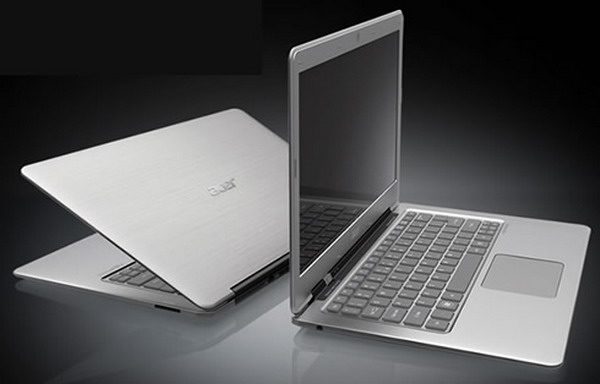
Ultrabooks are just a special kin of highly porble laptops
15.6 inch laptops are perhaps the most popular these days in their classes, as they are powerful enough to deal just fine with all your everyday activities (browsing, chatting, listening to music, watching movies, playing some games), but also light and portable enough to be carried around when needed.
Ultrabooks are a “special” breed of laptops. In many ways, they look and behave more or less like regular notebooks. But they do have to meet a set of criteria in order to get the “ultrabook” title, criteria set by Intel, who in fact established this class of computers a while ago.
Long story short, ultrabooks need to be slim (18 mm thick or less for machines with displays under 14 inches and 23 mm for those with larger screens), need to bundle Intel’s ULV hardware platforms and fast storage (SSDs or a mix of HDD and SSD storage), need to be able to run for at least 5 hours on a charge and support several Intel technologies, like their Anti-Theft or Identity Protection Technology.
Ultrabooks vs laptops – the similarities
An ultrabook is basically a select type of laptop and therefore there are many similarities between these new ultraportable computers and ‘’regular’’ notebooks.
Practically, with a few exceptions which will be detailed later on, ultrabooks and standard laptops share many common traits, like the shape and form-factor, the standard body elements (screen, keyboard, ports, hardware), and their overall functionality. Much like most laptops, ultrabooks run Windows and all the software compatible with Microsoft’s OS, from basic browsers or Office programs, to more complex applications or games.
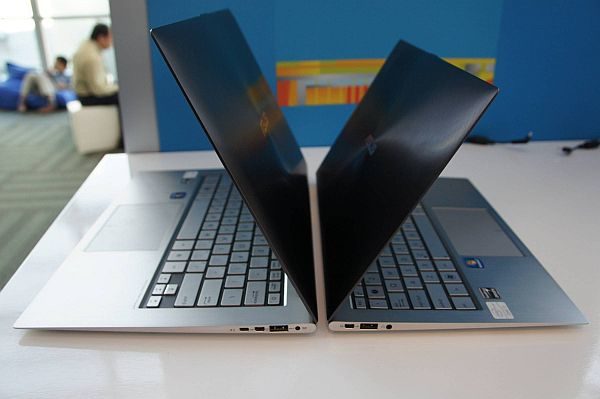
Ultrabooks should not be considered laptop competitors, but rather laptop peers
In other words, ultrabooks are thinner, more powerful, and longer-lasting versions of regular laptops. But you can use them for more or less the same things as you would use a normal laptop.
Ultrabooks vs laptops – the differences
There are many tiny details that set these two sides apart though, and I’ll tell you more about those in the next section of this laptops vs ultrabooks comparison, which speaks about the differences between the two.
Design and looks
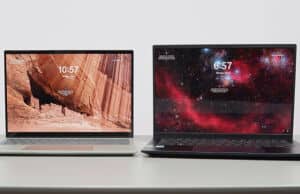
From starters, ultrabooks have one thing on their side when compared to the vast majority of laptops: they are thinner and at the same time, lighter. Let’s take the 13.3 inch segment for instance, where most ultrabooks weigh less than 3 pounds and are up to 18 mm thin, while regular portable laptops are thicker and tip the scale at 4 pounds or above, with only few exceptions among premium business notebooks.
The same thing goes for 14 and 15.6 inch ultrabooks, as you can see in the clip below.
Intel actually does not impose a weight limit for ultrabooks, but does impose one when it comes to their thickness, as mentioned before. Up to 14 inch ultrabooks have to measure 18 mm or less in their thickest point (0.7 inch), while larger 14 and 15.6 inch ultrabooks can go up to 21 mm (0.8 inch) in thickness. If there’s a touchscreen on a particular ultrabooks, the limit grows to 23 mm (0.9 inches).
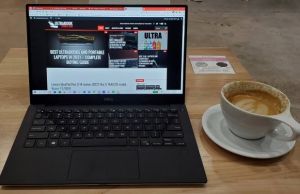
There’s nothing imposed in terms of build quality or materials used for the cases either, but most ultrabooks impress with their looks and overall high-quality finishing. In fact, magnesium, aluminum, carbon fiber, glass and other premium materials are quite often found on ultrabooks, while that’s not as common on regular laptops, unless we’re talking about the higher-end options.
Keyboards
Lifting the lid covers, you’ll notice that most ultrabooks offer rather shallow keyboards, due to their thin silhouette, and here’s where classic laptops can step in front of their competitors, as there’s more space to accommodate a better keyboard on them.
But that’s not a common rule, as there are plenty of ultrabooks with good keyboards, and even more laptops with awful ones. That aside, it’s worth noting that you’ll get backlit keyboards on most ultrabooks, while on laptops, that’s a feature only reserved for the premium models.
Hardware and performances
And then there’s the hardware inside. While ultrabooks need to be built on Intel ULV platforms and since they are so slim, usually pack integrated graphics (although there are some to feature discrete chips as well), there are way more configurations available for the classic notebooks, that stretch from low-power entry-level setups, all the way to the beefiest quad-core processors and dedicated graphics solutions found in the latest gaming rigs.
Ultrabooks are fairly snappy as well, as those ULV platforms can push good performances, especially when coupled with a fair amount of RAM and fast storage options, which is usually a bottleneck in a standard modern computer (regular hard-drives are quite slow, as opposed to the SSDs or hybrid solutions found on ultrabooks). Even so, ULV platforms are meant to deliver a good balance between power and efficiency, that’s why you will find plenty of stronger configurations on laptops, created the deliver the best performances, with little concern to battery life.
Battery life
As a result, ultrabooks tend to last a lot more on a charge than the average laptops will. In fact, Intel’s regulations state that IvyBridge or older ultrabooks need to run for at least 5 hours on a charge, while newer Haswell ultrabooks need to meet more strict rules: 9 hours of idle, 6+ hours of video playing, and at least 7 days of Standby time. That’s why Haswell ultrabooks deliver some impressive battery life results, as you’ll see from this post.
In order to save space, the batteries are in most cases encased and non-removable on ultrabooks and so are the main hardware components. That’s not the case with regular laptops, where the battery, memory or storage units are quite easily accessible and replaceable. But that should not really bother you as an average user, although you might not like that you can’t remove the battery from your machine when using it pluged in for a longer period of time. Except for that you should be fine, and if you really want to, you can access the hardware on most ultrabooks as well, it just takes a bit more effort and some proper screw-drivers.
Other details
With ultrabooks being so thin, it’s worth mentioning that they can get quite hot when pushed, especially those versions with dedicated graphics. The metallic bodies have a huge role in how we perceive this aspect, as they drive the heat towards us, the users.
Besides all these, you should know that ultrabooks have to boot quickly and resume from sleep in under 7 seconds, that’s why the fast storage options are a must here. And they also need to implement a bunch of Intel-imposed security technologies, like I already mentioned at the beginning of this post, that will keep the content on your machine safe in case the ultrabooks get stolen and will even help you locate and maybe retrieve the unit.
When speaking about ports and connectivity options, while you do get a basic set of options on ultrabooks, there’s usually not enough room for all the things you might be already used to from a standard laptop. And that’s because there’s less room on ultrabooks for these, so as a result, some features are either cut off or replaced with their miniaturized versions.
As for the screens, well, there are several dozens of ultrabooks available these days in stores, with displays ranging from 11.6 inches in diagonal, all the way to standard 15.6 inchers. Most premium options feature some high-quality screens, with IPS panels, high-density matrices, and even touchscreens on many of the latest units (in fact, touchscreens are more or less a given on Haswell ultrabooks).
Regular laptops stretch from tiny units, with 7 or 8 inch displays, all the way to multimedia behemoths with 20 inch screens and you get plenty of panels and screen types to choose from on all these devices.
Prices
You can get a laptop these days for anywhere from $100 to several thousand dollars.
The cheapest ultrabooks sell for more, around $400 or so, with the premium versions starting at $1000 and up. But there are quite a few good picks that sell for somewhere between $500 and $800.
Even so, an ultrabook will be more expensive than a fairly similar specced laptop, and that’s normal, given all the things they have to offer (the slim body, the fancy craftsmanship, the long battery life, the security features, etc).
Wrap-up – ultrabook or regular notebook – what will it be?
All those ultrabook-imposed criteria apart, there is one thing that sets these two classes apart: variety.
Regular laptops have been around for many years and that’s why there are hundreds of them for us to choose from, with all sorts of shapes, configurations and features.
Ultrabooks are playing catch-up, and while several years ago we only had a handful of ultraportables available, they now cover a vaster range of sizes and expectations, with ultrabooks great for college and school, gaming ultrabooks or convertible hybrids with touchscreens. In fact, there are many good ultrabooks listed in stores these days, and if you want to know more about them, this curated list of my favorite models is the best place to start.
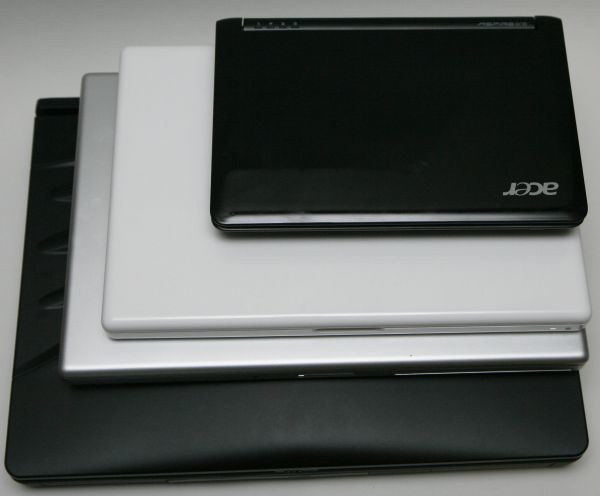
Laptops come in a bunch of different sizes, being targeted towards a larger audience
Bottom point, ultrabooks are just a special type of laptops. They are designed with portability and looks in mind and they are fast enough to cope with everyday tasks. However, a potential buyer can only choose between a limited number of such devices right now, while with laptops, there’s a wider pool to pick from. On top of that, ultrabooks are still fairly expensive.
Ultra-portable laptops are clearly the way to go though. With the hardware getting faster and more efficient, manufacturers will create even sleeker and lighter machines in the next years. And all of them will get more affordable and more accessible for the average Joe.
That might not yet be the case right now, but it’s surely going to happen sooner than later.
In the end, if you’re still undecided between classic laptops or an ultrabook, perhaps you should also take a look at these two other posts here on the site, one listing the best ultrabooks you can find in shops these days and the other listing the ultra-portable alternatives you could consider if you’re not yet ready to get in bed with ultrabook.
And if you have any comments, questions, or things you want to add to this post, don’t hesitate to leave your replies below.


Dhiraj Chamariya
June 21, 2015 at 1:10 pm
I am confused about what to buy for me
whether to buy regular laptop or ultrabook or ipad
Gary goh
July 8, 2015 at 1:01 pm
Hi,
I’m interested to get a Lenovo U31-70 ultra book laptop, I was wondering do you have a review of this ultrabook. My old laptop keyboard aand mouse pad will hang after using the laptop for a while, will ultra book have this same problem of keyboard and mousepad hang after a while ?
Shivam
July 8, 2015 at 7:22 pm
Hi. I m going to join my college soon and i want new laptop/ultrabook which can perform heavy task and which should good in typing becoz i have some Programming related subjects.. I m not interested in playing games etc. but the it must be powerful and looks good .! Budget is $1000. Do you guys can recommend me a model or type in which i should look into ! !?
Thanks
Apurv Adarsh
July 13, 2015 at 6:38 am
Hi,
I am looking to buy a new laptop that can support Virtualization. Since ultrabooks don’t have much hard drive space, can they run two virtual machine simultaneously. My budget is around $1000.
SD
August 2, 2015 at 5:50 am
Hi! I’m looking for a ultrabook/laptop I can use for school as well as work. I need it to be highly portable as well as powerful for programs such as SPSS and R. I was thinking about the Lenovo Yoga 3 14″. I was just wondering if you could recommend any models for me? Thanks so much!
tina
November 9, 2015 at 3:07 pm
Hi Andrei
i currently have the new macbook but with the 12″ screen i am finding it really it difficult to use with large spreadsheets and also view Cad documents.
I have been looking at the surface pro 4 but realised that the screen is virtually the same size .. hence the surface book looked like a good option but comes with a hefty price tag.
I dont need something really fancy as i am not into gaming or designing. However i would like something that is light weight as i work out of 3 different locations on a weekly basis and dont have the capacity for a large screen at each location.
What would you recommend in this instance.
thanks in advance.
Tina
Andrei Girbea
November 9, 2015 at 11:03 pm
Perhaps something like the Lenovo Yoga 900 would be a good pick, with a 13-inch screen. It’s a convertible, so can be used as a tablet as well. Lacks a digitizer though, something to consider
tina
November 10, 2015 at 4:32 pm
Thank you .. would the lenovo think pad 460 be better ? or another lenovo model that has a digitizer?
Andrei Girbea
November 10, 2015 at 4:41 pm
The 460 looks like a great device from the specs, but it’s not yet out and there aren’t any reviews. It’s on the heavy side for a tablet, so not very comfortable to use.
tina
November 10, 2015 at 5:00 pm
thanks for your help :)
Maxime
November 23, 2015 at 5:01 am
Hi,
Super helpful post and reviews. If it isn’t too much of your time I would like to ask for help.
I am looking for a laptop with a very quick response, minimum 8G of RAM and decent processor. I will be multitasking a lot. I would really like a SSD. I will not be gaming, just watch videos, movies and future plans to work on a website. Lots of disk space is optional. 13-15in FHD IPS screen. 1 or 2 USB 3.0 ports. Weight does not matter. My budget is about 600 ideally, 800 max.
I am looking at the Asus ZenBook UX305, is it a good choice? Any other suggestions?
Backlit keyboard, HDMI output, battery life and good speakers are optional extras for me.
Andrei Girbea
November 23, 2015 at 10:35 am
For what you want I’d aim for something with a Core i5 processor. The Zenbook UX305LA is within your budget, or you could look at the Dell Inspiron 13 7000 or the Asus Q302LA 2-in-1s.
The options for 15-inchers are larger. You should have a look at this post: https://www.ultrabookreview.com/1834-best-budget-ultrabooks/
Peter
April 1, 2016 at 8:14 pm
Thanks for clarifying the differences for me. I had to read the following sentence a couple of times, I think there is a typo: “ultrabooks are thinner, more powerful and longer lasting versions of ultrabooks.” I believe the second “ultrabooks” should be “laptops.”
Maria
April 15, 2016 at 1:50 am
Hello,
Please help me out as i dont know much about laptops.. I’m looking for one within $700. Is 13 inch too small for making presentations?
I prefer a dell laptop/ultrabook because i have a good support for Dell machines here in my home country. Corei5, not heavier than 3 pounds, a good durable machine!
Please suggest :)
Gina Guzman
November 22, 2016 at 4:21 pm
I'm thinking about getting a notebook or laptop. I used to be very tech-savvy but I really haven't used a computer or laptop for probably 8 years now. We don't have a working computer or laptop in my house and haven't for a couple years. I have no idea what to look for. There are so many options I don't know where to begin. I doubt want to spend a lot of money. I only need it to browse, send emails, pictures, social media. I don't game or need to create/store any large documents. I just don't want it to be slow. I need space for pictures and now that I am getting older I need a bigger screen so I can see. Do you have any suggestions?
Andrei Girbea
November 22, 2016 at 4:46 pm
I'd suggest going through these two posts, especially the second:
https://www.ultrabookreview.com/251-best-ultrabooks/
https://www.ultrabookreview.com/2404-14-15-inch-ultrabooks/
I'd suggest aiming for a 15-inch computer with a Core i3 or i5 processor and 8 GB of RAM, you'll find a few suggestions around $500 in those posts. One other thing to consider is the type of screen: TN or IPS panel. Most affordable laptops come with TN panels, but IPS panels have better contrast, colors and viewing angles, so if the budget allows, you should go this route.
Gina Guzman
November 22, 2016 at 4:48 pm
Thank you. I didn't think anyone would respond.
Andrei Girbea
November 22, 2016 at 4:56 pm
You're welcome. We reply to most comments and that's one of the reasons this website is different than most others :) . Let me know if I can help more once you narrow down your options.
Leslie
January 10, 2017 at 2:07 am
Hi, thanks for your great comparison of ultra books vs. laptops. I have been using the Samsung ATIV Book9 Plus which I have been very happy with except that a couple of months ago my memory went bad. And since the memory is integral to the motherboard (not a separate memory stick that could be easily replaced)it's not cost effective for me to repair it and I now need to purchase a new ultra book. Needless to say, I'm not happy about this because it was an expensive laptop and I only owned it for 2-1/2 years – long enough to be out of warranty but still quite new in my world. So with that long winded introduction I have a couple of questions. 1. Have you seen this hardware problem much? It seems like it's reasonable to assume a higher end ultrabook would last more than a couple of years. 2. I'll take a look at your recommendations above. Is there any particular ultra book that comes to mind that might be comparable to Samsung Book 9. Thanks for the great article.
Hamidreza
August 28, 2017 at 8:39 am
Hello
Thanks for the article.
Im an architect and I have to work with several computer programs such az autoCAD,Revit,3DsMax etc.
I need a laptop with effective hard ware.
From what I got from this article I dont think Im gonna buy an ultrabook.
Can you plz suggest a laptop with good hardware and not very high price?
Andrei Girbea
August 28, 2017 at 9:17 am
Hi, I'd need a budget and whether you want a small/portable computer or you'd rather get a full-size laptop. Since you're mentioning a lower price, I'd reckon the latter, but I'd still need a budget to make any suggestions.
Dee
January 1, 2018 at 10:47 pm
Hi
Would you say the Hp Spectre is worth the moneyv
Matthew
June 3, 2018 at 5:10 am
I was considering getting one of these ultrabooks until I read this. It was just as I had suspected. Ultrabooks are so compacted, they not only sacrifice hard drive space, but also space for a good cooling system to go with all the impressive speed and graphics stats.
My main question was whether the slimness helped cool the ultrabook, or does the compactness of everything because of the slimness standards meant that if these little wonderful 'powerful on paper' machines were put under stress gaming and stuff for prolonged periods, would they generate much higher heat levels than a more regular laptop with healthy fan to help with that, especially in warmer environments?
The answer is 'no' to the first question of my last paragraph, but 'yes' to the rest there. Excessive heat to the processor and other components is what wears out any computer faster, so if you're thinking of getting an ultrabook for using its speedy stats heavily (loading up the ram with programs and gaming) then a laptop with a standard cooling system is still better, or you might burn the ultrabook out quicker than a laptop, especially in a warmer environment… Maybe buy one with an extended warranty and aim for that and you'll get a replacement one when it claps out too soon ^^
Yam
August 16, 2018 at 4:30 pm
After reading these… i am now worried in my newly bought ultrabook..(bought last monday)….where i am using it almost 24/7… but only for encoding… is my way of working could damage my ultrabook and its performance? :( tnx in advance..
pantak
January 27, 2021 at 2:08 pm
Thank you for your great information. I learned a lot from your comprehensive guide thank you and would love to visit your blog again.
Umar
March 3, 2021 at 5:21 am
Do you think that the MacBook Air is the best laptop for writers? Because I heard their keys are very good for typing for long periods of time. Which makes it seem like a good laptop for writers by default, if that’s the case.
Andrei Girbea
March 3, 2021 at 11:14 am
it's a good option, and will be added to the article as per the next major update
Bill Clarke
October 14, 2021 at 6:52 pm
You may want to fix this sentence in the 10th to 12th paragraph of your article.
"In other words, ultrabooks are thinner, more powerful and longer lasting versions of ultrabooks. "
Really?
Andrei Girbea
October 14, 2021 at 7:16 pm
Thanks for the heads-up. This is a very old article that needs to be entirely rewritten. It's on the to-do list, at some point.