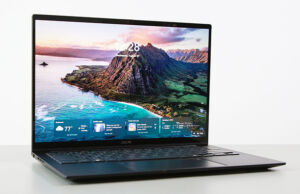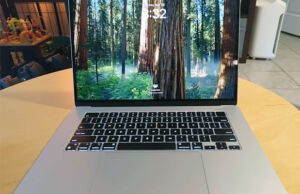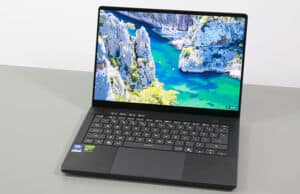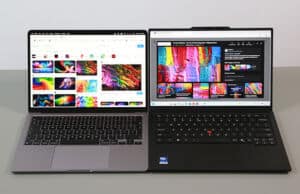
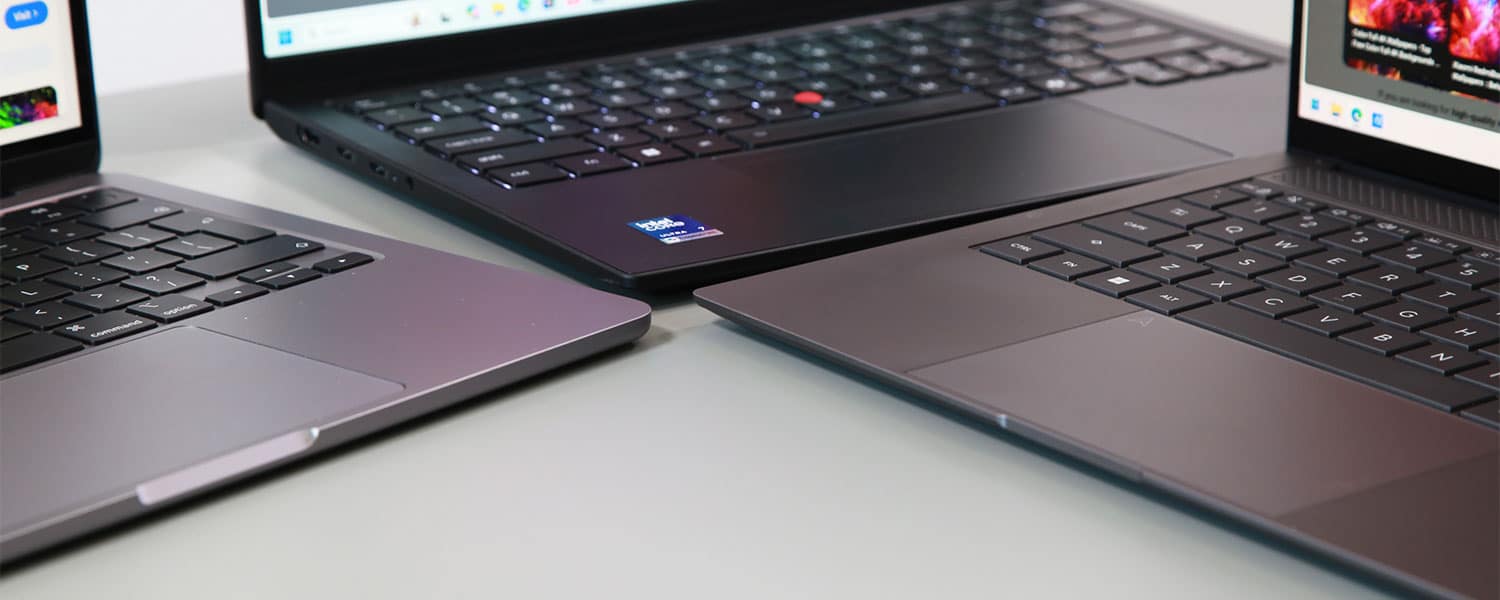
I got these laptops around my office the other day and decided to put together this article that discusses the Lenovo ThinkPad X1 Carbon against a few other popular ultrabooks such as the Apple MacBook Air, the Lenovo ThinkPad T14 and T14s, the Lenovo Yoga 9i 2-in-1, or the Apple Zenbook S14. We’ve also covered the X1 Carbon vs. the Asus ExpertBook Ultra in a separate post.
Now, these aren’t necessarily similar computers, aside from the fact that they are premium-tier ultraportable designs built on the latest hardware specs and with the latest features available nowadays.
The X1 Carbon is surely one of my favorite notebooks in its segment, especially in its latest variant with improved serviceability and cooling capacity; however, the high price of this flagship ThinkPad model and/or the limited configurability options in some markets (such as the lack of higher-performance Panther Lake Core Ultra H and X in the US) could drive some of you towards alternatives. And we’re discussing those alternatives today.
Having used and tested all these devices, I’d reckon my thoughts and impressions will come in handy when looking to choose one over the other. Here are quick links to each section, if you want to jump straight to the segment that interests you:
- X1 Carbon vs. MacBook Air;
- X1 Carbon vs. ThinkPad T14s, T14;
- X1 Carbon vs. Yoga 9i 2-in-1;
- X1 Carbon vs. Zenbook S14.
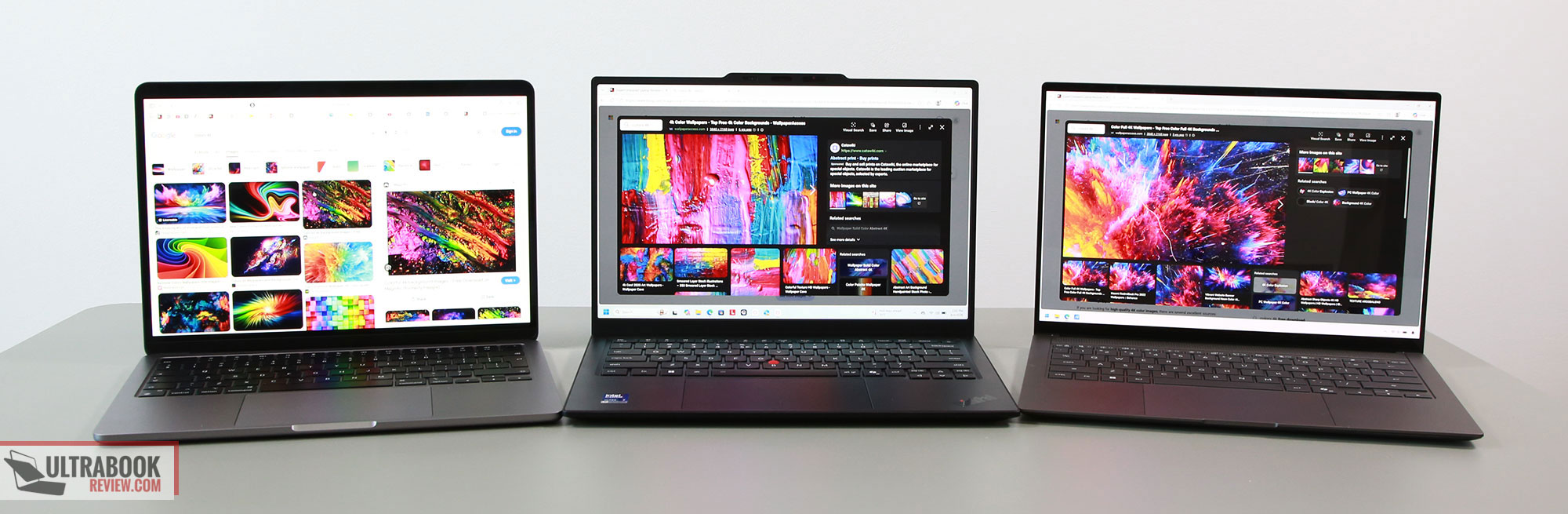
Lenovo ThinkPad X1 Carbon vs. Apple MacBook Air
Choosing a MacBook Air over an X1 Carbon entirely depends on your software requirements, since the MacBooks run MacOS and their suite of apps, while the ThinkPad is a Windows notebook. If you’re fine with either environment, then a MacBook is worth considering; otherwise, jump straight to the other sections of the article where we compare the X1 Carbon with other Windows ultrabooks.
If you’ve read some of my other articles, you might know that I’m a MacBook Air 13 user myself, which is my travel laptop and has replaced the XPS and ThinkPads used for that role in the past. I chose a MacBook for its efficiency, for the fanless daily-use experience, and for the overall value it provides – yes, nowadays the MacBook Airs are among the more affordable premium-tier ultraportables out there. These are still the main selling point for the MacBook Air 13, and even for the MacBook Air 15 if you need a slightly larger display and you’re willing to pay a little extra for it.
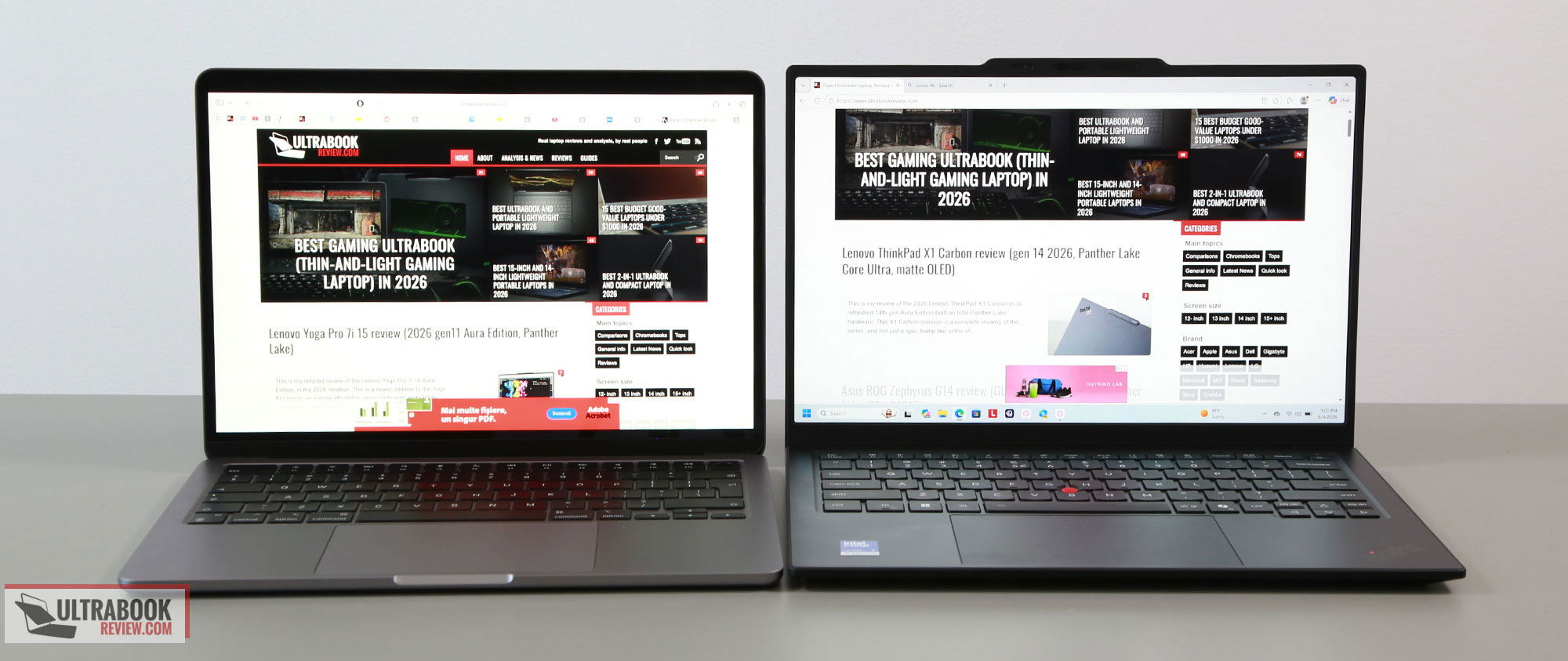
On the other hand, MacBooks do get expensive as you spec them up with extra RAM and especially storage, but at least the base-level specs are reasonable, with 16 GB of RAM and 512 GB SSDs.
So here’s a summary of the build, display, and inputs of these two devices:
- both are premium designs and builds – MacBooks have a unibody aluminum chassis, while the X1 Carbon is a mix of magnesium, aluminum, carbon fiber, and plastics;
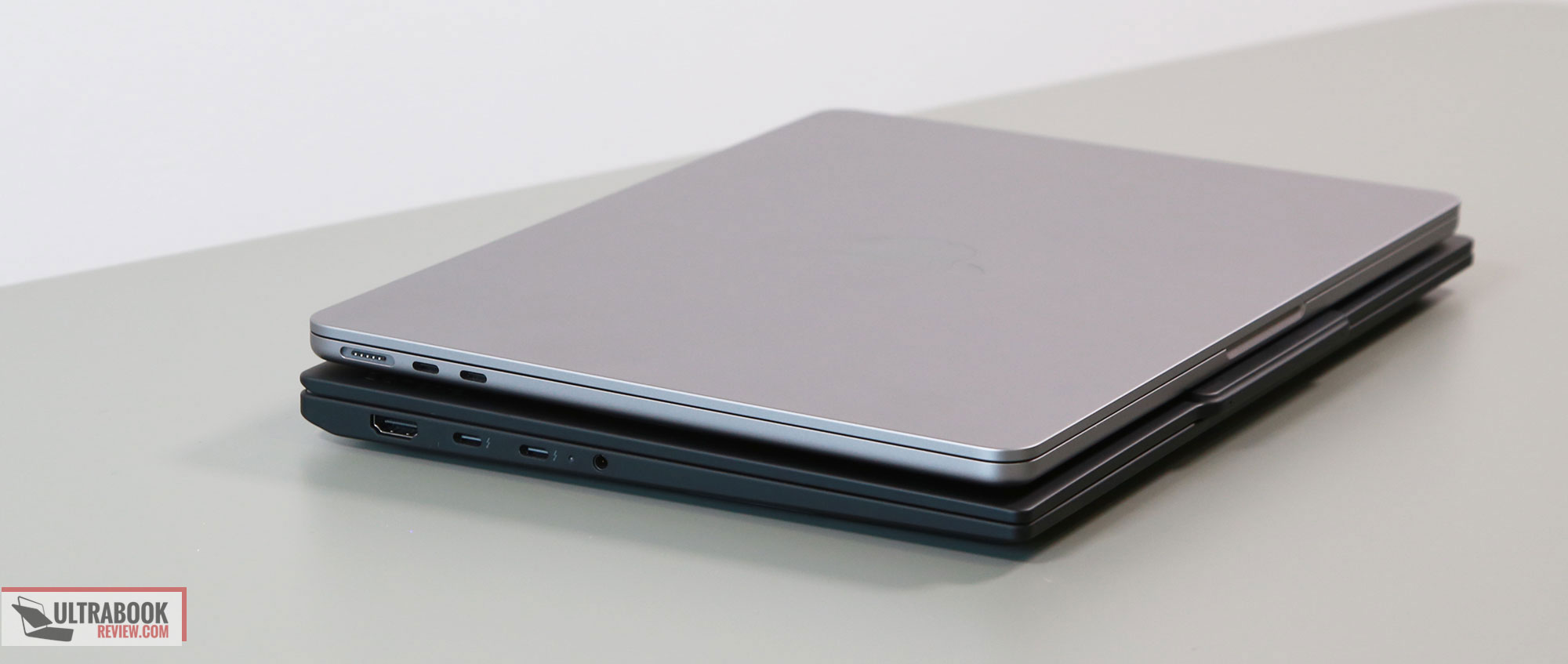
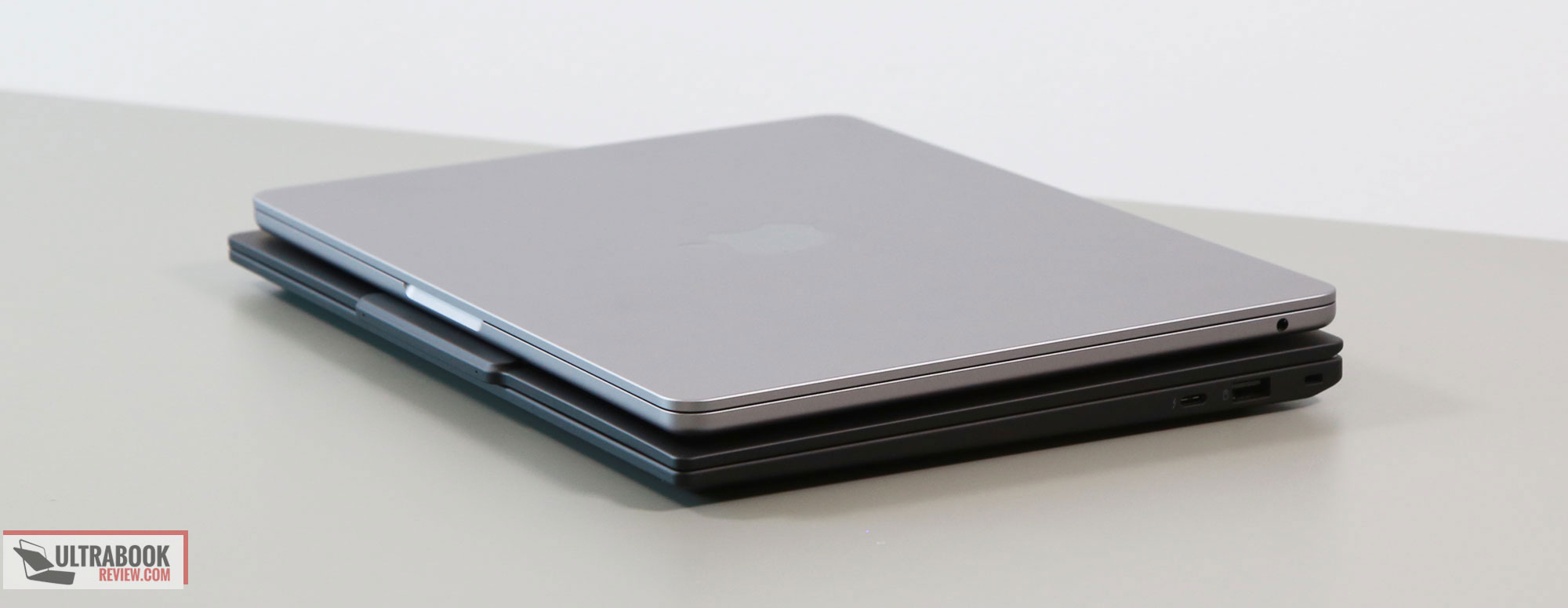
- the X1 Carbon is lighter than MacBooks, starting at 1 kilo for the OLED variant; the MBA 13 starts at 1.3 kg, while the MBA 15 starts at 1.5 kg;
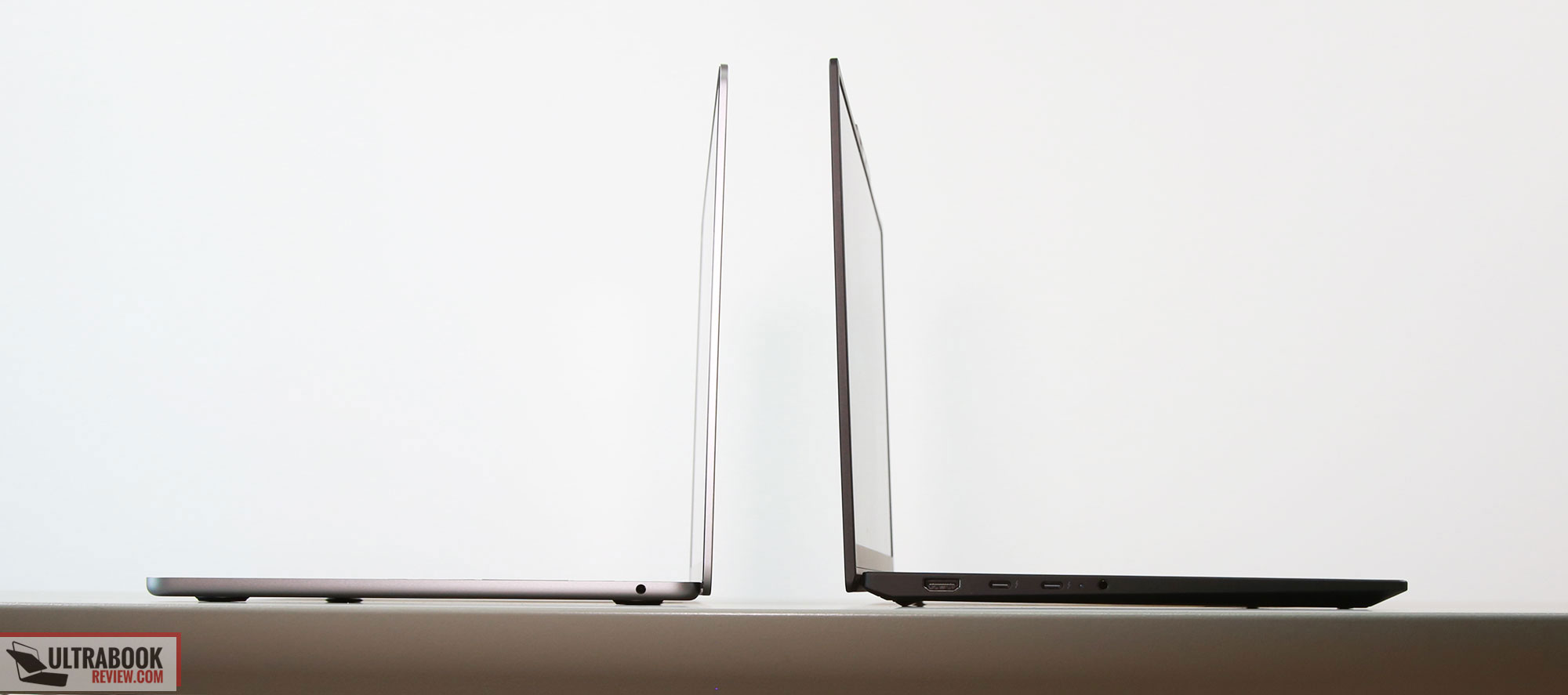
- the X1 Carbon is a more ergonomic chassis, with friendlier edges, a screen that opens flat to 180 degrees, and better IO;
- the edges are sharp on the wrists on the MacBooks, and the displays only open up to about 135 degrees.;
- the IO is limited to USB-C only on the MacBooks (plus MagSafe and audio jack), while the Carbon offers all sorts of ports;
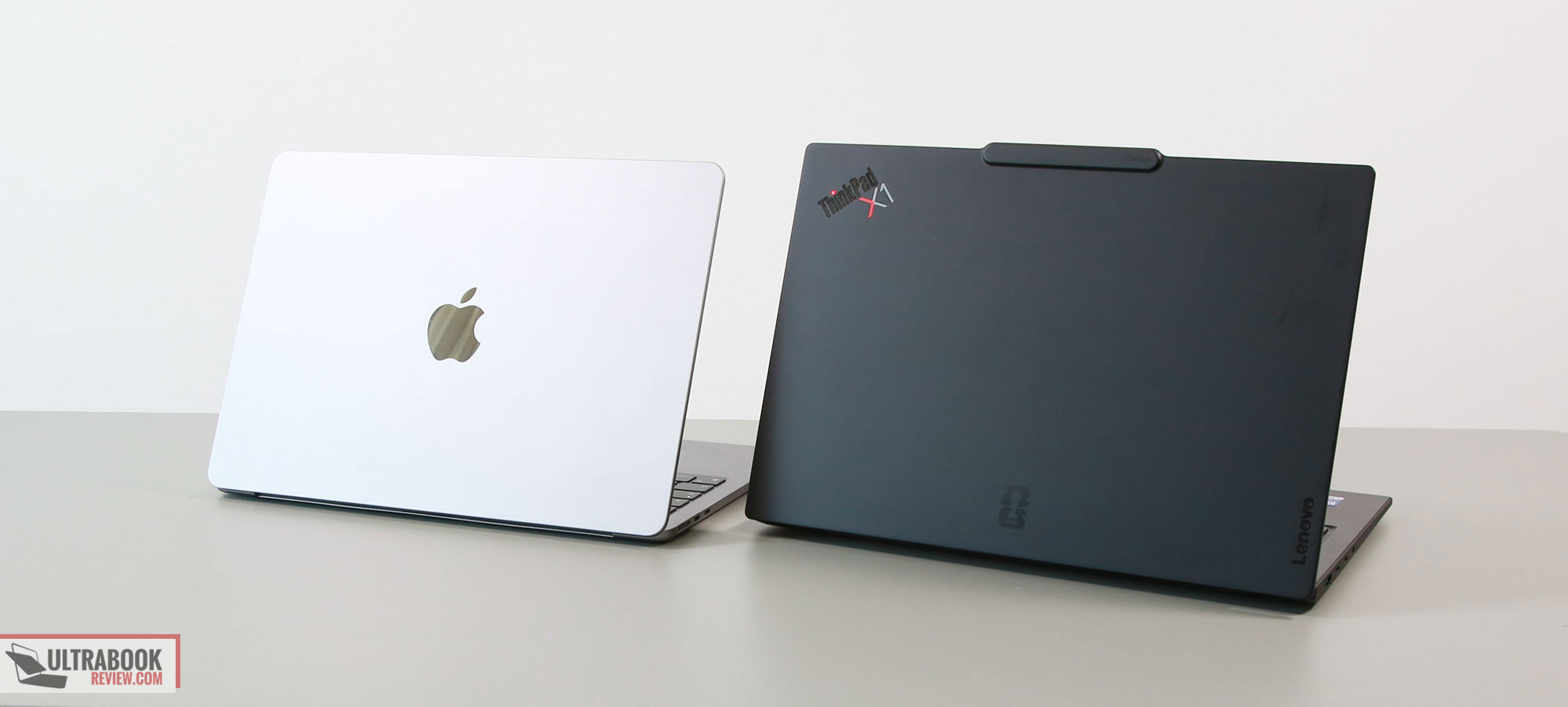
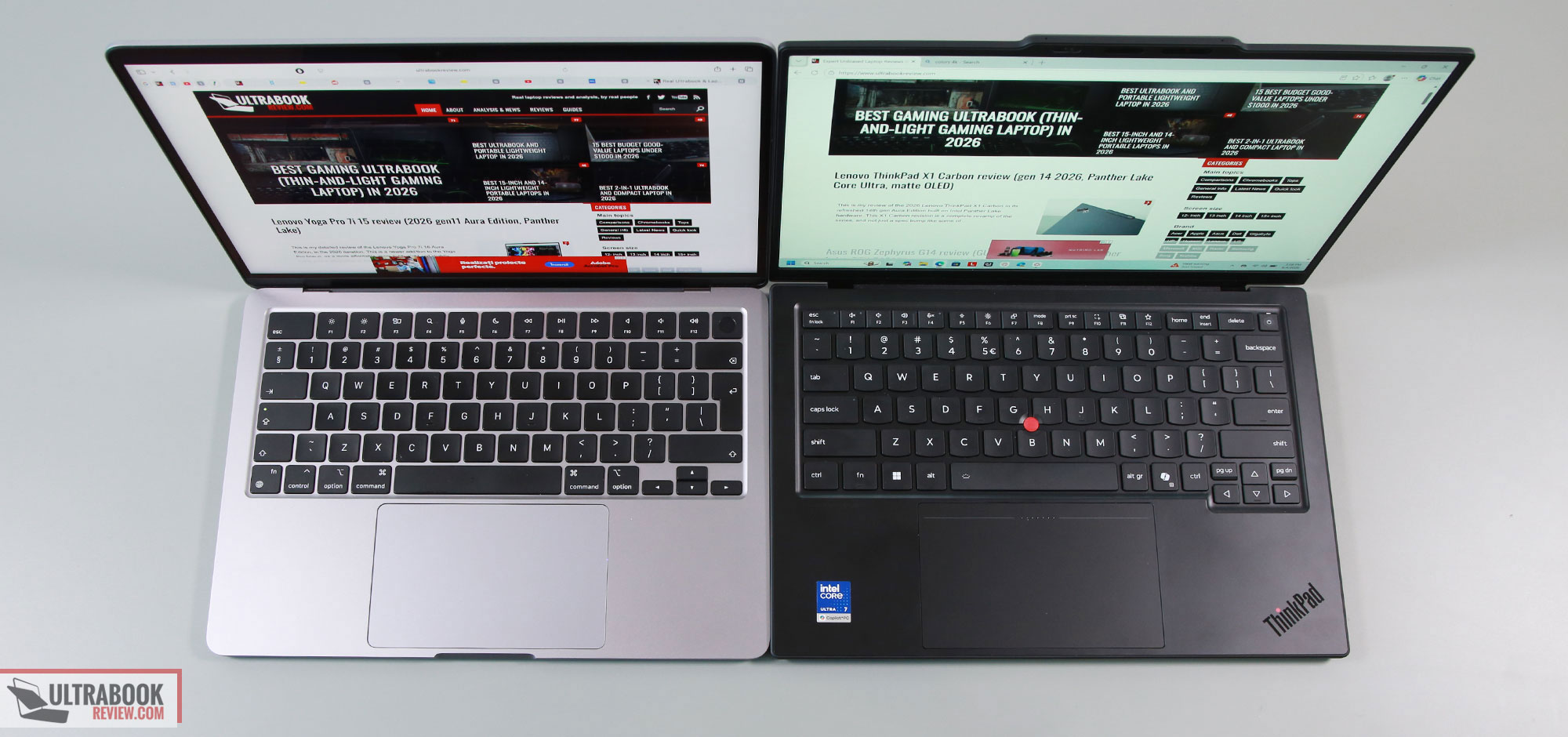
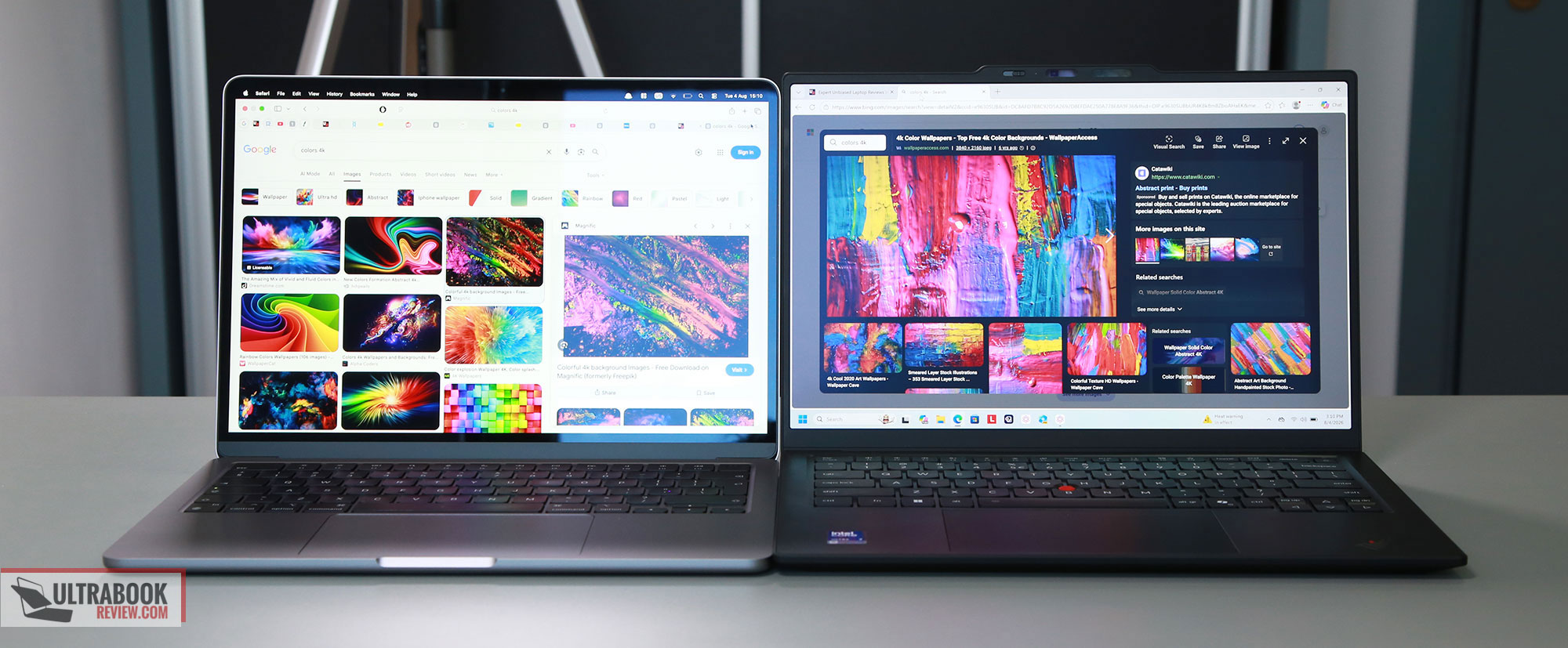
- there are better quality display options on the ThinkPad, especially the matte OLED; the IPS options on the MacBook Airs are fine overall, but only 60 Hz and not quite on par with the OLED in image quality – although, even that’s somehwat debatable;
- the displays are glossy on MacBooks, and matte on the ThinkPad;
- there’a a touchscreen option on the Carbon, but not on the MacBooks;
- the audio is incomparably better on the MacBooks;
- the ThinkPad is a more comfortable and ergonomic typer, while the keyboards on the MacBooks provide shallower feedback;
- both implement haptic touchpads; I personally prefer the functionality of the smaller touchpad on the ThinkPad, as the touchpad on the Airs is too large and you have to accept occasional ghost touches when using them on the lap.
Specs and performance-wise, the latest X1 Carbon is built on Intel Panther Lake Core Ultra Series 3 hardware, with improved performance and efficiency over the past hardware generations. Lenovo also updates the cooling module to handle higher-power settings, and that’s without sacrificing noise levels: the Carbon is one of the quietest Windows ultraportables we’ve tested.
Of course, it’s not quieter than a MacBook Air, which runs fanless. It’s also not necessarily a faster performer, and here’s where things get tricky. There are three different types of Panther Lake specs that you can choose from, regular Core Ultra with a lower-tier CPU/GPU, Core Ultra H with a faster CPU, and Core Ultra X with both a fast CPU and GPU. Thing is, only the former options are widely available, while the latter two are only offered in some markets. So if you need the faster specs, you might not be able to get them in your country – like in the US, for instance. And even the faster specs aren’t necessarily faster than the latest Apple silicon with multitasking and sustained use – they do offer better graphics, though.
With the MacBooks, the specs are uniform across the world, with up to Apple M5 hardware on the latest generations. Furthermore, the unitary control over the hardware and software allows these Apple computers to work in a way most Windows don’t, both in terms of how quickly they can do certain things and in terms of daily-use efficiency. You’re also getting longer runtimes on battery on the MacBooks, especially on the 15-inch version with the larger 66Wh battery, but the Panther Lake X1 Carbon doesn’t fall short either.
One final aspect that I’ll touch on here is serviceability and repairability, where this latest X1 Carbon has an edge over pretty much every rival, and especially over Apple computers. These are designed for easier serviceability than in the past, while Apple makes it way more difficult to repair their devices in case something breaks. Or at least more expensive to repair.
All in all, if you need a daily-use premium laptop, you’re fine with the Apple OS and ecosystem, and only have a middling budget, a MacBook Air is going to do right by you, and for a fair bit less than you’d pay for an X1 Carbon – the Air 13 starts at $1299 and the Air 15 at $1499 vs. from $2000 for the Carbon, in the US. On the other hand, if you need a flagship-grade Windows ultraportable that will last for a long while and provides excellent daily-use ergonomics, the X1 Carbon is the one to get.
Lenovo ThinkPad X1 Carbon vs. ThinkPad T14 and T14s
While the X1 Carbon is the flagship ThinkPad model, the T14s and the T14 are the more conveniently priced mid-level options that most people actually end up buying.
They share a common design language and common ergonomics and functionality. The X1 Carbon and the T14s are the more lightweight options, as materials such as carbon fiber and magnesium alloys are used in their construction, while the T14 gets mostly an aluminum and plastic build.
Here are the size and weight numbers of these three lineups, for comparison:
- ThinkPad X1 Carbon – 313 mm or 12.30” (w) x 216 mm or 8.49” (d) x up to 16.85 mm or 0.66″ (h), from 1 kg (2.2 lbs);
- ThinkPad T14s – 313 mm or 12.30” (w) x 220 mm or 8.64” (d) x up to 18.56 mm or 0.73″ (h), from 1.07 kg (2.35lbs);
- ThinkPad T14 – 314 mm or 12.35” (w) x 222 mm or 8.73” (d) x up to 21.95 mm or 0.86″ (h), from 1.32 kg (2.9lbs).
The standard T14 is somewhat boxier and bulkier than the other two, although that’s something you’ll mostly notice when having it side-by-side with the other two, and not necessarily when using it on its own.
The T14 also feels a little different to the touch, with a finish that is slightly rougher to the touch and not the soft, smooth finish of the other two, and comes with a different IO layout that includes an extra LAN port, but with the USB-Cs all tucked on a single side – the other two spread them on both edges, which can be more convenient. Otherwise, these offer similar 180-degree displays, friendly edges, solid I/O, and excellent inputs.
Speaking of, all these feature the iconic ThinkPad keyboard design with 1.5 mm of travel and the TrackPoint in the middle. The X1 Carbon, however, is the only one available with a haptic touchpad option, while the other two only get the standard mylar clickpad with dedicated buttons at the top.
You’re also getting a dedicated power button on the T14, and not a power key as on the other two. Both designs integrate a finger-sensor. Another details you’re going to notice around the keyboard are the speaker grills on the T14, while the other two only implement bottom-firing speakers; however, the audio quality is rather mediocre on all these ThinkPads.
The configuration options vary between these lineups, although all are offered with latest-gen Panther Lake Core Ultra specs in various SKUs and either IPS or OLED displays.
However, the X1 Carbon is the only one to offer a touch OLED variant, while the other two only get a non-touch OLED, or a touch/non-touch IPS. The bezels are also minimally larger around the screen on the T14.
Furthermore, while the X1 Carbon is an exclusive Intel platform, the T14s is available with AMD or Snapdragon specs as well, while the T14 is also available with AMD Gorgon Point hardware. So there’s a broader range of hardware options to choose from on these two, which translates into a broader price range as well. And even for the Intel specs, if you want the Core Ultra X7 hardware with the Arc B390 GPU, that’s only offered on the Carbon and not on the other two. And even the Core Ultra H specs are mostly only offered on the Carbon, albeit still not everywhere.
As far as the thermal design and the cooling go on these ThinkPads, the X1 Carbon and the T14s are the superior options with the more advanced dual-fan cooling. They run very quietly as well, all things considered. Rather surprisingly, given their slim profiles. The T14 is a more basic single-fan cooling design, but with a thicker heatpipe and larger fan. I preffer dual-side implementations; they’re just better at thermally balancing things out across the chassis.
On the other hand, though, the thicker T14 does allow for higher sustained power profiles: 40W TDP on Performance, vs. 30W on the other two, and around 25W on Balanced on all.
The battery, on the other hand, is a little smaller on the Carbon and the T14s, at 58 Wh, while the T14 can be configured with either a 60 Wh or a 75 Wh battery. Choosing between the IPS and OLED panels will go on to make a notable difference in runtimes as well.
This video below goes in depth on the specifics of the X1 Carbon and the mainstream ThinkPad T14. Surely worth at least a look.
All in all, the ThinkPad X1 Carbon remains the flagship model that offers all the latest, nicest features, including the haptic touchpad, the touch OLED, and the more powerful Intel specs.
The ThinkPad T14, on the other hand, while somewhat chunkier and heavier, does offer a LAN port, upfiring speakers, and a larger battery, alongside both Intel and AMD specs.
Finally, the ThinkPad T14s comes in between, mostly similar to the Carbon in size, build, and functionality, but offered with Intel, AMD, or Snapdragon specs.
There’s a place for each of these, especially based on their local prices in your region. Lenovo mostly asks a premium for the Carbon, but even the other two don’t come significantly more affordable, and if that’s the case and you’re after the Intel specs, the Carbon is the one I’d get.
Lenovo ThinkPad X1 Carbon vs. Lenovo Yoga 9i 2-in-1
We’ve tested both of these laptops, and here are our indepth reviews: ThinkPad X1 Carbon, Yoga 9i 2-in-1 Aura Edition.
| Lenovo ThinkPad X1 Carbon Aura Edition, 14th gen | Lenovo Yoga 9i 2-in-1 Aura Edition | |
| Screen | 14 inch, 16:10 aspect ratio, matte, touch or non-touch OLED 2.8K 2880 x 1800 px, VRR 30-120Hz, 500-nits SDR brightness, 1100-nits peak HDR, 100% DCI-P3 colors or IPS FHD 1920 x 1200 px, 60Hz, 500-nits SDR brightness, 100% sRGB colors |
14 inch, OLED, 16:10 aspect ratio, touch, glossy, 2.8K 2880 x 1800 px, 120Hz refresh, 500 nits SDR brightness, 1000 nits HDR peak, 100% DCI-P3 colors |
| Processor | Intel Panther Lake Core Ultra Series 3, Core Ultra 7 356H, 16C0res – 4PC+8Ec+4LPEc/16Threads, up to 4.7 GHz multiple other options, including Ultra X7 358H and Ultra 7 355 |
Intel Panther Lake Core Ultra Series 3, Core Ultra 7 355, 8Cores – 4PC+4LPE/8T, up to 4.7 GHz |
| Video | Intel Graphics, 4 Xe Cores, up to 2.45 GHz Arc B390 with 12 Xe Cores on the X7 358H variant |
Intel iGPU, 4 Xe 3rd-gen Cores, up to 2.5 GHz |
| Memory | 32 GB LPDDR5-8533 (soldered), up to 32 GB | 32 GB LPDDR5x-7467 (soldered), up to 32 GB |
| Storage | single M.2 2280 slot – Micron 2650 gen4 drive | single M.2 2242 slot – Sandisk PC SN5100S gen4 drive |
| Connectivity | Wireless 7 (Intel BE201) 2×2, Bluetooth 5.4 | Wireless 7 (Intel BE201) 2×2, Bluetooth 5.4 |
| Ports | left: 2x USB-C with Thunderbolt 4, HDMI 2.1 TMDS, mic/headphone, optional nano SIM slot right: Lock, 1x USB-A 3.2 gen1, 1x USB-C 3.2 with Thunderbolt 4 |
left: 1x USB-C with Thunderbolt 4, HDMI 2.1, audio jack right: 1x USB-A 3.2 gen2, 1x USB-C with Thunderbolt 4, power buton |
| Battery | 58 Wh, 65W USB-C GaN compact charger, dual-piece with long cables | 70 Wh, 65W USB-C charger |
| Size | 313 mm or 12.30” (w) x 216 mm or 8.49” (d) x up to 16.85 mm or 0.66″ (h) | 317 mm or 12.49” (w) x 223 mm or 8.76” (d) x 15.3 mm or .6” (h) |
| Weight | 2.2 lbs (.99 kg) + .28 (.61 lbs) for the USB-C charger and cables, EU version IPS touchscreen version with 4G is the heaviest variant, at 1.14 kg (2.52 lbs) |
2.84 lbs (1.29 kg) + .33 (.72 lbs) for the USB-C charger and cables, EU version |
| Extras | clamshell format with 180-degree hinge, white backlit keyboard, 1.5 mm travel, TrackPoint, glass haptic touchpad, dual speakers, dual microphones, 10 MPx camera with IR, TOF and physical shutter, fingerprint sensor in power button, dual-fan dual-heatsink single-heatpipe cooling, available in ThinkPad Black with ThinkPad design accents |
2-in-1 convertible format with a 360-degree hinge, Yoga Pen 2 included, dual-fan dual-radiator cooling, up to 35W TDP, white backlit keyboard, 1.5 mm travel, glass touchpad, 5MPx webcam with IR, privacy shutter, 4x speakers with tweeters in the hinge, Cosmic Blue color |
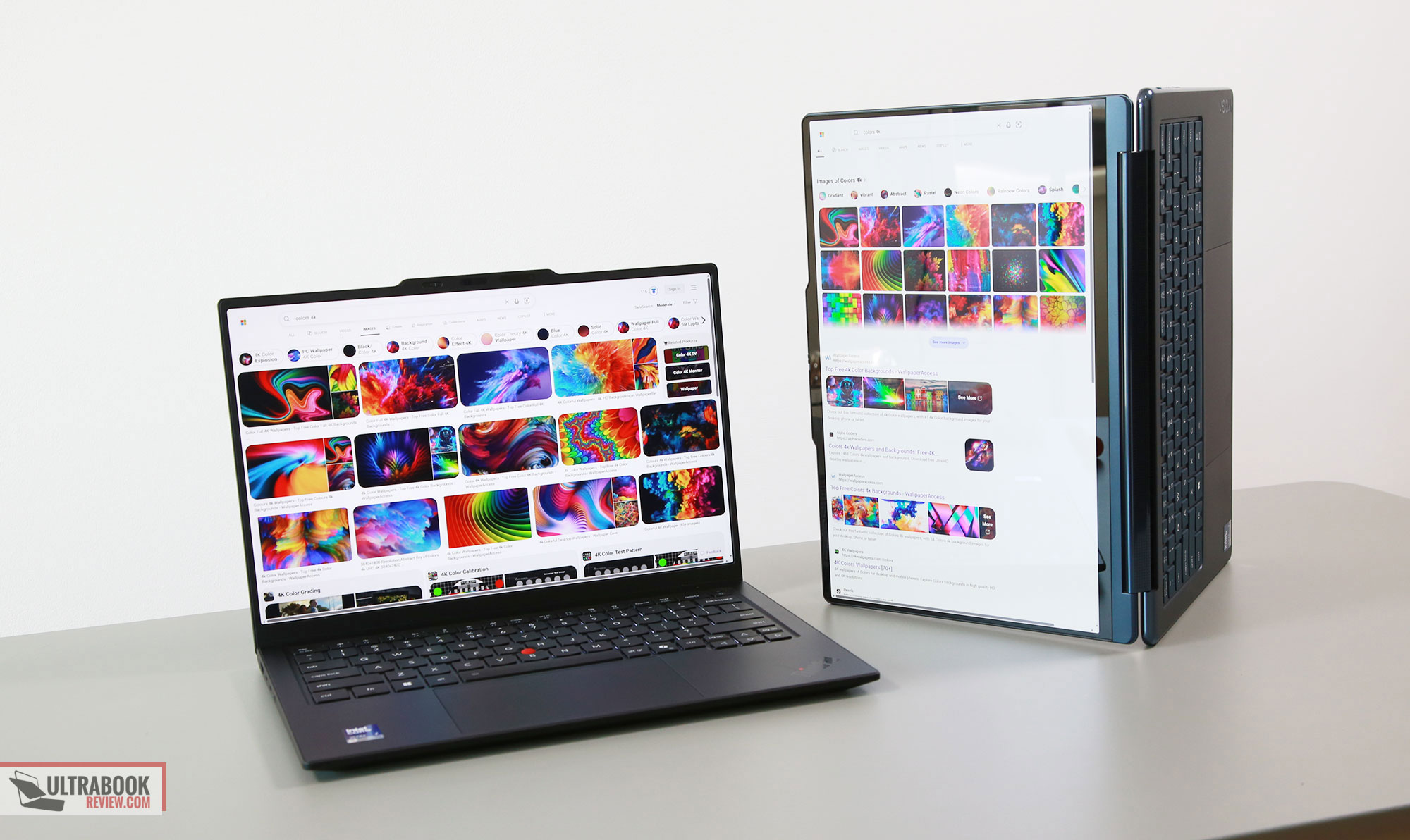
The Yoga 9i is Lenovo’s premium consumer ultrabook and comes as a convertible 2-in-1 format with a display that goes all the way to the back. It’s mostly made for laptop use, but can be transitioned into a tablet as well if needed.
Compared to the X1 Carbon, the Yoga 9i is a different design and build, with an aluminum unibody. Both are 14-inch formats, but the Yoga is significantly heavier at 1.3 kg, while the Carbon starts at 1 kg in its OLED non-touch magnesium variant.
In all fairness, Lenovo does offer a convertible ThinkPad X1 2-in-1 variant, which weighs about 1.3 kilos and is an aluminum build. Nonetheless, all things considered, the Carbon is a much lighter and thinner device.
Aesthetically, the Yoga is a somewhat cleaner-looking device and comes in a dark-blue color, while the X1 Carbon gets a handful of branding elements on its black chassis. Functionally, they’re both solid options, and even the ports are fairly similar on the two.
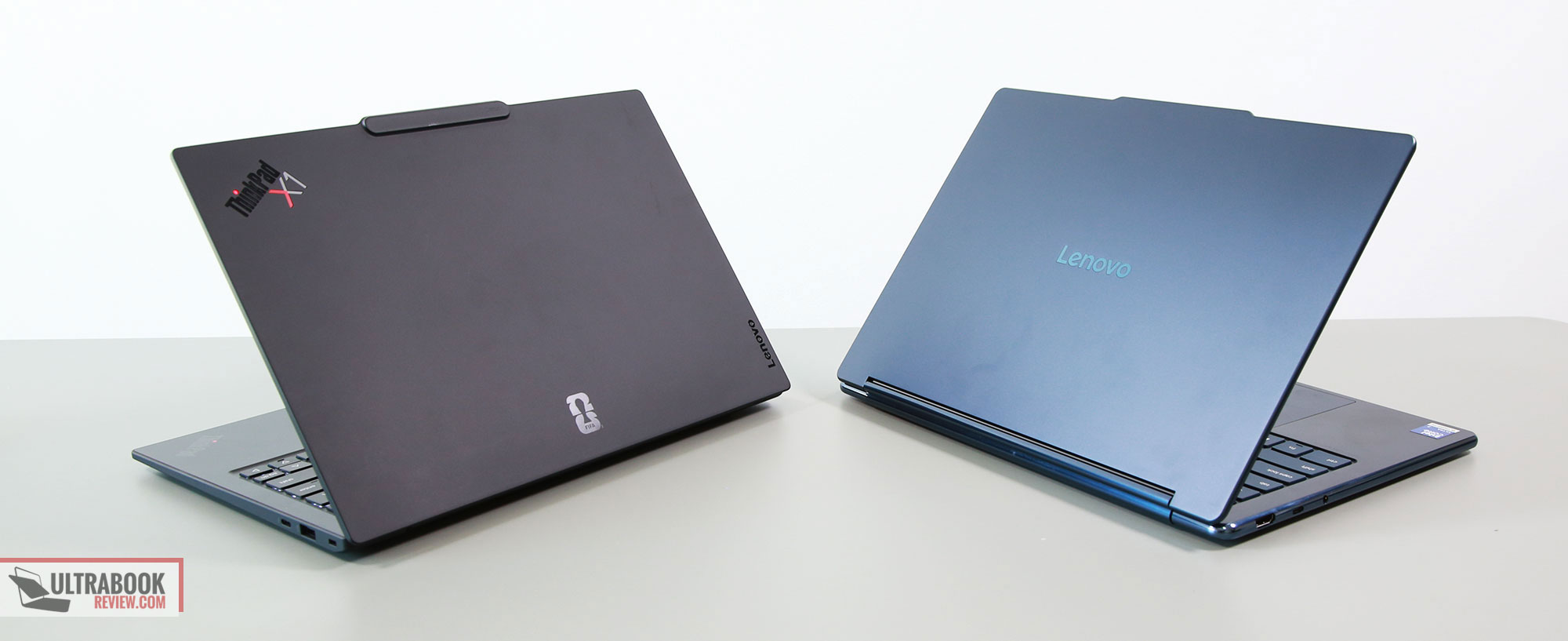
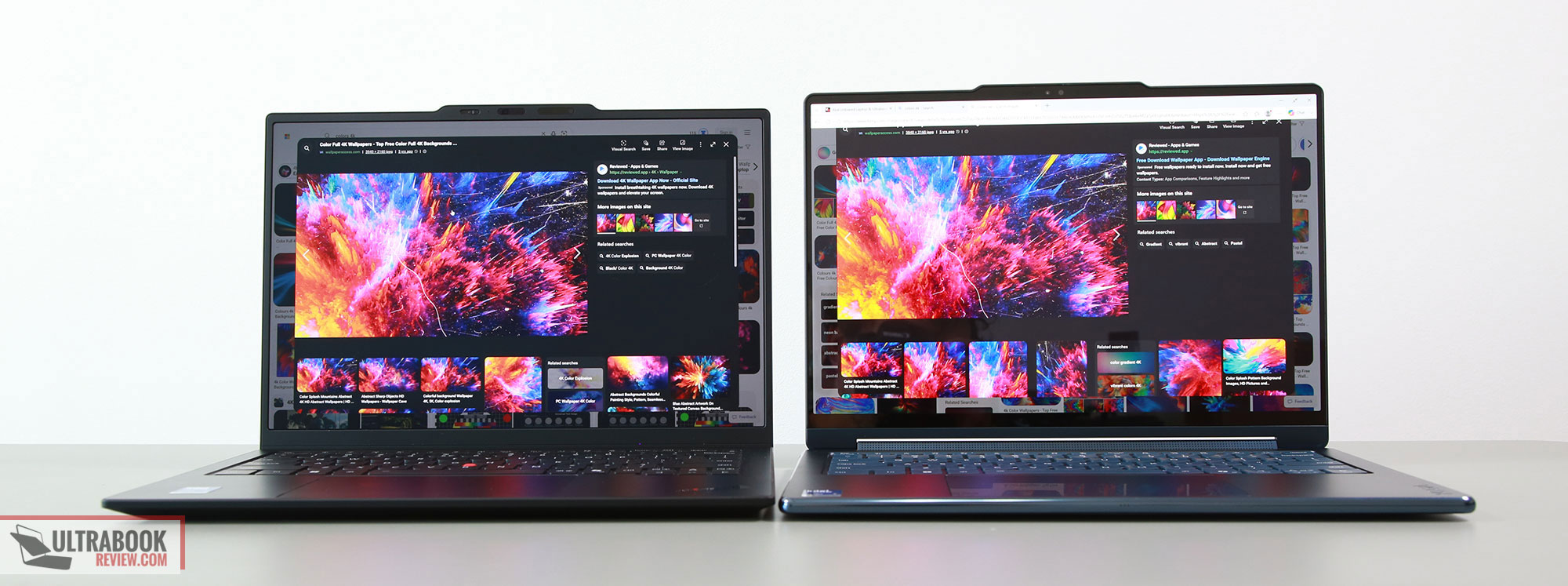
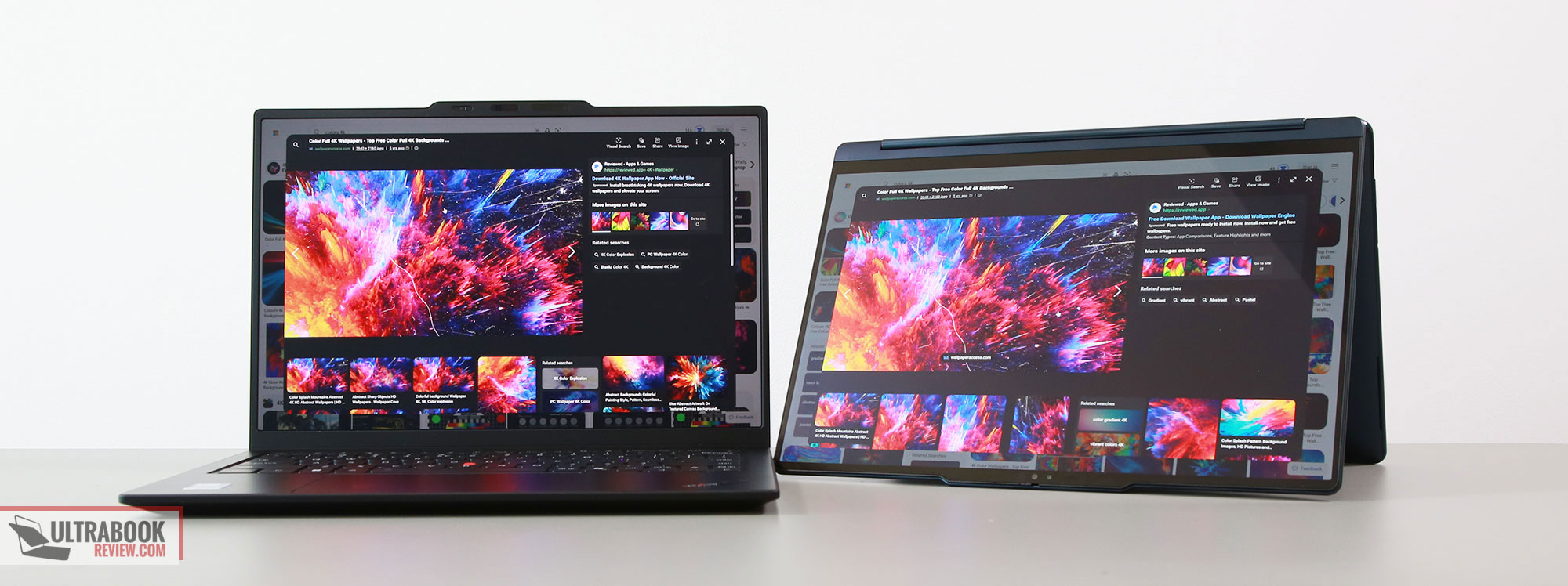
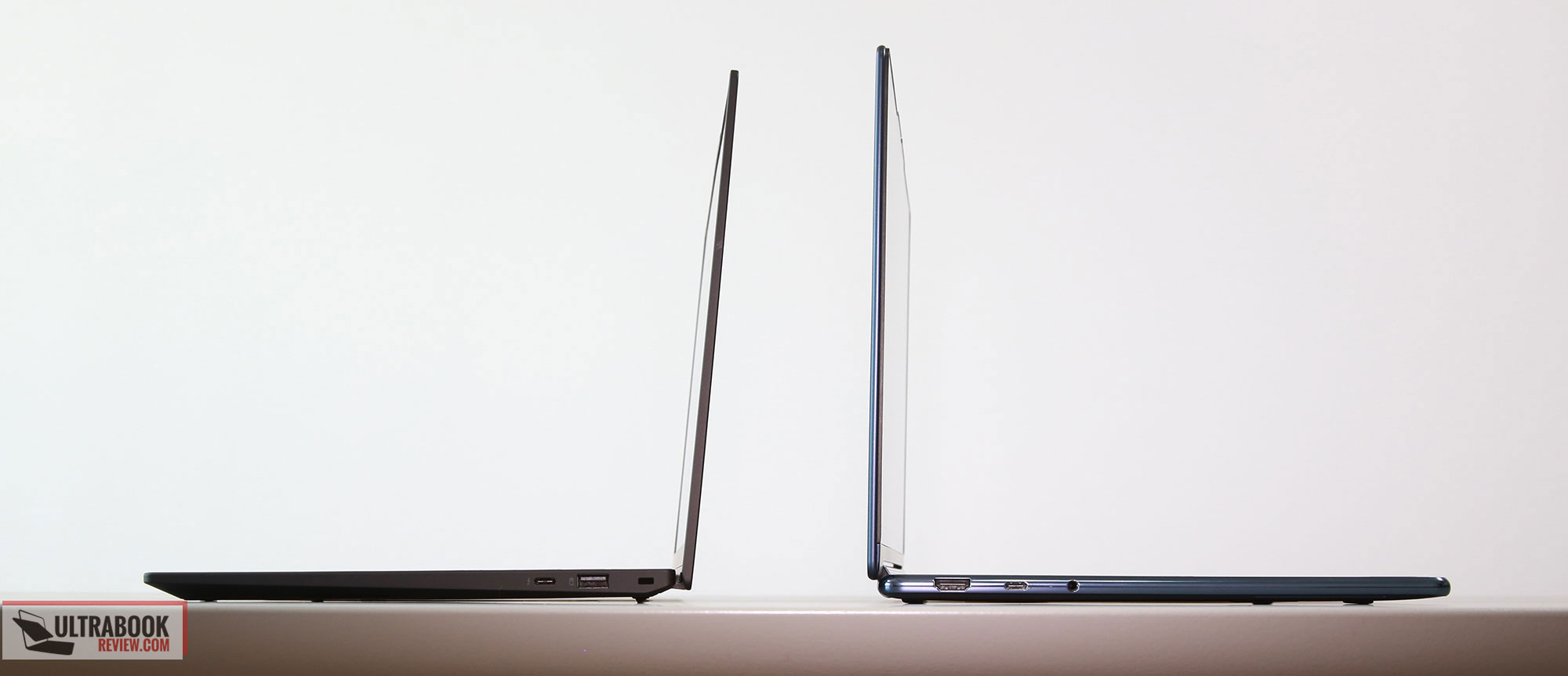
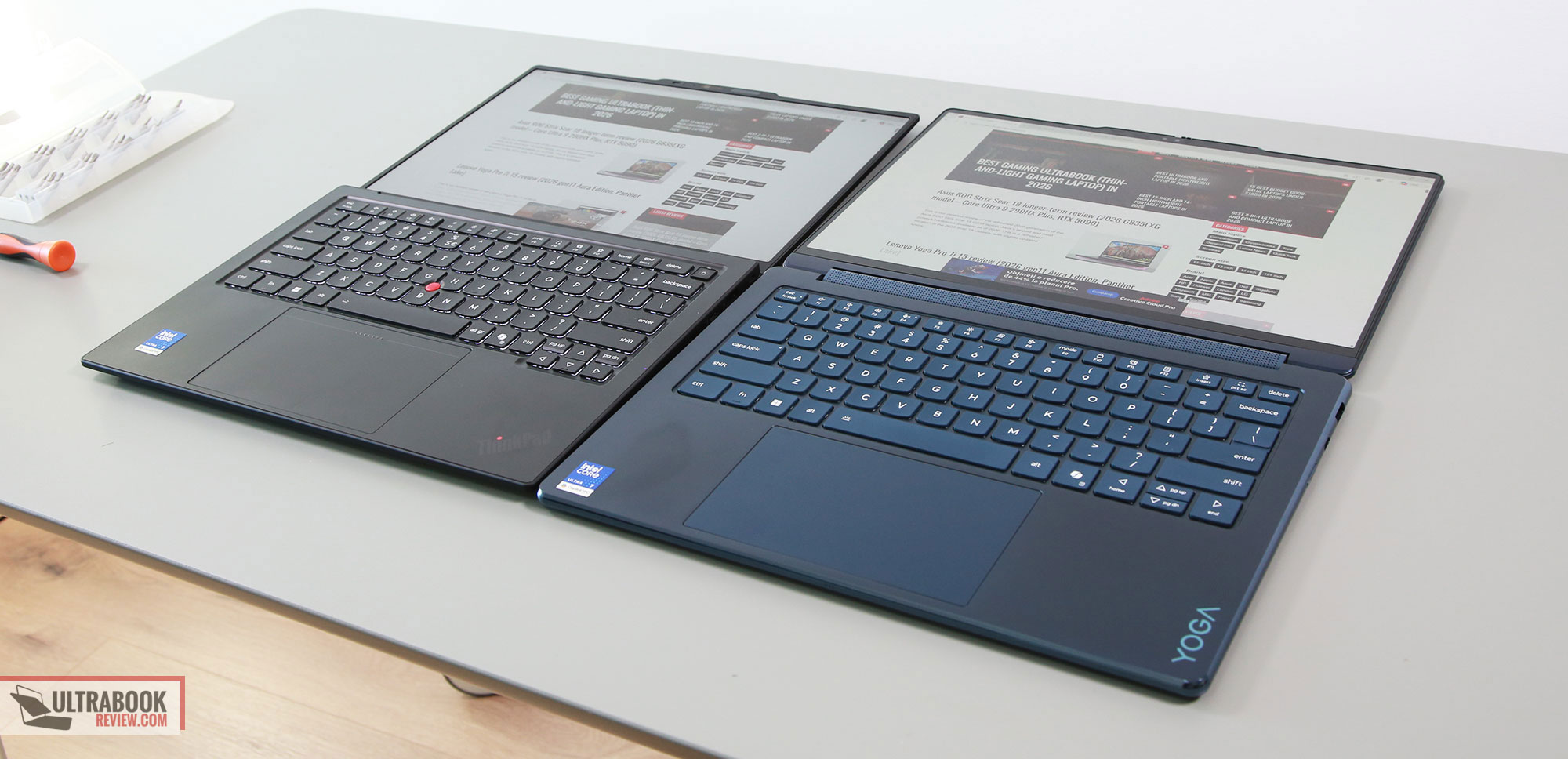
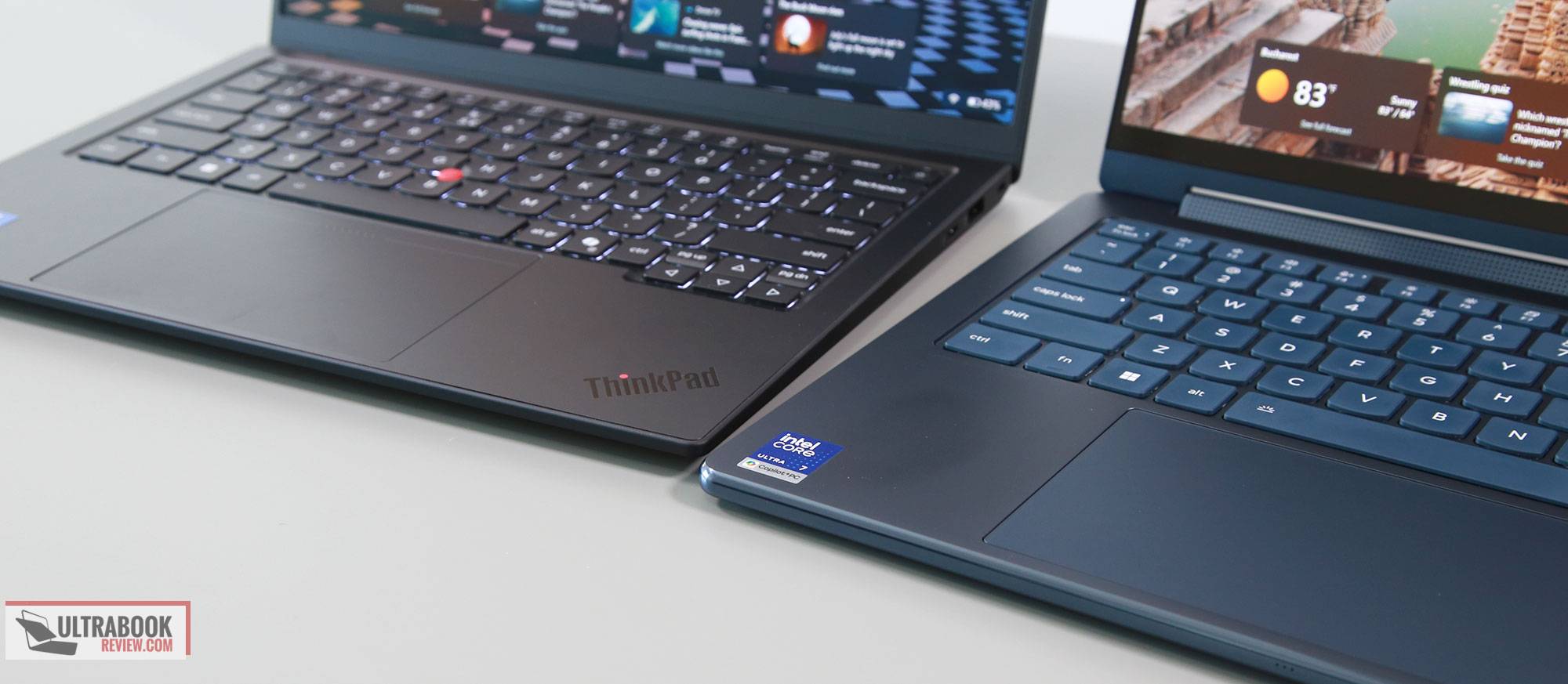
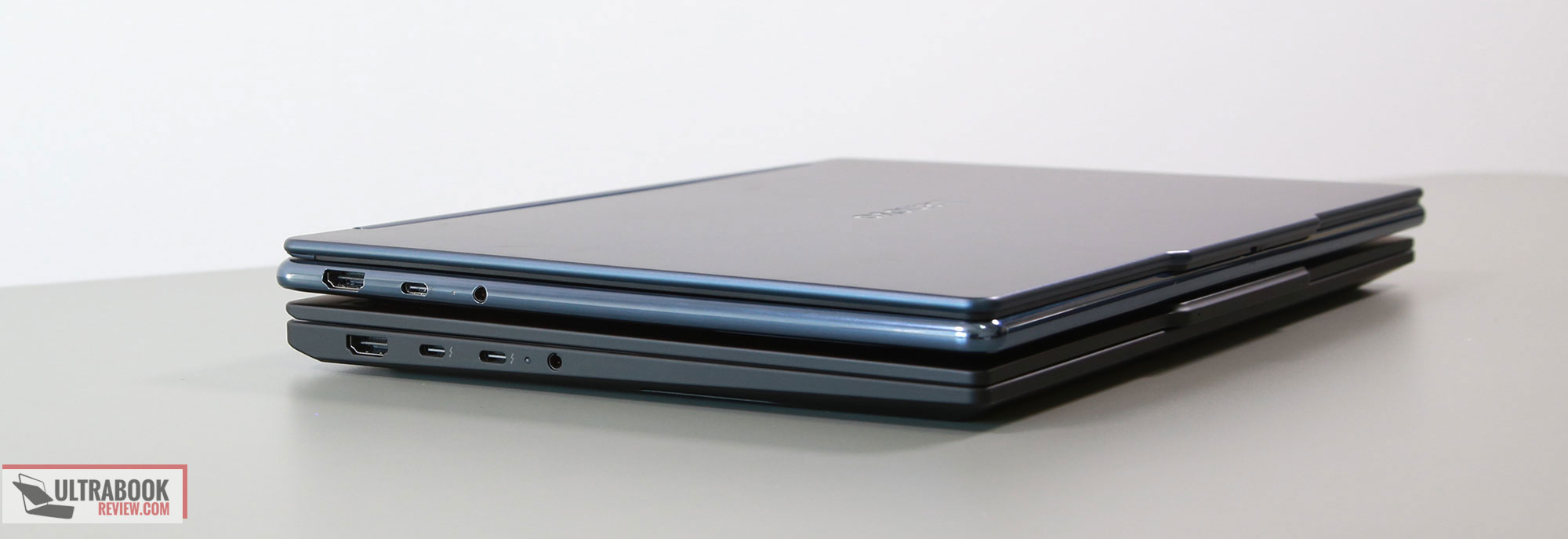
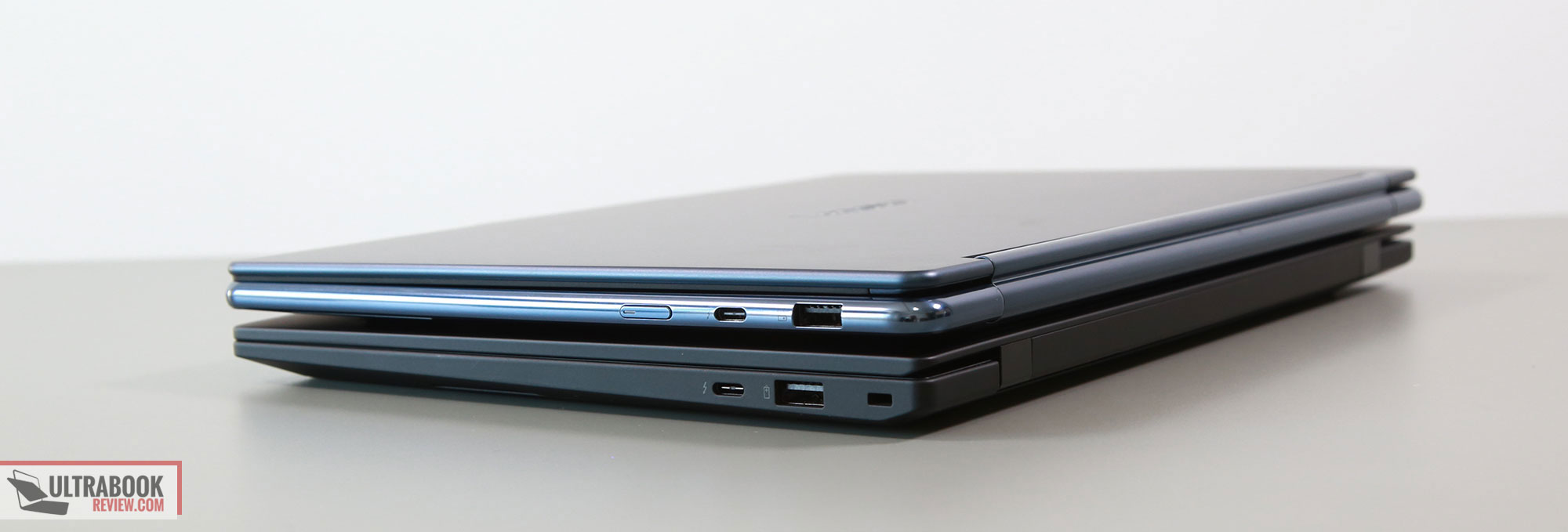
They’re both pretty solid typers, although I do preffer the ThinkPad layout and springier keyboard feedback. There’s also the TrackPoint on the Carbon and a haptic touchpad, while the Yoga offers a glass regular clickpad.
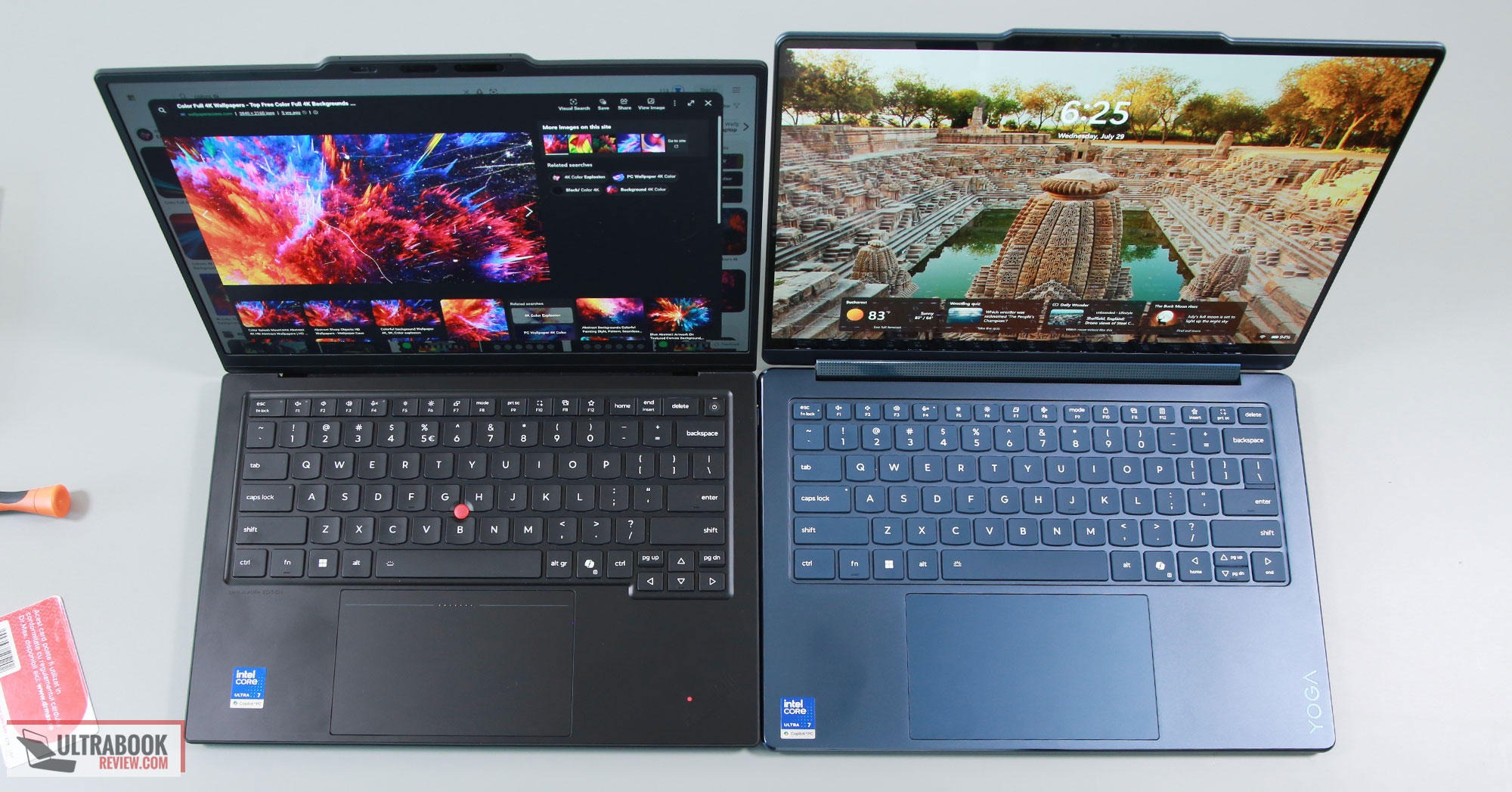
For the displays, the Yoga 9i is only available with a glossy OLED touchscreen, while the Carbon can be configured with either IPS or OLED panels in touch or non-touch variants. The OLED is an anti-glare implementation, so it is better at cutting off reflections and glare in strong-light environments, but with an impact on the perceived colors and image quality when looking at the screen from an angle.
As for the audio, the Yoga 9i implements some punchy main speakers and tweeters in the hinge, so the overall sound quality is much nicer than on the X1 ThinkPad.
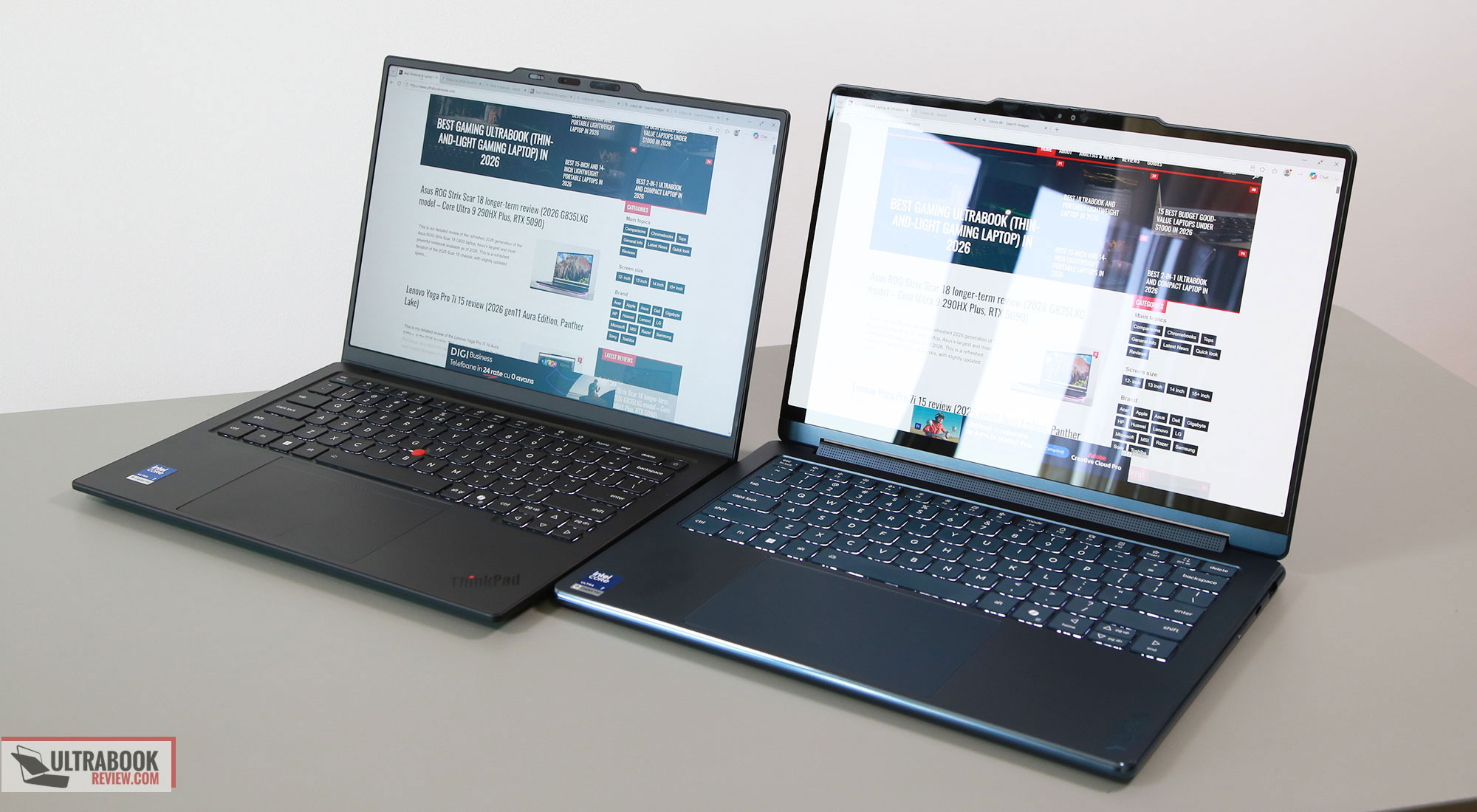
As far as the specs go, the Yoga 9i is only offered with the lower-power Intel Panther Lake Core Ultra Series 3 specs. The Carbon gets similar specs in most regions, but can also be configured with Core Ultra H and Core Ultra X7 specs in some markets. Nonetheless, in the US, the two are both powered by similar Core Ultra 7 355 platforms, which is adequate hardware for general use and multitasking, but not for more serious loads. That’s perhaps fine on a device like the Yoga 9i, but might not suffice for the needs of potential X1 Carbon business and professional buyers.
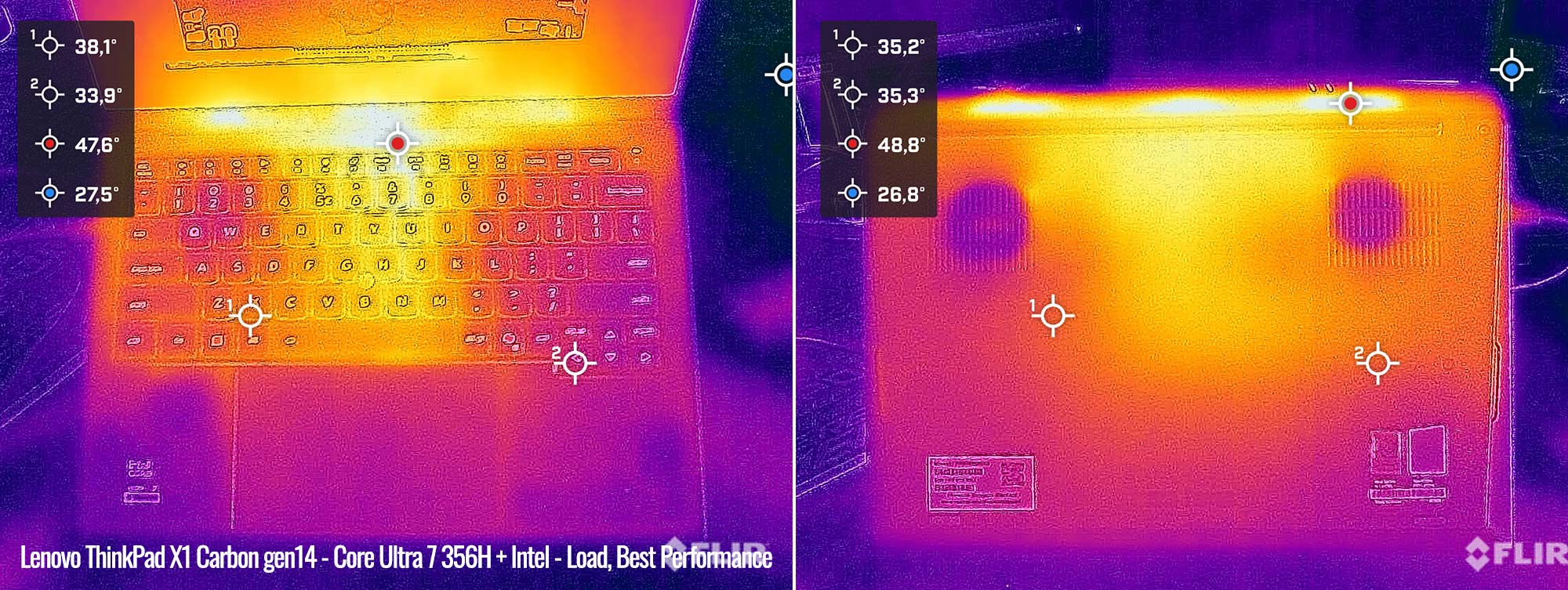
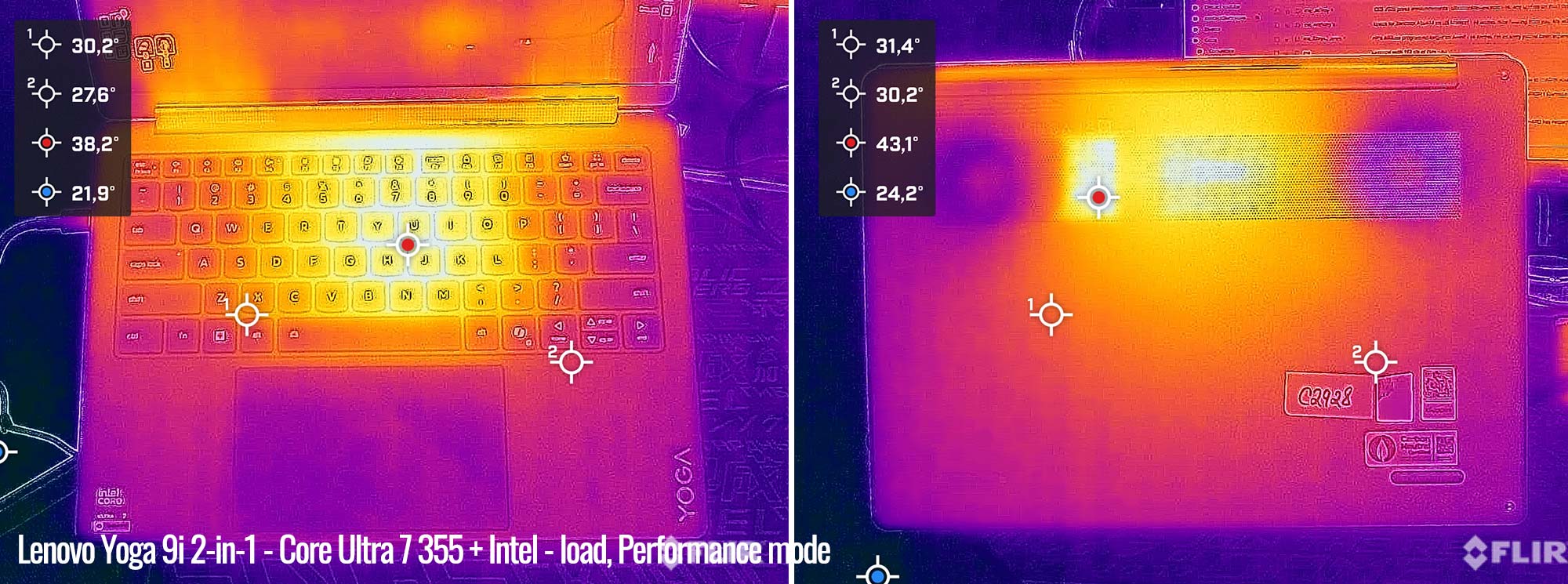
I’ll also add that both implement similar power settings and dual-fan cooling. The Carbon, however, runs quieter, but also warmer across the keyboard deck.
Here’s a thermal reading of the X1 Carbon on its 30+W TDP performance mode, at around 35 dBA.
And here’s the Yoga 9i, at 35W and 40 dBA fan noise.
Finally, there’s a 70 Wh battery inside the Yoga, and only a 58 Wh battery inside the X1 Carbon. When looking at OLED configurations for the two, the Yoga is going to offer slightly longer runtimes, but that changes if you configure the Carbon with the more efficient IPS display instead.
Both these laptops are expensive options, starting at above 2000 USD on the US market or 2500 EUR over here in Europe. That might change over time and between regions, especially if you’re looking at a higher-spec version of the ThinkPad.
All in all, the design, the glossy OLED, the punchier audio, and the larger battery are the main aspects differentiating the Yoga 9i from the ThinkPad X1 Carbon. The latter, however, offers the configurability and serviceability of the ThinkPad lineup, alongside its particular design language.
Lenovo ThinkPad X1 Carbon vs. Asus Zenbook S14
We’ve tested both of these laptops, and here are our indepth reviews: ThinkPad X1 Carbon, Zenbook S14.
| Lenovo ThinkPad X1 Carbon Aura Edition, 14th gen | Asus Zenbook S14 OLED UX5406AA series | |
| Screen | 14 inch, 16:10 aspect ratio, matte, touch or non-touch OLED 2.8K 2880 x 1800 px, VRR 30-120Hz, 500-nits SDR brightness, 1100-nits peak HDR, 100% DCI-P3 colors or IPS FHD 1920 x 1200 px, 60Hz, 500-nits SDR brightness, 100% sRGB colors |
14 inch, OLED, 16:10 aspect ratio, touch, glossy, 2.8K 2880 x 1800 px, 120Hz refresh, 500-nits SDR brightness, 1000-nits HDR peak, 100% DCI-P3 colors |
| Processor | Intel Panther Lake Core Ultra Series 3, Core Ultra 7 356H, 16C0res – 4PC+8Ec+4LPEc/16Threads, up to 4.7 GHz multiple other options, including Ultra X7 358H and Ultra 7 355 |
Intel Panther Lake Core Ultra Series 3, Core Ultra 9 386H, 16 Cores (4x P, 8x E, 4x LPE)/16 Threads, up to 4.9 GHz Turbo |
| Video | Intel Graphics, 4 Xe Cores, up to 2.45 GHz Arc B390 with 12 Xe Cores on the X7 358H variant |
Intel iGPU, 4 Xe 3rd-gen Cores, up to 2.5 GHz |
| Memory | 32 GB LPDDR5-8533 (soldered), up to 32 GB | 32 GB LPDDR5x-8533 (soldered), up to 32 GB |
| Storage | single M.2 2280 slot – Micron 2650 gen4 drive | single M.2 2280 slot – Samsung PM9C1b gen4 drive |
| Connectivity | Wireless 7 (Intel BE201) 2×2, Bluetooth 5.4 | Wireless 7 (Intel BE201) 2×2, Bluetooth 5.4 |
| Ports | left: 2x USB-C with Thunderbolt 4, HDMI 2.1 TMDS, mic/headphone, optional nano SIM slot right: Lock, 1x USB-A 3.2 gen1, 1x USB-C 3.2 with Thunderbolt 4 |
left: 2x USB-C connectors with Thunderbolt 4, 1x HDMI 2.1 TMDS, mic/headphone right: 1x USB-A 3.2 gen2 |
| Battery | 58 Wh, 65W USB-C GaN compact charger, dual-piece with long cables | 77 Wh, 65W USB-C charger |
| Size | 313 mm or 12.30” (w) x 216 mm or 8.49” (d) x up to 16.85 mm or 0.66″ (h) | 310 mm or 12.22” (w) x 215 mm or 8.45” (d) x from 11.9 mm or 0.47” (h) |
| Weight | 2.2 lbs (.99 kg) + .28 (.61 lbs) for the USB-C charger and cables, EU version IPS touchscreen version with 4G is the heaviest variant, at 1.14 kg (2.52 lbs) |
2.65 lbs (1.18 kg) + .18 (.4 lbs) for the USB-C charger and cables, EU version |
| Extras | clamshell format with 180-degree hinge, white backlit keyboard, 1.5 mm travel, TrackPoint, glass haptic touchpad, dual speakers, dual microphones, 10 MPx camera with IR, TOF and physical shutter, fingerprint sensor in power button, dual-fan dual-heatsink single-heatpipe cooling, available in ThinkPad Black with ThinkPad design accents |
clamshell format with ~145-degree opening angle, updated lid design, white backlit keyboard, 1.1 mm travel, large glass touchpad, 2MPx FHD webcam with IR, ALS, no privacy shutter, no fingerprint sensor, quad speakers: 2x woofers, 2x tweeters, side-firing, dual-fan dual-radiator vapor-chamber cooling with dual-layer graphite sheet, Scandinavian White or Elephant Grey colors |
The Zenbook S14 is an option to consider if you’re looking for a traditional ultraportable laptop for heavier multitasking use and within a more affordable price package.
It’s still not a cheap laptop by any means, at 1800-2000 EUR over here, but that’s for a Core Ultra 9 386H configuration with 32 GB of RAM, 1 TB SSD, and an OLED display. A similar ThinkPad X1 Carbon goes closer to 3K for the Ultra 7 356H specs. There’s no X7 hardware on the Zenbook, though, so if you need the Arc B390 iGPU, that remains exclusive to the ThinkPad. Furthermore, there’s no Core Ultra 7 355 variant either, in case you don’t need the extra CPU performance of a Core H platform.
The two are both premium designs and about the same size and weight, although the X1 Carbon is lighter in its OLED variant with the magnesium chassis.
Asus offers the Zenbook in either a dark or light gray, which aren’t striking in any way, but they’re functional designs. However, I don’t like the limited screen angle on the S14, and I much preffer a 180-degree display on an ultraportable notebook. In fact, the ergonomics of the Carbon series are superior, with the screen angle, the friendlier edges, and the IO that includes USB-C ports on both sides.
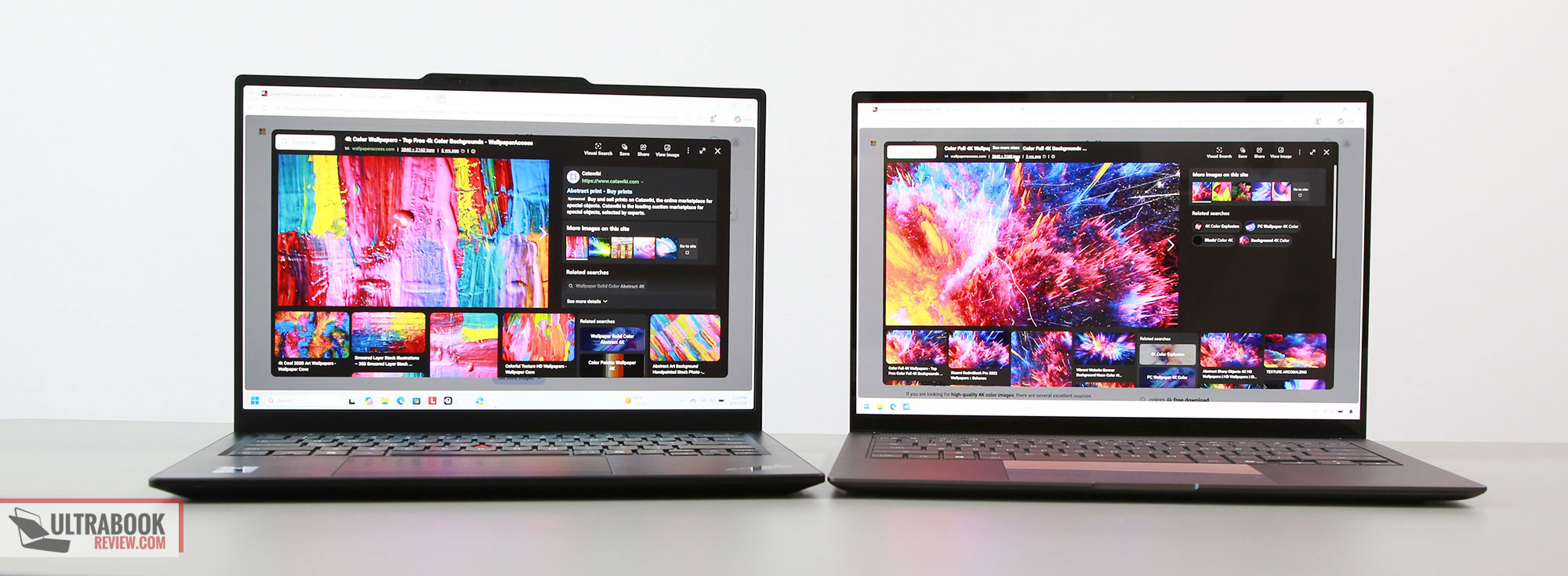
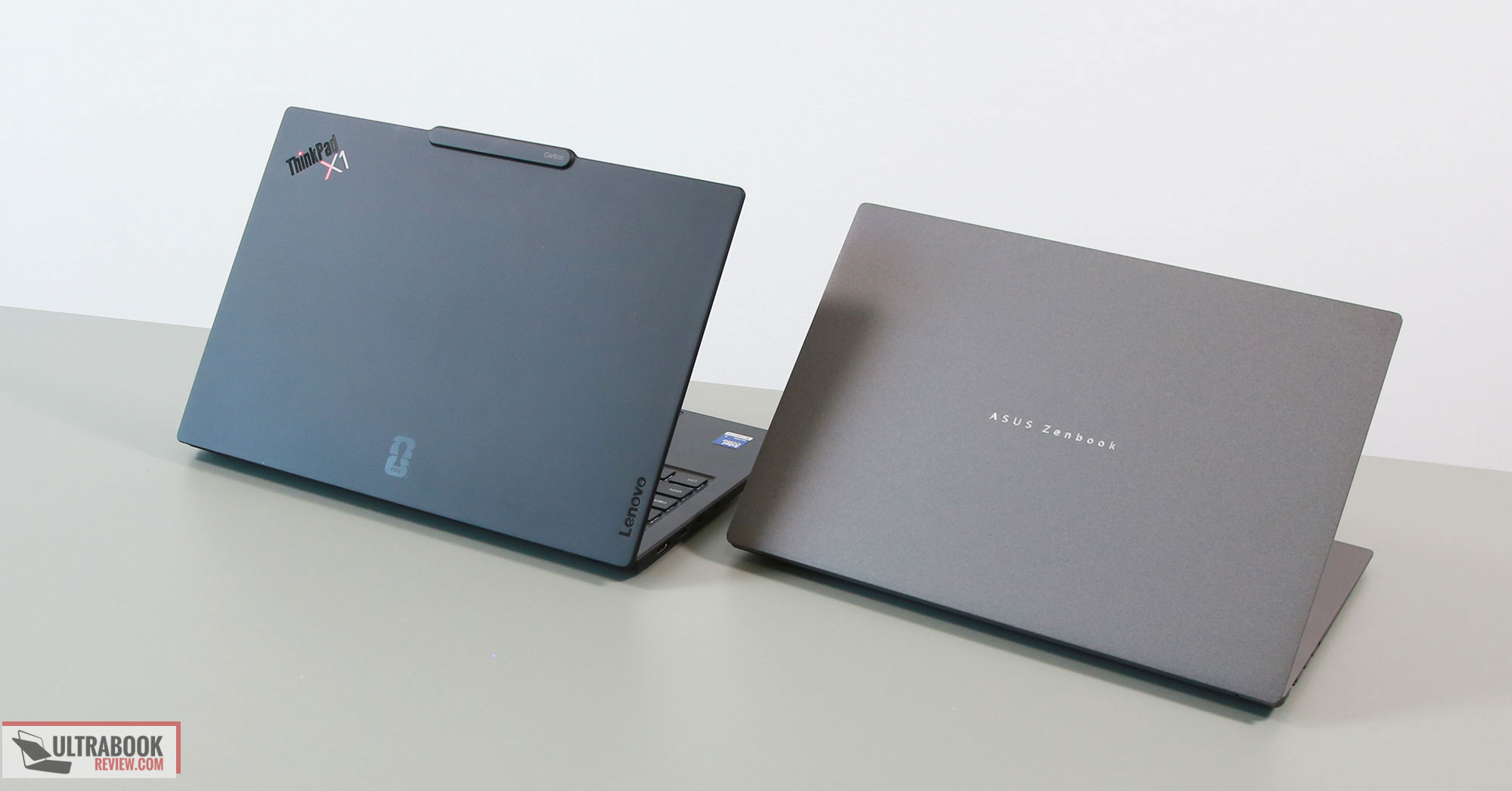

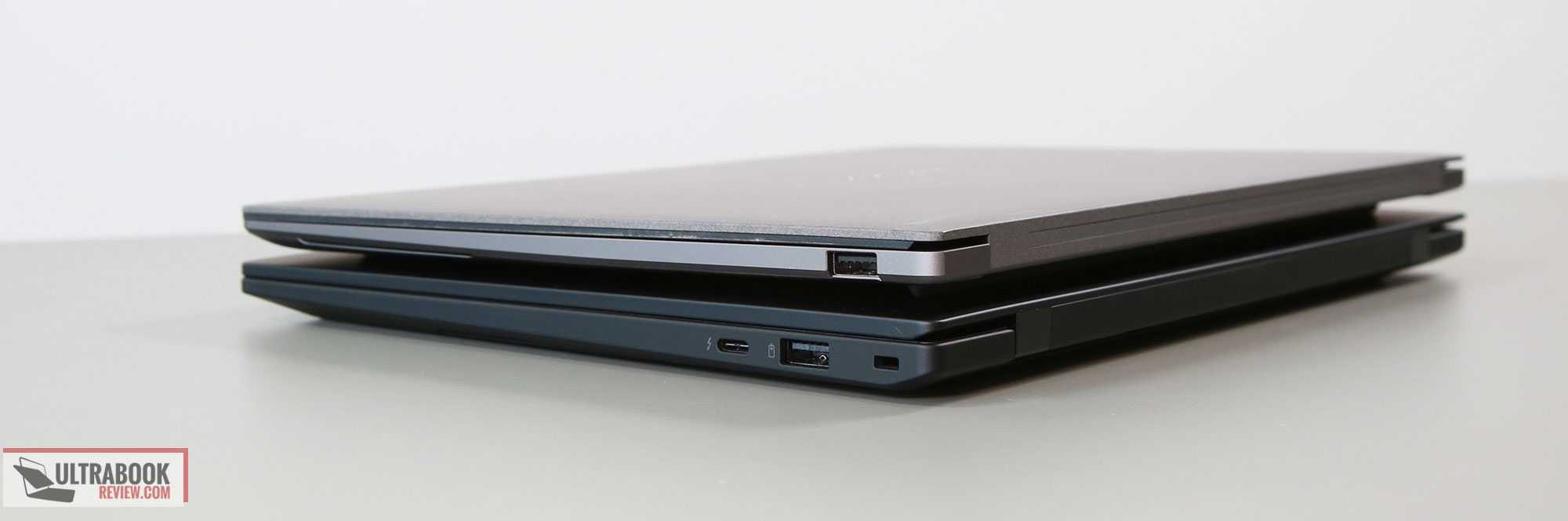
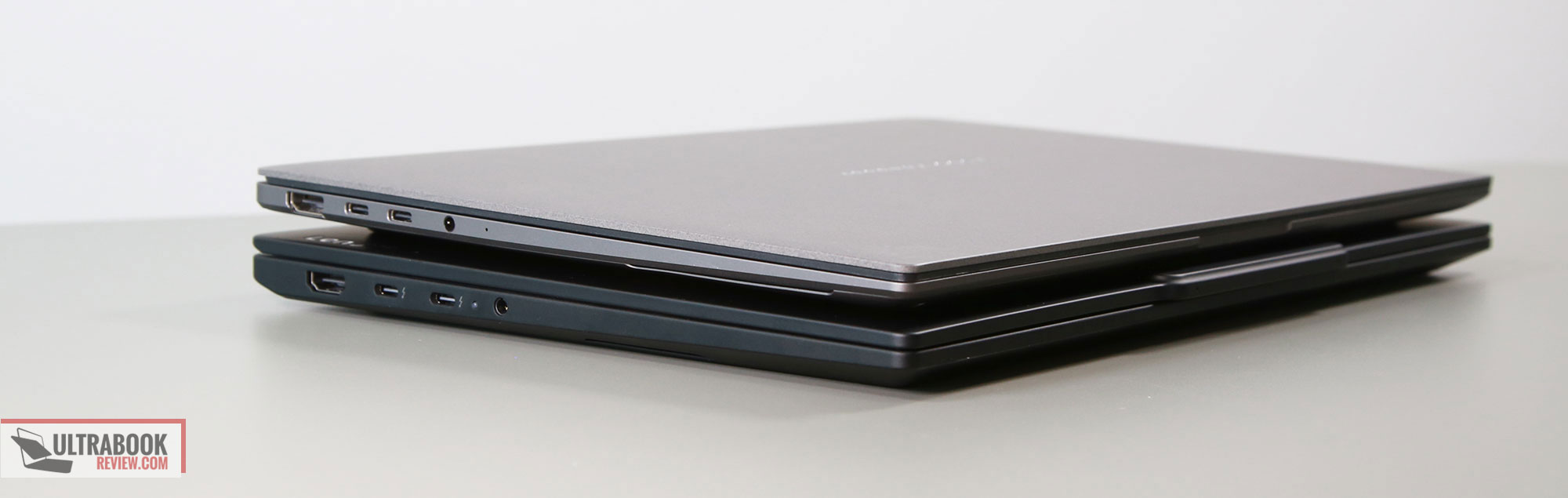
The ThinkPad is a better typer as well, as Asus pushed into creating a thin chassis with this ZenBook, and that only left room for a shallower keyboard with 1.1 mm of stroke depth. It’s a fair typer if you appreciate this sort of shallower implementation, but most will favor the ThinkPad keyboard instead. I also preffer the haptic touchpad on the ThinkPad with the larger bezels towards the keyboard and the laptop’s front lip. Plus, there’s a fingerprint sensor on the ThinkPad and a better camera.
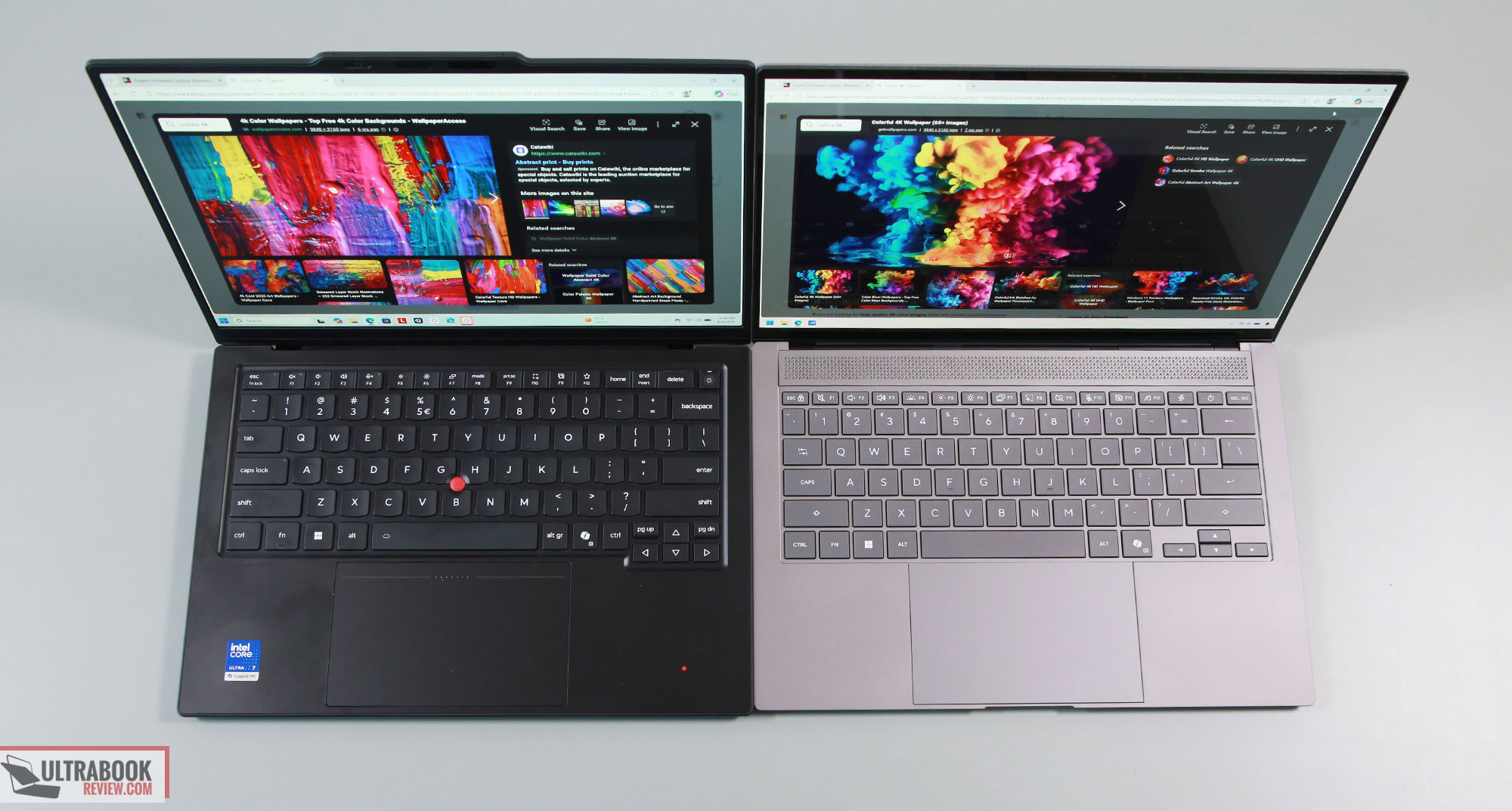
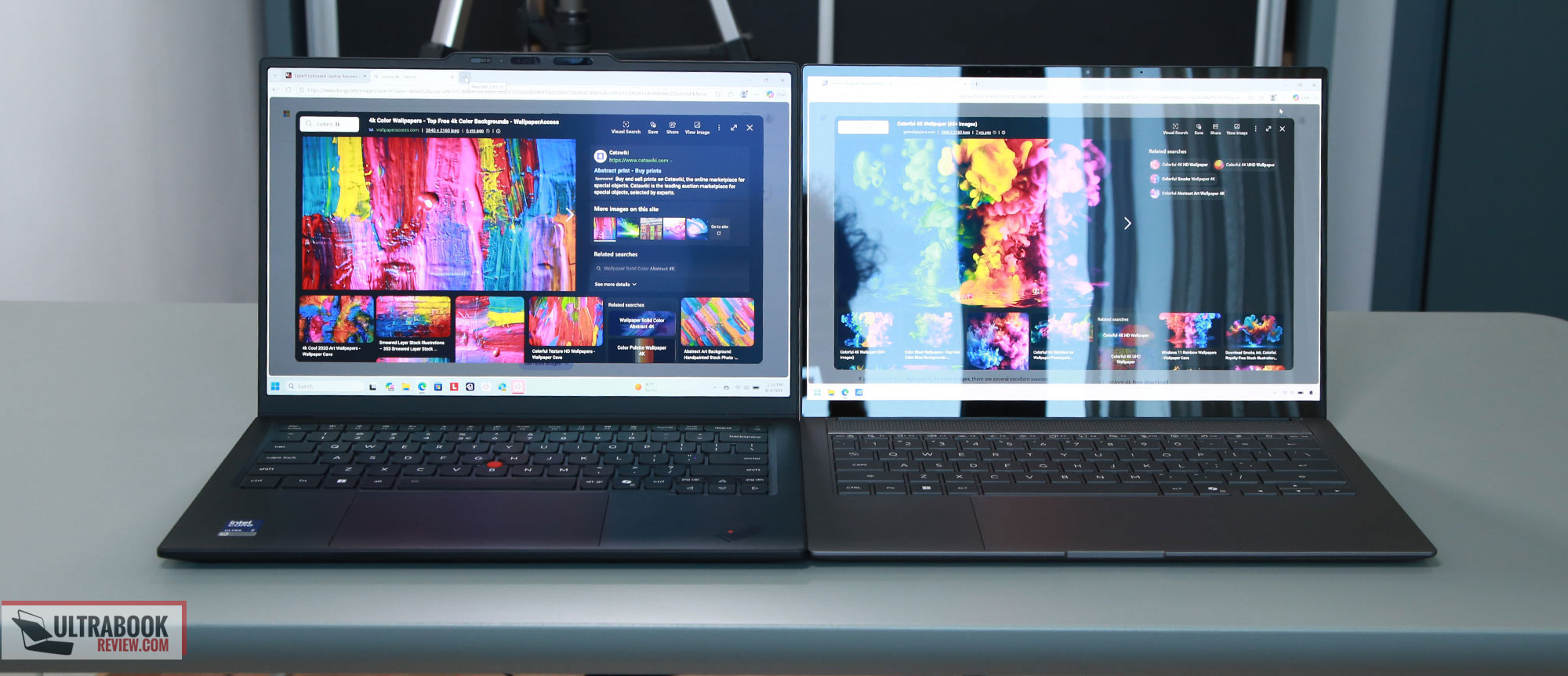
When it comes to the displays, the Zenbook S14 is offered with a modern OLED panel with touch. The same panel is offered on the ThinkPad, but in an anti-glare variant, either touch or non-touch. The touch versions show some grain on both devices, a standard quirk of touch OLEDs.
Here’s how the two displays look in bright light: the glossy variant on the S14 and the anti-glare one on the X1 Carbon. Just keep in mind that, reflections aside, the glossy coating allows for better image quality and viewing angles. Plus, Asus offers a flicker-free option for brightness adjustment, which is not available on the Lenovo.
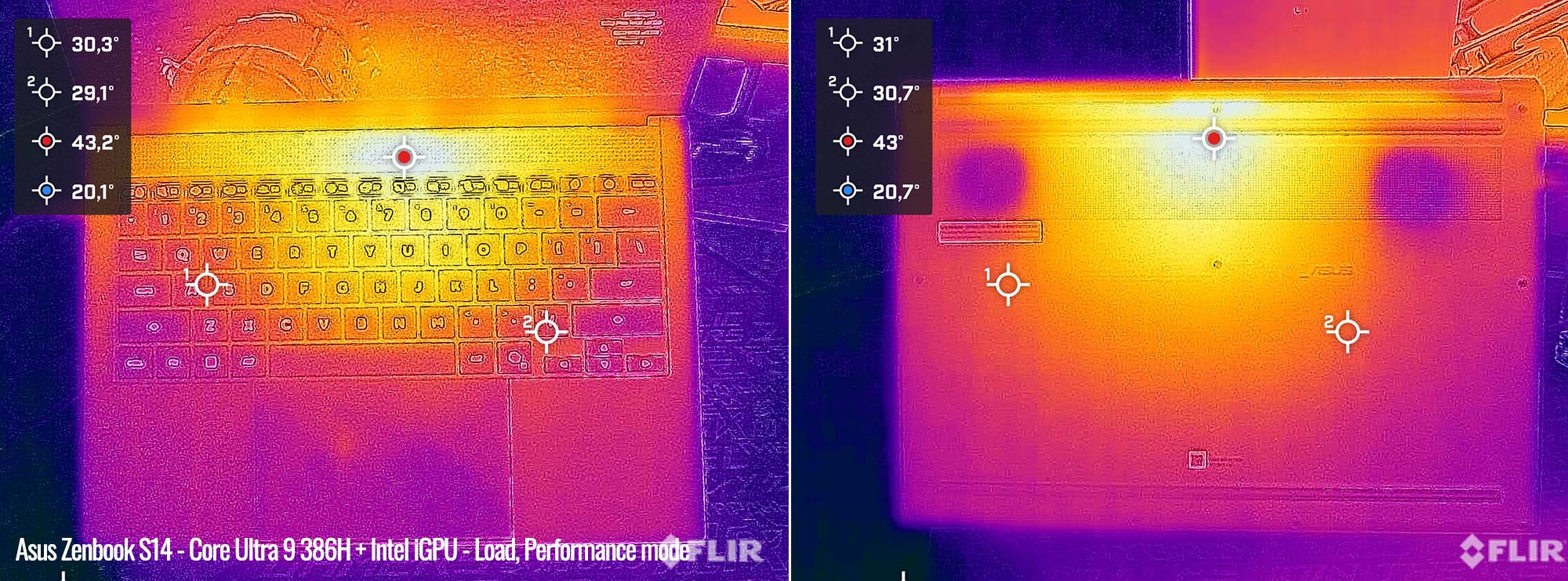
Specs-wise, we already covered the main advantage of the Zenbook S14 lineup, with the Core Ultra 9 386H specs. However, keep in mind that the same thin chassis forces Asus to implement a thinner cooling module as well, even if it’s a more advanced vapor-chamber module, which means they need to run the fans noisier than on the Carbon. However, the Zenbook ends up running cooler with sustained loads.
Here’s a thermal reading of the X1 Carbon on its 30+W TDP performance mode, at around 35 dBA.
And here’s the Zenbook at 28W TDP and 45 dBA fan noise.
They haven’t sacrificed the battery, however, with a 77 Wh one inside the S14, so this lasts longer on a charge than the X1 Carbon with its 58 Wh battery.
They also didn’t sacrifice the speakers, which sound richer and louder than on the Carbon.
All in all, the ThinkPad X1 Carbon is the more functional design of the two, with the 180 display, better typing experience, and quieter fan noise. It’s also available in a handful of configuration options that are not offered by the ZenBook.
However, if you need those exact Core Ultra 9 H specs in this sort of ultraportable format, and can live with the shallower keyboard and noisier fans, this Zenbook is a solid choice at a fraction of what a similarly specced X1 Carbon sells for.