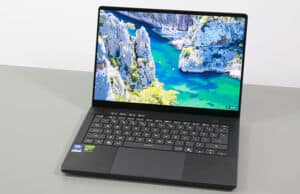
We’re discussing the 2026 refresh of the Asus Zenbook S14 OLED lineup of premium ultrabooks in this review article.
This remains Asus highest-tier series of consumer thin-and-light laptops. What we have here is the more compact 14-inch variation, as it’s also offered in a 16-inch variant, the Zenbook S16. In fact, the 2026 update of this Zenbook S14 is mostly a refinement of the existing S14 chassis, with a lid redesign, an updated OLED display, as well as more powerful Panther Lake hardware, tweaked cooling and power settings, and a slightly larger battery.
Overall, these changes enhance an already exciting product, making it both more versatile for daily use and more capable in sustained work/school loads that benefit from a 50% faster processor. However, this generation comes with a higher price premium than in the past over a more standard portable notebook such as a Zenbook 14 (tested here in the AMD variant) , and its ultra-slim format still inherits a few practical compromises that can be difficult to accept at this level, all things considered.
Follow this link for updated prices and configurations on this Asus Zenbook S14 premium lineup , at the time you’re reading this article. Buying from our links earns us a small commission and helps support our work. Thank you!
I’ve used this laptop for a few months this year and have gathered my thoughts and impressions below in the article.
Specifications – Asus Zenbook S14 OLED UX5406AA
Asus Zenbook S14 OLED UX5406AA series, 2026 model
Screen 14 inch, OLED, 16:10 aspect ratio, touch, glossy,
Processor Intel Panther Lake (Core Ultra Series 3)
Video Intel iGPU, 4 Xe 3rd-gen Cores, up to 2.5 GHz
Memory 32 GB LPDDR5-8533 (soldered), up to 32 GB
Storage 1 TB M.2 NVMe SSD (Samsung PM9C1b) – single M.2 2280 slot
Connectivity Wireless 7 (Intel BE201) 2×2, Bluetooth 5.4
Ports left: 2x USB-C connectors with Thunderbolt 4, 1x HDMI 2.1 TMDS, mic/headphone
Battery 72 Wh, 65W USB-C charger
Size 310 mm or 12.22” (w) x 215 mm or 8.45” (d) x from 11.9 mm or 0.47” (h)
Weight 2.65 lbs (1.18 kg) + .18 (.4 lbs) for the USB-C charger and cables, EU version
Extras clamshell format with ~145-degree opening angle, updated lid design,
Design, build quality, ergonomics Asus put their effort into creating an ultra-slim and lightweight premium notebook with this series.
The result was an exquisite premium design with somewhat questionable ergonomics back in 2024 when the original S14 was unveiled, and even more questionable today, when a handful of revised or new alternatives were further released.
I’m not a fan of pursuing a thin, slim format in a laptop, as that always comes with compromises. With this series, the build quality is excellent, with a firm chassis all around and premium materials. They did redesign the lid for this generation, in an effort to keep the design language consistent within their entire Zenbook lineup – this S14, the A14, and the refreshed 14 models all implement a similar approach on the lid, with ASUS Zenbook written in chrome in the middle. Looks fine, although I’d prefer a non-chromed writing somewhere in a corner, as one the previous designs.
Asus keep offering the series in two color options: a lighter gray called Scandinavian White, and a darker option called Elephant Grey (was previously called Zumaya Grey, could be slightly different for the refreshed variant). We have the latter one here. Here’s an image of the two.
The IO wasn’t sacrificed, and we’ll get to that in a bit. They didn’t skimp on the battery size either, implementing one of the largest ones available in the 14-inch ultrabook niche.
The sturdy materials and big battery make the overall weight of 1.2 kilos perfectly acceptable for this series, even if some alternatives are a little lighter – the ExpertBook Ultra or the Zenbook A14, in particular. I don’t mind the extra weight though, especially as I prefer the feel of the CNC aluminum unibody main deck on this Zenbook S14 over that of the Ceraluminum chassis on those options, which feels somewhat cheaper to the touch. Ceraluminum is still used for the lid here, but not for the other parts. This Ceraluminum is a patented ceramic coating on top of the aluminum sheet, that adds durability and scratch resistance and won’t chip away as easily as anodized finishes do. The entire chassis still meets the US MIL-STD-810H military-grade standard for durability, which is common for higher-tier devices these days.
So what are those compromises then? The shallow keyboard is one, although, as you’ll see further down, this actually types surprisingly well for such a low-travel implementation. Another is the limited screen opening angle, with the hinges only opening to about 145 degrees, and not all the way flat as they should on a versatile ultraportable. I don’t have the previous-gen S14 around anymore, but my notes mentioned that opened yup to around 130-degrees, and this refresh seems to open more than that.
And finally, the one that’s invisible at first: the cooling module that needs to run loud in order to cope with the implemented hardware at only average power levels. While the ExpertBook Ultra or the ThinkPad X1 Carbon never ramp fans over 40 dBA, this pushes 45 dBA noise, for lower power settings. That’s loud for an ultrabook and even close to much more powerful gaming notebooks.
In fact, the entire cooling design on this chassis is the reason the display doesn’t open up on the back either, as it would block the vents on the back edge. With a slightly thicker main chassis, that wouldn’t have been a concern, and nobody would have complained about 2-3mm of extra thickness that would have resulted.
And since we’re still discussing the cooling module, there’s this CNC-machined part above the keyboard with a few hundred tiny holes in it, designed to help with ventilation. While it sure looks unique and fancy, it’s not a good idea in practice, as these grills will eventually gather dust and dirt and would be difficult, if not even impossible, to clean.
And while I’m nitpicking on this design, the front lip is sharp and can bite into the wrists. It’s not as sharp as on a MacBook, though, and this laptop’s slim profile actually brings this lip so close to the desk that it somewhat mitigates its aggressiveness.
One final aspect I’ll touch on here is the IO, where this notebook meets most expectations, with HDMI, USB-A, USB-Cs with Thunderbolt 4, and an audio jack. I’ll still complain about almost all ports being placed on the left edge; I preffer the convenience of at least having USB-C slots on both sides, for better versatility with different setups.
Overall, this is a well-built and good-looking chassis, arguably the best-made Zenbook so far. However, it just aims at being thinner than it needs to be, and that impacts the screen’s angle, the cooling potential, the keyboard, and even the IO. All these could have been so much better with a slightly thicker chassis. Hopefully, next time.
You might argue my impressions are more bitter than this chassis deserves, and perhaps you’re right; I’m just bothered by the unmet potential this could have had if they considered practicality and usability more carefully. They matter a whole lot more than a super thin body.
Zenbook S14 vs Zenbook A14/14, ExpertBook Ultra, Thinkpad X1 Carbon, MacBook Air I’ll leave you with a couple of images of the Zenbook S14 series next to a few alternatives I had on hand.
First, the white Asus Zenbook S14 (previous-gen), next to the Asus Zenbook A14 (gray) and standard Asus Zenbook 14 (black).
And here it is next to the Asus ExpertBook Ultra.
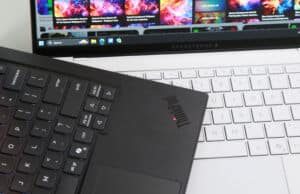
And finally, next to the Lenovo ThinkPad X1 Carbon and Apple MacBook Air 13.
Let me know if you’re interested in more detailed comparisons between these lineups.
Keyboard, touchpad The inputs on this Zenbook S14 series are peculiar, unlike the excellent ones found on most other Zenbooks.
The keyboard is a standard layout, with most keys properly sized and spaced, and smaller half-sized arrow keys. The power button is a key as well, but it’s not the top-right one – I’d still disable it from the settings to prevent accidentally putting the laptop to sleep. The keycaps are a slightly darker grey than the chassis, and a finish that feels a little rough on the fingers, not as smooth as on regular laptop keyboards. That’s fine by me, though, especially since this coating does an excellent job at repelling smudges.
However, the peculiarity of this keyboard is the short travel depth of only 1.1 mm, while regular Zenbooks are 1.4 or 1.5 mm. This changes the typing experience and makes the actuations clickier and noisier; the Space key is even louder than the others.
I’ve seen some complaints on the Internet about the keyboard leaving an imprint on the display’s glass, due to the keys actually touching the glass. This happens all the time on my MacBook Air, and it bothers me having to constantly clean the screen, but I haven’t noticed this at all on this Zenbook unit. They might have changed this somehow on this refresh, although, in all fairness, I don’t personally recall noticing this on the past S14 or S16 models either.
Now, despite these, I actually got along very well with this keyboard; it proved to be one of the fastest and most accurate ultrabook keyboards I’ve used in a while, even faster than on the standard Zenbook 14. I didn’t expect this at all, as I resented the keyboard at first, but eventually got used to it over time. Nonetheless, I feel that this keyboard is still going to be perceived as a downgrade by most potential buyers, and a sacrifice made for the sake of making this laptop as slim as it is.
The keys are backlit, with white LEDs that get quite bright. Little to no light creeps out from underneath the keycaps here, unlike on other Zenbooks, so that’s a positive change. In the past, I found the lowest brightness level too high for comfortable use in a dark room, but that doesn’t seem to be the case anymore with this generation. The lowest level is acceptable, although it could still be a little dimmer. The top level is very bright and perfectly fine for outdoor use, especially with the contrast provided by these darker keycaps.
And then there’s the touchpad. It’s a smooth glass surface that works fine with taps and gestures and regular use. It even incorporates some gimmicky extra gestures for adjusting the screen’s brightness or volume.
Thing is, this touchpad is just too large and leaves a minimal gap at the front, allowing for misclicks and ghost touches from your clothes when using this device on your lap. More and more laptops are unfortunately designed like this, with oversized touchpads with tiny margins; that includes the MacBook Air or Asus’s newest ExpertBook Ultra series, among others. A smaller touchpad with enough margins around is far more practical, like on the X1 Carbon.
Finally, for biometrics, the camera at the top of the display supports IR, but there’s no finger-sensor.
14-inch OLED display, bright The display on the Zenbook S14 is a 14-inch 16:10 format, with an OLED panel and touch. A non-touch alternative is mentioned in the specs, but I don’t think that’s offered with actual retail products anywhere.
Asus have updated the panel for this refresh, though, implementing the newer-generation Samsung OLED with higher brightness, which they call a Lumina OLED: 500 nits sustained and up to 1000 peak HDR. That’s a notable change over the sub-400-nit panel on the previous S14, making the laptop far more usable in brighter light.
Of course, as a touchscreen, this is still a reflective surface, but the increased brightness compensates for the glare to some extent. Furthermore, this comes with a digitizer layer that adds the grainy screen-door effect that bothers me on touch OLEDs; it’s not as pronounced as on older-gen low-resolution OLEDs, but it’s still there, making fine text and light backgrounds appear slightly dirty.
These aside, this is a standard OLED with deep blacks and contrast and punchy colors.
Here’s what we got in our tests, with an X-Rite i1 Display Pro sensor :
Panel HardwareID: Samsung SDC422A (ATNA40HQ05-0);
Coverage: 100% sRGB, 95.1% Adobe RGB, 100% DCI-P3;
Type: 2.8K 2820 x 1800 px, 10-bit, 120 Hz;
Measured gamma: 2.25;
Max brightness in the middle of the screen: 500.67 cd/m2 on power;
Min brightness in the middle of the screen: <10 cd/m2 on power;
Contrast at max brightness: 1:1;
White point: 6280 K;
Black on max brightness: 0 cd/m2;
PWM: Yes, to be discussed.
Calibration lowers the sustained brightness to around 450 nits on average. It’s not necessary for most use cases, since the panel already looks accurate out of the box, with only a minor skewness of the White Point.
All in all, this is one of the better touch OLEDs in this segment, albeit not quite as bright or nice as the matte Tandem OLED on the ExpertBook Ultra. Just make sure you understand the particularities of OLED panels on Windows devices before buying one, especially if it’s your first try at the tech.
Hardware and performance – Intel Core Ultra 9 Panther Lake Our test model is a mid-specced configuration of the 2026 Asus Zenbook S14, code name UX5406AA, with an Intel Core Ultra 9 386H processor and Intel integrated graphics, 32 GB of LPDDR5x-8533 memory, and a middling 1TB gen4 SSD.
Disclaimer: This is a review unit offered by Asus. The laptop is tested at launch with the software available as of mid-August 2026 (BIOS 308, MyAsus 4.0.73.0 app, Intel V32.0.101.8974 driver). This is mature software, so little can change in future updates.
Spec-wise, this series is based on Intel’s Panther Lake hardware platform, with Core Ultra Series 3 processors and Intel integrated graphics. Panther Lake is an updated mobile architecture for 2026.
The CPU on this review unit is the Core Ultra 9 386H, a hybrid design with 16 Cores (4x Performance, 8x Efficiency, and 4x Low-Power Efficiency) and 16 Threads. The Performance Cores are built on the Cougar Cove architecture, while the Efficiency cores are the refreshed Darkmont architecture, as explained in this indepth article on Panther Lake laptops .
There are no configurations with Core Ultra X7/X9 hardware for this Zenbook S14 series, but you can get some models with Core Ultra 7 356H or Core Ultra 7 355 specs. The 356H is more or less identical in capabilities to the 386H tested here, while the 355 is a lower-performance option, an 8Core processor that directly succeeds the Ultra 7 258V in the previous Zenbook S14 generation. We’ve tested that platform in this notebook .
The RAM on this notebook is onboard, with 32 GB of LPDDR5X-8533 on this unit. Configurations with 16 GB of RAM are available as well.
As far as graphics go, the Panther Lake Core Ultra 300H processors bundle an Intel iGPU with updated 3rd-generation Xe3 Cores. There are only 4x of these cores on these 300H processors, unlike on the X7/X9 variants that get the Arc B390 iGPU with 12x of these cores. So the GPU capabilities of this standard plaform are significantly lower; however, they’re close to the previous-gen Arc 140V/140T iGPUs implemented with Arrow Lake H and Lunar Lake V platforms.
For storage, Asus opted for a mid-range PCIe gen4 Samsung PM9C1b SSD drive here. I’d reckon that’s what you’ll get with retail units in your local stores.
The SSD and the WIFI chip are the only upgradeable components on this laptop. To get inside, you need to remove the back panel, which is held in place by a handful of Torx screws. They’re of different sizes, so make sure you put them back in their right place.
As far as the software goes, this Zenbook gets the standard MyAsus app, which allows control over the power profiles, battery, and screen settings, updates, etc.
There are four performance/thermal profiles to choose from:
Performance – 28W sustained TDP, with ~45 dBA fan noise at head level;
Standard – only ~17W TDP in sustained loads, with 35 dBA fan noise;
Whisper – further limits the CPU at ~12W, with fan noise of sub 30 dBA.
I’d recommend keeping the laptop on Standard, which is fine for most regular use. However, the power cap is aggressive here for this mode, and you can feel that at times with more serious multitasking. And here’s where the Performance profile comes up, which offers faster processing capabilities in sustained CPU loads, but runs noisier. Perhaps Asus could have ramped the TDP for Standard mode closer to 20W, to make that more compelling across the board.
We’ll discuss performance in a bit, but first, here’s what to expect in terms of speeds and temperatures with daily tasks such as streaming video, editing text, or browsing the web.
Productivity Performance and Benchmarks On to more demanding loads, we start by testing the CPU’s performance in the Cinebench R15 loop test.
The Core Ultra 9 396H processor quickly stabilizes at 28W on Performance mode, with temperatures in the mid-80s °C and fan levels of 45 dBA. That’s with the laptop bumped up from the desk. These limitations are a result of the ultra-thin format of this chassis, but even so, this generation actually runs a little cooler and at higher power than the previous Lunar Lake variant.
The scores average around 2300 points, which is competitive for such as compact and slim device.
On Standard, the system limits the fan to around 35 dBA and the power gradually stabilizes at 17W, with temperatures in the very low 70s °C. The scores end up at around 1700 points, 25% lower than on Performance.
Then, Whisper mode keeps the fans even quieter at 30 dBA, but the TDP is limited to 12W, which makes the scores drop to around 1200 points, which is a little over half of Performance mode.
What’s interesting is that the overall performance of this generation is notably improved over the original Core Ultra 7 258V model. Even on Standard, this is faster than the previous generation at full blast. More on that in a bit.
Finally, our sample performed very well on battery, stabilizing at 28W of power in Performance mode. That’s on par with the plugged-in Performance profile.
All these are illustrated in the graph below.
To put these in perspective, here’s how this Core Ultra 9 386H implementation fares against other hardware platforms available in current and past-generation thin and light laptops .
This is a mid-tier performer in the 14-inch ultrabook space. It’s 50% faster than a Core Ultra 7 355, a Core Ultra 7 258V, or a Ryzen AI 7 445, popular ultrabook platforms that power similar devices. At the same time, it’s not as fast as a Core Ultra X7 at higher power, available in some top-end 14-inch models, or as the few Ryzen AI 9 365/465 or Ryzen AI 9 HX 370/470 options out there, although these AMD variants are rarely implemented in similar devices.
Furthermore, the Qualcomm X2 Elite hardware or the Apple M5 silicon are faster as well in this sort of CPU-heavy task; just make sure the software particularities of those platforms are right for you.
We then went ahead and further verified our findings with the more taxing Cinebench R23 loop test and in Blender. We measured similar behavior, power limits, fan noise, and temperatures.
We then ran the 3DMark CPU profile test.
Finally, we ran our combined CPU+GPU stress tests on this notebook, on the Performance profile. 3DMark stress runs the same test for 20 times in a loop and looks for performance variation and degradation over time. This unit passes the test. More on that in the gaming section.
Benchmark results and performance summary With that out of the way, let’s get to some benchmarks. We ran our standard set of tests with the laptop on Performance mode (28W sustained TDP) and the screen set at its default 2.8K resolution.
Here’s what we got.
3DMark 13 –CPU profile: max – 8864 , 16 – 8835, 8 – 5471, 4 – 3617, 2 – 2083, 1 – 1134;3DMark 13 – Fire Strike: 6576 (Graphics – 7195, Physics – 27882, Combined – 2356);3DMark 13 – Solar Bay: 11888.3DMark 13 – Steel Nomad Light: 2160.3DMark 13 – Time Spy: 3478 (Graphics – 3095, CPU – 11684);3DMark 13 – XeSS: XeSS Off – 6.05 fps, XeSS On – 16.79 fps, 177.5% performance difference.
Uniengine Superposition – 1080p Extreme: 1677;Uniengine Superposition – 1080p Medium: 4686;
Aida64 Extreme, memory test: 108562 MB/s read, 120987 MB/s write, 90.6 MHz latency;PCMark 10: 8955 (Essentials – 10880, Productivity – 17305, Digital Content Creation – 10349);GeekBench 6.3.2 64-bit: Multi-core: 16506, Single-Core: 2825;CineBench R15 (best run): CPU 2797 cb, CPU Single Core 294 cb;CineBench R23: CPU 16758 pts (best run), CPU 14658 pts (10 min loop test), CPU Single Core 2035 pts (best run);CineBench 2024: CPU 922 (10 min run), CPU Single Core 123 pts;CineBench 2026: CPU multiple threads: 3572 (10 min run), CPU single thread: 504 pts.
And here are some work-related benchmarks, on the same Performance profile:
Blender 4.3.2 – BMW Car scene – CPU Compute: 2m 33s ;Blender 4.3.2 – Classroom scene – CPU Compute: 6m 58s;Blender 4.3.2 – Classroom scene – GPU Compute, OneAPI: 2m 46s;Blender 5.0.1 – BMW Car scene – CPU Compute: 2m 36s ;Blender 5.0.1 – Classroom scene – CPU Compute: 6m 38s;Blender 5.0.1 – Classroom scene – GPU Compute, OneAPI: 2m 10s;Blender 5.1.2 – BMW Car scene – CPU Compute: 2m 30s ;Blender 5.1.2 – Classroom scene – CPU Compute: 6m 05s;Blender 5.1.2 – Classroom scene – GPU Compute, OneAPI: 2m 22s;
SPECviewperf 2020 – 3DSMax 07: 18.67;SPECviewperf 2020 – Catia 06: 17.66;SPECviewperf 2020 – Creo 03: 30.72;SPECviewperf 2020 – Energy 03: 3.96;SPECviewperf 2020 – Maya 06: 89.91;SPECviewperf 2020 – Medical 03: 9.71;SPECviewperf 2020 – SNX 04: 6.94;SPECviewperf 2020 – Solidworks 07: 40.20;V-Ray Benchmark: CPU – 11386, CUDA – 322.
This Zenbook S14 is a solid CPU performer in its niche, as few other 14-inch ultraportables offer Core Ultra Series 300 H hardware these days. Most implement the mainstream mobile Ultra 7 355 chip instead, with fewer CPU cores 30% diminished performance. And very few implement higher-tier AMD Gorgon Point hardware that can outmatch this Panther Lake H platform.
There are, however, a handful of more powerful alternatives built on the Core Ultra X7/X9 chips with the superior Arc B390 iGPU. Among those, the Asus ExpertBook Ultra, the Dell XPS 14, the Framework Laptop 13, the HP EliteBook X, or the Lenovo ThinkPad X1 Carbon come to mind. These are generally even more expensive, though, but for good reasons in most cases. We’ll discuss them in the conclusions section.
At the same time, though, it’s important to mention that this Zenbook runs noisily on the Performance profile at 45 dBA. That’s close to a full-size gaming laptop such as the Zephyrus G14, which allows for significantly higher CPU power and overall performance. The noise is a compromise you’ll have to accept for the sustained CPU potential here. The majority of those alternatives mentioned earlier run quieter on their similar-tier profiles.
In fact, I’d expect most buyers to eventually keep this notebook on the Standard profile and sacrifice some of the CPU potential for quieter fan noise and lower thermals. Thus, if this series jumped on your radar for the powerful CPU implemented in the ultra compact and slim chassis, well, the noise aspect should be considered heavily in your decision as well: either accept it for what it is, or accept that this laptop isn’t going to run as fast as expected when opting for the quieter Standard profile.
As for the graphics capabilities, the Panther Lake Intel Graphics with 4x Xe cores is merely an average platform these days, even somewhat slower than the previous-gen Intel Arc 140v/140T options or the AMD Radeon 880M/890M chips.
Panther Lake Core Ultra 9 386H vs. Panther Lake Core Ultra X7 358H, Lunar Lake Core Ultra 7 258V, Ryzen AI 7 445 Here’s how this Core Ultra 9 386H implementation compares against the previous-gen Lunar Lake Core Ultra 258V in the same Zenbook S14 chassis.
It’s about 50% faster in sustained CPU loads, and about 20% slower in the GPU tests, while the differences in actual workloads vary between apps. Still, if you need this for video editing, programming, and other activities that would benefit from a more capable CPU, the generational gains are significant.
At the same time, this comes close to the capabilities of the similar platform implemented in the ThinkPad X1 Carbon, but that laptop runs much quieter and applies higher sustained power settings, due to its superior cooling and chassis design that doesn’t primarily focus on being ultra-slim, as this Zenbook S14 does.
In fact, Asus offers a much more compelling implementation as well with their latest ExpertBook Ultra series, which can be specced up to a Core Ultra X7 358H hardware. This delivers similar CPU performance paired with a much more potent Arc B390 iGPU, more than 2x faster than the Intel Graphics option offered here.
Finally, I’ve added Core Ultra 7 355 and Ryzen AI 7 445 platforms as well, which OEMs offer on their mid-tier and more budget-friendly devices this year. Both are notably slower in sustained CPU loads, at about 70% of what the 386H scores, while on the GPU end, the Intel option implements a similar Intel iGPU, while the Radeon 840M chip on the AMD hardware is much slower, at about 50-60% of the Intel chips.
Zenbook S14 UX5406, Zenbook S14 UX5406 ,Lenovo ThinkPad X1 Carbon ,Zenbook S 16 UM6506 ,ExpertBook Ultra B9406 ,Zenbook 14 UM3406 ,Yoga 9i 2-in-1,
3DMark – Fire Strike 6576 (G – 7195, P – 27882, C – 2356)
8993 (G – 9984, P – 21713, C – 3429)
6590 (G – 7228, P – 27659, C – 2350)
7505 (G – 7946, P – 25618, C – 3031)
13328 (G – 15941, P – 27065, C – 4457)
5027 (G – 5350, P – 12169, C – 1937)
6595 (G – 7378, P – 19707, C – 2361)
3DMark – Time Spy 3478 (Graphics – 3095, CPU – 11684)
4443 (Graphics – 4155, CPU – 7323)
3426 (Graphics – 3033, CPU – 12967)
3598 (Graphics – 3241, CPU – 9599)
6988 (Graphics – 6475, CPU – 12556)
1998 (Graphics – 1771, CPU – 7305)
3360 (Graphics – 3066, CPU – 7390)
Uniengine Superposition – 1080p Extreme 1677
2108
1647
1600
3626
835
1674
CineBench R23 (best run) 16758 cb – multi core,
9930 cb – multi core,
18151 cb – multi core,
17484 cb – multi core,
17334 cb – multi core,
11201 cb – multi core,
11150 cb – multi core,
Blender 5.1.2 – CPU, Classroom 6m 05s
–
5m 23s
–
–
8m 13s
8m 39s
SPECviewperf 2020 – 3DSMax: 18.67
23.69
17.78
40.95
37.82
27.45
19.29
SPECviewperf 2020 – Catia: 17.66
18.94
15.06
33.25
30.18
29.66
15.35
SPECviewperf 2020 – Maya: 89.91
98.87
79.25
125.32
156.71
85.51
79.26
Standard modes, much quieter at 35dBA With fan-noise levels up to 45 dBA at head-level, this laptop runs noisly on Performance mode, louder than the competition on their similar top profiles.
Hence, I expect most to rather look into the Standard profile that keeps the fan noise under 35 dBA.
Here are some benchmark results for this Standard mode:
3DMark 13 –CPU profile: max – 7410, 16 – 6972, 8 – 4538, 4 – 3284, 2 – 1933, 1 – 1085;3DMark 13 – Fire Strike: 5829 (Graphics – 6638, Physics – 19894, Combined – 1960);3DMark 13 – Time Spy: 2868 (Graphics – 2563, CPU – 8845);Uniengine Superposition – 1080p Extreme: 1435;CineBench R20 (best run): CPU 14658 cb, CPU Single Core 2035 cb.Blender 5.1.2 – Classroom scene – CPU Compute: 8m 22s;
This mode gradually limits the CPU’s TDP to 17W in sustained loads, which takes a notable toll on performance in heavy CPU tasks. The Blender test, for instance, shows a 30+% increase in rendering time when going with this profile.
The GPU performance takes a hit as well, ending up at only about 80% of what it can do at higher power in Performance mode.
For general use, however, this is a compelling profile, but perhaps it would make more sense to target a slightly higher 20W TDP level instead. Thermals would allow it even with the 35 dBA noise floor.
Gaming Performance We also ran a couple of games on the Performance profile of this Core Ultra 9 386H + Intel Graphics configuration, at FHD+ resolution, with Low/Lowest graphics settings. I threw in a few other platforms for comparison.
Low settings Zenbook S14 2026, Zenbook S14 2024, ExpertBook Ultra 2026, Zenbook 14 2025, Yoga 9i 2-in-1 Zenbook S 16 2024,
Cyberpunk 2077 24 fps (12 fps – 1% low)
–
52 fps (34 fps – 1% low)
–
26 fps (18 fps – 1% low)
–
Cyberpunk 2077 56 fps (26 fps – 1% low)
–
114 fps (54 fps – 1% low)
–
60 fps (25 fps – 1% low)
–
Far Cry 6 46 fps (38 fps – 1% low)
52 fps (38 fps – 1% low)
72 fps (54 fps – 1% low)
52 fps (36 fps – 1% low)
43 fps (32 fps – 1% low)
54 fps (46 fps – 1% low)
Horizon Forbidden West 48 fps (40 fps – 1% low)
45 fps (32 fps – 1% low)
70 fps (54 fps – 1% low)
44 fps (30 fps – 1% low)
38 fps (32 fps – 1% low)
40 fps (30 fps – 1% low)
Shadow of Tomb Raider 62 fps (45 fps – 1% low)
66 fps (26 fps – 1% low)
102 fps (57 fps – 1% low)
72 fps (48 fps – 1% low)
58 fps (48 fps – 1% low)
72 fps (56 fps – 1% low)
The Witcher 3: Wild Hunt 77 fps (53 fps – 1% low)
78 fps (56 fps – 1% low)
108 fps (75 fps – 1% low)
66 fps (54 fps – 1% low)
80 fps (60 fps – 1% low)
60 fps (38 fps – 1% low)
Cyberpunk, Horizon, Witcher 3 – recorded with MSI Afterburner in game mode;
Far Cry, Tomb Raider – recorded with the included Benchmark utilities.
All these games are playable here with these settings, including newer titles. Enabling XeSS makes a nig difference where available, and overall, your expectations of such a laptop that only bundles a mid-tier iGPU should be realistic.
And here’s what to expect if you plan on running games on the quieter modes.
Zenbook S14 2026, Performance – 28W, Standard – 17W, Whisper – 12W, FHD+ 1200p, <30 dBA
Far Cry 6 46 fps (38 fps – 1% low)
37 fps (30 fps – 1% low)
–
Horizon Forbidden West 48 fps (40 fps – 1% low)
32 fps (24 fps – 1% low)
–
Shadow of Tomb Raider 62 fps (45 fps – 1% low)
48 fps (34 fps – 1% low)
37 fps (16 fps – 1% low)
The Witcher 3: Wild Hunt 77 fps (53 fps – 1% low)
55 fps (42 fps – 1% low)
38 fps (26 fps – 1% low)
The frame rates are still decent on Standard mode, with the much quieter fan noise. Once more, this profile is where I’d expect most will use the laptop, even with games.
With that out of the way, let’s go through some CPU/GPU logs.
First, Performance mode with the laptop flat on the desk. This mode stabilizes at 28W TDP, which is sufficient for the GPU to run at its full potential. The hardware warms up, though, reaching high-70s °C and low-80s °C, despite the fans running at 45 dBA.
Bump the laptop off the desk and these thermals drop to low and mid-70s °C, as the airflow into the fans and underneath the chassis is not as limited.
Then, Standard mode keeps the fan noise lower at 35 dBA, with a 20% drop in GPU speeds and performance, since the TDP is limited at 17W and the GPU clocks end up limited as well. Internals run coolly in this mode, in the mid-60s °C, with the laptop raised off the desk.
I haven’t tested gaming in Whisper mode, as that applies and even lower 12W TDP limit with more limited GPU speeds.
The laptop performs well when unplugged, with Performance mode unplugged or plugged in delivering similar frame rates.
Noise, Heat, Connectivity, speakers, and others Asus went with what looks like an advanced thermal module on this laptop, with dual fans, dual radiators, and a vapor chamber.
For comparison, this is the cooling module on the previous Zenbook S14 generation.
Asus updates the fans on the newer generation, as well as some of the vapor chamber that covers the hardware.
Nonetheless, the thin profile only allows for a miniaturized cooling module, however well engineered it might be. There’s just no way around physics: small fans need to spin fast to push decent airflow, the vapor-chamber is thin, and the heatsinks are only a few mm in height, so they can only expel little heat. I’ve added an image of the heatsink with a screwdriver next to it, for a better understanding of how thin it is.
Once more, what I’m trying to showcase here is how this laptop would have benefited from a slightly thicker chassis that would have allowed a larger cooling module, which would have then translated to lower noise levels and maybe even higher power levels for the implemented Core Ultra 9 hardware.
As it is, the laptop doesn’t run hot by any means as long as you keep it raised off the desk for sustained loads, but it does run loud. And the design doesn’t allow just tweaking down the fans, because then the temperatures would jump out of check.
As far as the noise levels go, expect 45 dBA on Performance, 35 dBA on Standard, and sub 30 dBA on Whisper mode.
With daily use, the fans stay mostly idle on all profiles. I haven’t noticed coil whine or electronic noises on this unit.
As for external temperatures, the chassis keeps cool with light use, with most areas under 30 °C and a slightly warmer spot developing at the top of the chassis.
— updating
*Daily Use – streaming Netflix in EDGE for 30 minutes, Whisper Mode, fans at 0 dB
With demanding loads, a hotspot of around 42-45 °C develops on the top side of the chassis in Performance mode, while the hottest spot on the bottom isn’t much warmer either. However, the keyboard and armrest areas run at much more comfortable levels, around the low 30s °C.
Overall, these are excellent thermals for a laptop of this kind, especially given the internal CPU temperatures in Performance mode. Asus implement a few sheets of graphite alloy to separate the hardware from the aluminum chassis, and that seems to work well, preventing the exterior from heating up.
Furthermore, opting for Standard mode leads to even lower temperatures around the chassis, despite the fans running much slower and quieter. That’s because Standard mode applies that aggressive power limit, though.
*Gaming – Performance mode – playing Witcher for 30 minutes, fans at ~45 dB
For connectivity, there’s Wi-Fi 7 and Bluetooth 5.4 on this laptop, through a standard Intel module. Everything worked smoothly during my months with this laptop, without hiccups, disconnects, or other issues.
Audio is handled by a set of four speakers (two main woofers, two smaller tweeters) that fire through the cuts positioned on the side and bottom of the chassis. There are no speakers at the top of the keyboard; that grill is for ventilation only.
The sound quality is quite good for the ultraportable class, with good volume and decent quality.
Finally, there’s a 2MP camera placed at the top of the screen. It’s a rather lousy-looking camera, even in good light, and hardly usable at all in dimmer environments. It doesn’t offer a privacy cover. It does support IR for Windows Hello, at least.
Battery life – excellent runtimes with Gorgon Point There’s a 77 Wh battery inside this 2026 Asus Zenbook S14, excellently sized for such a compact and slim ultrabook, and slightly larger than the 72Wh battery in the previous generation.
Here’s what we got in our battery life tests, with the screen’s brightness set at around 120 nits (~50 brightness) and at a 60 Hz refresh rate (switches automatically to 60Hz when unplugging the laptop, and back to 120Hz when plugged in). I’ve also set the Windows 11 power mode to Best Power Efficiency.
3 W (20+ h of use) – idle, Whisper Mode, screen at 10%, Wi-Fi ON;6-7 W (~12-14 h of use) – text editing in Google Drive, Whisper Mode, screen at 50%, Wi-Fi ON;5-6 W (~13-15 h of use) – 1080p fullscreen video on Youtube in Edge, Whisper Mode, screen at 50%, Wi-Fi ON;5 W (~15 h of use) – Netflix fullscreen in Edge, Whisper Mode, screen at 50%, Wi-Fi ON;7-10 W (~7-10 h of use) – browsing in Edge, Standard Mode, screen at 50%, Wi-Fi ON;35 W (~2 h of use) – Gaming – Witcher 3, Performance Mode, screen at 50%, Wi-Fi ON.
Solid runtimes and plenty for a full day of use without the need to recharge. That’s thanks to the efficiency of the Intel Panther Lake hardware and that big battery. On par with recent Intel and AMD (with exceptions) platforms, and a tad under what the latest Qualcomm Snapdragon X2 hardware achieves.
For comparison, these results are almost identical to what we measured on the previous-gen Lunar Lake configuration, despite this being a Core Ultra H implementation.
<4 W (15+ h of use) – idle, Standard Mode, screen at 50%, Wi-Fi ON;6 W (~12 h of use) – text editing in Google Drive, Standard Mode, screen at 50%, Wi-Fi ON;4.5 W (15+ h of use) – 1080p fullscreen video on Youtube in Edge, Standard Mode, screen at 50%, Wi-Fi ON;4.5 W (15+ h of use) – Netflix fullscreen in Edge, Standard Mode, screen at 50%, Wi-Fi ON;6-9 W (~8-12 h of use) – browsing in Edge, Standard Mode, screen at 50%, Wi-Fi ON;35 W (~2 h of use) – Gaming – Dota 2, Standard Mode, screen at 50%, Wi-Fi ON.
The laptop ships with a 65W USB-C charger, a compact format that integrates the plug and comes with a detachable USB-C cable. Just keep in mind that you’re most likely getting the laptop without a charger in the EU, due to recent regulations.
Price and availability- Asus Zenbook S14 OLED At the time of this article, the Asus ZenBook S14 series is widely available everywhere.
Follow this link for updated prices and configurations in your area .
This 2026 Zenbook S14 UX5406AA configuration with the Core Ultra 9 386H processor, 32 GB of RAM, 1 TB SSD, and the OLED touchscreen is listed at $1899 in the US, 1900-2100 EUR over here in Europe, and 1999 GBP in the UK. However, expect discounts as we get into the second part of the year; for instance, I’ve already seen this selling for $1649 in some US stores.
At the same time, the previous Zenbook S14 UX5406SA generation is still available, and for quite a bit less: around $1400 or so in the US, and 1400-1600 EUR over here. That’s for a Lunar Lake 258V configuration and a dimmer OLED, of course, but still a potentially interesting option for casual use and daily multitasking.
Follow this link for updated prices and configurations in your area .
Final thoughts- Asus Zenbook S14 UX5406AA review All things considered, this Zenbook S14 is a fairly interesting device. It’s the best-made and best-feeling Zenbook, on par with popular premium alternatives such as the Dell XPS 14 or the MacBook Air 13, while also lighter, more compact, and with arguably fewer obvious compromises. Although it is, nonetheless, a sum of compromises.
My general tone has been quite bitter throughout this review, but that’s because Asus could have made this so much more versatile by implementing a slightly thicker design with enough room for better cooling and a standard Zenbook keyboard. Instead, they aimed at creating a thin chassis, and that brought the compromises mentioned already: the loud noise under sustained loads, the shallow keyboard, or the limited screen opening angle. On top of that, the touch OLED showcases grain on texts and light backgrounds.
Overall, though, if you’re willing to accept these aspects and want a device that feels premium, performs well, offers plenty of ports, a beautiful display, and punchy audio, this Zenbook S14 should be on your list. Compared to the previous generation, this refresh offers a hardware platform that’s better able to handle demanding chores when needed, a brighter OLED, a slightly updated cooling module that allows for lower thermals overall, and a refreshed lid design – minor changes, but they add up. At the same time, this refresh runs louder under load, something you’ll either have to accept or opt to set the laptop on the mid-level power profile and lose some of the performance potential for a much more enjoyable experience.
These aside, of course, this Zenbook S14 is an expensive series, significantly more expensive than the previous generation back in 2024. But then again, everything is expensive these days, and its potentially more functional alternatives actually sell for a whole lot more. Thus, all things considered, this is actually among the more affordable options in its premium niche.
Among those alternatives, the Asus ExpertBook Ultra , the HP OmniBook X, or the Lenovo ThinkPad X1 Carbon come to mind, all available in more powerful Core Ultra X7 configurations, with better cooling modules and matte OLED displays with less grain. But all these sell for way more than the Zenbook. The MacBook Air M5 is another alternative worth considering, as long as you’re OK going the Mac route – these days MacBooks are somehow better-value products than many of the options in the Windows space – but don’t expect the Air to be a flawless product, though, it’s got its own quirks with the shallow keyboard, limited IO, sharp edges, and so on.
This wraps-up my time with the 2026 refresh of the Asus Zenbook S14 UX5406AA. Hope this article helped you in your research, and I’m looking for your thoughts and feedback in the comment section below.
Disclaimer: Our content is reader-supported. If you buy through some of the links on our site, we may earn a commission.
Terms .
Navigation: Ultrabookreview.com » Asus
Review by: Andrei Girbea
Andrei Girbea is a Writer and Editor-in-Chief here at Ultrabookreview.com . I write about mobile technology, laptops and computers in general. I've been doing it for more than 15 years now. I'm a techie with a Bachelor's in Computer Engineering. I mostly write reviews and thorough guides here on the site, with some occasional columns and first-impression articles.