In this review, we’re discussing the 2026 Asus Zenbook 14 UM3406GA refresh of the popular Zenbook 14 lineup of thin-and-light laptops, this time with AMD Gorgon Point specs (AMD Ryzen AI 7 445).
We’ve covered the majority of Zenbook lineups over the years. This 2026 model is a hardware refresh of the 2024 and 2025 AMD Zenbook 14 UM3406 series, built on the same chassis and with the same overall features and perks. We’ve discussed the 2024 variant here , and the 2025 update here .
For this 2026 refresh, Asus offers the series with AMD Gorgon Point hardware, which is a minor refresh of Krackan Point. Much like in the past, this AMD model targets a lower price segment, around 1000 USD and 900 EUR/GBP MSRP. Given 2026 prices, that’s competitive, and most likely we’ll see further discounts later in the year, especially when the even newer Zenbook 14 UX3480 models become available.
Follow this link for updated prices and configurations on the Zenbook 14 lineup in your area .
Our configuration is an AMD Ryzen AI 7 445 with 32 GB of RAM, 1 TB SSD, and a 2K WUXGA OLED touch display. These are the top specs for this generation.
I’ve used this laptop for a few months now and gathered my impressions and thoughts in this article. I’ve also used the previous Zenbook configurations for longer.
Specs sheet – Asus Zenbook 14 UM3406
Asus Zenbook 14 OLED review, UM3406GA series, 2026 model
Screen 14 inch, OLED, 16:10 aspect ratio, touch, glossy,
Processor AMD Gorgon Point,
Video AMD Radeon 840M, 4 CUs, up to 2.9 GHz
Memory 32 GB LPDDR5x-7500 (soldered), up to 32 GB
Storage 1 TB M.2 NVMe SSD (Samsung PMA91) – single M.2 2280 slot
Connectivity Wireless 6E (Mediatek RZ616) 2×2, Bluetooth 5.4
Ports left: 1x USB-A 3.2 gen1,
Battery 75 Wh, 65W USB-C charger
Size 312 mm or 12.28” (w) x 220 mm or 8.66” (d) x from 14.9 mm or 0.58” (h)
Weight 2.85 lbs (1.28 kg) + .36 (.8 lbs) for the USB-C charger and cables, EU version
Extras clamshell format with 180-degree hinge, Jade Black color,
Design and functionality This is the standard Zenbook 14 chassis offered over the last few years, and overall one of the best mid-range ultraportable laptop designs at around the 1000 USD/EUR/GBP mark. In the past, Zenbooks of this type sold for less, but these days, even coming under 1K is impressive.
Despite being a mid-range product, this is well built, good-looking, and more practical than most other devices on the market, including something like a higher-tier Zenbook S14 or a MacBook Air. It doesn’t compromise on anything important either, and weighs about 1.3 kilos, which is not bad for an all-metal chassis with a touchscreen, decent cooling, and a 75 Wh battery inside. The non-touchscreen variant comes out lighter at 1.2 kilos, and is slimmer as well, as it lacks the extra glass layer over the OLED panel.
Aesthetically, this is as subdued as it gets, with the black color and minimal branding elements. The laptop is an aluminum build all around with a matte anodized finish, and comes in black, so it shows finger oils and smudges easily, both on the lid and on the inside; you’ll need to constantly clean this off to keep it looking alright. That aside, though, there’s little else to complain about.
As far as ergonomics go, this Zenbook offers uncompromised inputs and a large armrest, and the screen’s hinges are well made and open up to 180 degrees, which is a must for me on a portable chassis. There’s no bad flex in the lid or in the main deck, and the rubber feet offer good grip on a desk. Furthermore, there’s no annoying LED in the line of sight, unlike on older Zenbooks.
Of course, I can nitpick about a few specifics, such as the rather sharp front lip that might bite into your wrists when using the laptop on a cramped desk; but even these aren’t as sharp as on a MacBook, for comparison.
The cooling design is a little awkward as well, as it occupies some of the right edge and leads to most of the IO being crammed on the left. This sort of cooling with the fans on one side and the hardware on the other isn’t my favorite overall, as I prefer the more balanced dual-fan approach implemented on the Vivobook S14 series , but it does the job overall, without one side of the chassis feeling much warmer than the other even in sustained loads.
As far as the IO goes, most ports are on the right edge, including two USB-Cs, the full HDMI, and the audio jack. One of the USB-C ports supports USB 4.0, and both support video and charging. Ideally, I’d prefer having USB-Cs on either site; that would be more convenient and versatile with different setups.
For what it’s worth, Asus announced a follow-up Zenbook 14 AI UX3480 lineup coming later this year, which brings the series’ design closer to the existing Zenbook A14 models . That means more rounded edges and corners, and Ceraluminum replacing the anodized aluminum parts, which does a better job of fending off smudges and resisting scratches, and comes in a few more color options. I’m not necessarily a fan of this finish and design, but I guess it makes sense to have a more unified chassis for all hardware platforms, Intel, AMD, and Snapdragon. We’ll test and discuss these updates when they’re eventually available.
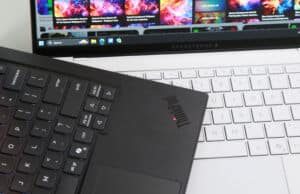
For what it’s worth, here’s how the current Zenbook 14 (black) looks next to the Zenbook A14 (grey), for a peak into the future design language of the Zenbook 14 UX3480 lineup. The Zenbook S14 series is included as well, in white, as a higher-tier model with more premium materials and some higher-end specs.
Keyboard, touchpad I’ve said it before, and I’m saying it again: this Zenbook 14 generation offers some of my favorite inputs available on portable notebooks today.
Perhaps I’m a little biased on this keyboard, having used it for so long over the years, but I find it one of the most accurate and comfortable typers in this segment. The keys are softly coated, have a small dash in them, and travel 1.5 mm into the frame. They’re also firm and quiet when pressed fully. For what it’s worth, though, the black finish on this variant does show finger oil easily, so keep that in mind.
The keys are backlit, with white LEDs and three brightness levels to choose between. Some light creeps out from underneath the keycaps, especially from under the top-row of Function keys, which is an aspect perhaps Asus could improve on their future lineups.
The touchpad is wide and averagely tall. It can double as a Numeric touchpad with a press of the icon in its top right corner, but what’s important is the smooth feel and reliable experience with general use. Physical clicks are fine as well.
Furthermore, Asus leaves enough space around this touchpad to limit ghost touches, an aspect that more and more ultra-portables compromise on these days, as they implement huge touchpads with small margins. This is something that bothers me greatly on my MacBook Air.
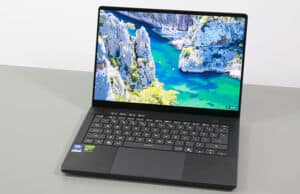
14-inch OLED display There’s a 14-inch 14:10 display on this series, with average-sized bezels and a camera, sensors, and microphones at the top .
As far as I can tell, Asus offers this 2026 generation with 2K OLED panels, either touch or non-touch. My unit is the touch variant. Asus does mention the 2.8K 120Hz panel option potentially available for this series as well, but I’m not seeing it on actual retail products, as Asus are aiming for the 1K price-point with this lineup.
This is an older-gen OLED and not the brighter variant implemented on other 2026 ultrabooks. That means its max sustained brightness tops out at under 400 nits (and actually more like 350 nits on this touch variant), and the refresh rate is only 60Hz; however, the blacks, contrast, and colors are still as good as they get with the tech. Paired with the glossy finish, this display is hardly usable in any bright-light environments, and even with regular use you’ll have to keep it at 80-100% brightness for a comfortable experience.
That means you should be extra careful about dealing with static Windows interfaces, especially if you plan on keeping this for many years. You’ll want to prevent burn-in as much as possible.
Furthermore, as a touch OLED of this generation, this shows the dreaded grain screen-door effect on light backgrounds, especially visible when reading/editing text. This isn’t an issue on the non-touch variant, something to keep in mind when deciding on the available configurations. At the same time, the non-touch variant lacks the extra layer of protective glass over the OLED panel.
Hardware and performance Our test model is the top-specced configuration of the 2026 Asus Zenbook 14 UM3405GA, with an AMD Ryzen AI 7 445 processor and Radeon 840M graphics, 32 GB of LPDDR5-7500 memory, and a 1 TB gen4 SSD.
Disclaimer: This is a retail unit I got for testing. Our results are based on the software available as of mid-August 2026 (BIOS 305, MyAsus 4.0.66.0, AMD Adrenalin 25.20.42.11). This is mature software.
Spec-wise, this series is based on the 2026 AMD Gorgon Point hardware platform , with Ryzen AI processors and AMD Radeon graphics.
Our review unit is a Ryzen AI 7 445 processor, a hybrid design with 6Cores (2x Zen5, 4x Zen5c), 12Threads, up to 4.6 GHz speeds, and 24 MB cache.
On the GPU side, the Ryzen AI 7 445 bundles a Radeon 840M iGPU with only 4 RDNA3.5 cores. That’s only 1/3 of what you’re getting with the Ryzen 9 Radeon 890M hardware.
Thing is, this Ryzen AI 7 445 is a rebranded variation of the Ryzen AI 5 340 Krackan Point SKU, and not a follow-up to the Ryzen 7 AI 350 implemented on the previous Zenbook 14 UM3406KA , which offered 4x Zen5/4x Zen5c CPU cores and a Radeon 860M with 8 CUs. A Ryzen 7 450 chip is available as part of the Gorgon Point roster, but not implemented on the 2026 Zenbook 14 for now. We might see a follow-up Ryzen AI 9 465 build on the Zenbook 14 UX3480GA later in the year, although that might not be offered if Asus still decides to target a lower-price point with the AMD configuration, leaving the more competent specs for the Intel Panther Lake variant.
As a result, the 2026 refresh is a slower performer across the board than the 2025 model. That’s not something you can easily tell just based on the specs alone, and it can confuse potential buyers who would expect this refresh to perform better than last year’s version, since this is a newer Ryzen 7 AI 400 chip.
Our configuration also comes with 32GB of LPDDR5-7500 memory. 16 GB variants are also available.
For storage, Asus opted for a fast PCIe gen4 Samsung drive here, perfectly fine for general use in this sort of laptop. Some configurations ship with Micron drives, which aren’t quite as fast.
The SSD and the WiFi chip are upgradeable, although the WiFi is not an M.2 format. Getting inside is fairly simple; you need to take care of a few Torx screws and take out the back panel. The screws are all the same size, unlike on older Zenbooks.
As far as the software goes, this ZenBook gets the standard MyAsus app, which allows control over the power profiles, battery, and screen settings, updates, etc.
There are four performance/thermal profiles to choose from:
Performance – ~28W sustained CPU power and up to 55W SDP, with the fans up to ~42 dB;
Standard – 20W in sustained loads, with the fans up to ~35 dB;
Whisper – limits the CPU to 15W to favor fan noise of sub 30 dB.
I’d keep the laptop on Standard for general use, whether plugged in or not, and on Performance for more sustained loads where higher power settings make sense.
We’ll get to that in a bit, but first, here’s what to expect in terms of speeds and temperatures with daily chores such as streaming video, editing text, or browsing the web.
Productivity Performance and Benchmarks – AMD Ryzen AI 7, Gorgon Point On to more demanding loads, we start by testing the CPU’s performance in the Cinebench R15 loop test.
In Performance mode, the Ryzen AI 7445 processor peaks at 55W and then gradually drops towards the 28W SPL limit. The scores end up at around 1600 points, with temperatures in the mid to high-70s °C and fan-noise levels of ~42 dBA.
The Standard mode keeps the fans quieter, at 35 dBA, and the CPU quickly drops to 20W of sustained power, with temperatures in the high-60s °C and scores of around 1350 points.
Whisper mode keeps the fans quieter at sub 30 dBA, with the power stabilizing at 15W sustained and temperatures in the very low-60s °C. The scores drop to 1200 points, which is about 75% of Performance mode.
And then there’s Performance mode unplugged from the wall, where this notebook performs identically to Performance mode plugged in.
All these are illustrated in the graph below.
To put these in perspective, here’s how this AMD Ryzen AI 7 445 implementation fares against other hardware platforms available in current and past-generation thin and light laptops .
This is about 20% slower than the Ryzen AI 7 350 implemented in the previous-gen Zenbook 14, due to having fewer CPU cores. It also performs fairly similarly to a recent Intel Core Ultra 7 355 Panther Lake platform at similar power, and a little faster than popular Intel Core Ultra 7 256V/258V Lunar Lake models. Thus, this is a decent platform for light use and daily multitasking.
However, there are many other faster implementations in the ultraportable realm, from all brands: AMD, Intel, Qualcomm. Furthermore, plenty of the previous-gen Intel/AMD implementations are faster in this multi-threaded load.
We then went ahead and further verified our findings with the more taxing Cinebench R23 loop test and in Blender. We measured similar behavior, power limits, fan noise, and temperatures as described above.
We then ran the 3DMark CPU profile test, on Performance and Whisper modes.
Finally, we ran our combined CPU+GPU stress tests on this notebook, on the Performance profile. 3DMark stress runs the same test for 20 times in a loop and looks for performance variation and degradation over time. This unit easily passed the test both raised up and flat on the desk, which means the performance is not impacted by heat buildup in longer-duration sustained loads.
Benchmark results and performance summary With that out of the way, let’s get to some benchmarks. We ran our standard set of tests with the laptop in Performance mode (~28W sustained TDP) and the screen set at its default 2K resolution.
Here’s what we got.
3DMark 13 –CPU profile: max – 5518, 16 – 5273, 8 – 4984, 4 – 3486, 2 – 2080, 2123 – 1062;3DMark 13 – Fire Strike: 5027 (Graphics – 5350, Physics – 12169, Combined – 1937);3DMark 13 – Solar Bay: 7498;3DMark 13 – Steel Nomad Light: 1622;3DMark 13 – Time Spy: 1998 (Graphics – 1771, CPU – 7305);3DMark 13 – FSR: FSR 2 Off – 5.18 fps, FSR 2 On – 9.94 fps, 92% performance difference.
Uniengine Superposition – 1080p Extreme: 835;Uniengine Superposition – 1080p Medium: 3111;
PCMark 10: 7188 (Essentials – 9716, Productivity – 13828, Digital Content Creation – 7502);GeekBench 6.6.0: Multi-core: 10557, Single-Core: 2615;GeekBench AI 1.7.0 (ONNX, CPU): Single: 2816, Half: 1557, Quantized: 6224;CineBench R15 (best run): CPU 1736 cb, CPU Single Core 269 cb;CineBench R23: CPU 11201 pts (best run), CPU 10016 pts (10 min loop test), CPU Single Core 1831 pts (best run);CineBench 2024: CPU 617 (10 min run), CPU Single Core 105 pts;CineBench 2026: CPU Multi Threads – 2545 pts, CPU Single Core – 574 pts, CPU Single Thread – 432 pts.
And here are some work-related benchmarks, on the same Performance profile:
Blender 4.3.2 – BMW Car scene- CPU Compute: 3m 52s ;Blender 4.3.2 – Classroom scene – CPU Compute: 9m 05s;Blender 5.0.1 – BMW Car scene- CPU Compute: 3m 55s ;Blender 5.0.1 – Classroom scene – CPU Compute: 9m 08s;Blender 5.1.2 – BMW Car scene- CPU Compute: 3m 28s ;Blender 5.1.2 – Classroom scene – CPU Compute: 8m 13s;
SPECviewperf 2020 – 3DSMax: 27.45;SPECviewperf 2020 – Catia: 29.66;SPECviewperf 2020 – Creo: 46.75;SPECviewperf 2020 – Energy: 10.56;SPECviewperf 2020 – Maya: 85.51;SPECviewperf 2020 – Medical: 24.08;SPECviewperf 2020 – SNX: 63.51;SPECviewperf 2020 – SW: 41.47;V-Ray Benchmark: CPU – 6994, CUDA – 186.
This is a fine platform for casual use and general multitasking, but not otherwise a fast configuration by today’s standards. It doesn’t feel sluggish in any way with regular daily use. However, it runs rather noisily with sustained loads and heavier multitasking in this Performance mode, which means you’ll most likely want to keep this on Standard anyway, which further limits performance in tests and demanding activities.
On the CPU side, this AMD Ryzen AI 7 445 trails 2026 Intel alternatives by 10-15% in single-core and IPC performance, while the sustained multi-threaded performance is somewhere towards the lower end of the graph. But still competitive against something like a Lunar Lake Core Ultra 7 256V/258V or a Panther Lake Core Ultra 5 325, specs you’d find in similar devices at similar price levels.
On the GPU side, the Radeon 840M, with only 4x CUs, is about half to two-thirds of the performance of modern Intel iGPUs, and 40-60% of the performance possible on higher-tier AMD specs with more GPU cores.
What bothers me is that this Ryzen AI 7 445 configuration is 20% slower in CPU loads and 50% slower in graphics chores than the previous Ryzen AI 7 350 platform implemented last year inside the same chassis. Thus, I’d rather get one of those if still available in your region. A Ryzen AI 7 450 would have been the more obvious success, but that’s not offered for a multitude of reasons, such as cost and limited availability from AMD, which you don’t want on a high-volume lineup such as this one.
So all in all, while last year Krackan Point hardware offered competitive value for the money in this Zenbook 14 chassis, this year the Gorgon Point hardware of choice remains an affordable offer in the ultrabook space, but isn’t quite as competitive. It primarily marches on being one of the cheaper hardware options available today, though, which could still attract many potential buyers when tech has gotten so expensive.
Gaming Performance We also ran a couple of games on the Performance profile of this AMD Ryzen AI 445 + Radeon 840M configuration, at FHD+ resolution, with Low/Lowest graphics settings. I included a few other competing platforms for comparison.
Low settings Zenbook 14 2026, Zenbook 14 2025, Zenbook 14 2025 ,Yoga Pro 14 2024 ,Zenbook S 14 2024 ,Zenbook S 16 2024 ,Zenbook 14 2024,
Far Cry 6 36 fps (22 fps – 1% low)
50 fps (42 fps – 1% low)
52 fps (36 fps – 1% low)
48 fps (34 fps – 1% low)
52 fps (38 fps – 1% low)
54 fps (46 fps – 1% low)
46 fps (34 fps – 1% low)
Horizon Forbidden West 27 fps (18 fps – 1% low)
40 fps (30 fps – 1% low)
44 fps (30 fps – 1% low)
40 fps (32 fps – 1% low)
45 fps (32 fps – 1% low)
40 fps (30 fps – 1% low)
35 fps (26 fps – 1% low)
Shadow of Tomb Raider 44 fps (32 fps – 1% low)
63 fps (46 fps – 1% low)
72 fps (48 fps – 1% low)
72 fps (56 fps – 1% low)
66 fps (26 fps – 1% low)
72 fps (56 fps – 1% low)
65 fps (48 fps – 1% low)
The Witcher 3: Wild Hunt 48 fps (32 fps – 1% low)
56 fps (40 fps – 1% low)
66 fps (54 fps – 1% low)
46 fps (34 fps – 1% low)
78 fps (56 fps – 1% low)
60 fps (38 fps – 1% low)
45 fps (33 fps – 1% low)
Cyberpunk, Horizon, Witcher 3 – recorded with MSI Afterburner in game mode;
Far Cry, Tomb Raider – recorded with the included Benchmark utilities.
You can run older titles at 30-40 fps on this hardware, but your expectations should be realistic. This is a lower-tier Radeon iGPU with a limited number of cores, and it can’t compete against the Intel iGPUs implemented at this similar tier, or even the upper-level Radeon 860M chip implemented in the previous-gen Zenbook 14.
With that out of the way, let’s go through some CPU/GPU logs.
First, Performance mode with the laptop flat on the desk. The GPU runs at nearly its max potential on this profile, with fan noise of around 42 dBA at head-level. Keeping the laptop raised off the desk leads to fair internal temperatures, around 72-75 °C, while placing it flat on the desk keeps the heat inside and leads to internal temperatures over 80 °C. These temperatures are about on par with the previous-gen AMD Zenbook 14 model.
Then, Standard mode keeps the fan noise lower at 35 dBA, with a 15-20% drop in GPU performance and frame rates, since the TDP is limited at 20W and the GPU clocks are limited as well. Internals run coolly in this mode, in the mid-60s °C, with the laptop raised off the desk.
The laptop performs well when unplugged, with Performance mode unplugged or plugged in delivering similar frame rates. Expect about 2 hours of runtime on a charge with games and such intensive loads, though.
Noise, Heat, Connectivity, speakers, and others Asus went with a single-fan, dual-heatsink, single-heatpipe thermal module here, just like on the previous generation.
For comparison, this is the cooling module on the 2025 Zenbook 14 generation. Identical.
This is a minimalist cooling design and copes well enough with the hardware in this notebook. However, you must keep this placed on a stand when running sustained activities or games, to favor better airflow into the fans and underneath the chassis.
I will also mention that this sort of design leads to one half of the chassis running warmer than the other, which can be uncomfortable at times, but at least the hotspots develop high on the chassis and not around the areas that you’ll normally come in contact with.
As far as the noise levels go, expect 42 dBA on Performance, 35 dBA on Standard, and sub 30 dBA on Whisper mode.
With daily use, the fan stays mostly idle on all profiles, but kicks in with heavier multitasking, especially on Performance with the laptop plugged in. I haven’t noticed coil whine or electronic noises on this unit.
As for external temperatures, the chassis stays cool with light use, with most areas under 30 °C and a slightly warmer spot developing at the top-right of the keyboard, right next to the heatsink.
*Daily Use – streaming Netflix in EDGE for 30 minutes, Whisper Mode, fans at 0 dB
With demanding loads, a hotspot of around 42-45 °C develops on the top side of the chassis in Performance mode, while the hottest spot on the bottom goes over 50 °C on the underside. Furthermore, the keyboard and arm-rest areas run at way more comfortable levels, around mid-30s °C.
Overall, these are fair thermals for a laptop of this kind and notably cooler than on the previous-gen Ryzen AI 7 350 model in a similar load.
*Gaming – Performance mode – playing Witcher for 30 minutes, fans at ~42 dB
For connectivity, Asus still only offers Wi-Fi 6E and Bluetooth 5.4 on this laptop, so no WiFi 7 by default. That’s a pity, especially since the WiFi module is not a standard M.2 format and cannot be so easily upgraded if required. You can The laptop performed fine on wireless during all my time with it, but it still bothers me that they didn’t include WiFi 7 here. From what I can tell, there’s no WiFi7 on any of the retail units either.
Audio is handled by a set of stereo speakers that fire through grills positioned on the side and bottom of the chassis. They sound alright for this class, with good volumes and decent quality. Not MacBook levels by any means, but not awful speakers either.
Finally, there’s an FHD camera placed at the top of the screen, with IR and ALS sensors, and flanked by microphones. The camera comes with a physical cover, and the image quality is decent in good lighting.
Battery life – excellent runtimes with Gorgon Point There’s a 75 Wh battery inside this 2026 Asus Zenbook 14, properly sized for its segment.
Here’s what we got in our battery life tests, with the screen’s brightness set at around 120 nits (~60 brightness) and at its default 60Hz refresh rate. I’ve also set the Windows 11 power mode to Best Power Efficiency.
6-7 W (~10-12 h of use) – text editing in Google Drive, Whisper Mode, screen at 60%, Wi-Fi ON;5 W (~15 h of use) – 1080p fullscreen video on Youtube in Edge, Whisper Mode, screen at 60%, Wi-Fi ON;4.5 W (~13-14 h of use) – Netflix fullscreen in Edge, Whisper Mode, screen at 60%, Wi-Fi ON;7-9 W (~8-10 h of use) – browsing in Edge, Standard Mode, screen at 60%, Wi-Fi ON;35 W (~2 h of use) – Gaming – Witcher 3, Performance Mode, screen at 60%, Wi-Fi ON.
Solid runtimes, thanks to the efficiency of the AMD hardware and that big battery. This lasts a little bit longer with video streaming and multitasking than the previous-generation Krackan Point model tested last year, and the efficiency is close to what you can get with Intel Lunar Lake and Panther Lake implementations. Qualcomm laptops, on the other hand, such as the Zenbook A14, still run for longer in all scenarios.
The laptop ships with a compact 65W USB-C charger. It’s a single-piece design with a long and thick cable and a USB-C plug.
For what it’s worth, there’s a good chance you’re getting this laptop without a charger in the EU, due to the stupid local legislation. That means you can either use an older charger if available, or ideally buy this Asus model on the side (if you can find it, that is). This is impacting ultraportables with USB-C chargers from all brands starting this year.
Price and availability- Asus Zenbook 14 OLED At the time of this article, the Asus ZenBook 14 UM3406GA is widely available across the world.
Follow this link for updated prices and configurations in your area .
In the US, Walmart lists this at $999 MSRP for the Ryzen 7, 16 GB RAM, 1 TB SSD, 2K touchscreen configuration, and you’ll find it at other stores as well, including Amazon.
Over here in Europe, the same configuration is available for between 900-1100 EUR in various countries, while in the UK I can find it for around £ 899.
Configurations with 32 GB of RAM are available in some regions, for about 100 EUR/GBP extra. They’re not as widespread as in the previous generation, where the default variant came with 32 GB of RAM in most markets. With this generation, Asus are consciously targeting a lower price tag.
Follow this link for updated prices and configurations in your area .
Final thoughts- Asus Zenbook 14 OLED UM3406GA review This series is the standard and popular Asus Zenbook 14 we’ve appreciated for the last few years, as one of the better-value thin-and-light laptops available in most markets.
However, this 2026 generation aims to stay affordable in a world where tech has become a lot more expensive. That means it targets a sub-1000 USD/EUR/GBP price level, and for that, compromises had to be made. Those compromises are the 2K 60Hz OLED panel and the Ryzen AI 7 445 hardware platform, and even these aren’t necessarily deal-breakers by any means; you just need to understand where they do well and where they fall short.
In just a few words, the 2K OLED is fine for indoor use, but the limited brightness and glossy display finish make it difficult to use otherwise. As for the specs, the Ryzen AI 7 445 is actually a downgraded follow-up of the Ryzen AI 7 350 implemented in the previous-gen Zenbook 14 UM3406KA series, with lower CPU/GPU performance in sustained loads. At the same time, though, this is a fine performer for casual use and daily multitasking, and runs efficiently, allowing for cool thermals and quiet fan noise most of the time.
Thus, as long as you get this laptop for casual use and multitasking, and plan on keeping it mostly indoors, it’s going to be fine for you. Especially if you’re on a tight budget. Nonetheless, though, if that 2025 Ryzen AI 7 350 configuration is still to be found where you are, I’d get that instead; it might even come with 32 GB of RAM and the 2.8K screen by default.
Now, as far as the competition goes, this Zenbook 14 is not the only affordable Gorgon Point notebook out there, with alternatives such as the Vivobook S14 and Lenovo’s Slim 5a and Slim 5a 2-in-1 models, as well as the Yoga 7a 2-in-1 discussed here . This Zenbook, however, remains arguably the nicer and more practical design among these, but each of those have their own share of pros and quirks that you should consider in your research.
However, I’d rather consider a Panther Lake Core Ultra 7 355 notebook over a Gorgon Point model if reasonably priced; by that I mean I would pay 100-200 EUR extra for Panther Lake. Too bad this hardware is not offered on the Zenbook/Vivobook models yet, but it should be with the refreshed Zenbook 14 UX3480 models later in the year.
Anyway, this wraps up my time with this Asus ZenBook 14 UM3406GA lineup. Looking for your questions, thoughts, and feedback in the comments section down below.
Disclaimer: Our content is reader-supported. If you buy through some of the links on our site, we may earn a commission.
Terms .
Navigation: Ultrabookreview.com » Asus
Review by: Andrei Girbea
Andrei Girbea is a Writer and Editor-in-Chief here at Ultrabookreview.com . I write about mobile technology, laptops and computers in general. I've been doing it for more than 15 years now. I'm a techie with a Bachelor's in Computer Engineering. I mostly write reviews and thorough guides here on the site, with some occasional columns and first-impression articles.


cikada
August 21, 2026 at 8:34 am
I don't understand why they started using glossy displays everywhere. One of the reasons Zenbooks were great was the matte displays, and now it's not even an option.
Andrei Girbea
August 21, 2026 at 1:14 pm
That was before they switched to OLEDs. Matte OLEDs are going to be a more widespread option in the future, though; they are already available on some units