
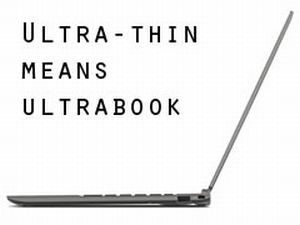
Many of the ultrabooks available these days draw attention with their slim and compact build, long battery life and snappy performance. However, some features have to be left on the side with this kind of thin and light computers, as there’s just not enough physical room to squeeze everything inside their compact bodies.
In this post we’re going to offer solutions for two aspects that most ultrabooks lack: dedicated graphics and optical units.
The latter are pretty much out of the picture today, as the CD/DVD drive became obsolete and took precious space. There are however many ultrabooks with dedicated discrete graphics chips, available as well balanced everyday laptops that can tackle some occasional gaming, but also as compact high-performance gaming notebooks in the premium segments, which also make for great options for programmers, engineers or graphics artists, among others.
Update: The rest of this post is old ans hasn’t been properly updated in several years. If you’re interested in thin-and-light laptops with dedicated graphics, I suggest heading over to this detailed and more recent article.
Compact ultrabooks with discrete graphics
Many of today’s ultrabooks feature Intel HD integrated graphics. While these chips aren’t exactly slow, as they can cope with light gaming and all sorts of video content, they can only do so much and will stumble when dealing with modern games or other graphic intense activities (editing videos, rendering 3D content, etc).
And yes, the Intel HD 4000 can handle some of the recent titles in 13 x 7 resolution with details towards low. Still, if you want an improved gaming experience on an ultrabook, you will have to go for something with dedicated graphics.
And while a pretty rare commodity, both Nvidia and AMD chips can be found on some particular ultrabooks these days, as you’ll find out from the rows below.
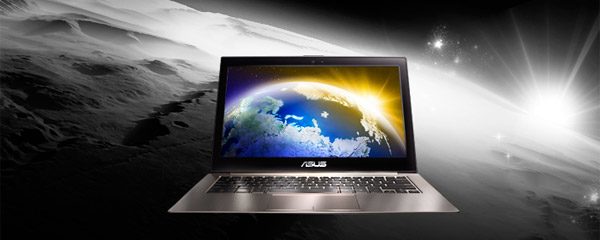
Asus offer several 13-inch ultrabooks with dedicated graphics
When talking about 13.3 inch ultrabooks, we have the Asus Zenbook UX32VD, that bundles an Nvidia 620M chip. That’s not very powerful, but is still about 2-3 times faster than the integrated Intel HD 4000 sollution and will allow you to run modern games like Battlefield 3, Skyrim or even Crysis at about 25-30 fps on 13×7 resolutions, with details set to medium.
There are also some newer entries, like the more powerful Asus Zenbook UX302LG, with Intel Haswell processors and Nvidia 730M graphics, or the Acer Aspire S3, with Nvidia 735M graphics.
We also have a couple of other 13 inchers with discrete graphics, as show below:
13 inch ultrabooks with dedicated graphics |
|||
| Model | Processor | Graphics chip | |
| Asus Zenbook UX32LN | Intel Haswell Core i5/i7 | Nvidia GT 840M | Price |
| Asus Zenbook UX303LN | Intel Haswell/Broadwell Core i5/i7 | Nvidia GT 840M | Price |
| Asus Zenbook UX302LG | Intel Haswell Core i5/i7 | Nvidia GT 730M | Price |
| Asus Zenbook UX32VD | Intel IvyBridge Core i5/i7 | Nvidia GT 620M | Price |
| Asus Vivobook S301 / Q301 | Intel Haswell Core i5/i7 | AMD Radeon Mobility 8530G | Price |
| Samsung Series 7 Ultra | Intel IvyBridge Core i5/i7 | AMD Radeon 8550M / 8570M | – |
Stepping up a notch, to 14 inch ultrabooks, you’ll find that most ultrabooks in this class do feature dedicated graphics, with either Nvidia or AMD chips. So you could look at laptops like the Acer Aspire M3 and M5, the Dell XPS 14, the HP Envy 4, the Gigabyte U2442 or the Samsung Series 5 Ultra and at some of the Haswell models listed below (I’ve included a couple of Ultra-portable as well, with full-voltage CPUs).
14 inch ultraportables with dedicated graphics |
||||
| Model | Processor | Graphics chip | ||
| Acer Aspire V7 482PG | Intel Haswell ULV Core i5/i7 | Nvidia GT 750M | Price | |
| Gigabyte U24F/U24T | Intel Haswell ULV Core i7 | Nvidia GT 750M | Price | |
| Gigabyte P34K | Intel Haswell HQ Core i7 | Nvidia GT 760M | Price | |
| Lenovo IdeaPad U430p | Intel Haswell ULV Core i5/i7 | Nvidia GT 730M | Price | |
| Lenovo ThinkPad Yoga 14 | Intel Haswell/Broadwell ULV Core i5/i7 | Nvidia GT 840M | – | |
| HP ENVY Touchsmart 14t | Intel Haswell ULV Core i3/i5/i7 | Nvidia GT 740M | Price | |
| Razer Blade | Intel Haswell Core i7 | Nvidia GTX 870M | Price | |
The same can be said about 15.6 inch ultrabooks, and although there aren’t that many to choose from right now, the HP Envy 6t, the Dell XPS 15 or the Asus Zenbook UX51VZ are good options popping to my mind (although the latest are not exactly ultrabooks per se, according to Intel’s definition).
Anyway, in this section I’m only going to list the Haswell powered Intel ultrabooks that bundle discrete graphics, and if you’re interested in more details about 15 inch ultrabooks, this article over here will come in handy.
15+ inch Haswell ultrabooks with dedicated graphics |
||
| Model | Processor | Graphics chip |
| Acer Aspire V5 573G | Intel Haswell ULV Core i5/i7 | Nvidia GT 750M |
| Acer Aspire V7 582PG | Intel Haswell ULV Core i5/i7 | Nvidia GT 750M |
| Asus VivoBook S551 / V551 | Intel Haswell Core i5/i7 | Nvidia GT 740M |
| Gigabyte U35F | Intel Haswell ULV Core i7 | Nvidia GT 750M |
| Gigabyte P35K | Intel Haswell Core i7 | Nvidia GTX 765M |
| HP TouchSmart 15/17 | Intel Haswell M/HQ Core i5/i7 | Nvidia GT 740M/750M |
| Lenovo IdeaPad S510p | Intel Haswell ULV Core i5 | Nvidia GT 720M |
| Razer Blade Pro | Intel Haswell Core i7 HQ | Nvidia GTX 765M |
| Sony Vaio Fit 15A Multi-Flip | Intel Haswell Core i5/i7 | Nvidia GT 735M |
Of course, I’m expecting more ultrabooks with discrete graphics in the near future, so I will periodically update this post.
Update: This post will tell you more about the top gaming ultrabooks you could buy these days, which feature discrete graphics, of course.
Bottom point, if looking at one of these machines, you should have realistic expectations: don’t get your hopes too high, they can run games, but not really the latest titles and not on high resolutions or detail levels. If you need those, go for proper gaming laptops, not for gaming ultrabooks.
Optical drives on ultrabooks – are you sure you need them?
When you decide to design an 0.6-0.8 inch thick portable computer, it’s obvious that you will have to make a couple of compromises and cut a few corners. With the slim bodies, there’s simply not enough room on modern ultrabooks for optical drives, whether CD, DVD or Blu-ray units. Especially on 13.3 inch or smaller devices.
If you’re considering some bigger 14 inch or even 15.6 inch ultrabooks, there are some however that feature optical drives, like the 14 inch Samsung Series 5 Ultra NP530, the Acer Aspire M3 and M5, the 15 inch Dell XPS 15, Asus S56 and Vivobook S550 and a couple of others. However, when compared to other ultrabooks in their classes, these are a bit bulkier or pack smaller batteries, mainly because the precious space inside the case is now occupied by the optical drive.
This post will show you all the ultrabooks with optical drives available right now in stores, so you should definitely check it out.
To be frank, I haven’t used a CD or DVD in years, so the lack of optical drives on ultrabooks is not really an issue for me. But, if you really want to buy such a computer and need to use DVD/CD or Blu-ray discs with it, there’s a solution: get an external optical unit that can be easily connected to your laptop via USB. I’ve got a selection of good such optical drives over at TLBHD.com, so you should check it out.
Bottom point, I wouldn’t worry too much about optical drives on my ultrabook, you’ll hardly need it anyway, so you’d better get something that uses the space for something else. And if you do need to read those discs, a good and simple external drive costs less than $50 and will work with any computers, as long as they have an USB port.
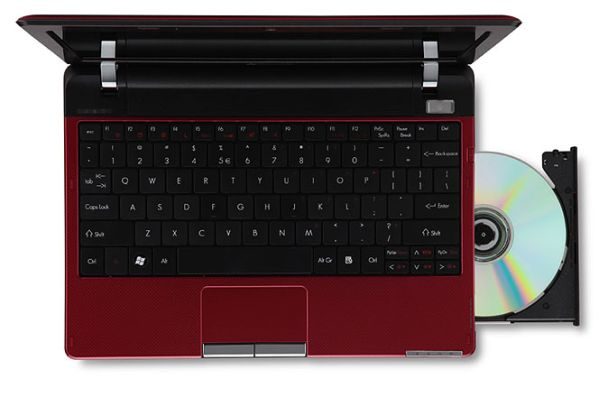
Be honest, when’s the last time you used one of those? Oh, you don’t remember? I wonder why…
Wrap up
In the end, you have to understand that ultrabooks are meant to be sleek and portable, thus will lack some of the features you get on bigger laptops, like discrete graphics or optical units, as there’s not enough space inside them for those.
However, several manufacturers do offer ultrabooks that will feature these as well and as technology improves, we’ll probably see more options (and here I’m mainly talking about options with discrete graphics, not optical units, which are more or less obsolete these days).
You’ll usually find dedicated graphics on many 14 inch or bigger laptops in this class, while this feature is probably going to be quite rare on 13.3 inchers or smaller machines in the near future as well.
Once again, if you’re after my list of recommended ultrabooks for gaming, you’ll find it via this link.
With optical units, you only get them on a hand-full of ultrabooks right now, all of them 14 or 15.6 inchers. And you’ll also notice that the DVD drives are only present on budget ultrabooks, that tend to be more massive than the premium members of their families.
Still, ultrabooks are not really meant for games, and if you’re looking to run some simple titles, the integrated Intel HD 4000 chip on the Ivy Bridge architecture is powerful enough to handle them (and the future Haswell graphics will be even better). As for the optical units, you can buy external drives for cheap and solve the issue for good.
Furthermore, I’m pretty sure more ultrabooks featuring discrete graphics or integrated optical drives will be launched in the future. However, don’t expect those to be featured on all ultrabooks on the market, that’s not going to happen.


Vin
July 3, 2013 at 6:09 am
Great mini reviews and analysis of various ultrabooks! I was shopping around for one but ultimately decided that I didn’t really need a dedicated GPU and sprung for a Lenovo U310. I enjoyed reading your article though!
Laneybosh
August 19, 2013 at 4:49 pm
Hi there, do you have any info on when the Acer Aspire V7 482PG and/or HP ENVY Touchsmart 14t will be available in Europe/UK? Any idea on prices too?
Thanks.
Andrei Girbea
August 19, 2013 at 8:37 pm
Not for the time being, no, but i”ll keep an eye for any listings. Should see them by September in Europe as well
Agustin
September 2, 2013 at 5:51 pm
I think the ultrabook concept is missunderstood. How can it be a laptop that weights 5.5 pounds called ultrabook? Arent ultrabooks supposed to be light?
Andrei Girbea
September 3, 2013 at 9:18 pm
they are supposed to be thin. weight is not a factor, according to the official requirements imposed by Intel
Nick Robinson
September 19, 2013 at 1:08 pm
Hi,
I really want an ultra light thin laptop with a minimum of a 14″ screen but an included optical drive, can you recommend anything now or coming in the future? (From September 2013 onwards)
Many Thanks
Nick
Shekhar
September 5, 2014 at 12:42 pm
hi Andrei
i am looking for a powerful 13 inches with at least 2gb dedicated graphics card. have reached a dead end in my search. any suggestions?
ciao
shekhar
Andrei Girbea
September 6, 2014 at 8:35 am
Asus UX303LN. Asus Zenbook UX302LG and the Acer Aspire S3-392 are 13 incher with a 1GB graphics card, although judging graphics chips based on memory alone is very misleading.
Arshad
June 19, 2017 at 3:08 am
i have been searching for this kind of articles …. thank you very much
Kris
October 5, 2018 at 5:09 pm
Dear writer/editors, please find better adjectives to describe compact and slim features. Using anorexic as an adjective just does not make sense for an object such as a laptop without apetite for nutrition, and it would be wise to shy away from it entirely for the associations it may bring up for readers who may have had experiences with this debilitating and life altering disorder themselves or in their close ones.
Andrei Girbea
October 8, 2018 at 12:50 pm
Thanks for this feedback, you're totally right. This is an older article that need's to be updated.
Wesley
December 9, 2018 at 10:51 pm
You forgot to mention the 13" Microsoft Surface Book 2 with am Nvidia GTX 1050.
Andrei Girbea
December 10, 2018 at 2:43 pm
This is an older article and hasn't been properly updated in a long while. See this article instead for more up-to-date suggestions: https://www.ultrabookreview.com/2071-best-gaming-ultrabooks/