Table of Contents
Ever since Apple switched over to the ARM-based M-series CPUs, the conventional wisdom has been that, with strong performance and best-in-market power efficiency, Apple’s M-series MacBooks are the computers most people should buy. In fact, some have opined that the M-series CPUs are too good!
As MacBooks are cheaper than they’ve ever been, while higher-end PCs have gotten more and more expensive, a MacBook Air should still be a no-brainer, right?
However, the world is a very different place in 2026 than it was when the M-series debuted in 2020. I’ve had a kid since then, been laid off due to political shenanigans, had to pay for multiple surgeries for one of my pets, and have also had most of the major parts on my car replaced. In short, I am feeling the squeeze—and, based on nearly everyone I’ve talked to who isn’t already retired, a lot of other people are in the same boat around the world.
So, in a time where AMD has some incredible chips like the HX370 and Strix Halo APUs, people are struggling to get by and are not consuming as they did in 2016 or even 2023, does the MacBook Air still live up to its reputation? Should you still buy one in 2026? Read on to find out!
My history with Apple
I grew up a fervent acolyte in the cult of the Mac. I told everyone who would listen about how fast* the G4 was (*in Adobe Photoshop… with certain filters). I not only drank the kool-aid, I ate the powder.
But, as more and more PC-only games like Starcraft and Half-Life came out on the PC, I felt more and more left out. In late 2001, my sophomore year of high school, I sold my 500Mhz iBook G3 and bought a PC (Compaq Presario 2700T) and joined the throngs of people playing Half-Life and Counter-Strike. I played every game I could get running on my 1.13GHz Pentium 3 Presario with its 16MB ATI Radeon mobility GPU did my best to catch up on all of the PC exclusives I had missed – Half-Life and its innumerable mods, Starcraft, Aliens Vs. Predator 2, System Shock 2, and many more. It was very rare that I would look over to the Mac side with envy, because the gaming situation kept me so happy.
As much as I love using Linux and gaming on my Steam Deck and ROG Zephyrus G16, there is at least one area where nobody beats Apple: music production. My Digital Audio Workstation (DAW) of choice is Ableton Live, which doesn’t properly run in Linux, and requires either Windows or MacOS.
Up until just a couple of years ago, Intel’s CPUs struggled to run Ableton with significant audio stuttering, not to mention a long-term collaboration being done in Logic Pro, which is an Apple-exclusive music production program. So, in early 2024, I bought an M1 Max MacBook Pro 16 with 64GB of memory and 8TB of storage from reseller Backmarket. I loved producing on it: projects that brought my PCs to their knees at the time ran flawlessly. It’s hard to describe what it feels like to someone who hasn’t used both, but it feels like going from a consumer tool to a professional one. But, the MBP16 at 4.7lbs was just a bit too heavy such that I didn’t want to carry it around, so I sold it off and picked up both a 3.3lb MacBook Air 15 and 2.7lb MBA 13 with the same specs (M3 8/10-Core, 24gb of RAM, and 1TB of storage) so I could see which one I liked more.
Specs – my MacBook Airs
| 2024 Apple MacBook Air M3. 13-inch or 15-inch | |
| Display | 13.6″: 60Hz, IPS, 2560 x 1664 px resolution 15.3″: 60Hz, IPS, 2880 x 1864 px resolution |
| Processor | Apple M3, 8 cores (4P + 4E) |
| Video | 10-core M3 GPU |
| Memory | 24GB onboard RAM |
| Storage | 1 TB PCIe |
| Connectivity | Wi-Fi 6E, Bluetooth 5.3 |
| Ports | 3.5mm audio jack, 2x Thunderbolt 3/USB 4 ports (Type-C) – both on the left edge |
| Battery | 13″: 52.6 Wh 15″: 66.5 Wh |
| Size | 0.44″ x 11.97″ x 8.46″/11.8 cm x 30.40 cm x 21.49 cm |
| Weight | 13″: 2.7 lbs/1.24 kg 15″: 3.3 lbs/1.51 kg |
| Extras | clamshell format with non-touch display 1080P webcam in a big dumb notch |
Using the MacBook Air
The absolute best thing about the new MacBook Airs are their portability. At 2.7 lbs for the MBA13 and 3.3 lbs for the 15-inch, they both just fall into that category of “taking it with me just in case”. They fit easily into any backpack, don’t scratch or dent easily, are lightweight, and don’t require bringing a charger in most cases. These are all underrated qualities for a workhorse laptop that you want to have within reach whenever the need strikes.
You might think most laptops will check these boxes in 2025/2026, but it’s not that easy: My favourite PC laptop at the moment, the 2024 AMD ROG Zephyrus G16, is a bit heavier, doesn’t have the longevity needed to take it with you without a charger in most cases. I can get 8 hours out of it, but that easily drops to 4 under heavy usage, so I need to bring a charger with it most of the time. It is also nearly 1 lb heavier (2 if you count the charger) than the Air 15, and just lacks the robust build that the MacBooks do. Speaking of, let’s briefly touch on the build.
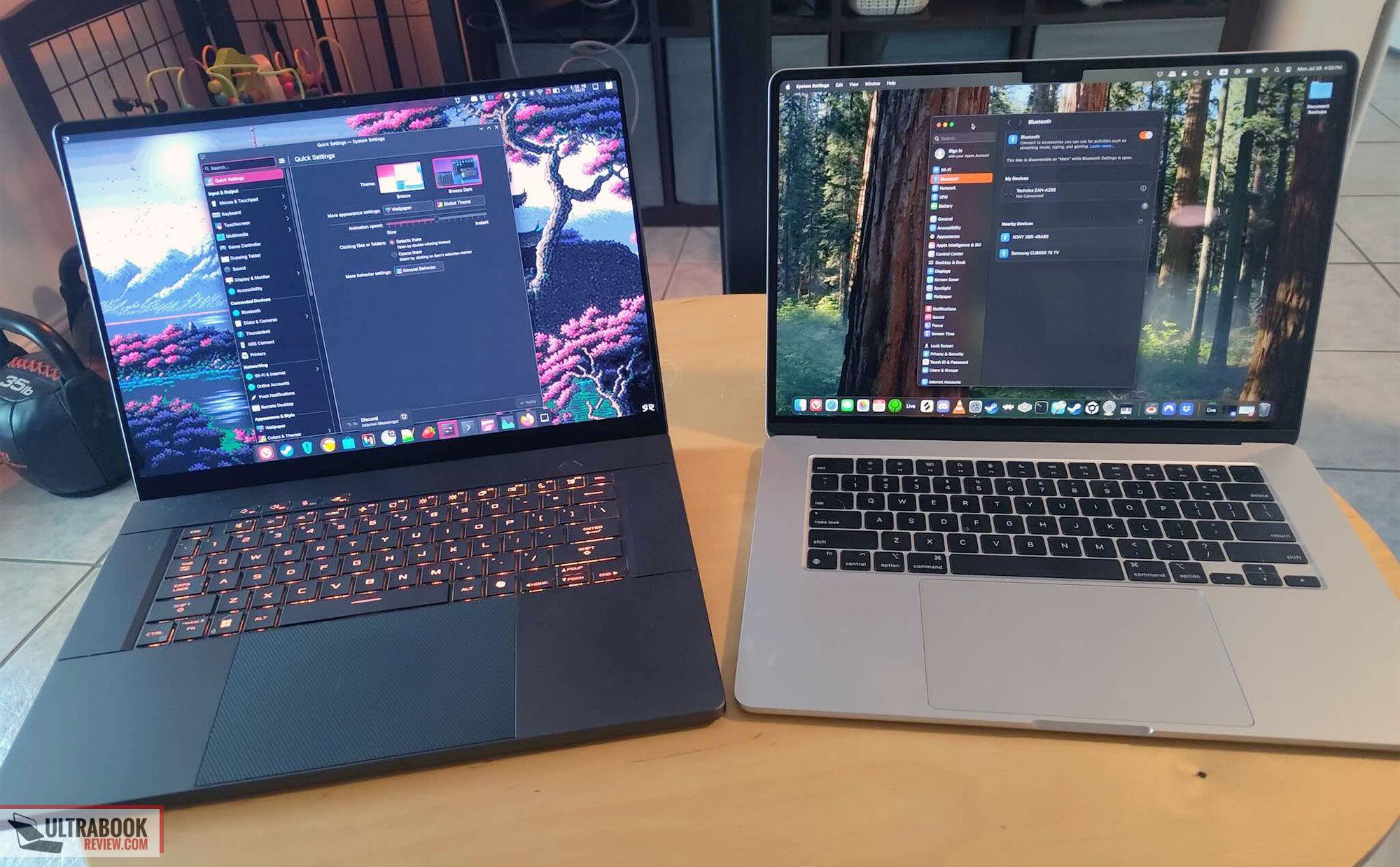
ROG Zephyrus G16 (left), MacBook Air 15 (right)
Build
There are a lot of things one can criticize about the M-series MacBooks, but the build is definitely not one of them.
There is almost no flex in the screen or deck, the anodized finish doesn’t flake, chip, or rub off with daily use, and, other than the notch, they look classy in a way that’s fairly timeless (not something one can say about the Zephyrus’s “slash” lighting lids). I have seen so many dents and scratches in the lid of the 2024/2025 Zephyrus laptops that I don’t feel safe putting them in a non-padded laptop sleeve because the aluminium is just so soft. In short, I found both the MBA 13 and 15 to be exceptionally built machines, with the only 10/10 construction I have found across dozens of laptops in the last decade.
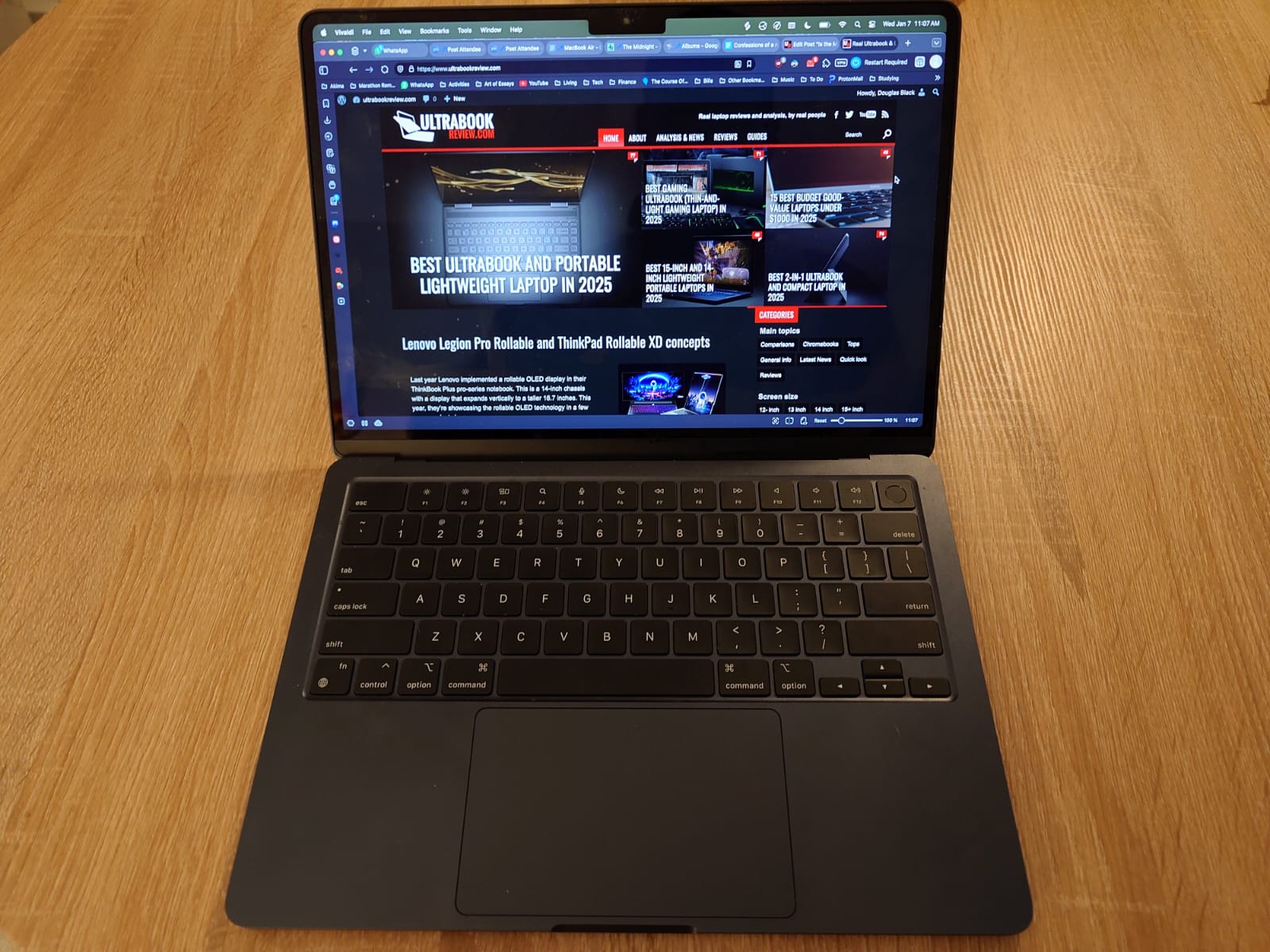
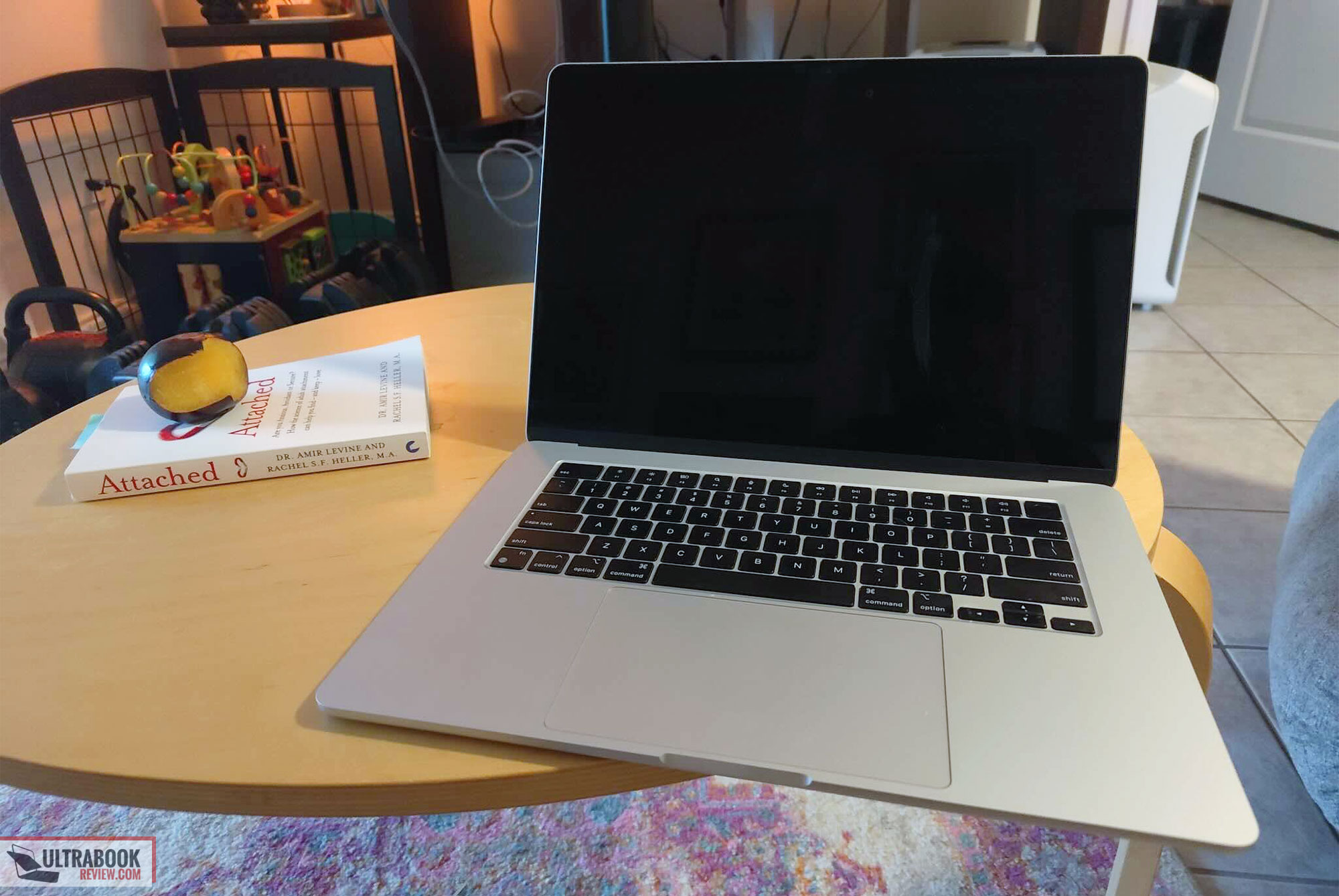
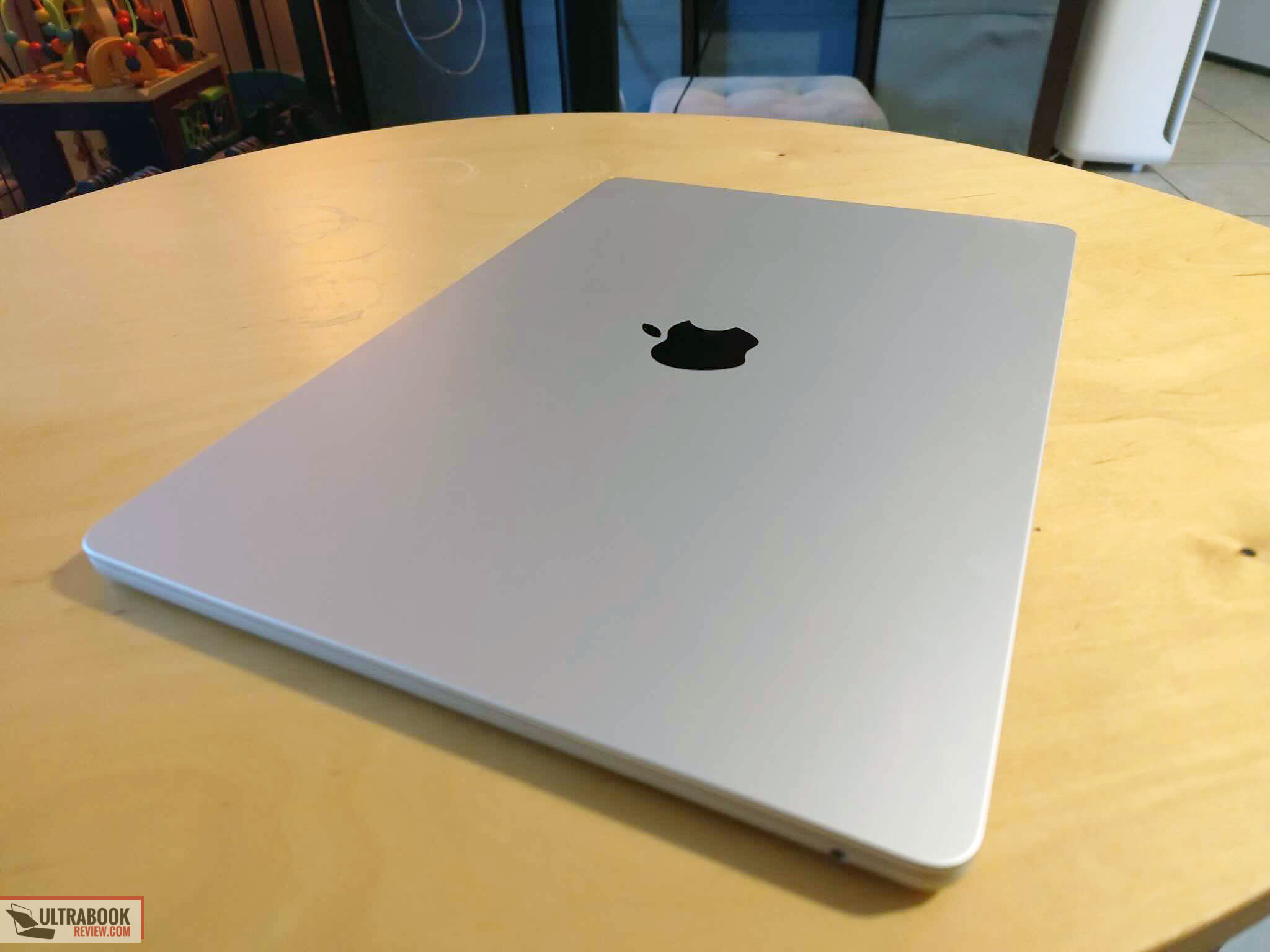
For comparison, the only PC laptop that came close to this level of build was, in my opinion, the UHD Dell XPS 13/15 from 2015-2019, which I would have given an 8.5-9/10. I would rank the ROG Zephyrus G14, G16, and P16 an 8/10, which look nice but have easily dented lids and slightly imprecise machining on the bottom cover.
Battery Life
Pairing very well with that physical portability is the excellent power efficiency of the M-series chips and MacOS for basic tasks. Its longevity for browsing, word processing, or media consumption is truly class-leading. I rarely shut my G16 for the day without plugging it in, because it needs to be charged to get through the next day. With the MacBook Air, you can use it to play music clips to provide a soundtrack for your kids for a few hours, end the day with a couple episodes of Star Trek: The Next Generation, and repeat this for a week without charging, and you’ll probably still have a bit of power left over.
There is a caveat to the battery life that isn’t really talked about by most reviews I’ve read, however: if you’re using an M-series laptop for demanding work like intensely producing music or editing video (lots of simultaneous tracks), the battery will go from full to empty in 2-3 hours just like any PC laptop. Still, for most tasks, you won’t need to worry about how much battery you’ve got most of the time, and for me, not having to think about this kind of thing is a shift that really does enhance enjoyment of computing.
Screen
One of the things that help give the MacBook Air its longevity is the 60Hz IPS panel, which uses a lot less power than Mini-LED, OLED, and especially Tandem OLED displays. The MacBook Air’s screen has a 60Hz IPS display that is great for light work. For videos or games, though, it will leave a bit to be desired coming from high-refresh-rate OLED or mini-LED. You’ll notice it as a downgrade coming from a high-end laptop like the G16 or MacBook Pro 16, but if your last laptop was a 2015 MacBook Pro 13”, it will just look like a nice IPS display — which it is (No Country for Old Men reference).

The MacBook Air is one of the few laptops still using an IPS display, which comes with both pros and cons.
One more positive is that it is much easier on the eyes at night than an OLED screen, so if you are using it in a completely dark room, it’s a superior experience to OLED.
So, while the screen does have an annoying notch, high black levels, and a 60 Hz refresh rate, it draws little power and doesn’t tire your eyes out like an OLED does. All in all, it’s a fair trade for an ultraportable like the MacBook Air. Full disclosure, though: if I have my G16 around, I will choose that over the Air for watching something.
Speakers
The 13″ MacBook Air has four speakers while the 15″ has six, but practically speaking they both sound similar and are top of their class for an ultraportable laptop. They might lack the bass and punch of the MBP 16″, but they still beat out the sound on the ROG G16, which are some of the best in the PC world at the time of writing.
The Air provides surprisingly excellent projection and volume without distortion, has a little sub-bass provided by two woofers to add oomf to dance tracks, and the clarity/accuracy is excellent, particularly for such a thin laptop. These laptops can definitely fill a small room with sound.
One cool thing to mention about MacBooks is that because the speakers are so accurate, you can produce music on them without headphones in a pinch. Most PC laptops use third-party software like Dolby Atmos or the legendarily cursed WavesMaxx audio to improve the way the speakers sound through post-processing, which is great for giving the overall impression of the audio a glow-up, but also means that it’s too inaccurate to use for professional audio work.
Keyboard and Trackpad
The first thing I immediately noticed as underwhelming on the MacBook Air after coming from a G16 and MacBook Pro 16 is the keyboard. The air’s keyboard is very shallow (maybe 1mm of travel at most) and does not feel great as you immediately bottom out each key stroke. You also hear a bassy thunk sound with each keystroke as you type, so when you are typing a lot, you create a bit of a rumble. It doesn’t feel good, and I think the best things I can say about the keyboard on the MacBook Airs is that the keycaps are stable and you can probably get used to how it feels when typing. I say this because my first impression was to immediately return both of the Airs due to the Keyboard, but over time, I did get used to it. If you are looking for a laptop to write a novel on, though, this ain’t it.
While the keyboard is not quite good, the trackpad is great, however. The surface texture is excellent and the haptic feedback feels just like a physical click. Also, Apple still has the best palm rejection algorithms in the business, and the day that PC manufacturers like Asus catch up will be a very welcome one. Is it perfect? No, that would require a pointing stick and dedicated mouse buttons for left and right clicks, plus scrolling — but it’s pretty darn good for being what it is.
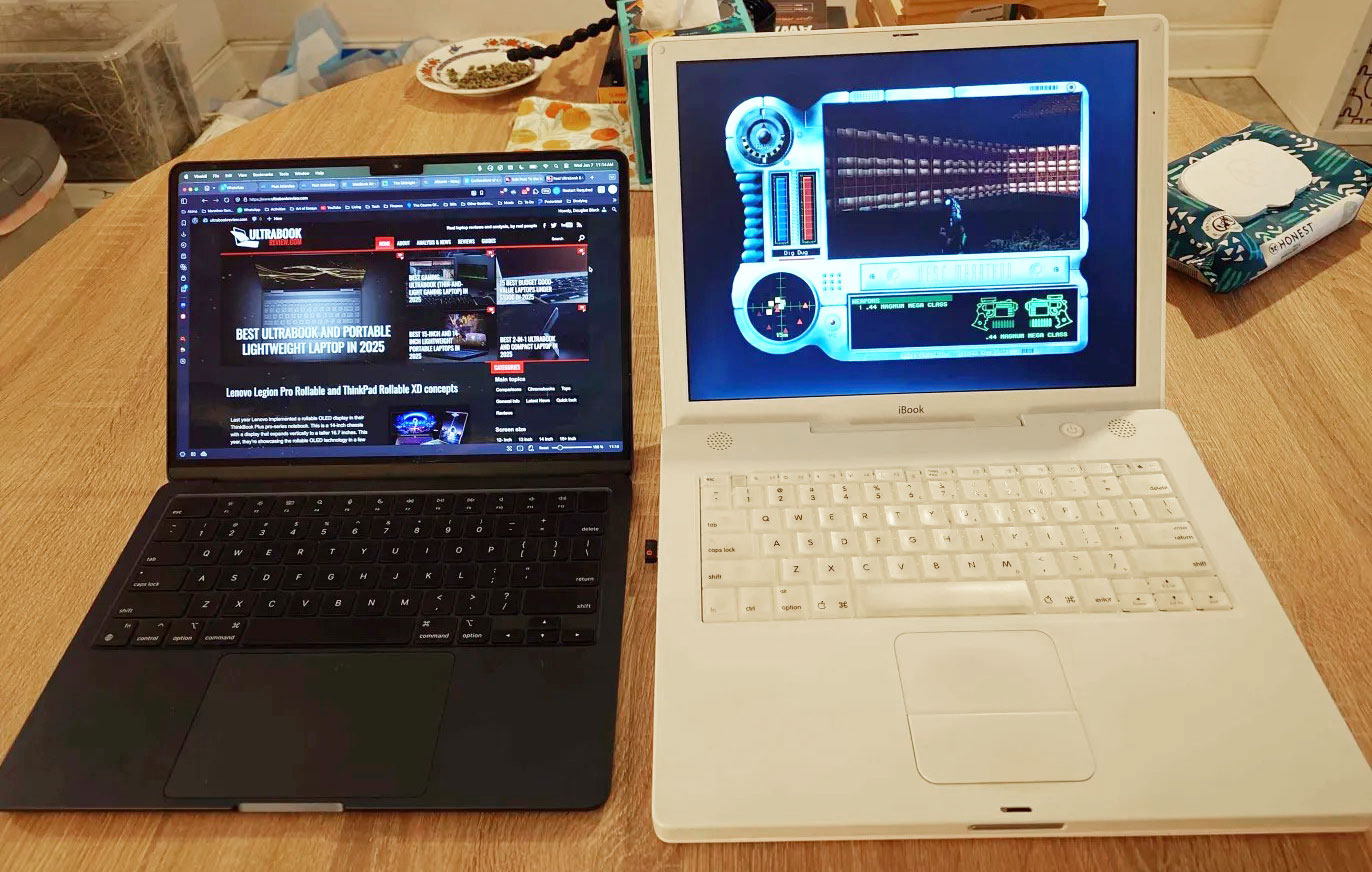
Look what they have taken from us: I’ll take the trackpad on the left and the keyboard on the right.
Ports
There are no two ways about it: port situation is the other area the MBA is lacking. You have a charging port (MagSafe), two TB3/USB4 ports, and a 3.5mm audio out jack. No USB-A, no SD or even MicroSD. You need to bring a port replicator with you if you are traveling, which does take away some of the portability luster the MBA has once you take it on a trip. On the plus side, the 3.5mm audio-out port does seem to have an excellent DAC, leading to excellent reproduction of audio over (wired) headphones. It might seem like a small thing, but in the PC world, it isn’t. I struggled with 3.5mm jack and audio quality issues for literally years across 5 generations of Dell XPS laptops. It will be a great day when PC manufacturers stop cheaping out on things like the headphone jack and internal components to save a few cents.
Using MacOS
I can’t remember what my last straw was with Windows – it might have MS copilot and the way every cursed update seems to reinstall and reactivate it, hiding in your system tray like an alien in the vents, or updates clearing/resetting settings like Night Light randomly, Windows randomly breaking itself and requiring a reinstall, the constant battle with privacy invasion, or any other number of annoyances that have built up in me with Microsoft and their OS over the last 20 years, but last year, I accidentally formatted the SSD that had my Windows installation leaving only Linux, and I just decided that was my sign that it was time. I still have Windows installed on my living-room PC, but I will probably put some flavor of Linux on it as well whenever I get the time.

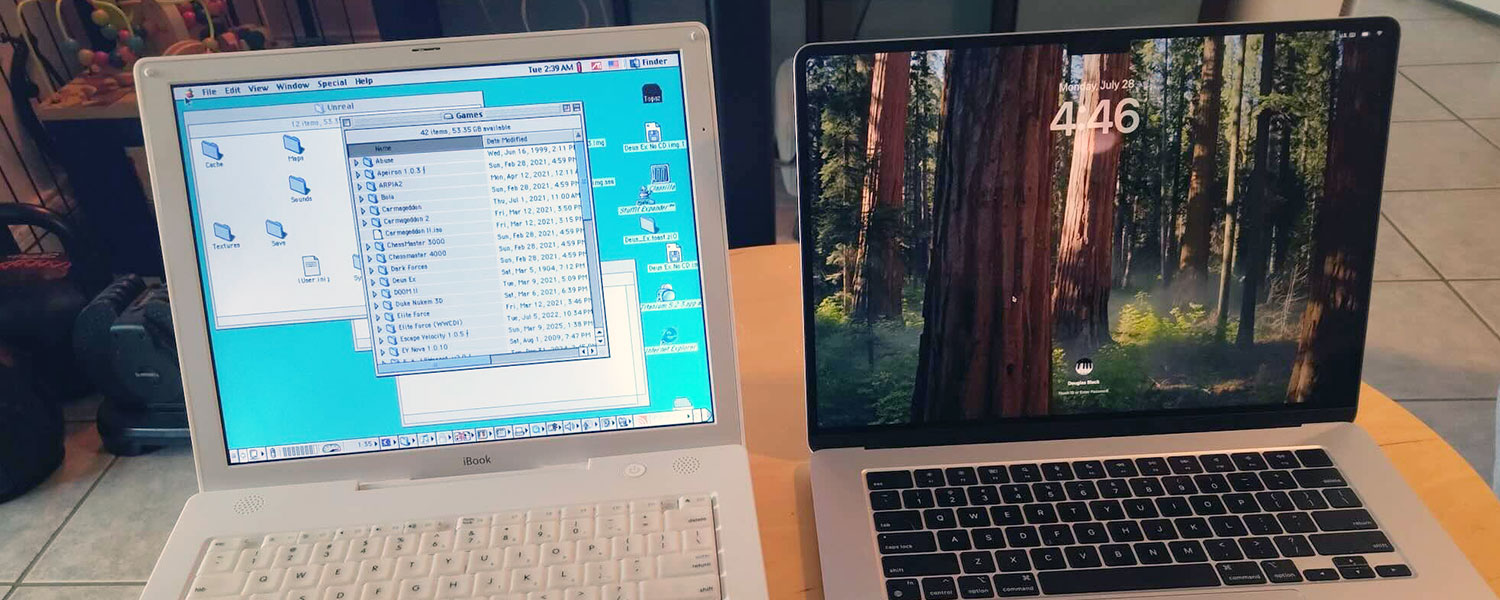
Classic (pre-OS X) MacOS: still one of my favourite operating systems ever!
MacOS is fairly easy to pick up and use, largely due to the great suite of pre-installed homegrown applications included in MacOS. There’s Safari, Photos, Pages, Messages, Mail, Calendar, FaceTime, and many more useful apps right there out of the box that do a great job of providing most of the features you actually need, but there are also things inexplicably missing (like setting battery charge limits or customizing the appearance or layout of the UI) or just rub me the wrong way, such as an annoying notification center that demands your attention and mouse clicks to dispose of messages, and they’ll keep telling you that there’s a feature update that you don’t want to install over and over, and the notification will keep reappearing each time you open the settings.
Handling of dragging and dropping files (like music) between apps is very easy and intuitive in Windows and Linux, but slow and clunky in MacOS, often requiring a few tries before the apps behave like you want them to. The dialog to open a file within an app frustrates me daily with by missing basic features. Want to see the directory tree? Use the column view, but then enjoy not having any visibility of columns to sort by. Want to sort by columns like Date Modified? Then no preview or directory tree for you! And since icon view has no preview or columns, I have no idea why it’s even an option.
Apple also pushes iCloud like Microsoft pushes a 365 account (I don’t want Apple deciding they can lock me out of my computer, as happened to a former colleague of mine), and the general sense you get is that Apple thinks it knows how you want to be interacting with your computer better than you do. One last thing was the personal disproval of the “it just works” ethos, in where I tried to restore my Time Machine backups from my previous M1 Max MBP to a new Air, only to find the process stalled halfway through for over a day. The next day, I cancelled the restoration, and that was the last I ever got to see of my 8TB of Time Machine backups. They disappeared along with the partition that contained them, and I was never able to recover them using any of the solutions I found online.
And then there’s Apple’s requirement that every 48 hours or so you log in using your password to “re-enable” the fingerprint sensor. If you aren’t going to let me reliably use the fingerprint sensor, then why have it, you Creontes?
There’s a lot of little things like the above, but to be honest I would have probably not be very annoying had I only ever used Windows before. It was after using Linux (CachyOS, which is based on Arch, btw) with KDE Plasma as a desktop window manager that I have been spoiled by the customization and features KDE Plasma offers compared to Explorer or Finder. As you can see in the screenshot below, I’ve configured KDE Plasma to have a similar layout as MacOS, but with the ability to customize just about every aspect of the system.

I have found I prefer the experience of using KDE Plasma than either Windows or MacOS .
Let’s be real about Linux, though: it’s still far from perfect, especially on newer machines, which require a lot of tinkering to get working (the 2024 Zephyrus G14 and G16 have everything working in Arch linux except they won’t charge over USB-C while the laptop is sleeping if a charge limit is set, but the 2025 versions have ongoing issues with sound and changing volume even after more than six months after release. With Linux, the older the hardware is, the greater the chances that everything will work perfectly out of the box. Linux still doesn’t handle Nvidia Optimus GPU switching as well as Windows (you’ll need to manually switch with a restart or logout at minimum), though hopefully this will change in the next couple of years. Also, sometimes things just break or stop working now and again, and it will fall upon you to learn how to fix what went wrong. To tinkerers, this is the joy of having complete control over your PC, but for the mass market, it’s a no-sell.
I think my point in this section is that for nearly two decades, OSX/MacOS has been able to coast on the declining experience of using Windows, but with Valve’s heavy investment in Linux with the Steamdeck and Proton resulting in ever-increasing Linux marketshare, MacOS will, at some point in the next few years, not be compared to Windows, but instead to Linux with a major Desktop Environment like KDE Plasma. When that happens, a lot more people are going to realize that a lot of the functionality in MacOS’s Finder feels clunky and limited compared to what the competition offers. Hopefully, Apple’s management has the foresight to see this and prioritize shoring up MacOS’s features.
Performance
Lastly, let’s briefly touch on performance. I don’t think there’s a point in any benchmarks for these machines, because they are already out there but more importantly they mean nothing for day to day usage. So what’s performance like on an M-series MacBook Air? Assuming you aren’t trying to play games, it’s flawless. The most taxing thing I do is music production, and Ableton projects that bring Windows PCs to their knees run like butter, with nary a skip, choppy animation, or dropped millisecond of sound to be found, and everything that’s less intensive is even better than that. This general feeling of smooth performance on a Mac is something that Windows and Linux DEs should learn from: even though KDE Plasma is lightning fast on my 2024 AMD G16, and the G16 is faster overall, it doesn’t feel as consistent and smooth as MacOS on my MacBook Air — and let’s not even embarrass Windows by bringing it into the comparison.
A lot of the excellent feel of MacOS is probably down to years if not decades of precise tweaking of animations, timing, and memory handling by Apple, and it shows in daily use.
Wrap-up: Should you really buy a MacBook (Air) in 2026?
I think the M-series MacBook Airs are a great choice if any one of the following is extremely important to you:
- Portability
- Battery life/efficiency
- Quiet fans
- Smooth, stable, and optimized OS
- Music production
- Integration with iPhones and iPads
- Sound quality
I love the hardware of my 2024 AMD Zephyrus G16 (vulnerability of chassis notwithstanding) and love the performance and customizability of Linux, but for professional music production, the gap between running Ableton Live on a Windows partition and Ableton Live on my MacBook is so superior that I have booted into Windows to use Ableton exactly zero times since getting it up and running. It sounds crazy, but I would rather bring both the G16 and the MBA on a trip than just the G16 and be forced to produce in Windows. It just doesn’t feel right.
Conversely, I think the M-series MacBooks (including the MacBook Pros) are to be avoided if any of the following are extremely important to you:
- Gaming
- User freedom/customizability
- Typing feel (avoid the Airs only, MacBook Pros are okay)
- Repairability/upgradability
- Open-source software
- Software that’s older or otherwise has no ARM version
- Booting multiple OSes
It’s already been a long article, so wrap things up: I tried to dislike using the MacBook Air. I don’t want more laptops lying around. There’s nothing special about the display, it’s got limited storage and ports, a shallow, annoying keyboard, and you can’t play games in a practical sense on it. But the stability, portability, battery life, and music production together create an experience that’s more than the sum of its parts, and together just create an experience that I miss when I don’t have a MacBook around. All of that might change in the future, but for now, it seems like the MacBook Air—even an M1—provides an excellent value.