Table of Contents
Lenovo are updating their Pro lineups of Yoga and IdeaPad consumer laptops for 2026, and we’ll discuss the novelties and updates for each subseries in this article.
We’re looking at the:
- Yoga Pro 9i Aura Edition – premium 16-inch creator/professional laptop with Panther Lake hardware, mid-tier RTX 5000 graphics, spectacular 3.2K Tandem OLED display;
- Yoga Pro 7i Aura Edition – a more compact and affordable 15-inch alternative, a jack of all trades with similar specs running at slightly lower power, and a modern 2.5K OLED screen;
- IdeaPad Pro 5i 16 – mid-tier value-oriented all-purpose laptop with a 16-inch 2.8K OLED screen and mid-powered Intel Panther Lake + RTX 5000 specs;
- IdeaPad Pro 5i 14 – a more compact 14-inch mid-range laptop with Core Ultra X specs and a big battery.
The features and capabilities intertwine closely between these models, so understanding what each offers and what you’re paying extra for on the Yogas will help you make the right decision for your needs and within your budget. So let’s get going.
Lenovo Yoga Pro 9i and Pro 7i Aura Edition – 2026 models, 11th generation
We’ll discuss these two side by side, since they’re so similar and cater to the same audience of professionals looking for a device that combines build quality, aesthetics, versatility, and fair performance in a premium package.
The Yoga Pro 9i has been around for a few years now, but was refreshed for 2026, while the Pro 7i 15 is a brand new addition to the Lenovo lineup.
First, the specs sheets for these two 2026 models.
| Lenovo Yoga Pro 9i 16, Aura Edition (2026, gen11) | Lenovo Yoga Pro 7i 15, Aura Edition (2026, gen11) | |
| Screen | 16-inch, 16:10, glossy, touch, Tandem OLED 3.2K 3200 x 2000 px , 120 Hz VRR 0.2ms, ~500 nits SDR, ~800 nits sustained HDR, 1600-nits peak HDR, 100% DCI-P3 colors |
15.3-inch, 16:10, glossy, optional touch, OLED 2.5K 2560 x 1600 px , 165 Hz VRR 0.2ms, 500 nits SDR, 1100-nits peak HDR, 100% DCI-P3 colors |
| Processor | Intel Panther Lake H, Core Ultra 9 386H, 16C/16T |
Intel Panther Lake H, Core Ultra 9 386H, 16C/16T |
| Video | Arc + up to Nvidia RTX 5070 8GB (up to 110W) without MUX, Advanced Optimus, GSync |
Arc + up to Nvidia RTX 5070 8GB (up to 105W ??) without MUX, Advanced Optimus, GSync |
| Memory | up to 64 GB LPDDR5x-7467 (soldered) | up to 64 GB LPDDR5x-7467 (soldered) |
| Storage | 2x M.2 SSD slots, gen 4 both ?? | 2x M.2 SSD slots, gen 4 both ?? |
| Connectivity | WiFi 7 2×2 with Bluetooth 5.4 (Intel) | WiFi 7 2×2 with Bluetooth 5.4 (Intel) |
| Ports | left: square power plug, HDMI 2.1, 2x USB-C Thunderbolt 4, audio jack right: 2x USB-A 3.2 gen2, SD card reader, camera eShutter |
left: HDMI 2.1, 2x USB-C Thunderbolt 4, SD card reader right: 2x USB-A 3.2 gen2, camera eShutter, audio jack |
| Battery | 92.5 Wh, up to 245W charger | 92.5 Wh, up to 140W USB-C charger ?? |
| Size | 360.6 mm or 14.19” (w) x 247.9 mm or 9.76” (d) x from 17.2 mm or .68” (h) | 347 mm or 13.66” (w) x 242 mm or 9.53” (d) x from 16.7 mm or .66” (h) |
| Weight | from 1.8 kg (4 lbs) + .72 kg (1.6 lbs) charger | from 1.65 kg (3.65 lbs) + ?? charger |
| Extras | premium all-metal build, clamshell format with 180° display, available in Thunder Gray, white backlit keyboard without NumPad, 1.5 mm travel, .3 mm dash, haptic forcepad with pen support (pen included), 5MP webcam with IR and eShutter, 4x mics, 6x speakers – 4x dual-sided woofers and 2x tweeters dual-fan dual-heatsink cooling with heatpipes |
premium all-metal build, clamshell format with 180° display, available in Luna Grey, white backlit keyboard without NumPad, 1.5 mm travel, .3 mm dash, haptic forcepad with pen support (pen included), 5MP webcam with IR and eShutter, 4x mics, 4x speakers -2x woofers and 2x tweeters dual-fan dual-heatsink cooling with heatpipes |
This generation Yoga Pro 9i is a little more compact and lighter weight than the previous chassis. It measures 361 x 248 x 17.2+ mm (vs. 365 x 254 x 18+ mm before) and starts at 1.8 kg according to the Lenovo sheets (vs. 1.93 kg before). Despite these, it packs a larger battery inside, among other minor tweaks.
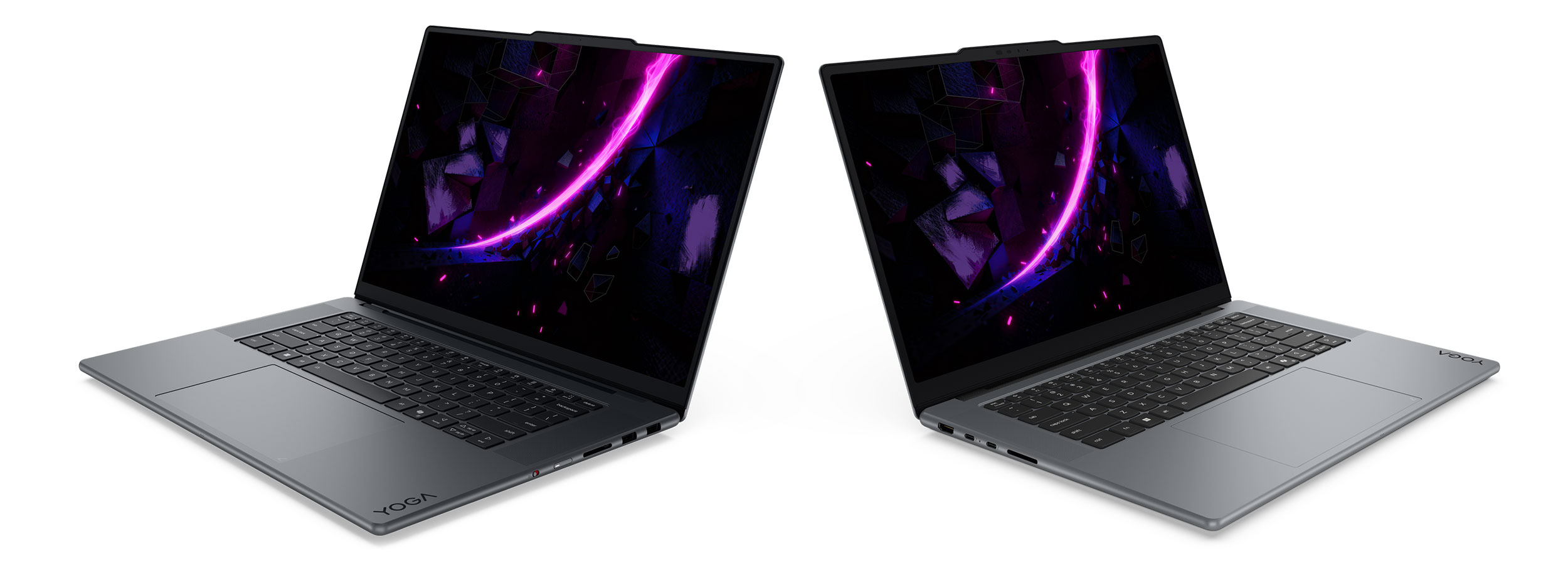
Otherwise, though, it offers a similar design language to the previous variant reviewed here, with a premium all-metal chassis available in Thunder Gray, and those shiny rounded edges that Lenovo put on all their upper-tier Yogas. It also lines a solid set of ports on the sides.
The Yoga Pro 7i 16 is nearly identical in design and functionality, just a little more compact and lighter-weight, since it is a 15.3-inch format. The two offer the same inputs and IO, but with one exception: the Pro 7i charges exclusively via USB-C, while the Pro 9i includes a dedicated square charging slot as well.
Here are some side-by-side images of these two, with the Yoga Pro 9i at the left in the slightly darker Thunder Gray color, and the Yoga Pro 7i at the right in the slightly lighter Lunar Grey.
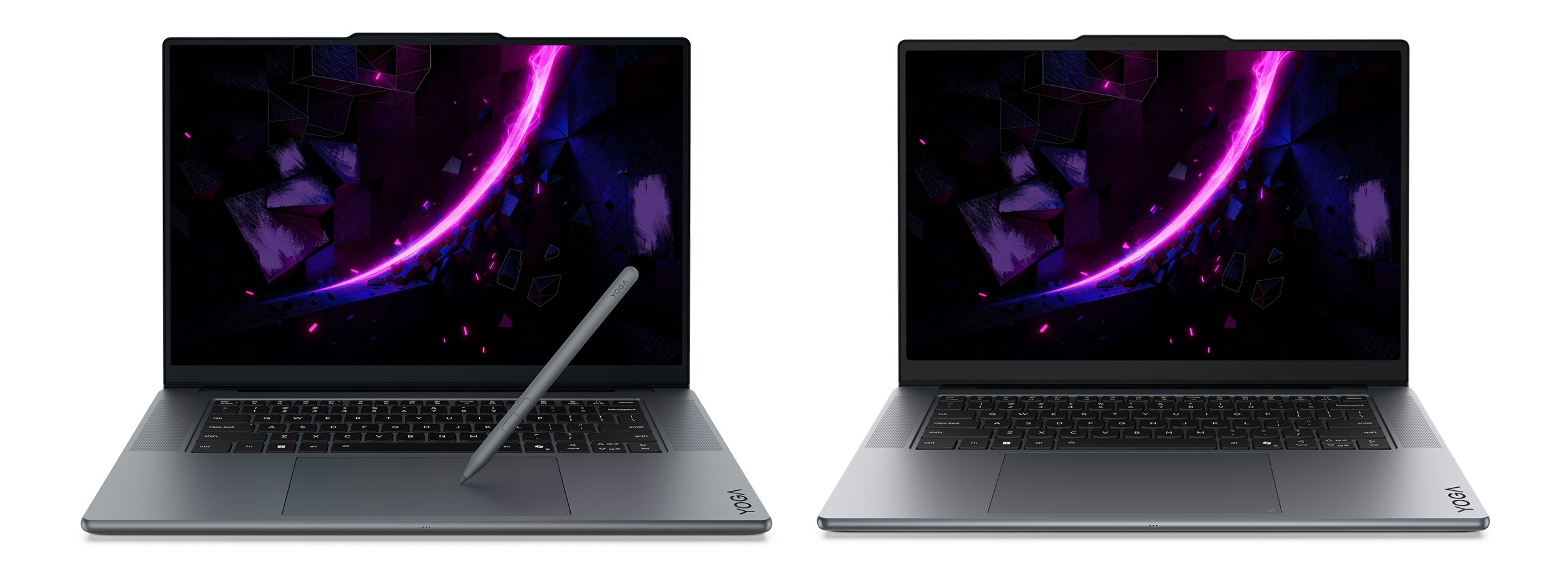
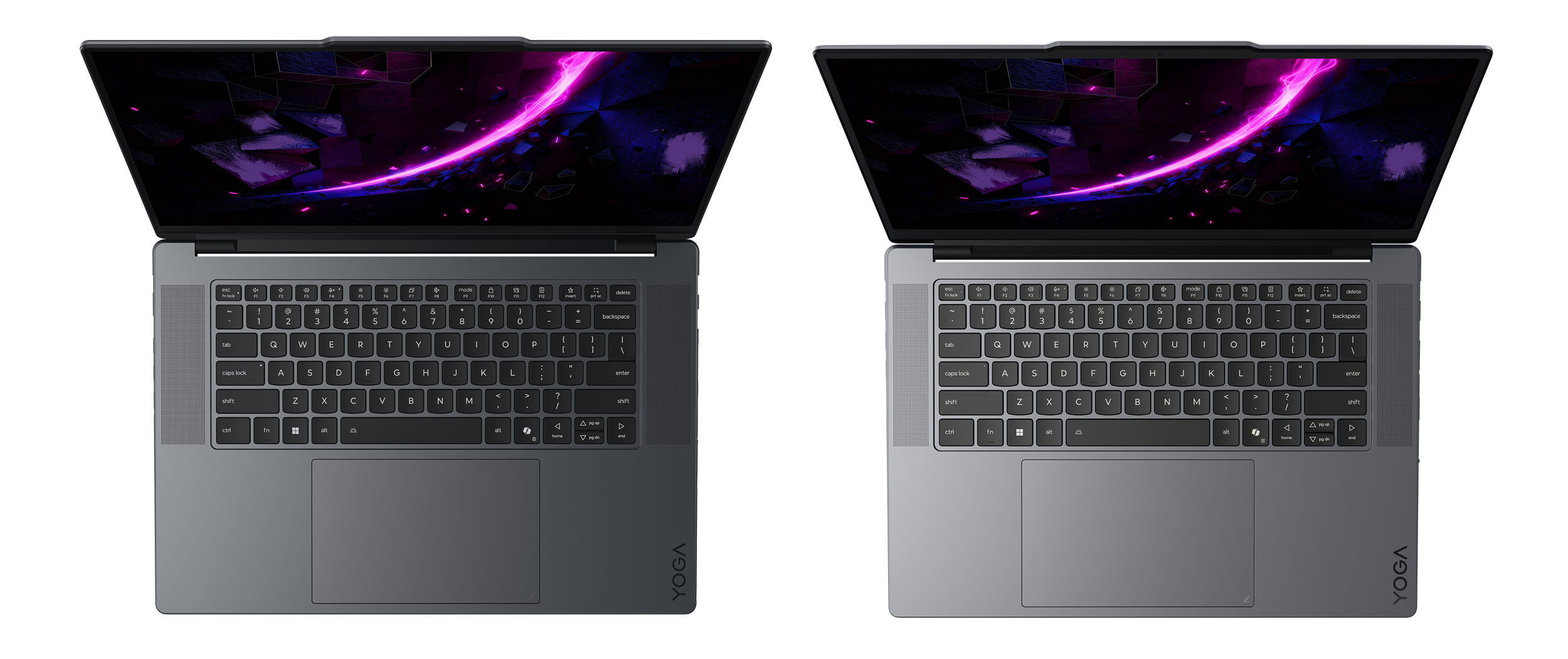
What sets them apart is the display, with a 3.2K 120Hz Tandem OLED on the Pro 9i and a 2.5K 165Hz OLED on the Pro 7i. Both are excellent options, brighter than the regular OLEDs implemented on other notebooks, but the Tandem OLED in particular offers higher peak brightness and improved HDR support. However, black crush and PWM flickering are issues to consider when opting for a Tandem OLED, while how these aspects are handled on the 15-inch option is unknown yet, since this is a new 2026 generation panel and needs to be properly tested before drawing conclusions.
These aside, even the specs are surprisingly identical between these laptops, at least based on what we know at this point, with an Intel Panther Lake Core Ultra 9, up to 64 GB of LPDDR5x RAM, gen4 SSD storage (to be confirmed, I would have expected at least a gen5 slot), mid-tier mid-powered RTX 5000 chips at around 105-110W TGP, and 92.5Wh batteries. Almost similar to the book, with the only aspect favoring the 9i being an extra set of speakers inside – 6x on the 9i, 4x on the 7i.
However, while the Pro 9i bundles a 245W charger with a square plug, the Pro 7i relies entirely on a USB-C 140W charger. That suggests a notable difference in power settings between the two, so perhaps the GPU on the Pro 7i runs at lower TGP than the specs indicate. I’ll update this section once I fill in the gaps.
Regardless, I do expect Lenovo to differentiate between these two by at least offering higher-tier configurations on the Pro 9i and lower-tier specs on the Pro 7i. It wouldn’t make much sense otherwise, and that is suggested as well by the lower-capacity USB-C charger on the Pro 7i. The specs don’t mention Panther Lake Core X7/X9 specs, so that means variants without a dGPU aren’t an option, although the 140W charger would otherwise suggest them. I’ll update this section once we know more.
Lenovo IdeaPad Pro 5i 16/14
The IdeaPad Pro 5i has also been available for a while now and is generally considered one of the best-value mid-range laptops on the market, a device that can handle casual and professional use in a versatile package that doesn’t break the bank.
I’ve added the specs for the 16-inch IdeaPad Pro 5i 16 next to the Yoga Pro 9i 16, to better understand what sets these two apart, and then added the more compact 14-inch IdeaPad Pro 5i as well.
| Lenovo Yoga Pro 9i 16 (2026, gen11) | Lenovo IdeaPad Pro 5i 16 (2026, gen11) | Lenovo IdeaPad Pro 5i 14 (2026, gen11) | |
| Screen | 16-inch, 16:10, glossy, touch, Tandem OLED 3.2K 3200 x 2000 px , 120 Hz VRR 0.2ms, 500 nits SDR, 1600-nits peak HDR, 100% DCI-P3 colors |
16-inch, 16:10, glossy, touch, OLED 2.8K 2880 x 1800 px , 120 Hz VRR 0.2ms, 500 nits SDR, 1100-nits peak HDR, 100% DCI-P3 colors |
14-inch, 16:10, glossy, touch, OLED 2.8K 2880 x 1800 px , 120 Hz 0.2ms, ~500 nits SDR, 600-nits peak HDR, 100% DCI-P3 colors |
| Processor | Intel Panther Lake H, Core Ultra 9 386H, 16C/16T |
Intel Panther Lake H, up to Core Ultra X9 388H ??, 16C/16T |
Intel Panther Lake H, up to Core Ultra X9 388H ??, 16C/16T |
| Video | Arc 4Xe + up to Nvidia RTX 5070 8GB (110W) without MUX, Advanced Optimus, GSync |
Arc + up to Nvidia RTX 5060 8GB (115W), configurations with Arc VB390 iGPU available as well |
Arc VB390 iGPU only ??, 12 Xe Cores |
| Memory | up to 64 GB LPDDR5x-7467 (soldered) | up to 32 GB LPDDR5x-9600 (soldered) | up to 32 GB LPDDR5x-9600 (soldered) |
| Storage | 2x M.2 SSD slots, gen 4 both ?? | 2x M.2 SSD slots, one gen5 slot, one gen4 | 1x M.2 SSD slot, gen5 ?? |
| Connectivity | WiFi 7 2×2 with Bluetooth 5.4 (Intel) | WiFi 7 2×2 with Bluetooth 5.4 (Intel) | WiFi 7 2×2 with Bluetooth 5.4 (Intel) |
| Ports | left: power plug, HDMI 2.1, 2x USB-C Thunderbolt 4, audio jack right: 2x USB-A 3.2 gen2, SD card reader, camera eShutter |
left: power plug (on dGPU versions only), HDMI 2.1, 2x USB-C Thunderbolt 4, SD card reader right: 2x USB-A 3.2 gen2, audio jack |
left: HDMI 2.1, 2x USB-C Thunderbolt 4, SD card reader, right: 2x USB-A 3.2 gen2, audio jack |
| Battery | 92.5 Wh, up to 245W charger | up to 99 Wh, up to 170W charger | 84 Wh??, up to 100W charger ?? |
| Size | 360.6 mm or 14.19” (w) x 247.9 mm or 9.76” (d) x from 17.2 mm or .68” (h) | 356 mm or 14.05” (w) x 251 mm or 9.88” (d) x from 17.9 mm or .7” (h) | aprox 310 mm or 12.3” (w) x 220 mm or 8.7” (d) x from 15.9 mm or .63” (h) |
| Weight | from 1.8 kg (4 lbs) + .72 kg (1.6 lbs) charger | from 1.7 kg (3.75 lbs) + ?? charger | from 1.45 kg (3.2 lbs) + ?? charger |
| Extras | premium all-metal build, clamshell format with 180° display, available in Thunder Gray, white backlit keyboard with NumPad, 1.5 mm travel, .3 mm dash, 150 x 95 mm haptic forcepad, 5MP webcam with IR and eShutter, 4x mics, 6x speakers – 4x dual-sided woofers and 2x tweeters, dual-fan dual-heatsink cooling with heatpipes |
mid-tier metal build, clamshell format with ~170° display, available in Luna Grey, White, Mint white backlit keyboard with NumPad, 1.5 mm travel, flat keycaps ??, 135 x 80 mm glass touchpad, 2MP webcam with IR and privacy Shutter, 2x mics, 2x speakers, bottom firing, dual-fan dual-heatsink cooling with heatpipes |
mid-tier metal build, clamshell format with ~170° display, available in Luna Grey, White, Mint white backlit keyboard without NumPad, 1.5 mm travel, flat keycaps ??, 135 x 80 mm glass touchpad, 2MP webcam with IR and privacy Shutter, 2x mics, 2x speakers, up firing, dual-fan dual-heatsink cooling with heatpipes |
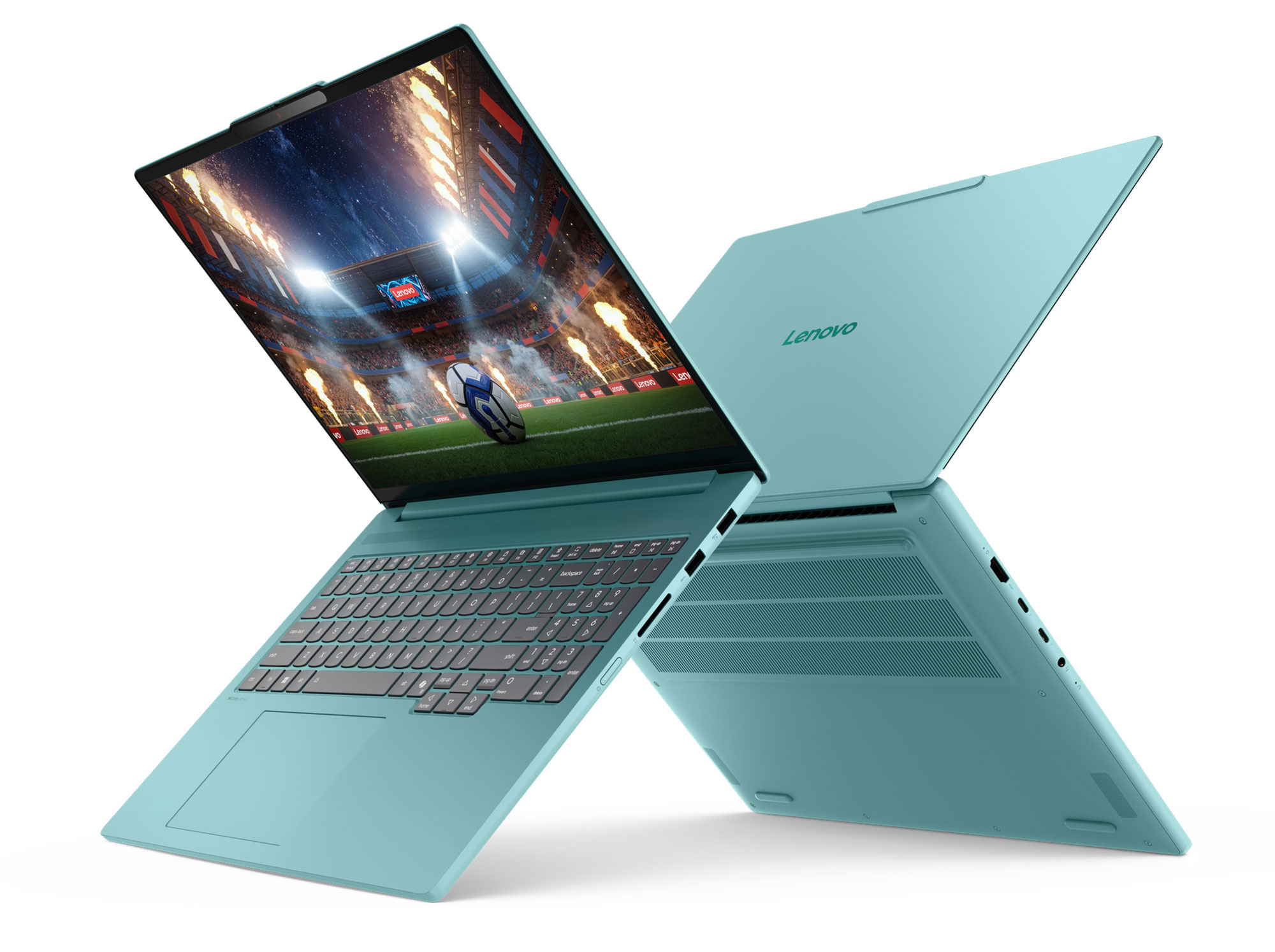
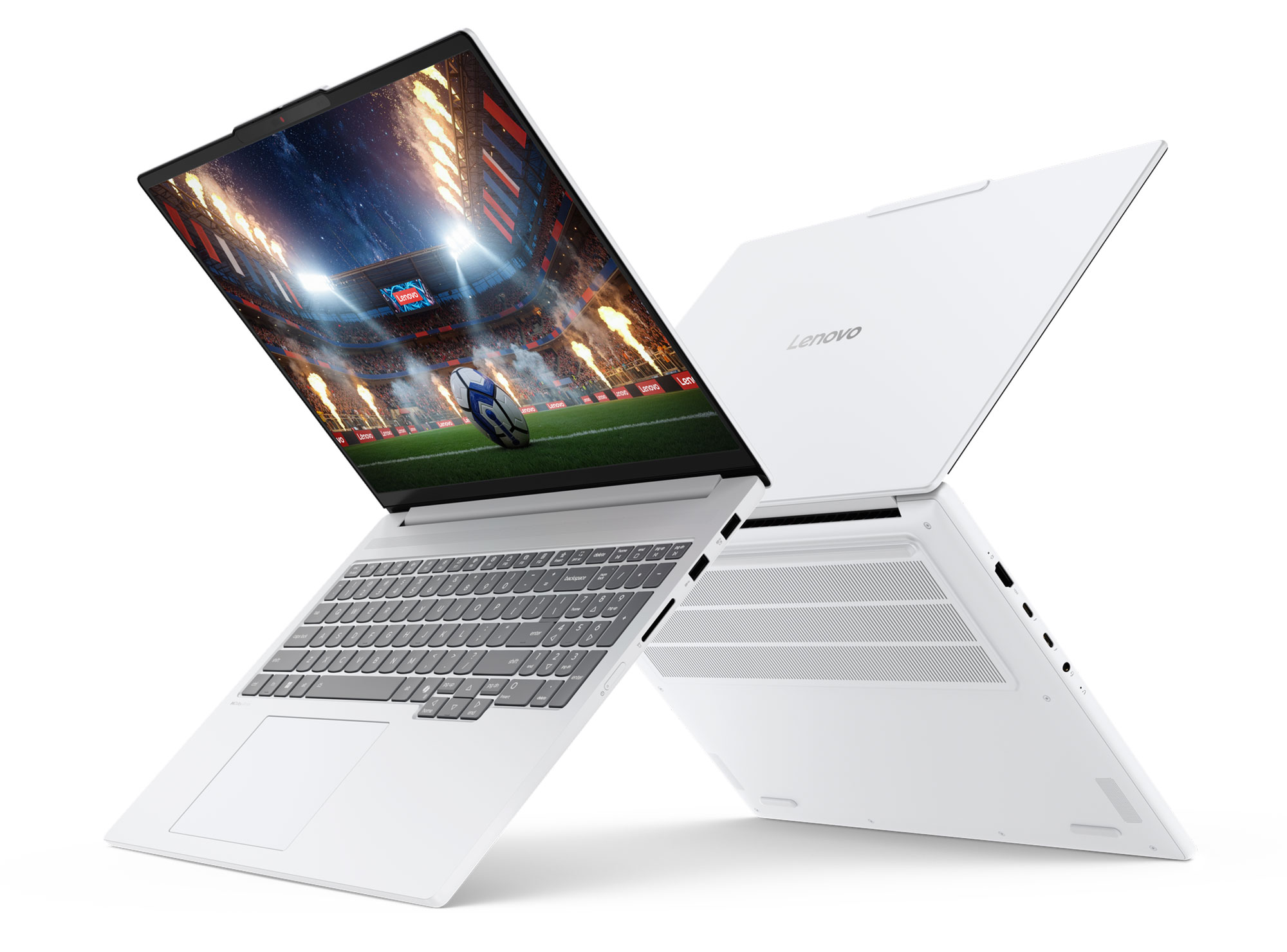
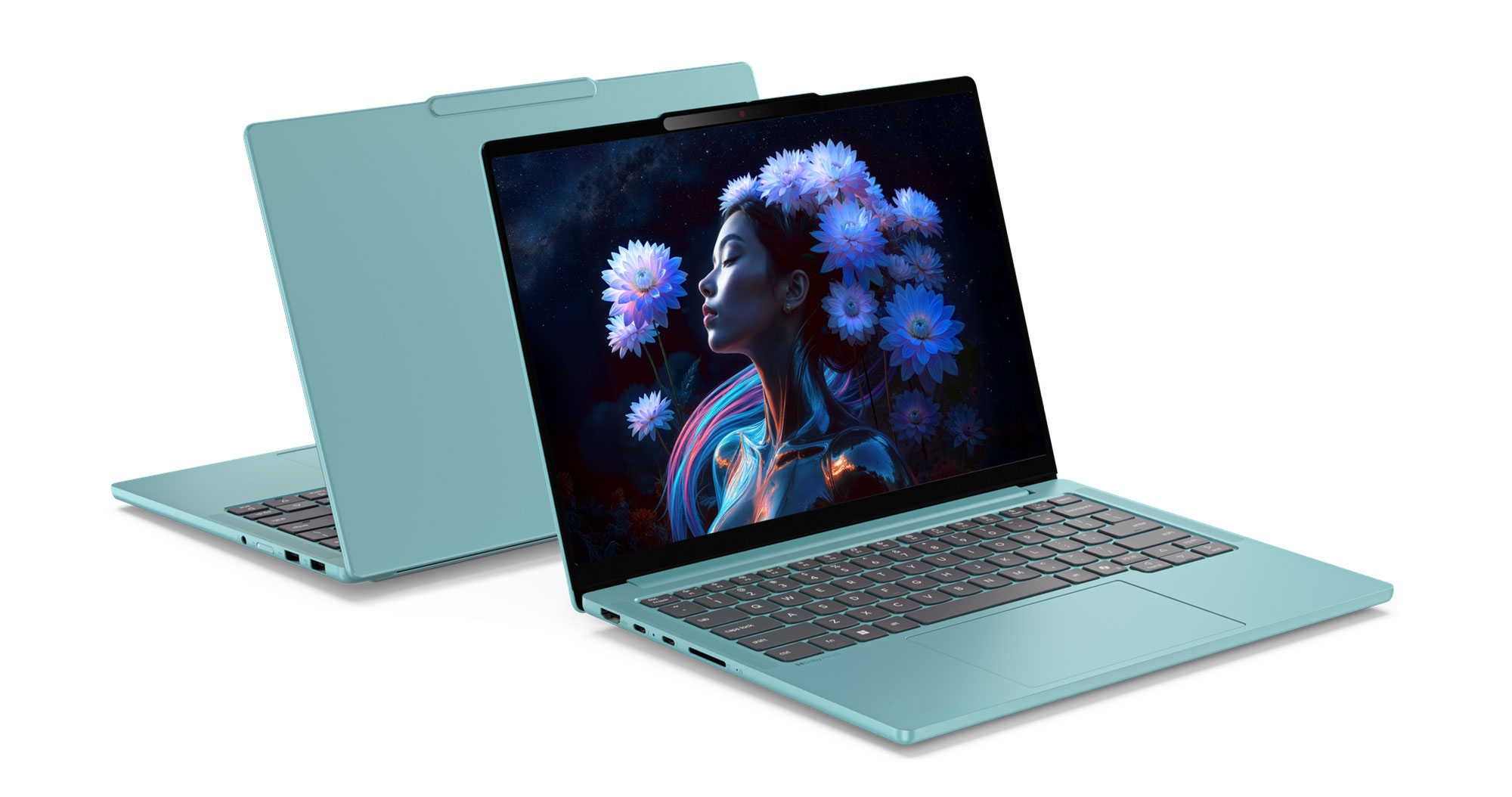
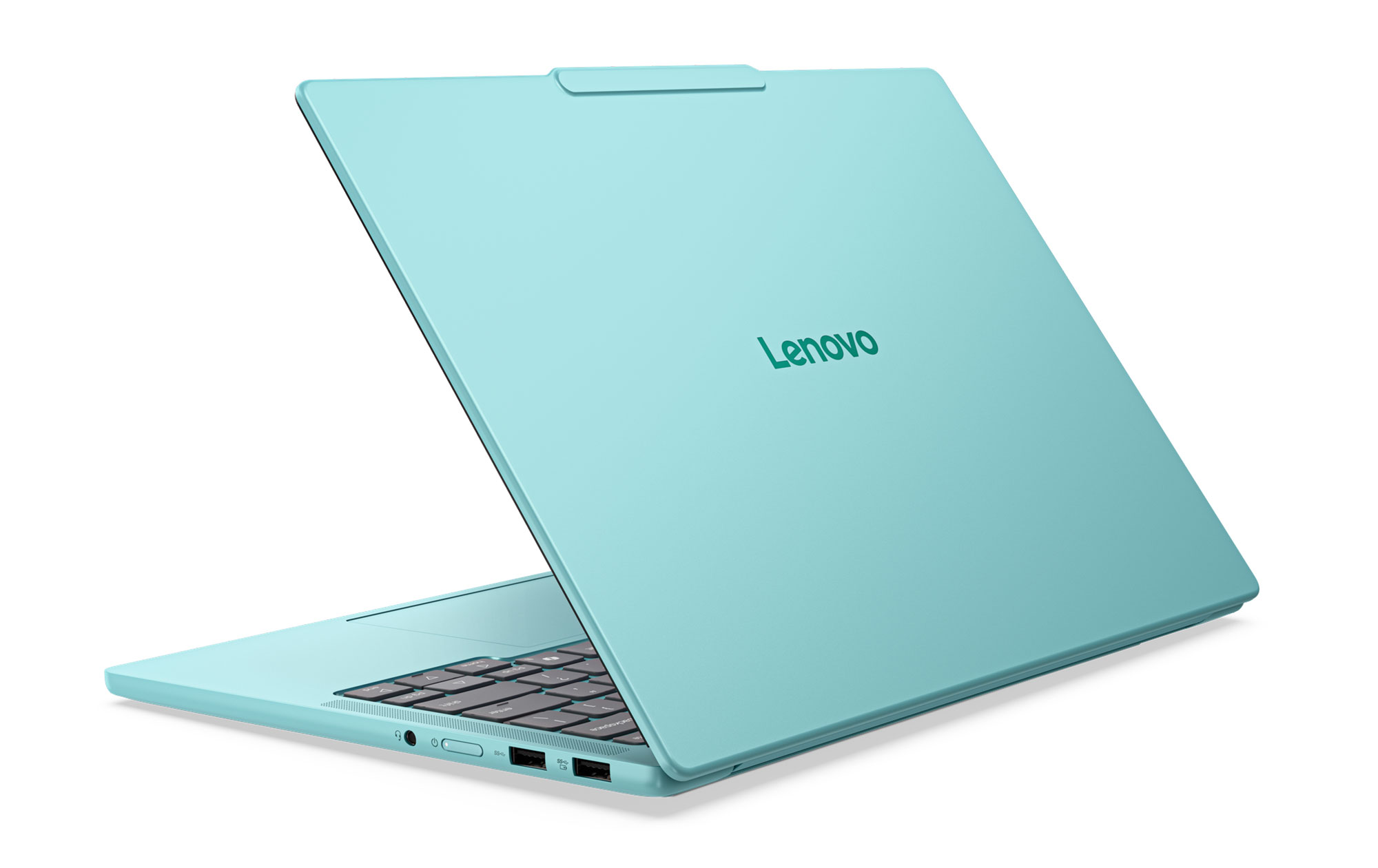
Design-wise, the IdeaPad Pro 5s are a mid-tier all-metal chassis, still nicely made and beautiful looking, just not quite as rigid and exquisite as the Yogas. Lenovo mention Grey, Mint, and White colors variants for these, but mostly expect to find them in stores in the grey variant. The Mint option sure looks lively, though, and the White is rather rare in this segment as well.
The ergonomics of this lineup are mostly on par with the Yogas, with similar IO and almost 180° hinges. Just be aware that the edges around the main chassis are sharper and can bite into the wrists, as opposed to the rounded edges on the Yogas.
There’s also a different keyboard layout on the IdeaPad Pro 5i 16, with flatter keycaps, slightly mushier feedback, and a NumPad section; that means there’s no longer space for up-firing speakers and punctured grills flanking the keys. The 14-inch model, however, dumps the NumPad and gets back the speaker grills. These IdeaPads also implement a regular glass touchpad, and not the haptic forcepad offered on the Yogas.
As for the displays, both sizes bundle glossy OLEDs, with optional touch. The panel on the 16-inch variant is a newer-gen brighter OLED for this 2026 refresh, but the panel on the 14-inch variant might still be that previous-gen slightly dimmer option (to be confirmed).
Here are some images of the 16-inch IdeaPad Pro 5i, in all color variants.
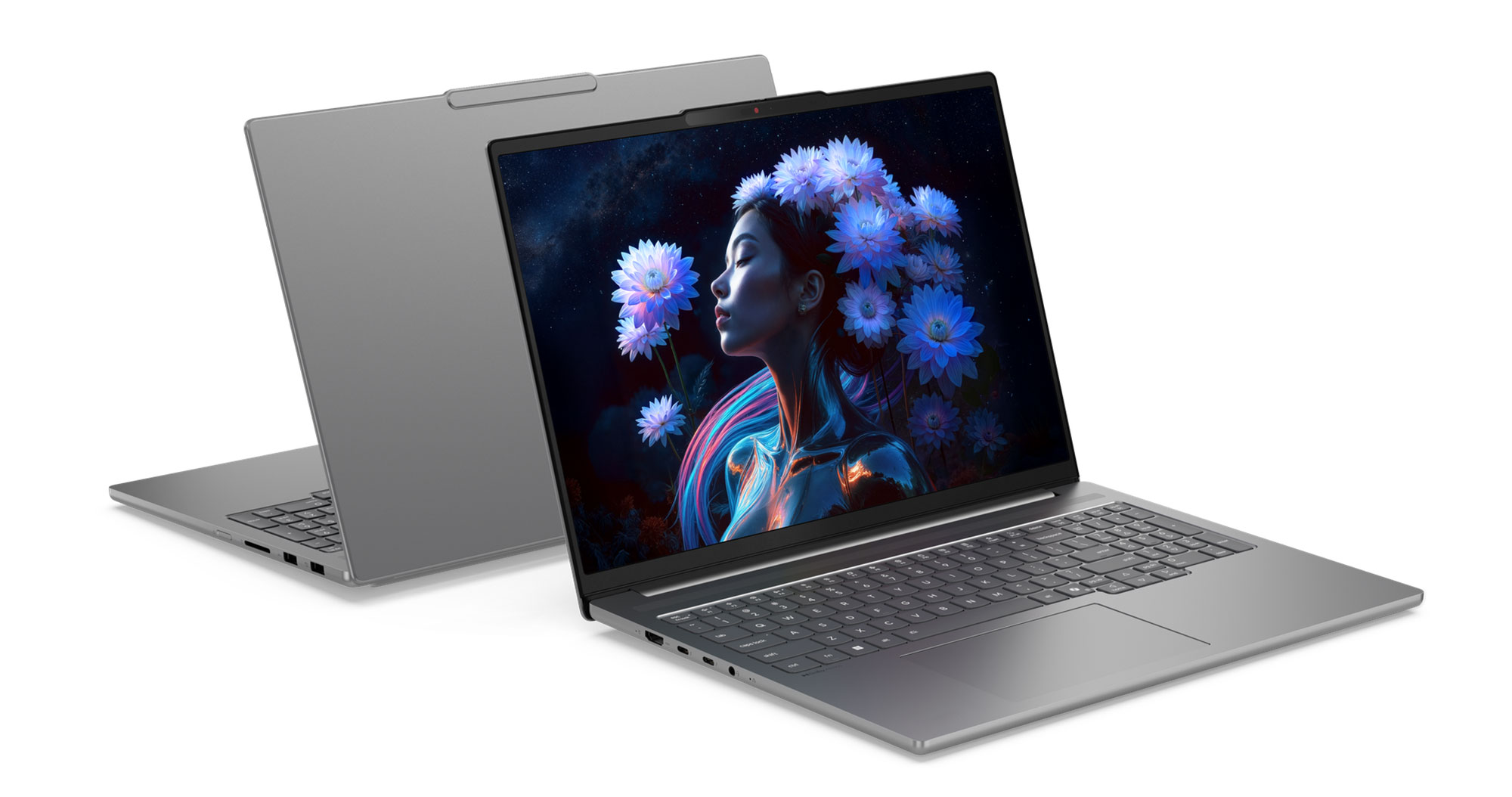
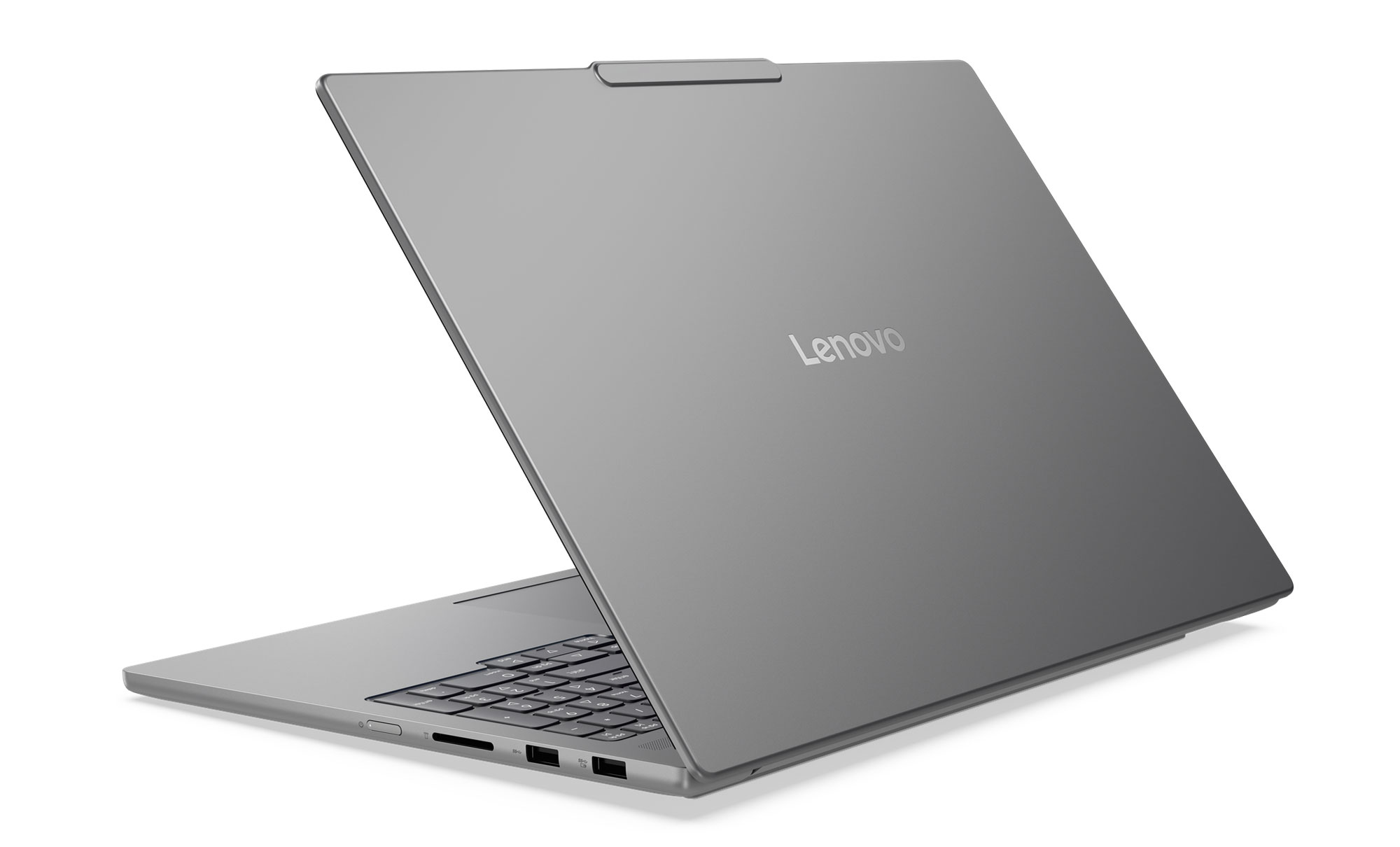
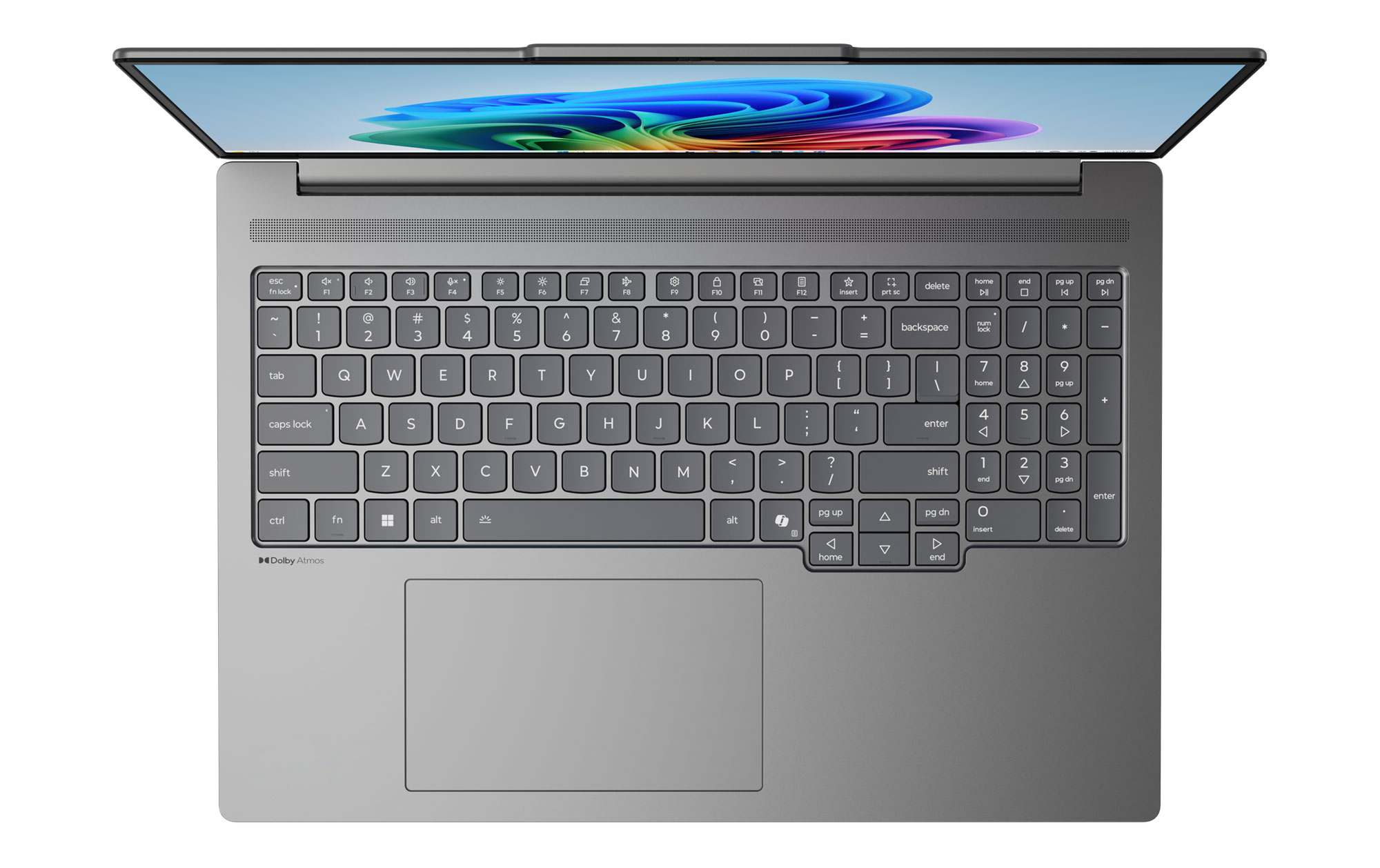
And a few more of the compact 14-inch variant, in Mint.

The specs are a little confusing at this point. On the CPU side, you can spec these up to a Core Ultra X9 Series 3 Panther Lake processor, which bundles the capable Arc B390 iGPU with 12 Xe Cores. I’d expect these X7/X9 platforms to be offered without a dGPU, while the 16-inch configurations with a dGPU (up to an RTX 5060 115W) to be paired with regular Core Ultra 300 hardware. Add in onboard LPDDR5x memory and what looks like gen5 storage – weird that gen5 storage is not mentioned on the Yogas, but is mentioned here; perhaps that’s exclusive to the Ultra X variants.
The cooling module is rather standard and similar to the cooling on the Yogas, with dual-fans, dual-heatsinks, and 2/3 heatpipes. The heatpipes are smaller on the 14-inch model, which is a lower-power design anyway.
As for the battery, the IdeaPad Pro 5i 16 can be specced with either an 84 or a 99 Wh battery, while the 14-incher bundles an 84 Wh battery – excellently sized for a compact computer.
Bottom point, the IdeaPad Pro 5i 16 is a versatile mid-range laptop that Lenovo will most likely offer in a variety of variants this year, and should be available at more affordable prices than the Yogas. The 14-inch Pro 5i, on the other hand, is a more compact daily driver with some excellent potential capabilities in these Panther Lake Ultra X implementations – at 1.45+ kilos, it’s not as slim or lightweight as most other 14-inch options, but offers superior cooling and a larger battery, tradeoffs that many will gladly accept.
All in all, there’s a market for all these lineups, and your decision must factor in available configurations and local prices, which both will vary between regions. You should also look into detailed reviews when deciding between them, and hopefully, we’ll get our time with most of these at some point.
As far as we know, these are all expected in stores in Q2 2026, with the Lenovo Yoga Pro 9i Aura Edition starting at $1999, the Yoga Pro 7i Aura Edition at $1899, the IdeaPad Pro 5i 16 at $1699, and the 14-inch model somewhere lower. But expect discounts off these MSRP prices later in the year.