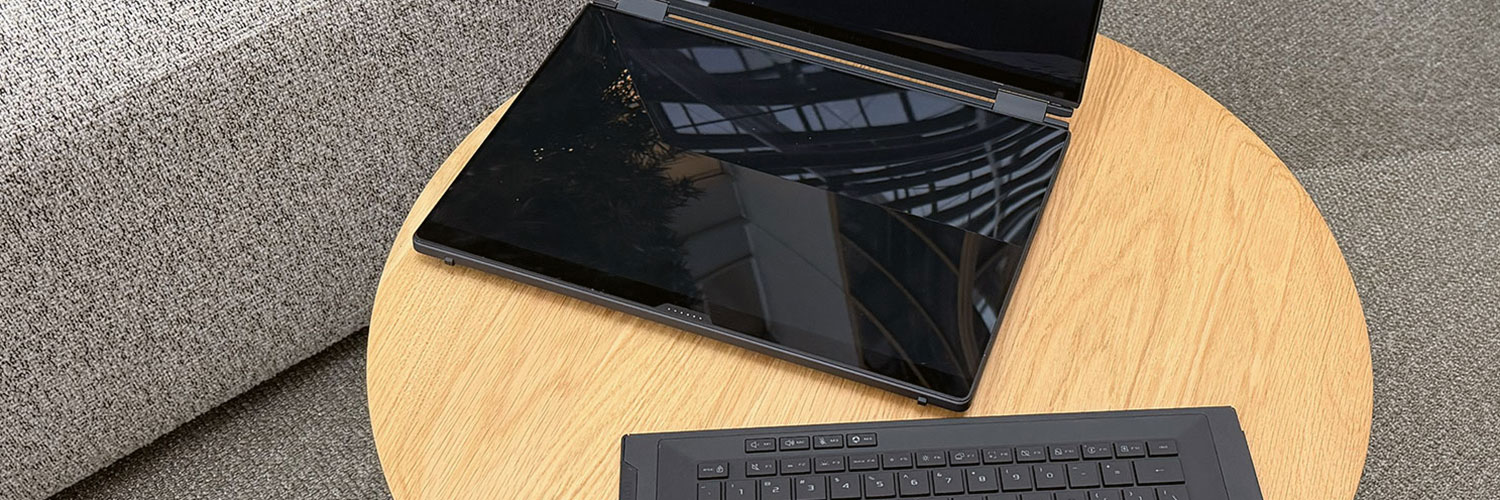
The Asus ROG Zephyrus DUO series is getting a complete revamp in 2026, this time as a full dual-display notebook with modern powerful hardware inside.
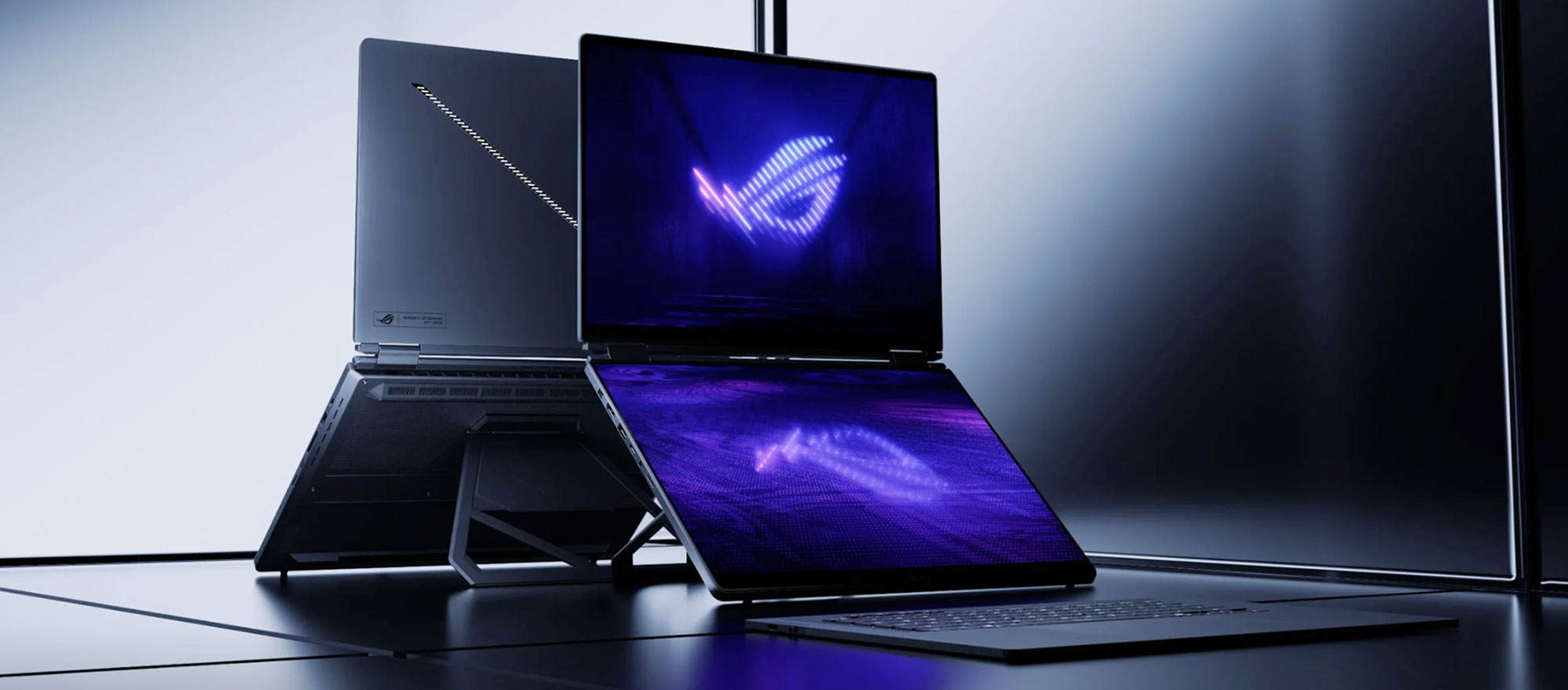
In the past, the Duo offered a proper main display and another half-display on the main chassis, but now it offers two full 16-inch displays with OLED panels, and a keyboard folio that can be used connected to the notebook or standalone, much like on the Zenbook DUO designs of recent years.
This is a workstation series, though, so it’s almost as powerful as a Zephyrus G16, with which it shares some common traits and features: Intel Panther Lake hardware with up to RTX 5090 graphics, advanced vapor-chamber cooling, a 90Wh battery, and punchy audio with a set of 6x speakers.
But even so, the DUO is a different motherboard design from what I’ve been told, so there will be some differences in performance compared to the Zephyrus G16, especially on the GPU side – it runs at lower power than the latest clamshell G16 refresh, most likely because it needs to keep chassis temperatures down due to the dual-display format that puts an OLED display on top of the toasty internal components. Furthermore, having that display over the main chassis required an updated thermal module that only draws air from the bottom and sides, and cannot draw any air from the top, as it does on the Zephyrus.
In short, the Zephyrus G16 GU606 remains the more powerful, compact, and lighter option in this space, while the Zephyrus DUO GX651 is larger and heavier and not quite as powerful on the GPU side, to offer the versatility and uniqueness of the dual-display format in this segment.
Here’s a side-by-side comparison of the 2026 Zephyrus DUO and Zephyrus G16 to better understand the main differences between the two.
2026 ASUS ROG Zephyrus DUO GX651, vs. Zephyrus G16 GU606
| 2026 ASUS ROG Zephyrus DUO GX651 – official page | 2026 ASUS ROG Zephyrus G16 GU606 – official page | |
| Display | dual 16-inch displays, 16:10, glossy, touch, OLED 3K 2880 x 1800 px , 120 Hz VRR 0.2ms, 500 nits SDR, 1100-nits peak HDR, 100% DCI-P3 colors |
single 16-inch display, 16:10, glossy, touch, OLED 2.5K 2560 x 1600 px , 240 Hz VRR 0.2ms, 500 nits SDR, 1100-nits peak HDR, 100% DCI-P3 colors |
| Processor | Intel Panther Lake, Core Ultra 9 386H, 16C/16T |
Intel Panther Lake, Core Ultra 9 386H, 16C/16T |
| Video | Arc + up to Nvidia RTX 5090 24GB (up to 135W with Dyn Boost) with MUX, Advanced Optimus, and GSync |
Arc + up to Nvidia RTX 5090 24GB (up to 160W with Dyn Boost) with MUX, Advanced Optimus, and GSync |
| Memory | 64 GB LPDDR5x-8533 (onboard) | 64 GB LPDDR5x-8533 (onboard) |
| Storage | 1TB SSD, 2x M.2 PCIe gen5 slots | 1TB SSD, 1x M.2 PCIe gen5 and 1x gen4 slots |
| Connectivity | WiFi 7 2×2 with Bluetooth 5.4 (Intel) | WiFi 7 2×2 with Bluetooth 5.4 (Intel) |
| Ports | left: DC-in, HDMI 2.1 FRL, 1x USB-C Thunderbolt 4.0, 1x USB-A 3.2, audio jack right: 1x USB-A 3.2, 1x USB-C Thunderbolt 4.0, SD UHS-II card reader |
left: DC-in, HDMI 2.1 FRL, 1x USB-C Thunderbolt 4.0, 1x USB-A 3.2, audio jack right: 1x USB-A 3.2, 1x USB-C gen2 (with data, DP, PD), SD UHS-II card reader |
| Battery | 90 Wh, 250 W power adapter, USB-C charging up to 100W | 90 Wh, 250 W power adapter, USB-C charging up to 100W |
| Size | aprox 355 mm or 13.97” (w) x 247 mm or 9.72 (d) x from 19.5 to 25 mm or .76”-.98″ (h) | aprox 354 mm or 13.96” (w) x 246 mm or 9.68 (d) x from 14.9 mm or .59” (h) |
| Weight | from 2.8 kg (6.1 lbs), .75 kg (1.65 lbs) for the 250W main power brick and cables, EU version |
from ~1.95 kg (4.3 lbs) for the 5070Ti-5090 version, from ~1.85 kg (4.1 lbs) for the 5060-5070 version, .75 kg (1.65 lbs) for the 250W main power brick and cables, EU version |
| Extras | dual-display format with 320° hinges allowing for several operating modes, 90° kickstand on the back, premium design/craftsmanship and Slash Lighting lightbar on the lid, Stellar Grey color theme, keyboard folio with Bluetooth and physical pins, minimalist RGB keyboard, 1.7 mm key travel, large touchpad, 6x speakers – 10W, FHD webcam with IR, dual-fan vapor-chamber cooling – 150W crossload TDP |
clamshell format with 130-degree hinge, redesigned hinge mechanism, premium design and updated lighting bar on the lid, with 35 light zones, single-zone RGB keyboard and large glass touchpad, 6x speakers – 10W, FHD webcam with IR, available in silver (Platinum White) or gray (Eclipse Gray) variants dual-fan vapor-chamber cooling – ~185W crossload TDP |
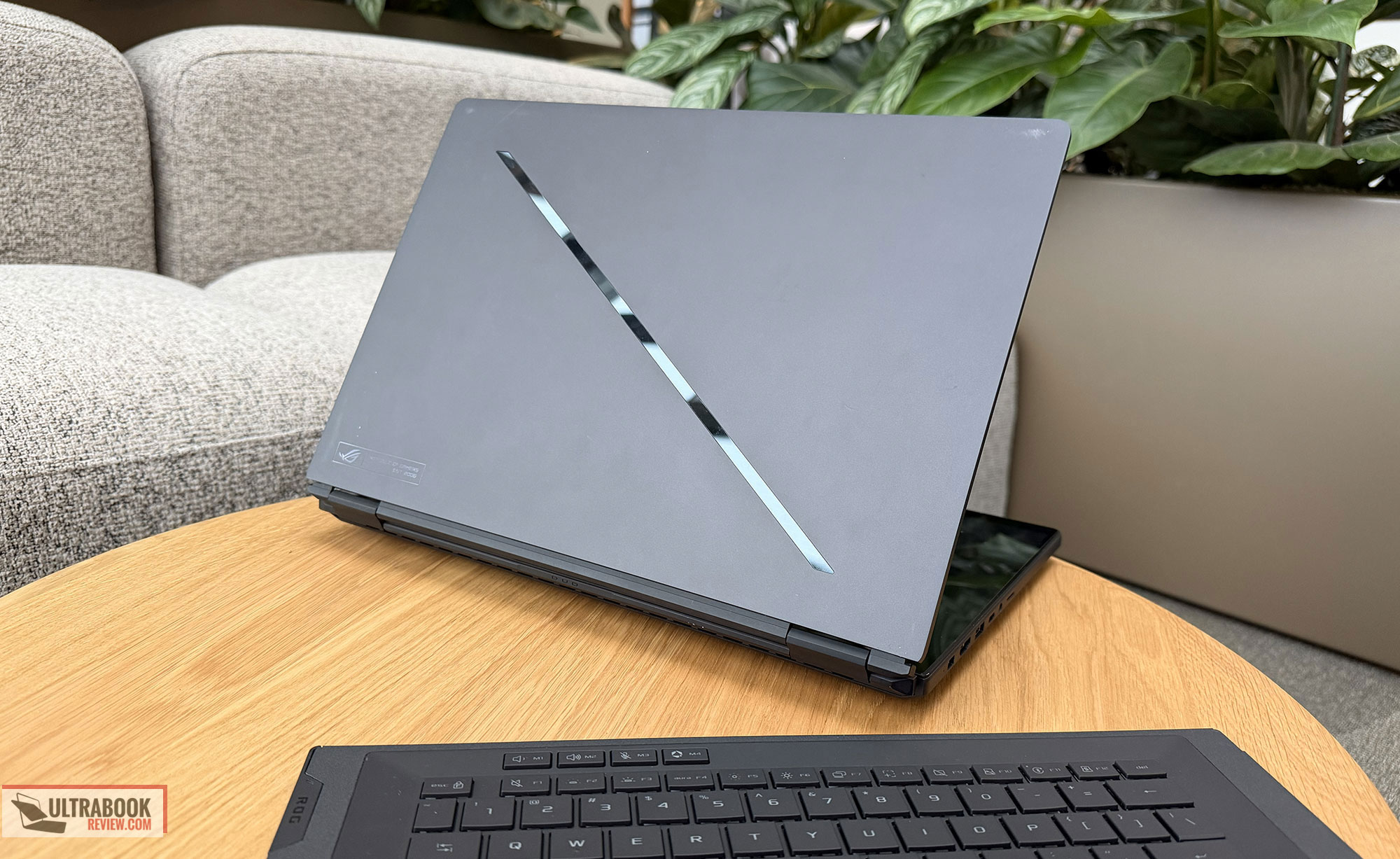
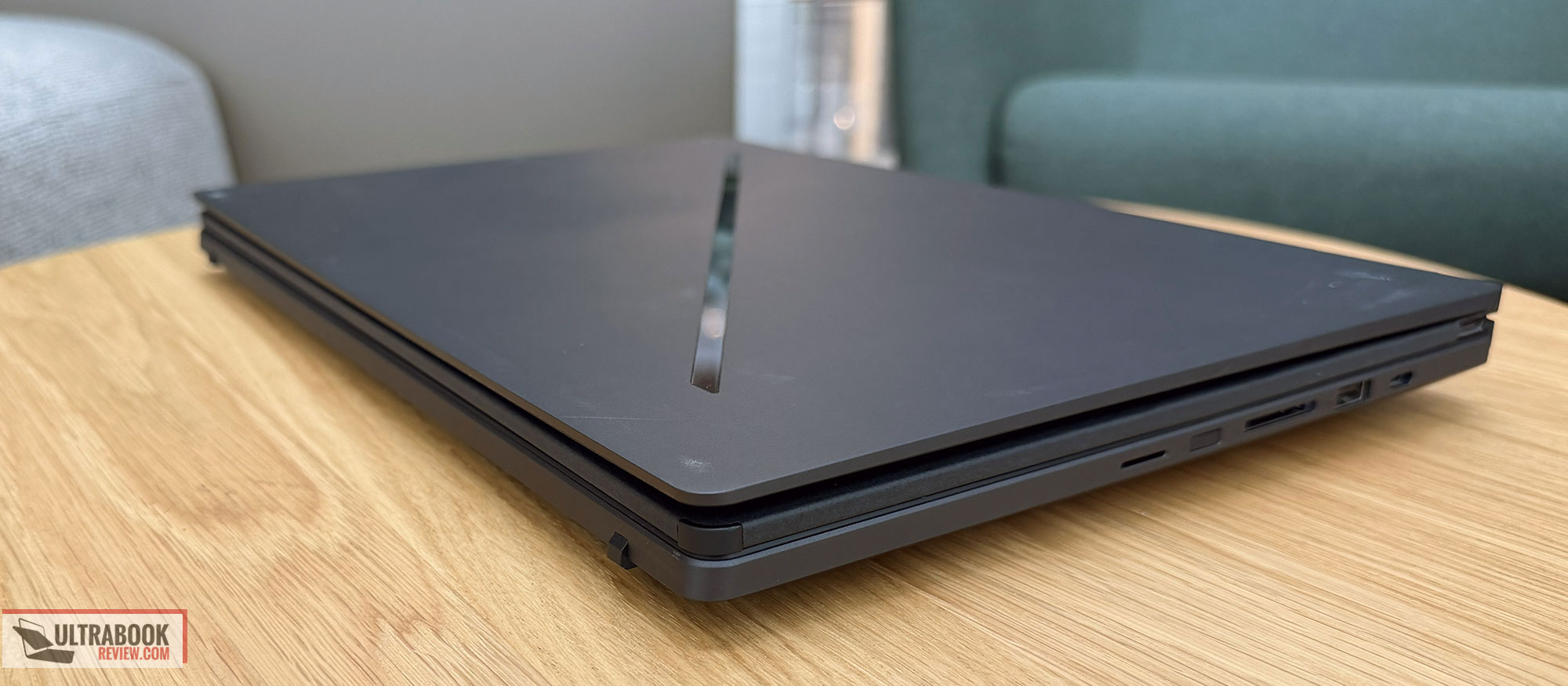
On the outside, the Zephyrus DUO features a premium CNC-aluminum chassis with a Stellar Grey color theme and a rougher feel to the metal. There’s also a Slash Lighting bar on the lid, the same implemented in the Zephyrus G16 – not a fan, and I would have preferred a simpler basic lid instead, but it is what it is.
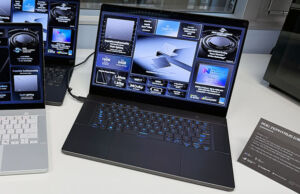
I got to spend some time with an early Zephyrus Duo sample and was impressed with the build and overall heft of this design. Aesthetics are alright as well, and the keyboard folio feels strong and practical. The typing experience should be close to the Zephyrus G16, which offers one of the better keyboards out there.
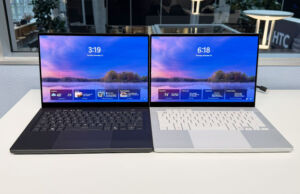
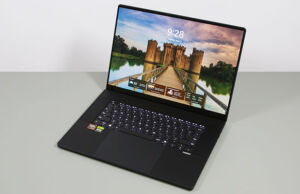
Here are some images that I took.


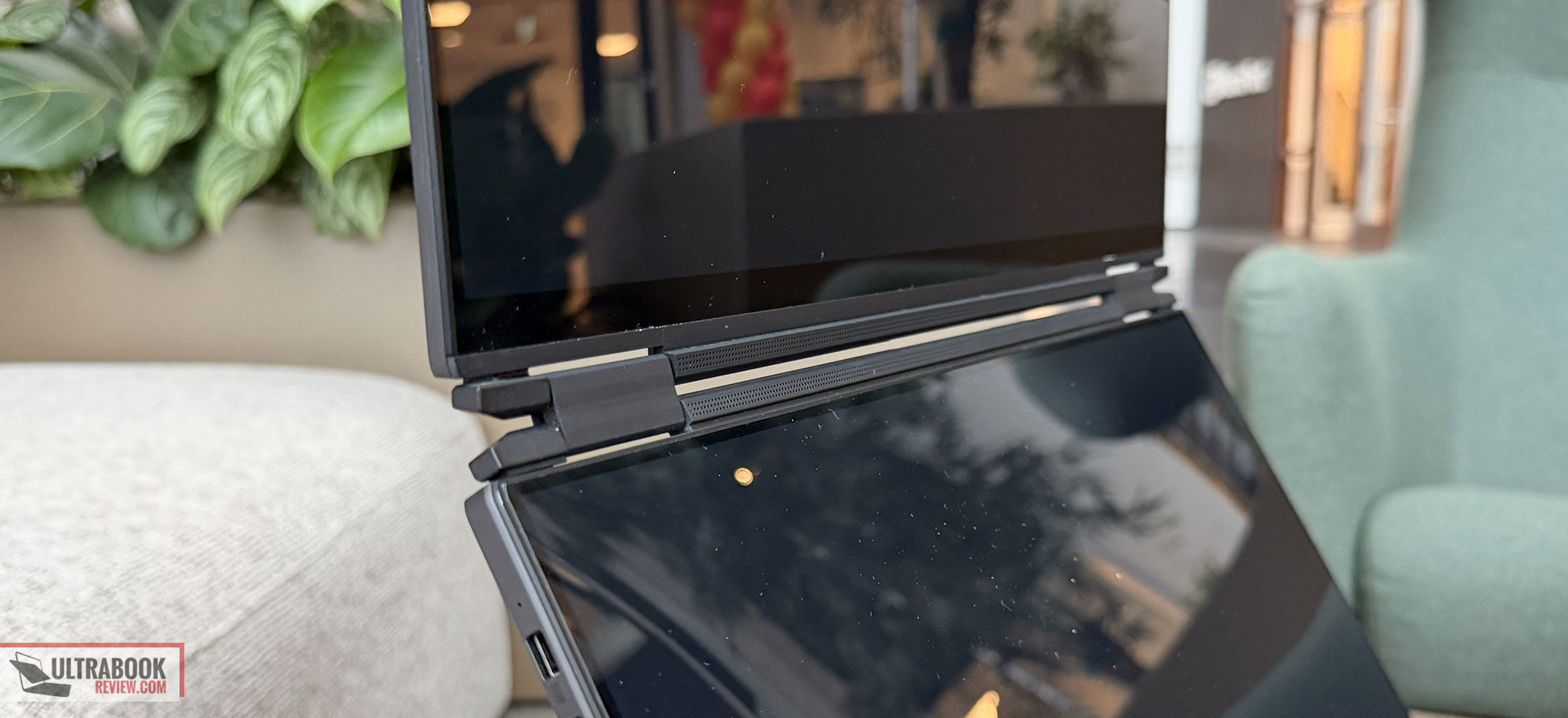
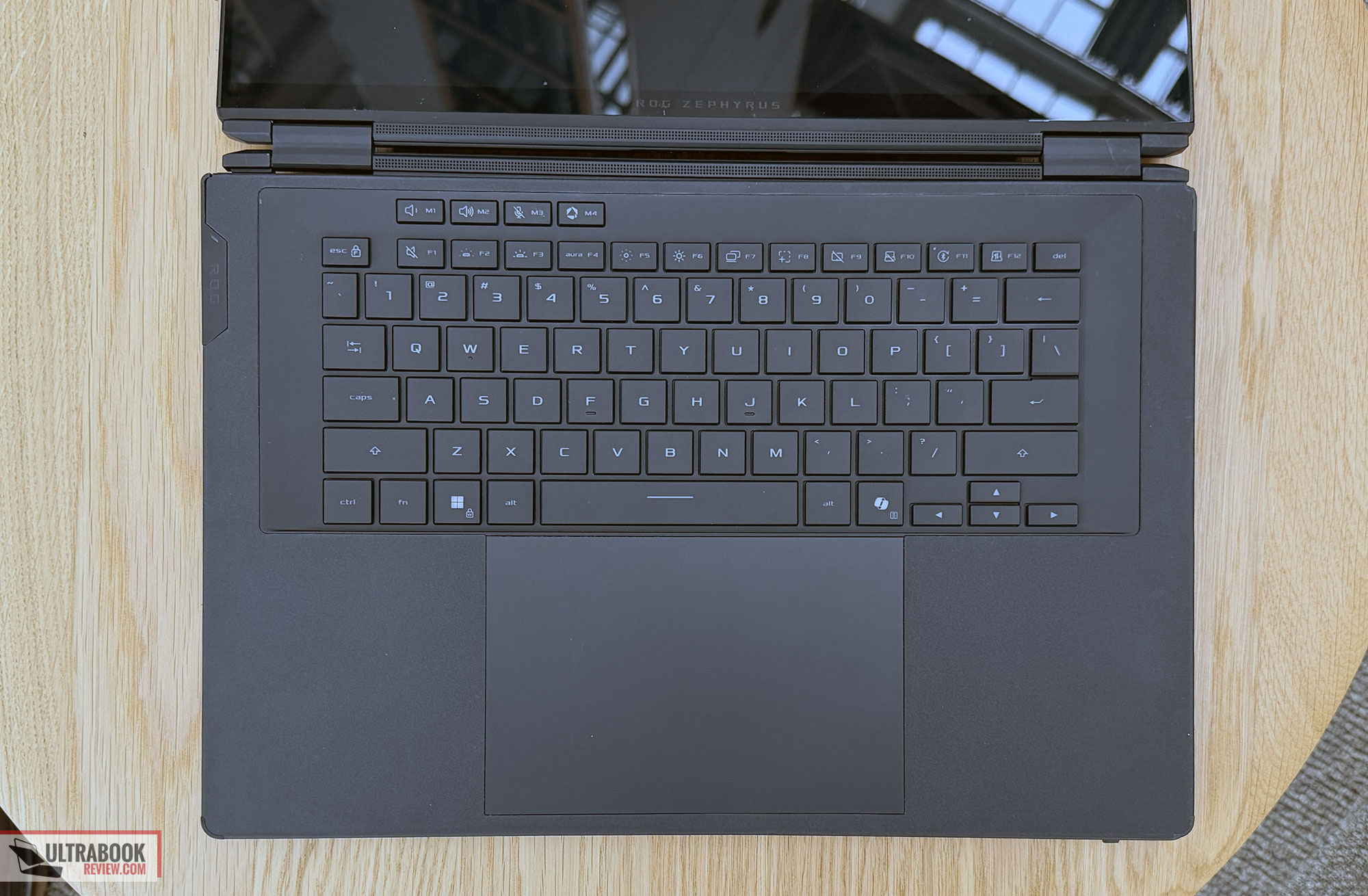
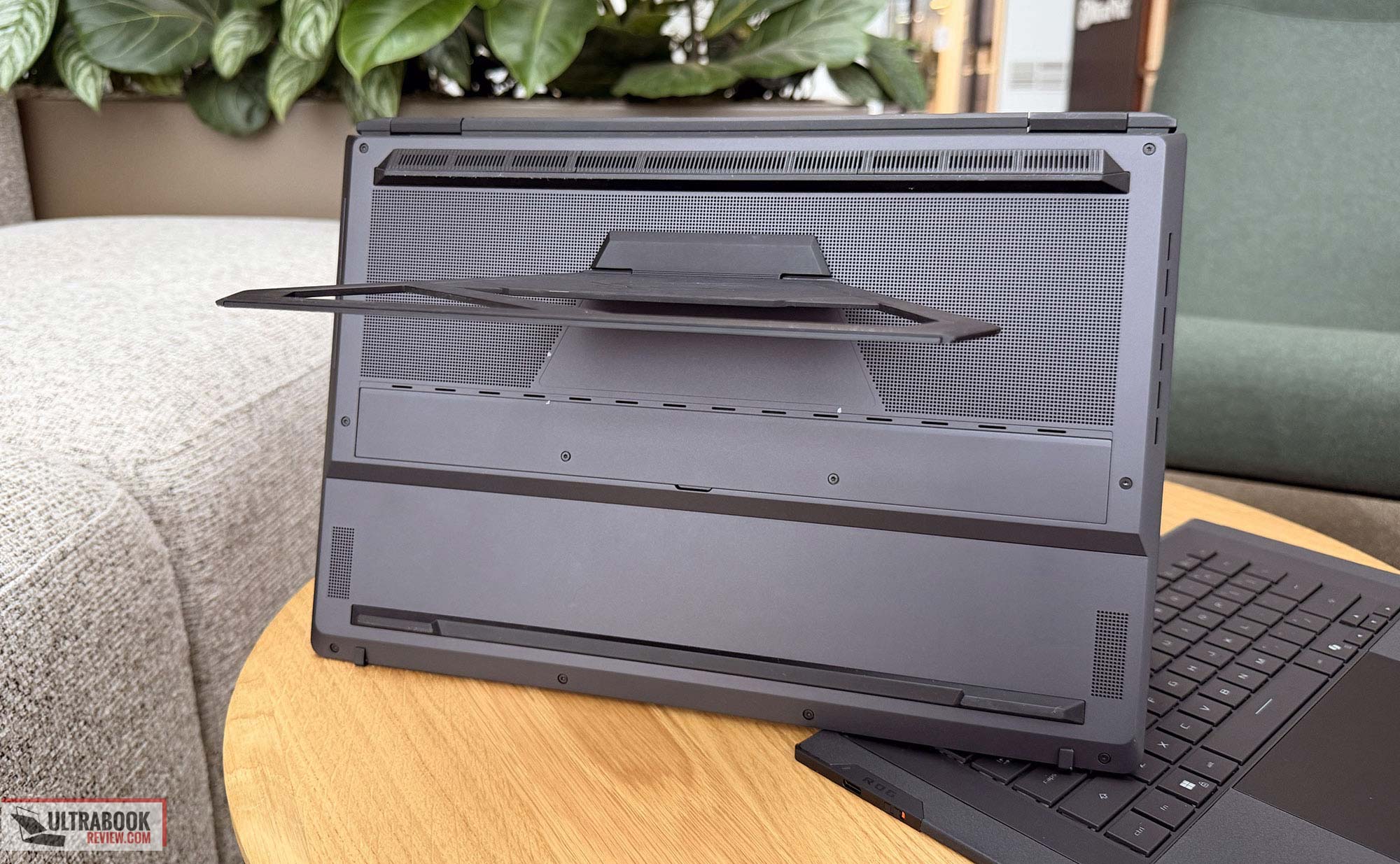
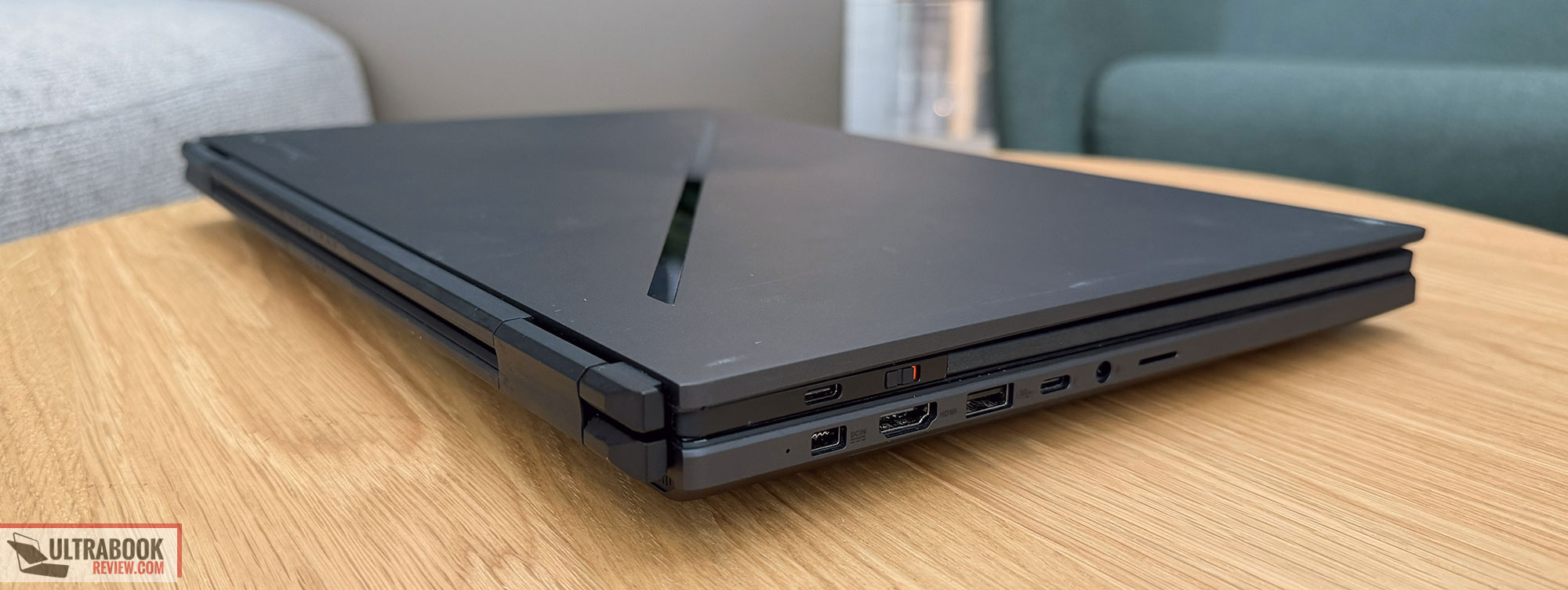
And here’s how the older Zephyrus DUO design used to look for comparison, with the 1.5 display format and the keyboard squeezed in at the front of the chassis.
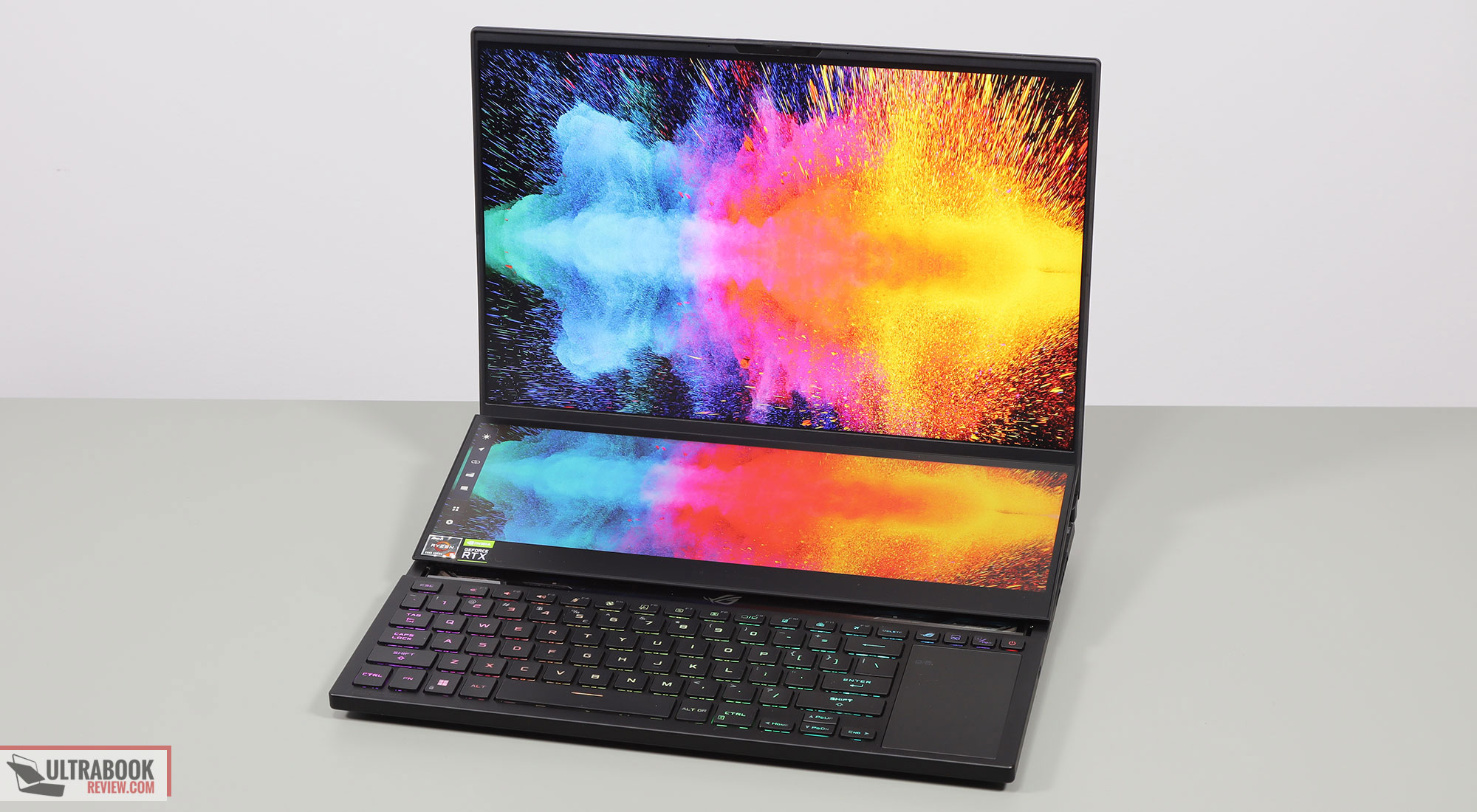
At the same time, this is a thick and heavy laptop. At 2.8+ kilos including the keyboard folio, it’s heavier than the full-size Scar 16, a tradeoff of the dual-display format.
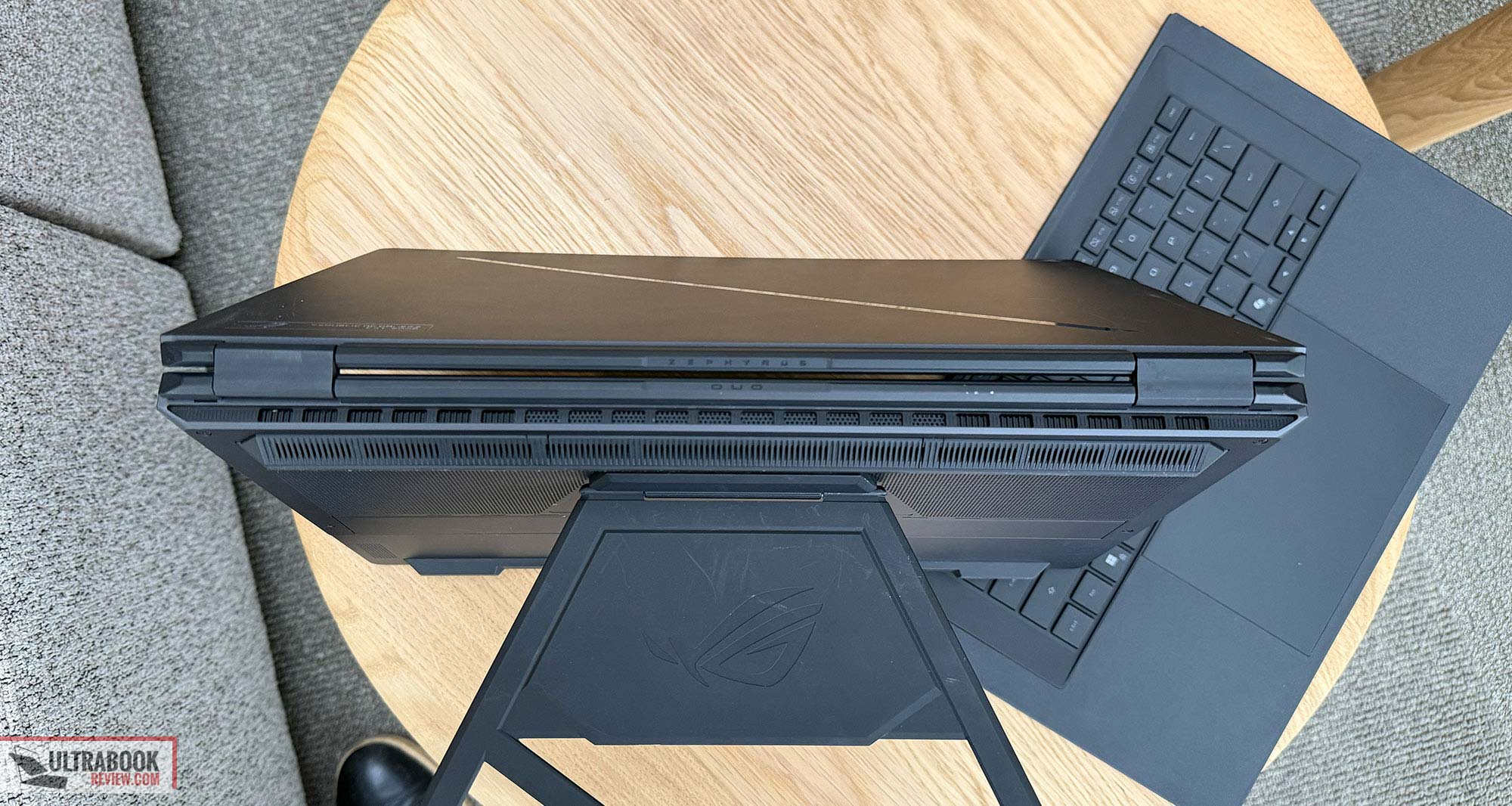
But then the benefits are the multiple operating modes offered here by the two displays paired with hinges that rotate to 320° and the kickstand that expands to 90°. Those are:
- regular Laptop mode, with the keyboard folio attached on top of the main chassis part;
- Dual-Screen mode with the keyboard detached and connected via Bluetooth, where you can leverage the kickstand for a setup with two landscape displays one over the other, or two portrait displays side by side (Asus calls this Book mode). The hinges and bezels between the two displays are fairly chunky, not as seamless as on the latest Zenbook Duo refresh;
- Sharing mode, where you can open the two displays flat on the desk – they open at the same level, unlike on the older Zenbook Duo models that implemented rather similar hinges at that time;
- Tent mode, where you can set the screens up high away from each other, allowing two people to use each screen at a time for various actions, including playing games in mirror mode (not two different games at the same time). This can be used in other ways as well, such as running a browser on one side and playing a video or movie on the other.
So yeah, this format provides some versatility and use cases that are not possible with regular notebooks of this kind. And what I mean by that is powerful and highly-capable systems.
Speaking of, this Duo implements an Intel Panther Lake Core Ultra 9 platform alongside fast LPDDR5x memory (onboard), gen5 SSD storage, and up to an Nvidia GeForce RTX 5090 at 135W TGP. There’s also an RTX 5070Ti variant, but no other options announced so far.
The CPU is a hybrid design with Performance, Efficiency, and Low-Power Efficiency Cores, while the GPU is a mid-powered implementation of the highest RTX 5000 chips, which means this isn’t going to be quite as powerful as some of the full-size standard notebook formats out there.
For comparison, the 2026 Zephyrus G16 offers a Panther Lake Core Ultra 9 processor with 160W TGP on the graphics, while the full ROG Strix Scar 16 offers an Intel Core HX platform with full-power 175W RTX graphics.
All in all, though, expect this Zephyrus Duo to offer competitive heavy-use performance and even come within 10-20% of the fastest notebooks out there in GPU-heavy loads and games, which is impressive all things considered. Especially since the chassis needs to tame the hardware without the ability to draw air from the top of the main case, through the keyboard, as that part is covered by a display here – a graphite sheet separates the internals from the panel to prevent overheating that could impact the OLED longer-term, but we’ll need to properly test temperatures over this display to better understand where we stand.
Instead, fresh air goes in through the sides and from the bottom, and then out through the back. I’d reckon that means you will have to keep this raised off the desk for the best performance and thermals, but that’s usually the case with most other powerful laptops anyway, with few exceptions that work properly flat on a desk.
The cooling module is on par with what Asus implements on their other top lineups, with high-capacity fans, a large vapor chamber, and liquid metal on the CPU/GPU.
Internally, there’s also a 90Wh battery on this series and a competent audio system with 6x speakers (actually, two dual-firing main speakers and two extra tweeters).
All in all, this Asus ROG Zephyrus DUO is an unique offer in the niche of high-performance workstations that can tackle any work activity or modern game, with the versatility of a dual-display format with two full-size 16-inch displays, and the inherent drawbacks that spun from this format: weight, thickness, performance kept in-0check by the need to keep thermal low, and finally, pricing. Expect this to be one of the most expensive notebooks currently on the market, although budget is hardly a concern when shopping for this sort of machinery.
Stay around for our detailed review over the next weeks and months, and in the meantime, I’d love to hear your thoughts on this series.