Sony Vaio Pro 13 review – great Haswell business ultrabook
47 Comments
Cristian
June 13, 2013 at 9:10 pm
Hmm, it flexes way too much for my liking, makes it difficult for someone looking for a haswell ultrabook to prefer it to the MB air.
The air doesn’t have a touchscreen, though, so this compensates for the Pro.
there will be plenty of other options. The Aver S7 could be one, and many others. Just wait for a few weeks
Touko
July 10, 2013 at 12:51 pm
The excessive flex is a much bigger problem than given credit for in most places. Sony used a large main circuit board inside, stretching from left edge to right edge, so they could mount the connectors on it.
This means, that when the notebook flexes, the mainboard is forced to flex with it.
Ive you’ve ever read anything about modern multilayer circuit boards (commonly using 6 layers for computer mainboards), you know that the one thing that ruins them fast is bending them.
Why? Because between each layer of plastic are tiny leads with numerous vertical connections crossing one or more of the plastic layers. Bending such a board repeatedly will eventually shear off the vertical connects and buckle the horizontal leads.
I expect a massive spike of failure rates for the Vaio Pro series in 6 to 12 months, individually depending on how much people actually travel with these.
Kman
June 13, 2013 at 9:30 pm
Hi thanks for the detailed review. One question though, is the battery user replaceable or would it need to be sent away to be replaced?
it’s not. Most ultrabooks come with encased batteries, especially those as small as this one
Gregor
June 14, 2013 at 2:24 pm
Very good review – very detailed! Will you be making one for the 11 inch model as well?
Have you had the chance to attach the sheet battery – I would like to know if the battery can be easily attached or is a bit tricky like with the Acer S7.
I think I’ll have the Pro 11 in a week or so. I’m currently playing with the Duo 13.
Also, O haven’t seen the battery in real life yet, but if I will, I’ll update the post with some photos.
Tony Petro
June 16, 2013 at 3:52 pm
According to Sony’s own site and several other reviews, the Pro 13 does NOT have a magnesium shell as repeatedly stated here, but is in fact carbon fiber–which would account for the flex, given the nature of the material. Although tolerance for flex is a matter of personal taste, it’s a bit unfair to question the *durability* of the build based on a comparison with inherently rigid magnesium/aluminum.
(Not a Sony fanboi by any stretch, just looking for accurate info.)
J
June 19, 2013 at 3:48 am
Hi!
So good reading your review, I’m in the market for buying a windows based ultraportable that is based on the new haswell architecture. I had a few questions (after reading your review)
1. Does the machine get excessively hot? If so, at what point in time? Normal use or heavy gaming use?
2. How bad is the trackpad (if you rate MBA at 10/10) how would you rank this one? Is two finger scrolling really very bad in the trackpad? Could a future driver/software update fix that?
1. No, it doesn’t. Even when playing games, it doesn’t. But can get a bit louder when pushed
2. I’d say it’s a… 6. It’s not that bad, but there’s definitely room for improvements
J
June 19, 2013 at 2:27 pm
Thanks for the quick comment! I’m wondering whether it makes sense to buy a laptop knowing that the keyboard is lackluster. I like how light it is, but the fan noise with the poor keyboard makes me wonder if I should bite the bullet and just get a MBA and run windows (bootcamp) all the time.
It really depends on how much value you put on the keyboard. for me, that’s extremely important, that’s why I probably focus a lot on that in my reviews
As for the noise, the Duo 13 is not noisier than most other ultrabooks and like I said in the article, most of time the fans are actually off. so that shouldn’t be an issue.
Now, before going for the MBA (which is definitely a very good machine, don’t get me wrong) you might want to wait for Lenovo’s and maybe Asus’s take on Haswell ultrabooks. Maybe those will suit your needs better…
Amitai
June 20, 2013 at 4:13 pm
Can I edit 1080p video and photos with this ultrabook without lags and such?
Magnus
June 24, 2013 at 12:43 pm
Hi
Many thx for snappy review(s). However, I’m a bit puzzled as to how many different graphics performance results on the Vaio Pro there are out there :S
You say, for instance, 3DMark 11 entry score is E996. But on computershopper.com/laptops/reviews/sony-vaio-pro-11/%28page%29/3#review-body the entry score is as high as E1431.
Moreover (sorry for less irrelevance regarding your review..) Notebookcheck has posted a 3DMark 11 P600 (based on Laptopmag’s review), which correlates with your P600. BUT that will then place the Vaio Pro beneath “older” ultrabooks (with discrete HD 4000 graphics) such as Acer Aspire S7 and Kirabook, which in fact is contradicted by others: computershopper.com, pcmag.com…
I have ordered the Pro Vaio 13, so I am in line for a delivery, but all these contradictions make me a bit uneasy as regards my anticipations on the Pro’s grahpics performance !
I posted the results I got on this particular unit, which was an engineering sample. There’s a slight chance final retail units will get better results, but not THAT much better. Even so, benchmarks don’t tell the whole story and I did get way better in-game results on the Vaio Duo 13 I tested with the exact same configuration.
Steven
July 18, 2013 at 12:32 pm
Hi Andrei:
Thank you for the review.
Just wanted your opinion.
I am tempted to buy this ultrabook especially there is a australian website flingshot is offering vaio pro 13 for Au$1198 valid until friday. However I would like to know how long will this SSD last. Is this ssd Single layered or multilayered? Also do you know if any SSD in any ultrabook lasted more than 5 years? Is the SSD on pro upgradable manually?
Secondly my main consideration is price, an ultrabook with touch screen and haswell, this ultrabook seems to be cheapest compare to Toshiba Kira, lenovo carbon x1 touch. If I wait until December, do you think Sony will produce a better pro with similar price or will other competitor like asus, lenovo and Toshiba comes up with a ultrabook haswell touch laptop with a price close to Vaio pro?
Vish Periyasamy
July 29, 2013 at 8:29 am
You have the best reviews on all ultrabooks I have searched through for the last month so I thought I might ask you this: Several (and by several I mean a very large quantity) of customer reviews I have read have complained about a severe wifi problem that has become known. I realize you don’t spend too much time with each computer you review but I was wondering if you ever noticed a wifi problem that disconnects you repeatedly. I was thoroughly convinced on buying this machine until I discovered this problem as it would be a major deal breaker for me to deal with such an inconvenience.
Jerry
August 19, 2013 at 3:54 am
Hey Andrei, which laptop would you choose between the sony vaio pro, Acer aspire s7 and the zenbook prime ux31a? Thanks for any feedback and awesome review!!!
I care a lot about battery life, so I’d probably get either the Sony or the Acer. The Sony is cheaper, but the Acer is a lot more solid and less bendy.
As for the prime, not sure which version you’re talking about, but it’s still a good pick if you want to save some money or just want a laptop with a non-glare screen
Chan
September 21, 2013 at 8:02 am
Can you pls advise which is better; vaio pro13 i7 256ssd or duo 13 i5 128ssd? I want to get one of them but cannot decide which one to get.
Hector Lopez
November 3, 2013 at 2:04 am
Congratulations you have one of the best ultrabook review websites of the internet. I have Vish Periyasamy same question: Several (and by several I mean a very large quantity) of customer reviews I have read have complained about a severe wifi problem that has become known. I realize you don’t spend too much time with each computer you review but I was wondering if you ever noticed a wifi problem that disconnects you repeatedly. I was thoroughly convinced on buying this machine until I discovered this problem as it would be a major deal breaker for me to deal with such an inconvenience. Please we would like to know your experience about this issue. Thanks in advance, Regards.
Yes, the Wi-Fi problems are real. During my time with the Pro 13, I have encountered some Wi-Fi issues as well, as mentioned in the article.
George
November 11, 2013 at 9:35 pm
Hi! first of all, just found this website and im loving it! congrats for the great reviews.
Im looking for a business oriented ultrabook for a new job (company will pay for it) and I’ve been offered both the Sony Vaio Pro and the Asus Zenbook Infinity. I was going for the Sony for its 1,06kg, the display and the price (around 350€ cheaper), but started reading about the WiFi problems.
I work as an IT consultant and I was already finding hard the absence of straight ethernet port. The WiFi dongle doesn’t convince me at all and I’m not sure about the typical USB-to-RJ45 dongles working with wireshark or tcpdump utilities. On top of that, WiFi seems to be a real problem with this laptop so im really worried about picking the Sony, and telling my company the laptop I chose was a total fail and I need them to pay for another one…
My first choice was the Samsung ATIV Book 9 Plus, but I havent been able to find it yet in Spain, and I believe it to be the most expensive of the 3.
Any recommendations if I should go for the Sony and ignore the wifi related problems commented, go for the Zenbook (still haven’t found any negative stuff about them) or try to push harder and make them buy me the Samsung in case I can find a retailer?
I wouldn’t go for the Sony, personally. Over flexible and wi-fi problems.
The UX301 is a good laptop, as you might have seen from the review. Haven’t heard bad things about it eider. The ATIV is good as well, but lacks the higher power processors of the UX301, has a shallower keyboard and less ports. It’s a matter of personal experience between the two.
As a business laptop, you should consider the Lenovo Thinkpad X240 or the THinkpad Yoga as well. Powerful and strong, with awesome keyboards and long battery life
alex j
December 18, 2013 at 6:54 pm
Hy Andrei,
My budget here in Romania is about 5000 lei (1200-1300 euro). I love the Vaio Pro 13. In this budget is there any other quality ultra portable, non-glare, minimum HD+, non-touch? I am in offices a lot, and I want to carry all over with my agenda. My tablet is not enough. Thank you
Non-glare is an issue with most modern ultrabooks, since Intel imposes these laptops to have touchscreen these days.
Personally, I’d look at the Lenovo Thinkpad Carbon X1, if you’re fine with Ivy Bridge and about 4-5 hours of everyday use. Might be a bit outside the budget though. The Vaio Pro 13 is a decent options, however, there’s one thing to be aware of: potential wireless issues. If you’ll go through user reviews online, you’ll see that many are complaining about wi-fi dropping out of the blue. It happened to me too on the test model. If you’re willing to take a chance, then the Pro 13 should do fine. But it may as well turn out to be a big pain in the… :)
Thomas Waldmann
November 15, 2013 at 9:56 am
I got a SVP13 as a successor for my 4.5y old Thinkpad X300.
I waited for such a machine for years (everything else before just didn’t meet my requirements) and I was surprised Sony finally made it.
I have removed Windows 8 from it, put Ubuntu 12.04 LTS on it + the latest linux kernel and I don’t have wireless issues. 2 rooms / 2 walls away from wifi router and it works (22MBit/s throughput from internet).
What I like:
* battery life – 10 hours in practice with linux (5h for each battery, have the int. + ext. battery) (*)
* lightweight machine (*)
* full hd, non-glare, non-touch ips panel, good colours (*)
* 8gb ram (some other ultrabooks are limited to 4) (*)
* good price (*)
* with low load, fan noise is low/ok
* linux compatibility (with latest kernel)
* it first discharges the ext. battery, putting most cycles on that one
* power supply has usb charging port (that is also/alternatively used for that little dockable wifi/lan router I also have)
* 4y warranty for not too much (*)
* Intel VT (this should be a normal feature with CPUs supporting it, but Sony failed here badly in the past with BIOSes having that locked away)
(*) features that some other ultrabooks or similar machines just don’t have.
What I dislike:
* sharp edges
* i miss the trackpoint that Thinkpads usually have, don’t like touchpads
* the flexing is usually not an issue, but if you don’t have the machine standing on a flat surface and you put quite some load onto left and right handrest, it may flex enough so that a touchpad click is triggered.
* the win 8 usb recovery media it built for me didn’t work starting from an empty SSD. as I don’t like win8 anway, no big loss for me.
* black case – i would have preferred white or some other rather light colour. Black looks “cool”, but if you dare to go outside in the summer, black just attracts too much heat.
* Sony offers BIOS updates as *.EXE only.
Hope that helps.
Paul
December 18, 2013 at 4:25 pm
Thanks! Your comments about ubuntu on the vaio pro were very helpful. Particularly pleased to see the slice battery is used properly.
Hank
December 30, 2013 at 1:43 am
Hi,
Seeing the video I have a question.
By default there is no wireless built-in into the laptop?
So if the charger is not connected to the laptop then there is no WIFI nor Ethernet?
Hank
Thomas Waldmann
January 9, 2014 at 12:07 am
There is WiFi built-in, but there is no wired ethernet (the plug would be rather big and there is not much space).
Sony sells a small WiFi router that can be powered from the USB outlet at the charger (or any other USB power), so it works like this:
Laptop Router
I have that router, it’s quite nice. Also the HDMI/VGA adapter works good.
Hank
January 28, 2014 at 11:17 pm
Hi
I bought this laptop and I’d like to share some experiences.
First of all the world wide warranty is just very limited. So Sony will deal with warranty issues, however, repair time can be up to 90 days (if they do not have part for that specific region).
Secondly. Here or other forum somebody mentioned possible motherbard problem in future due to the flexibility (many layer circuit).
In case of the i7 version I did not experienced the same flexibility. I think Sony tried to improve some.
However I discovered a serious and very annoying problem.
When the machine is not on a hard surface, but on my legs above my knees and I try to type, then usually both of my wrist is on the laptop. (I use linux.) In this case the mouse lose the focus from the current window. Another example. The Midnight commander (like the norton commander or windows commander) two panels file utility) change focus of the panel from left to right (always this direction and this is similar when you press tab button, however tab is supposed to change between panels).
If I decrease the pressure on the surface of the laptop of any of my wrist then problem disappear.
Also integrating the mouse button into the touch part of the touchpad is a bad idea. I need to learn again how to use the mouse, otherwise the dual touch can cause surprises.
It is very annoying you can not move the display back too much. You need to decrease you chair’s height or increase the laptop height or use external devices if you do not want some ergonomic issue in your neck (as the ideal position would be front of you without moving up or down your head too much)
Fedora is already supporting this laptop from Fedora 20 (currently the most recent) version. Probably earlier can start, but installation disk started to load something (kernel, etc.) then blank screen and sometimes lights were changing of the keyboard. For linux you need to switch off the secure boot (so you will not notify if a new software added itself to the boot order or created a new EFI partition)
Also you need to add libata.force=noncq to the line starting with linux or linuxefi (depending on your boot)
For me the sharp edges were not that bad as I expected.
I hope these will help before you buy this laptop.
I mean on “Fedora 20 supports” it is handling at least the high resolution screen, sound, touch screen, touch pad with dual touch, wifi, USB.
I have not tested the NFC or Bluetooth yet.
Also the above suggested kernel parameter need for SSDs only (so theoretically to all vaio pro 13).
One more strange thing: the mouse click button part of the touch pad. It is divided into two parts. Left half is the left button, right half is the right one. For me the left side of the left part does not work. So need to go towards the right button to be able to click with the left (almost at the middle while I should not forget this is a touch pad so if I move my finger to the middle the mouse will move as well… This is very annoying and I think this is warranty problem or a serious design problem.
yangzi
December 22, 2014 at 7:10 am
Great review, objective and useful. Actually you give me an answer what ultrabook I should buy. I read all you reviews and I choose the Lenovo Yoga 2 Pro i7 (best fit for me, I don’t want to start any flames about which is the best). Keep going. Congrats!
Keep in mind: We manually approve each comment. This way, we can attend to all your questions and requests. There's no need to submit a comment twice, just be patient till we get to it. Thank you!
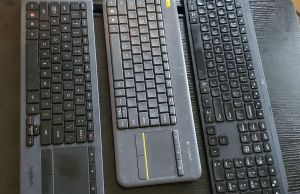
In this article, I’m sharing with you my experience in searching for the best wireless keyboard for my home theatre (HTPC) setup, comparing the different models that I’ve tried...


Cristian
June 13, 2013 at 9:10 pm
Hmm, it flexes way too much for my liking, makes it difficult for someone looking for a haswell ultrabook to prefer it to the MB air.
The air doesn’t have a touchscreen, though, so this compensates for the Pro.
Thank you for this review, very interesting!
Andrei Girbea
June 14, 2013 at 12:49 pm
there will be plenty of other options. The Aver S7 could be one, and many others. Just wait for a few weeks
Touko
July 10, 2013 at 12:51 pm
The excessive flex is a much bigger problem than given credit for in most places. Sony used a large main circuit board inside, stretching from left edge to right edge, so they could mount the connectors on it.
This means, that when the notebook flexes, the mainboard is forced to flex with it.
Ive you’ve ever read anything about modern multilayer circuit boards (commonly using 6 layers for computer mainboards), you know that the one thing that ruins them fast is bending them.
Why? Because between each layer of plastic are tiny leads with numerous vertical connections crossing one or more of the plastic layers. Bending such a board repeatedly will eventually shear off the vertical connects and buckle the horizontal leads.
I expect a massive spike of failure rates for the Vaio Pro series in 6 to 12 months, individually depending on how much people actually travel with these.
Kman
June 13, 2013 at 9:30 pm
Hi thanks for the detailed review. One question though, is the battery user replaceable or would it need to be sent away to be replaced?
Andrei Girbea
June 14, 2013 at 12:49 pm
it’s not. Most ultrabooks come with encased batteries, especially those as small as this one
Gregor
June 14, 2013 at 2:24 pm
Very good review – very detailed! Will you be making one for the 11 inch model as well?
Have you had the chance to attach the sheet battery – I would like to know if the battery can be easily attached or is a bit tricky like with the Acer S7.
Andrei Girbea
June 14, 2013 at 2:52 pm
I think I’ll have the Pro 11 in a week or so. I’m currently playing with the Duo 13.
Also, O haven’t seen the battery in real life yet, but if I will, I’ll update the post with some photos.
Tony Petro
June 16, 2013 at 3:52 pm
According to Sony’s own site and several other reviews, the Pro 13 does NOT have a magnesium shell as repeatedly stated here, but is in fact carbon fiber–which would account for the flex, given the nature of the material. Although tolerance for flex is a matter of personal taste, it’s a bit unfair to question the *durability* of the build based on a comparison with inherently rigid magnesium/aluminum.
(Not a Sony fanboi by any stretch, just looking for accurate info.)
J
June 19, 2013 at 3:48 am
Hi!
So good reading your review, I’m in the market for buying a windows based ultraportable that is based on the new haswell architecture. I had a few questions (after reading your review)
1. Does the machine get excessively hot? If so, at what point in time? Normal use or heavy gaming use?
2. How bad is the trackpad (if you rate MBA at 10/10) how would you rank this one? Is two finger scrolling really very bad in the trackpad? Could a future driver/software update fix that?
Thanks!
Andrei Girbea
June 19, 2013 at 8:54 am
1. No, it doesn’t. Even when playing games, it doesn’t. But can get a bit louder when pushed
2. I’d say it’s a… 6. It’s not that bad, but there’s definitely room for improvements
J
June 19, 2013 at 2:27 pm
Thanks for the quick comment! I’m wondering whether it makes sense to buy a laptop knowing that the keyboard is lackluster. I like how light it is, but the fan noise with the poor keyboard makes me wonder if I should bite the bullet and just get a MBA and run windows (bootcamp) all the time.
What would your thoughts be on that!
Thanks :)
Andrei Girbea
June 19, 2013 at 3:19 pm
It really depends on how much value you put on the keyboard. for me, that’s extremely important, that’s why I probably focus a lot on that in my reviews
As for the noise, the Duo 13 is not noisier than most other ultrabooks and like I said in the article, most of time the fans are actually off. so that shouldn’t be an issue.
Now, before going for the MBA (which is definitely a very good machine, don’t get me wrong) you might want to wait for Lenovo’s and maybe Asus’s take on Haswell ultrabooks. Maybe those will suit your needs better…
Amitai
June 20, 2013 at 4:13 pm
Can I edit 1080p video and photos with this ultrabook without lags and such?
Magnus
June 24, 2013 at 12:43 pm
Hi
Many thx for snappy review(s). However, I’m a bit puzzled as to how many different graphics performance results on the Vaio Pro there are out there :S
You say, for instance, 3DMark 11 entry score is E996. But on computershopper.com/laptops/reviews/sony-vaio-pro-11/%28page%29/3#review-body the entry score is as high as E1431.
Moreover (sorry for less irrelevance regarding your review..) Notebookcheck has posted a 3DMark 11 P600 (based on Laptopmag’s review), which correlates with your P600. BUT that will then place the Vaio Pro beneath “older” ultrabooks (with discrete HD 4000 graphics) such as Acer Aspire S7 and Kirabook, which in fact is contradicted by others: computershopper.com, pcmag.com…
I have ordered the Pro Vaio 13, so I am in line for a delivery, but all these contradictions make me a bit uneasy as regards my anticipations on the Pro’s grahpics performance !
BR
Andrei Girbea
June 25, 2013 at 7:44 am
I posted the results I got on this particular unit, which was an engineering sample. There’s a slight chance final retail units will get better results, but not THAT much better. Even so, benchmarks don’t tell the whole story and I did get way better in-game results on the Vaio Duo 13 I tested with the exact same configuration.
Steven
July 18, 2013 at 12:32 pm
Hi Andrei:
Thank you for the review.
Just wanted your opinion.
I am tempted to buy this ultrabook especially there is a australian website flingshot is offering vaio pro 13 for Au$1198 valid until friday. However I would like to know how long will this SSD last. Is this ssd Single layered or multilayered? Also do you know if any SSD in any ultrabook lasted more than 5 years? Is the SSD on pro upgradable manually?
Secondly my main consideration is price, an ultrabook with touch screen and haswell, this ultrabook seems to be cheapest compare to Toshiba Kira, lenovo carbon x1 touch. If I wait until December, do you think Sony will produce a better pro with similar price or will other competitor like asus, lenovo and Toshiba comes up with a ultrabook haswell touch laptop with a price close to Vaio pro?
Vish Periyasamy
July 29, 2013 at 8:29 am
You have the best reviews on all ultrabooks I have searched through for the last month so I thought I might ask you this: Several (and by several I mean a very large quantity) of customer reviews I have read have complained about a severe wifi problem that has become known. I realize you don’t spend too much time with each computer you review but I was wondering if you ever noticed a wifi problem that disconnects you repeatedly. I was thoroughly convinced on buying this machine until I discovered this problem as it would be a major deal breaker for me to deal with such an inconvenience.
Jerry
August 19, 2013 at 3:54 am
Hey Andrei, which laptop would you choose between the sony vaio pro, Acer aspire s7 and the zenbook prime ux31a? Thanks for any feedback and awesome review!!!
Andrei Girbea
August 19, 2013 at 7:38 am
I care a lot about battery life, so I’d probably get either the Sony or the Acer. The Sony is cheaper, but the Acer is a lot more solid and less bendy.
As for the prime, not sure which version you’re talking about, but it’s still a good pick if you want to save some money or just want a laptop with a non-glare screen
Chan
September 21, 2013 at 8:02 am
Can you pls advise which is better; vaio pro13 i7 256ssd or duo 13 i5 128ssd? I want to get one of them but cannot decide which one to get.
Hector Lopez
November 3, 2013 at 2:04 am
Congratulations you have one of the best ultrabook review websites of the internet. I have Vish Periyasamy same question: Several (and by several I mean a very large quantity) of customer reviews I have read have complained about a severe wifi problem that has become known. I realize you don’t spend too much time with each computer you review but I was wondering if you ever noticed a wifi problem that disconnects you repeatedly. I was thoroughly convinced on buying this machine until I discovered this problem as it would be a major deal breaker for me to deal with such an inconvenience. Please we would like to know your experience about this issue. Thanks in advance, Regards.
Andrei Girbea
November 3, 2013 at 1:04 pm
Yes, the Wi-Fi problems are real. During my time with the Pro 13, I have encountered some Wi-Fi issues as well, as mentioned in the article.
George
November 11, 2013 at 9:35 pm
Hi! first of all, just found this website and im loving it! congrats for the great reviews.
Im looking for a business oriented ultrabook for a new job (company will pay for it) and I’ve been offered both the Sony Vaio Pro and the Asus Zenbook Infinity. I was going for the Sony for its 1,06kg, the display and the price (around 350€ cheaper), but started reading about the WiFi problems.
I work as an IT consultant and I was already finding hard the absence of straight ethernet port. The WiFi dongle doesn’t convince me at all and I’m not sure about the typical USB-to-RJ45 dongles working with wireshark or tcpdump utilities. On top of that, WiFi seems to be a real problem with this laptop so im really worried about picking the Sony, and telling my company the laptop I chose was a total fail and I need them to pay for another one…
My first choice was the Samsung ATIV Book 9 Plus, but I havent been able to find it yet in Spain, and I believe it to be the most expensive of the 3.
Any recommendations if I should go for the Sony and ignore the wifi related problems commented, go for the Zenbook (still haven’t found any negative stuff about them) or try to push harder and make them buy me the Samsung in case I can find a retailer?
Thank you!
Andrei Girbea
November 14, 2013 at 9:53 pm
I wouldn’t go for the Sony, personally. Over flexible and wi-fi problems.
The UX301 is a good laptop, as you might have seen from the review. Haven’t heard bad things about it eider. The ATIV is good as well, but lacks the higher power processors of the UX301, has a shallower keyboard and less ports. It’s a matter of personal experience between the two.
As a business laptop, you should consider the Lenovo Thinkpad X240 or the THinkpad Yoga as well. Powerful and strong, with awesome keyboards and long battery life
alex j
December 18, 2013 at 6:54 pm
Hy Andrei,
My budget here in Romania is about 5000 lei (1200-1300 euro). I love the Vaio Pro 13. In this budget is there any other quality ultra portable, non-glare, minimum HD+, non-touch? I am in offices a lot, and I want to carry all over with my agenda. My tablet is not enough. Thank you
Andrei Girbea
December 19, 2013 at 9:40 am
Non-glare is an issue with most modern ultrabooks, since Intel imposes these laptops to have touchscreen these days.
Personally, I’d look at the Lenovo Thinkpad Carbon X1, if you’re fine with Ivy Bridge and about 4-5 hours of everyday use. Might be a bit outside the budget though. The Vaio Pro 13 is a decent options, however, there’s one thing to be aware of: potential wireless issues. If you’ll go through user reviews online, you’ll see that many are complaining about wi-fi dropping out of the blue. It happened to me too on the test model. If you’re willing to take a chance, then the Pro 13 should do fine. But it may as well turn out to be a big pain in the… :)
Thomas Waldmann
November 15, 2013 at 9:56 am
I got a SVP13 as a successor for my 4.5y old Thinkpad X300.
I waited for such a machine for years (everything else before just didn’t meet my requirements) and I was surprised Sony finally made it.
I have removed Windows 8 from it, put Ubuntu 12.04 LTS on it + the latest linux kernel and I don’t have wireless issues. 2 rooms / 2 walls away from wifi router and it works (22MBit/s throughput from internet).
What I like:
* battery life – 10 hours in practice with linux (5h for each battery, have the int. + ext. battery) (*)
* lightweight machine (*)
* full hd, non-glare, non-touch ips panel, good colours (*)
* 8gb ram (some other ultrabooks are limited to 4) (*)
* good price (*)
* with low load, fan noise is low/ok
* linux compatibility (with latest kernel)
* it first discharges the ext. battery, putting most cycles on that one
* power supply has usb charging port (that is also/alternatively used for that little dockable wifi/lan router I also have)
* 4y warranty for not too much (*)
* Intel VT (this should be a normal feature with CPUs supporting it, but Sony failed here badly in the past with BIOSes having that locked away)
(*) features that some other ultrabooks or similar machines just don’t have.
What I dislike:
* sharp edges
* i miss the trackpoint that Thinkpads usually have, don’t like touchpads
* the flexing is usually not an issue, but if you don’t have the machine standing on a flat surface and you put quite some load onto left and right handrest, it may flex enough so that a touchpad click is triggered.
* the win 8 usb recovery media it built for me didn’t work starting from an empty SSD. as I don’t like win8 anway, no big loss for me.
* black case – i would have preferred white or some other rather light colour. Black looks “cool”, but if you dare to go outside in the summer, black just attracts too much heat.
* Sony offers BIOS updates as *.EXE only.
Hope that helps.
Paul
December 18, 2013 at 4:25 pm
Thanks! Your comments about ubuntu on the vaio pro were very helpful. Particularly pleased to see the slice battery is used properly.
Hank
December 30, 2013 at 1:43 am
Hi,
Seeing the video I have a question.
By default there is no wireless built-in into the laptop?
So if the charger is not connected to the laptop then there is no WIFI nor Ethernet?
Hank
Thomas Waldmann
January 9, 2014 at 12:07 am
There is WiFi built-in, but there is no wired ethernet (the plug would be rather big and there is not much space).
Sony sells a small WiFi router that can be powered from the USB outlet at the charger (or any other USB power), so it works like this:
Laptop Router
I have that router, it’s quite nice. Also the HDMI/VGA adapter works good.
Hank
January 28, 2014 at 11:17 pm
Hi
I bought this laptop and I’d like to share some experiences.
First of all the world wide warranty is just very limited. So Sony will deal with warranty issues, however, repair time can be up to 90 days (if they do not have part for that specific region).
Secondly. Here or other forum somebody mentioned possible motherbard problem in future due to the flexibility (many layer circuit).
In case of the i7 version I did not experienced the same flexibility. I think Sony tried to improve some.
However I discovered a serious and very annoying problem.
When the machine is not on a hard surface, but on my legs above my knees and I try to type, then usually both of my wrist is on the laptop. (I use linux.) In this case the mouse lose the focus from the current window. Another example. The Midnight commander (like the norton commander or windows commander) two panels file utility) change focus of the panel from left to right (always this direction and this is similar when you press tab button, however tab is supposed to change between panels).
If I decrease the pressure on the surface of the laptop of any of my wrist then problem disappear.
Also integrating the mouse button into the touch part of the touchpad is a bad idea. I need to learn again how to use the mouse, otherwise the dual touch can cause surprises.
It is very annoying you can not move the display back too much. You need to decrease you chair’s height or increase the laptop height or use external devices if you do not want some ergonomic issue in your neck (as the ideal position would be front of you without moving up or down your head too much)
Fedora is already supporting this laptop from Fedora 20 (currently the most recent) version. Probably earlier can start, but installation disk started to load something (kernel, etc.) then blank screen and sometimes lights were changing of the keyboard. For linux you need to switch off the secure boot (so you will not notify if a new software added itself to the boot order or created a new EFI partition)
Also you need to add libata.force=noncq to the line starting with linux or linuxefi (depending on your boot)
For me the sharp edges were not that bad as I expected.
I hope these will help before you buy this laptop.
Good luck!
Andrei Girbea
February 4, 2014 at 3:42 pm
Thanks for this feedback, Hank ;)
Hank
January 29, 2014 at 12:06 am
I mean on “Fedora 20 supports” it is handling at least the high resolution screen, sound, touch screen, touch pad with dual touch, wifi, USB.
I have not tested the NFC or Bluetooth yet.
Also the above suggested kernel parameter need for SSDs only (so theoretically to all vaio pro 13).
One more strange thing: the mouse click button part of the touch pad. It is divided into two parts. Left half is the left button, right half is the right one. For me the left side of the left part does not work. So need to go towards the right button to be able to click with the left (almost at the middle while I should not forget this is a touch pad so if I move my finger to the middle the mouse will move as well… This is very annoying and I think this is warranty problem or a serious design problem.
yangzi
December 22, 2014 at 7:10 am
Great review, objective and useful. Actually you give me an answer what ultrabook I should buy. I read all you reviews and I choose the Lenovo Yoga 2 Pro i7 (best fit for me, I don’t want to start any flames about which is the best). Keep going. Congrats!